Tutanota: Add PIN/fingerprint unlock option to increase security
On the new Android/iOS apps can the option be added to allow a PIN/Fingerprint login to access the app once you save your main login on the device?
This just gives an extra layer of security without requiring full login/2FA authentication every time.
Lots of other apps support this including ProtonMail.
 IOI-655321
All 11 comments
@IOI-655321 this is possible but would require some works. There may be even an issue about this already.
 charlag
on 22 Aug 2018
charlag
on 22 Aug 2018
Any news on this feature? I am currently using protonmail but I intend to switch over to Tutanota. This is the second TOP feature in my opinion that needs to be released soon ;-)
 unrockbar
on 26 Nov 2019
unrockbar
on 26 Nov 2019
Yes, this function is needed.
 psmike2g
on 17 Jan 2020
psmike2g
on 17 Jan 2020
Really, guys, there is totally no point in encryption at all, if user has no opportunity to set up pin or at least fingerprint protection on app.
Switched to tutanota from protonmail recently, and reaaly looking forward to see that feature!
 papko26
on 8 Feb 2020
papko26
on 8 Feb 2020
Really, guys, there is totally no point in encryption at all, if user has no opportunity to set up pin or at least fingerprint protection on app.
That is a very debatable point, considering that the operating system allows encrypting the device storage and securing the device with a few different options, including the fingerprint and a PIN code.
 MisterY
on 18 Feb 2020
MisterY
on 18 Feb 2020
Hello :) some news about this feature ? Yes I think too we really need this...
 IPv777
on 14 Jul 2020
IPv777
on 14 Jul 2020
Under Android Keystore system can be used for secure fingerprint usage.
 beerisgood
on 23 Oct 2020
beerisgood
on 23 Oct 2020
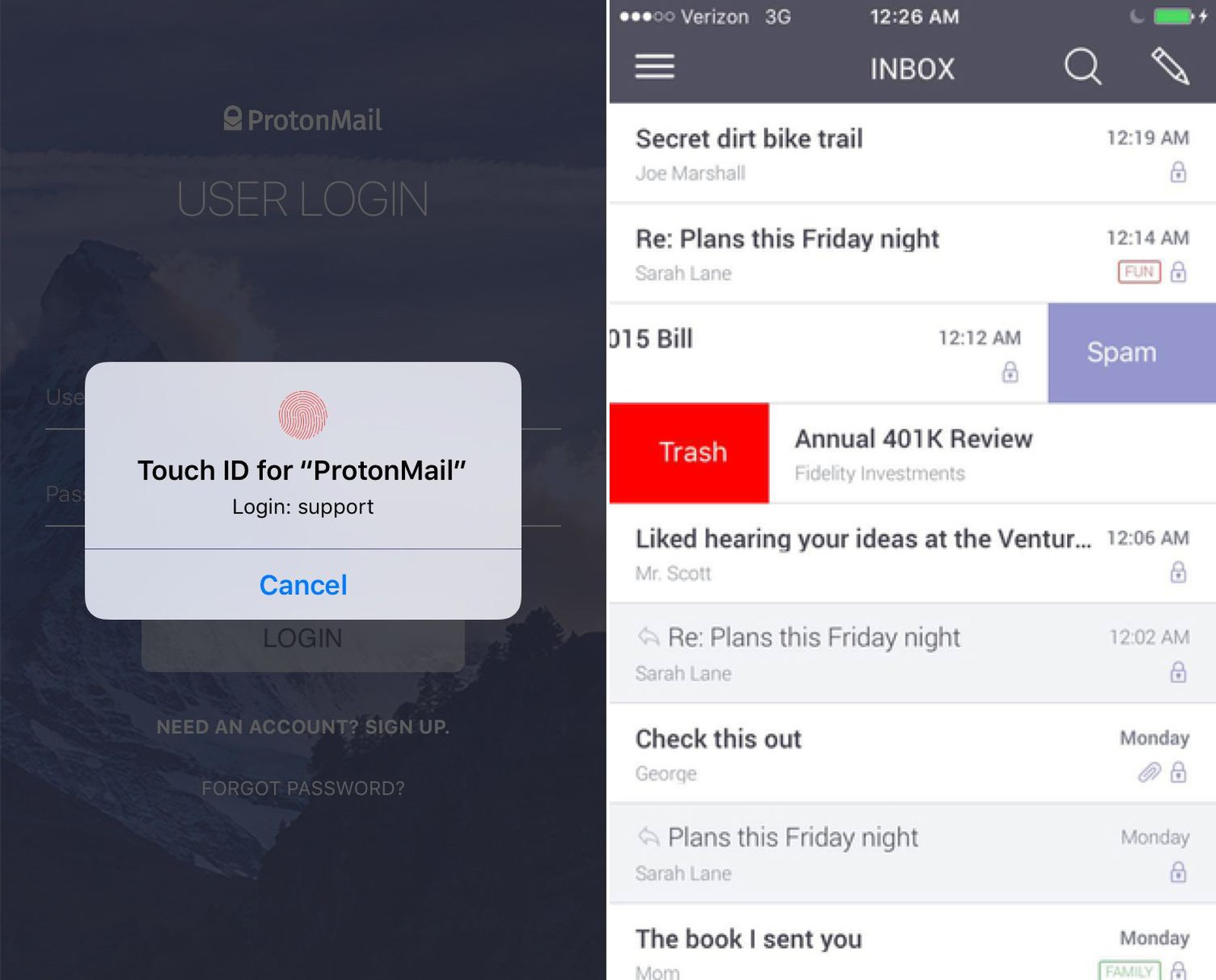
I'd sure like this. Not comfortable using email on mobile without fingerprint. Makes a lot of sense for a security-focused product. I prefer Tutanota overall but do like how ProtonMail uses Touch ID on iOS.
 stevengliebe
on 30 Oct 2020
stevengliebe
on 30 Oct 2020
Some personal opinion here from the security perspective.
Fingerprints (like any other biometric data) themself are not secure as you leave them everywhere, are easy to fake / duplicate and you will have to store them in your passport in the future (databases of the government and so on). Anyone can retrieve most of these biometric data without applying any force, which is not the case for PIN codes and passwords that only you know and no one can see them in the plain sight like your fingers, eyes, face and so on.
Technically FIDO2 / UDF based (hardware) tokens are generally safer, and also PIN codes (master password algorithm for example).
See also
https://www.google.com/search?q=ccc+fingerprint+hack
https://www.google.com/search?q=biometric+database+leak
https://www.forbes.com/sites/daveywinder/2019/11/02/smartphone-security-alert-as-hackers-claim-any-fingerprint-lock-broken-in-20-minutes/
https://srlabs.de/bites/spoofing-fingerprints/
https://theconversation.com/fingerprint-and-face-scanners-arent-as-secure-as-we-think-they-are-112414
It's basically often comfort vs security.
 DanielRuf
on 30 Nov 2020
DanielRuf
on 30 Nov 2020
With security, you must ask if you are protecting against a targeted threat or a general threat.
Biometrics is, as you point out, quite bad for security. Especially since it cannot be revoked after it have been compromised.
What it does though, is to add a thin protection layer, that actually forces an attacker to spend a few hours to extract and generate a fake fingerprint. Hence, it is probably sufficient protection against someone that just finds your phone, or some prying spouse / parent / aso.
And it is very convenient.
 snaggen
on 30 Nov 2020
snaggen
on 30 Nov 2020
Also biometric protect against someone watching typing the PIN / Password.
A normal attacker doesn't have time hacking with biometrics or strong PIN/ password.
beerisgood
on 30 Nov 2020
Related issues
 geocfu
·
4Comments
geocfu
·
4Comments
 EliasGabrielsson
·
4Comments
EliasGabrielsson
·
4Comments
 4jNsY6fCVqZv
·
4Comments
snaggen
·
7Comments
4jNsY6fCVqZv
·
4Comments
snaggen
·
7Comments
 armhub
·
3Comments
armhub
·
3Comments
Most helpful comment
Any news on this feature? I am currently using protonmail but I intend to switch over to Tutanota. This is the second TOP feature in my opinion that needs to be released soon ;-)