Trilium: inherited iconClass attribute not honored in 0.44.4
I identified this issue after upgrading to 0.44.4.
I'm on Ubuntu 20.04 linux and using the deb package.
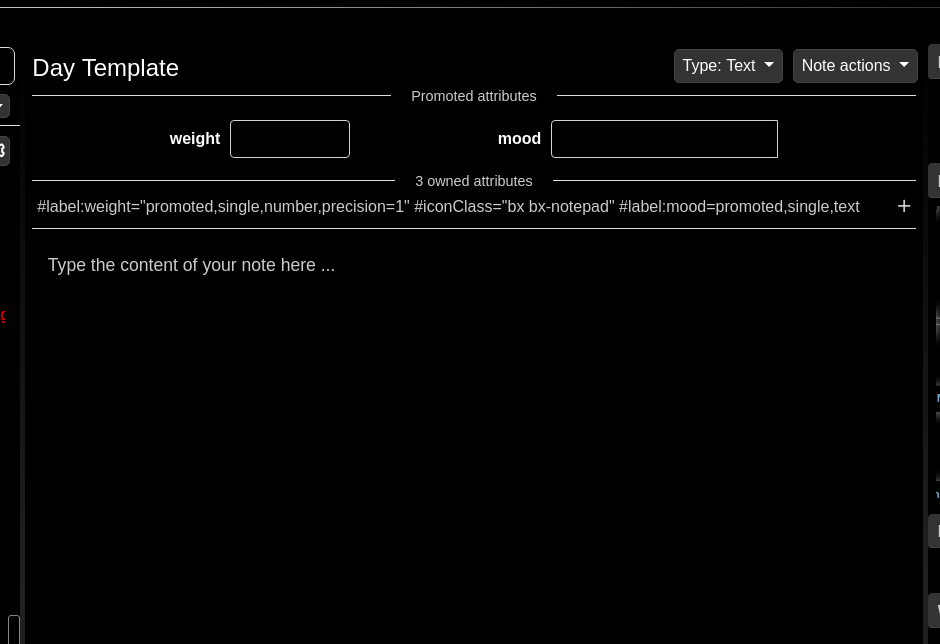
My day note template (and my other templates!) have iconClass specified as an attribute:
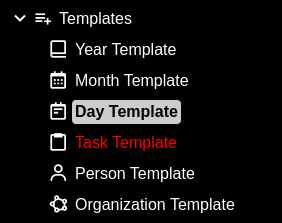
Indeed, my various templates show up in the tree with their selected icons:
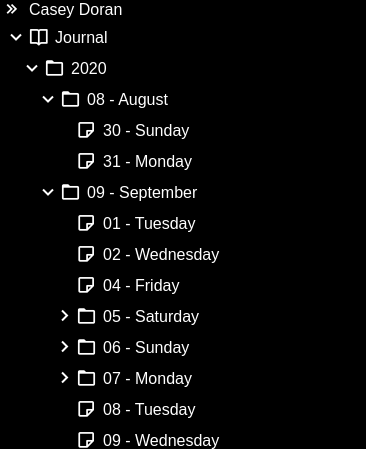
However, after the upgrade, my various template instances are only displaying their default note/folder icons, but manually adding iconClass to any of them (observe the "Journal" root node) does still work.
If you're a little underwater, I'm happy to take a look at putting together a PR on this one. Trilium has been super helpful to me in just the short month I've been using it and I'm excited to be able to give back.
 elementc
All 9 comments
Hi, unfortunately I'm not able to reproduce this issue - inherited iconClass seems to work correctly for me.
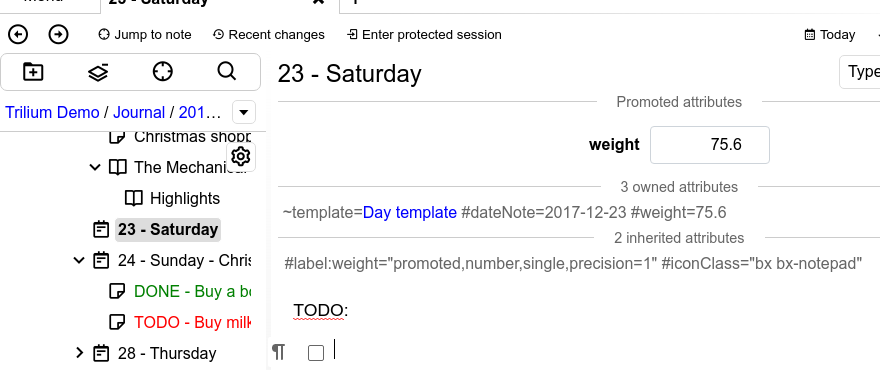
Does the iconClass show up among inherited attributes in the "templated" notes, like this?
 zadam
on 27 Sep 2020
zadam
on 27 Sep 2020
Indeed it is! Here's a screenshot from the web UI, synced with the same client.
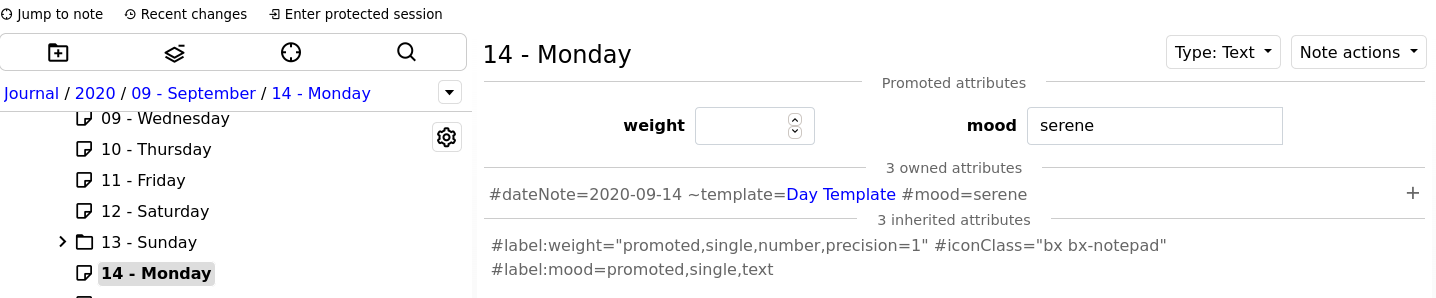
Any particular logs that would be helpful for me to share?
elementc
on 27 Sep 2020
That is pretty weird since Trilium seems to be aware of that inherited attribute...
Just to be sure - reload of the page in the browser does not help, right?
zadam
on 27 Sep 2020
Refreshing did not help, no.
I changed the iconClass on the template and it did propagate out, however. Is there perhaps a cache that I invalidated in that change?
elementc
on 27 Sep 2020
Yes, there is a cache and the code to choose icon uses it. However this cache is in frontend memory and is reloaded together with the page so reload should fix it as well.
There is also a backend cache which has longer lifetime (until restart/stop of backend) but then this cache is not used for choosing icons ...
So the mystery remains ...
zadam
on 28 Sep 2020
Let me see if I can use anonymize-database against a backup to get you a useful repro :)
elementc
on 28 Sep 2020
Zipped video of repro steps:
- Load anonymized db (I anonymized my before-upgrade backup)
- Click around in a number of day notes, which all use the default icons.
- F5 a few times.
- Close and reopen.
- Observe the default icons are still used.
- Open the template.
- F5.
- Observe that the correct custom icons have propagated (I guess my earlier "changing the iconClass on the template" was actually "open the template at all".)
- Close.
- Replace the active document with the anonymized DB again.
- Repeat for good measure.
And here's a copy of the anonymized DB:
anonymized-document.zip
elementc
on 28 Sep 2020
Just confirming that I'm currently having the same problem with 0.44.4.
- for me, it's a mix: some notes/subtrees show default icons, some a mix of default + template ones, some are completely correct. See screenshot below.
- refreshing the page _sometimes_ helps but not systematically
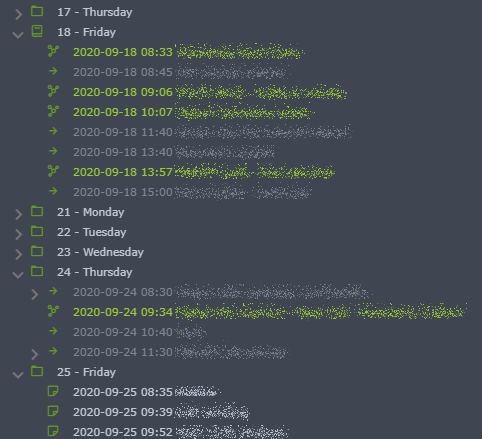
Nothing strange to be seen in frontend or backend logs.
Just noticing this:
08:09:39.190 Slow POST /api/tree/load took 10ms
in the backend log, but that's probably not related?
 wwwald
on 28 Sep 2020
wwwald
on 28 Sep 2020
@elementc , thanks a lot for the anonymized database, this allowed me to reproduce and fix the issue!
zadam
on 1 Oct 2020
Related issues
zadam
·
4Comments
 gerroon
·
6Comments
gerroon
·
6Comments
 apg-dev
·
5Comments
gerroon
·
5Comments
apg-dev
·
5Comments
gerroon
·
5Comments
 TTtrace
·
5Comments
TTtrace
·
5Comments