Trenchbroom: Feature request : drag apply (and align) textures on faces
This was discussed on the Discord a bit.
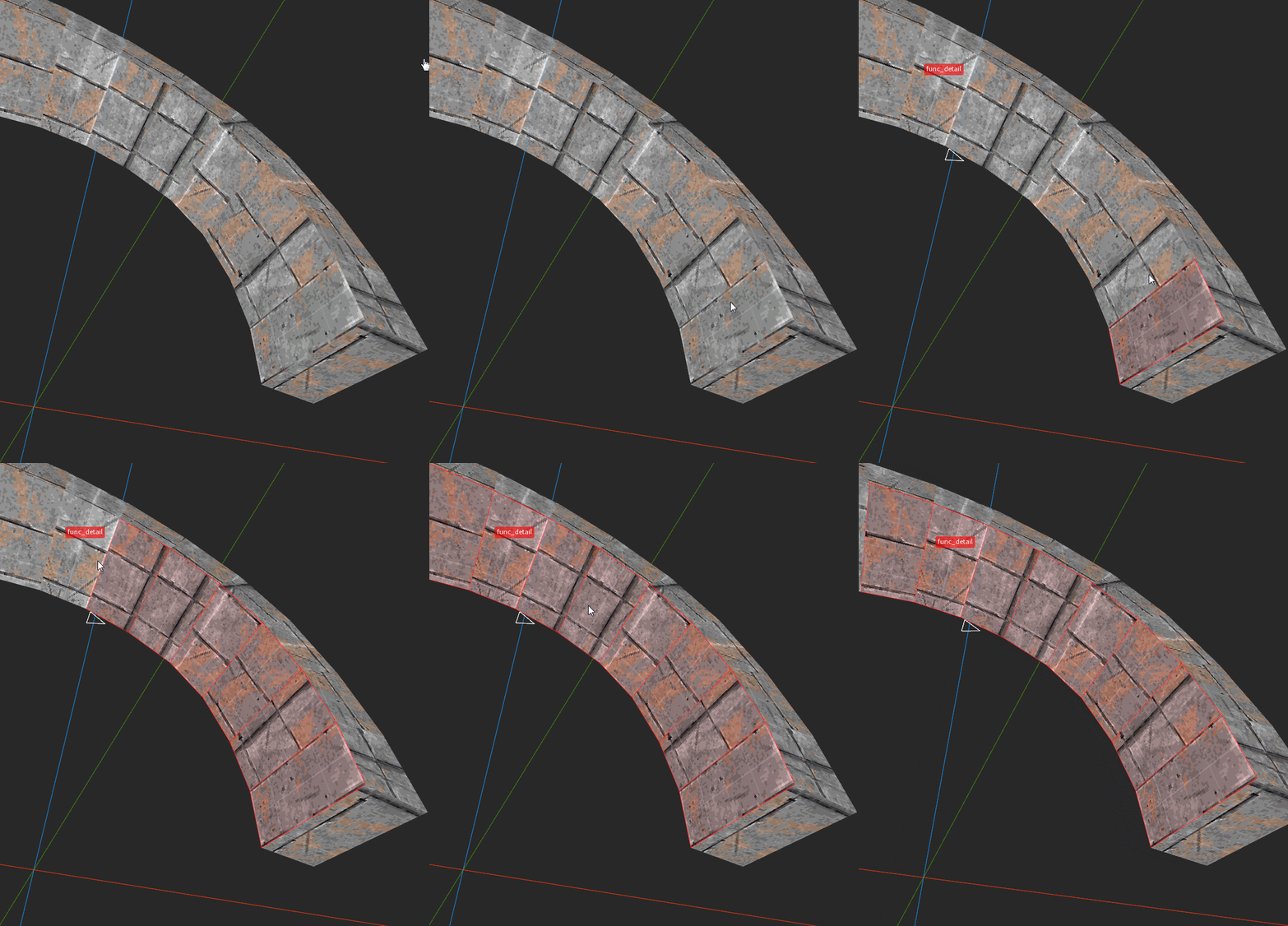
It's great that we can drag select faces (and brushes) in TB, like this:
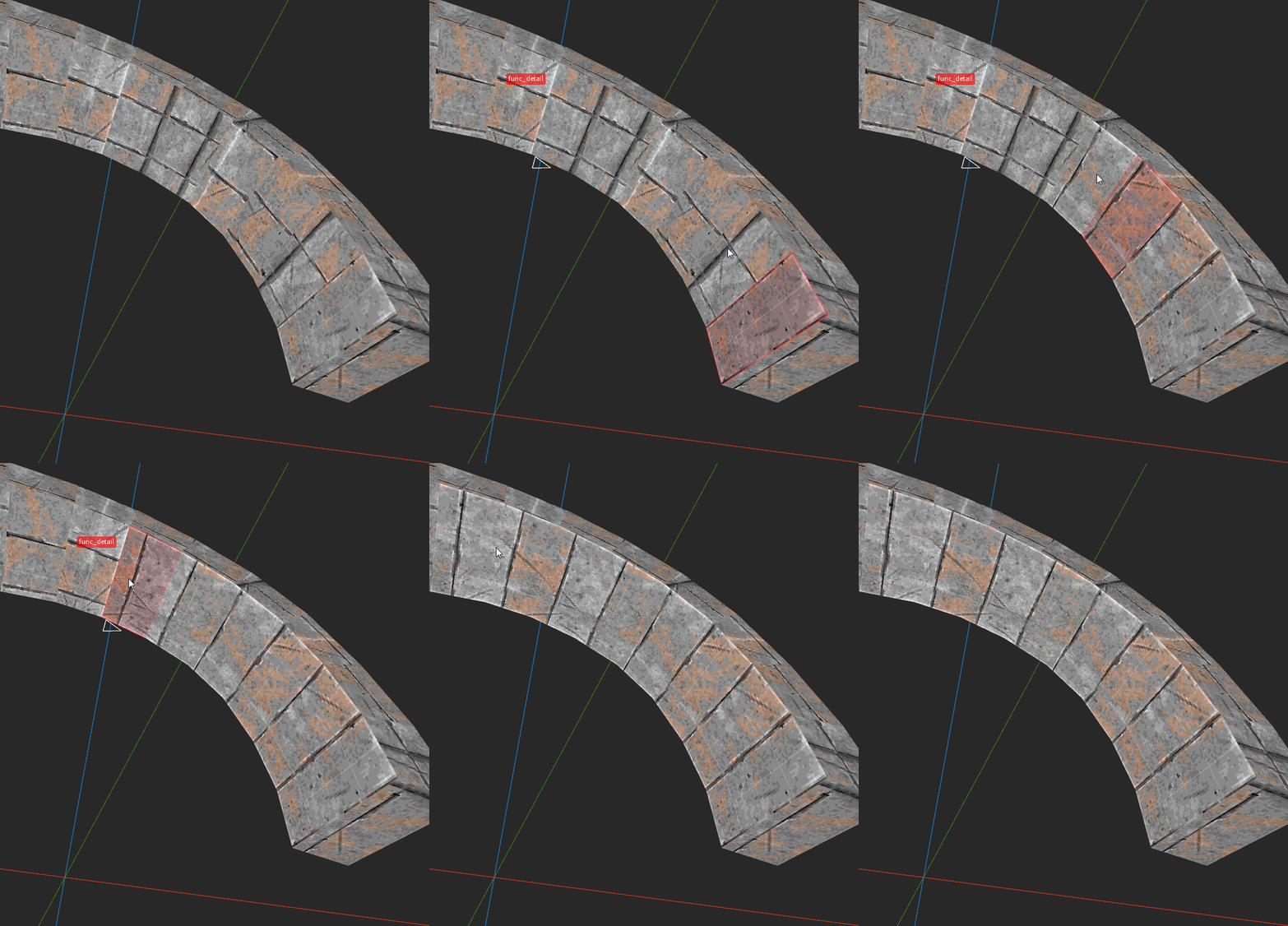
But to align textures properly along complex surfaces, we need to do it little by little, by re-selecting the previous face between each step, like this:
If we do it directly we get this kind of mess:
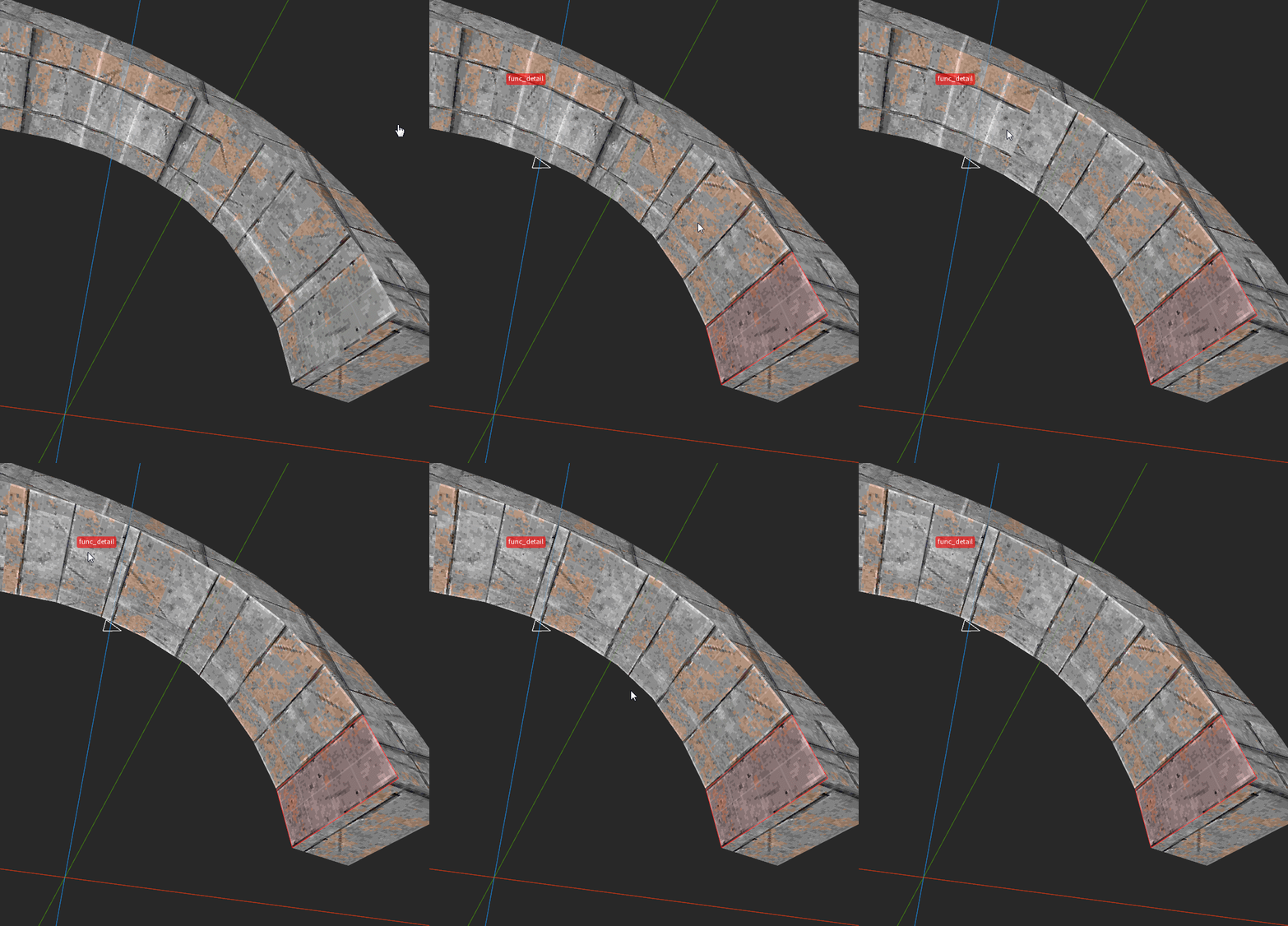
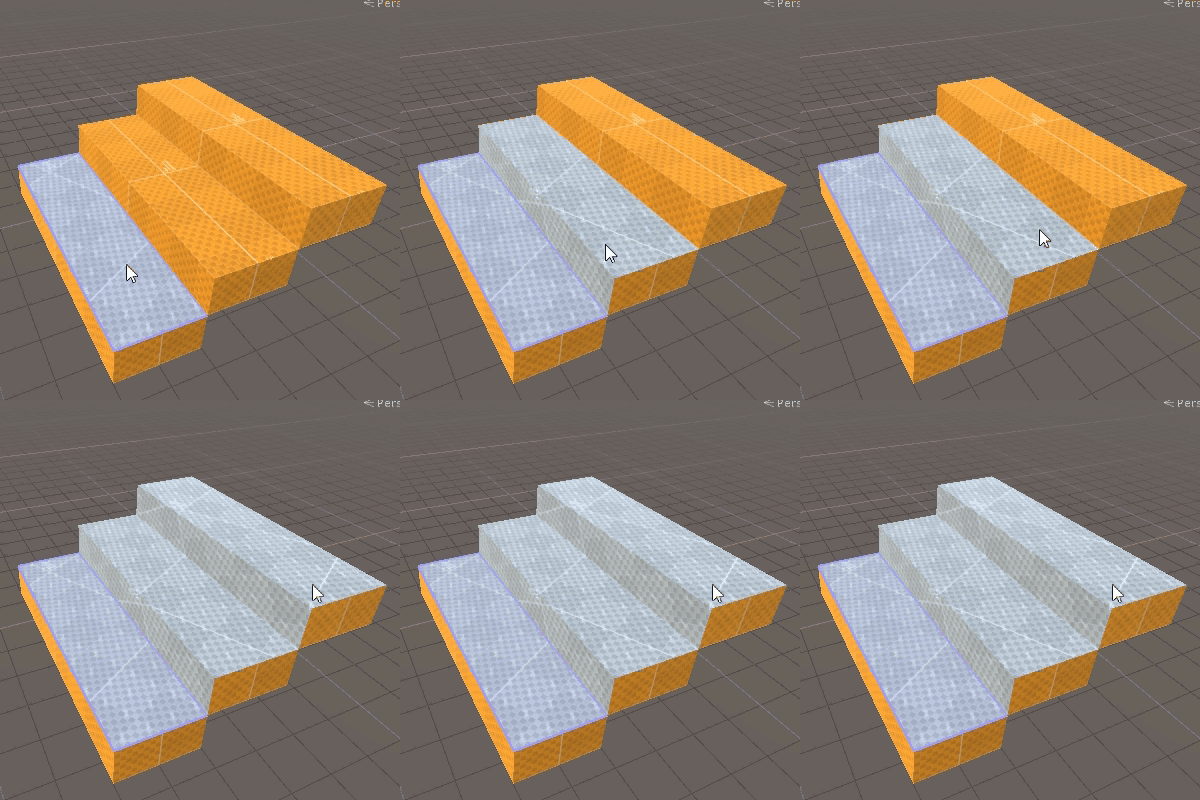
It would be great if we could drag-apply and auto-align textures to neighboring faces. Ideally we just shift-click to select our starting face, and then alt-shift click drag over the other faces to achieve the final results like in my second gif.
Something similar to this:
 bstordeur
All 4 comments
I feel like this was requested before and we closed it... but yeah it looks useful.
 kduske
on 1 Feb 2020
kduske
on 1 Feb 2020
So for every new face that gets dragged over, it would transfer the texturing from the last face that was dragged over (using either the alt+click or shift+alt+click algorithm, depending on whether Shift is down)?
We're not using Shift+Alt+Drag or Alt+Drag for anything when there is a face selection so this could probably be squeezed in without a new tool or command.
 ericwa
on 1 Feb 2020
ericwa
on 1 Feb 2020
Kristian, yeah might have been suggested before, but always more convincing with some gifs! ;D
Eric, yeah that's exactly the idea.
bstordeur
on 1 Feb 2020
@ericwa I was thinking the same, use the same modifiers and put the implementation in the same tool, too.
kduske
on 1 Feb 2020
Related issues
 Silentdarkness12
·
5Comments
Silentdarkness12
·
5Comments
 AlpacaNox
·
5Comments
AlpacaNox
·
5Comments
 amatecha
·
4Comments
amatecha
·
4Comments
 JackViney96
·
4Comments
ericwa
·
4Comments
JackViney96
·
4Comments
ericwa
·
4Comments