Trenchbroom: Support for quick primitive creation like cylinders
 WarrenMarshall
All 12 comments
I guess pipes would also be cool. What else?
 kduske
on 2 Mar 2013
kduske
on 2 Mar 2013
Well, it's mainly cylinders for me since you do that a lot for columns, curve templates, etc. A spike (cone) would be handy too as Quake tends to use those a lot thematically...
WarrenMarshall
on 2 Mar 2013
I would suggest going straight ahead into making this a full prefab system. Have a directory with tailored .map files that can be easily added. Then you can ship with such primitives and let the mappers add their own similar (or more complex) shapes.
I either suggested that before or Warren's editor has it or it was in another editor or it was suggested by someone else before, I am not sure. ;)
 SpiritQuaddicted
on 2 Mar 2013
SpiritQuaddicted
on 2 Mar 2013
I used to have this in the Mac version, but it wasn't so useful. I think it may be more interesting to build such shapes on the fly and to let users change parameters such as number of edges etc.
kduske
on 2 Mar 2013
Or support OBJ importing! :) Let me make my own convex shapes in other apps and just import them as I need them.
WarrenMarshall
on 2 Mar 2013
Yes, we need this. I always created circle brushes. Please see how I create circle brushes in Quest editor: http://www.youtube.com/watch?feature=player_detailpage&v=MpGsBb6EPZQ#t=195s
Oh, just to comment on Warren's request for OBJ import. You could import OBJ into one editor, then save as .map and then open that .map in TrenchBroom and copy the brushes, then open your map and paste.
 ryanbriscall
on 9 Mar 2013
ryanbriscall
on 9 Mar 2013
Sorry to nag but it's been over 3 years, is this and the prefab system any further along?
It's an incredibly basic feature for an editor like this and furthermore switching back & forth between applications, importing/exporting etc etc to create primitives is beyond silly.
Suggestions:
- Block (already available)
- Cylinder (option to change the # of faces)
- Sphere (option to change the # of faces)
- Arch (would require some kind of menu)
- Spike/Cone (option to change the # of faces)
"Rock" would be a nice extra (it's available in JackHammer)
A randomly shaped block with a configurable # of faces that looks like (you've guessed it) a Rock.
Far more useful than it sounds and a serious timesaver when creating scenery/detail.
Thank you for your work on this project
 adryft
on 10 May 2016
adryft
on 10 May 2016
Instead of double posting I'll just post here :)
Kristian, are you still planning on implementing this feature?
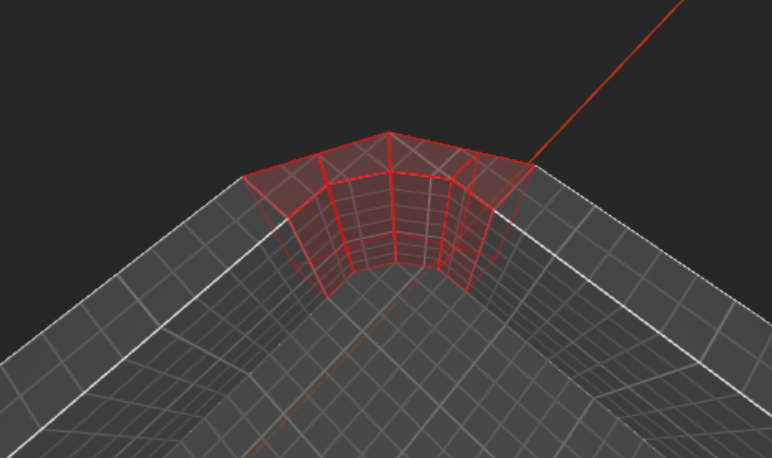
I don't think you should have a large set of primitives like most 3D programs. But the option to create cylinders would definitively go a long way to adding more options. Cones and spheres would also be particularly helpful, those are probably the most used primitives used anyway.
Edit, oh and arch too 👍
 LordGrievous
on 1 Oct 2017
LordGrievous
on 1 Oct 2017
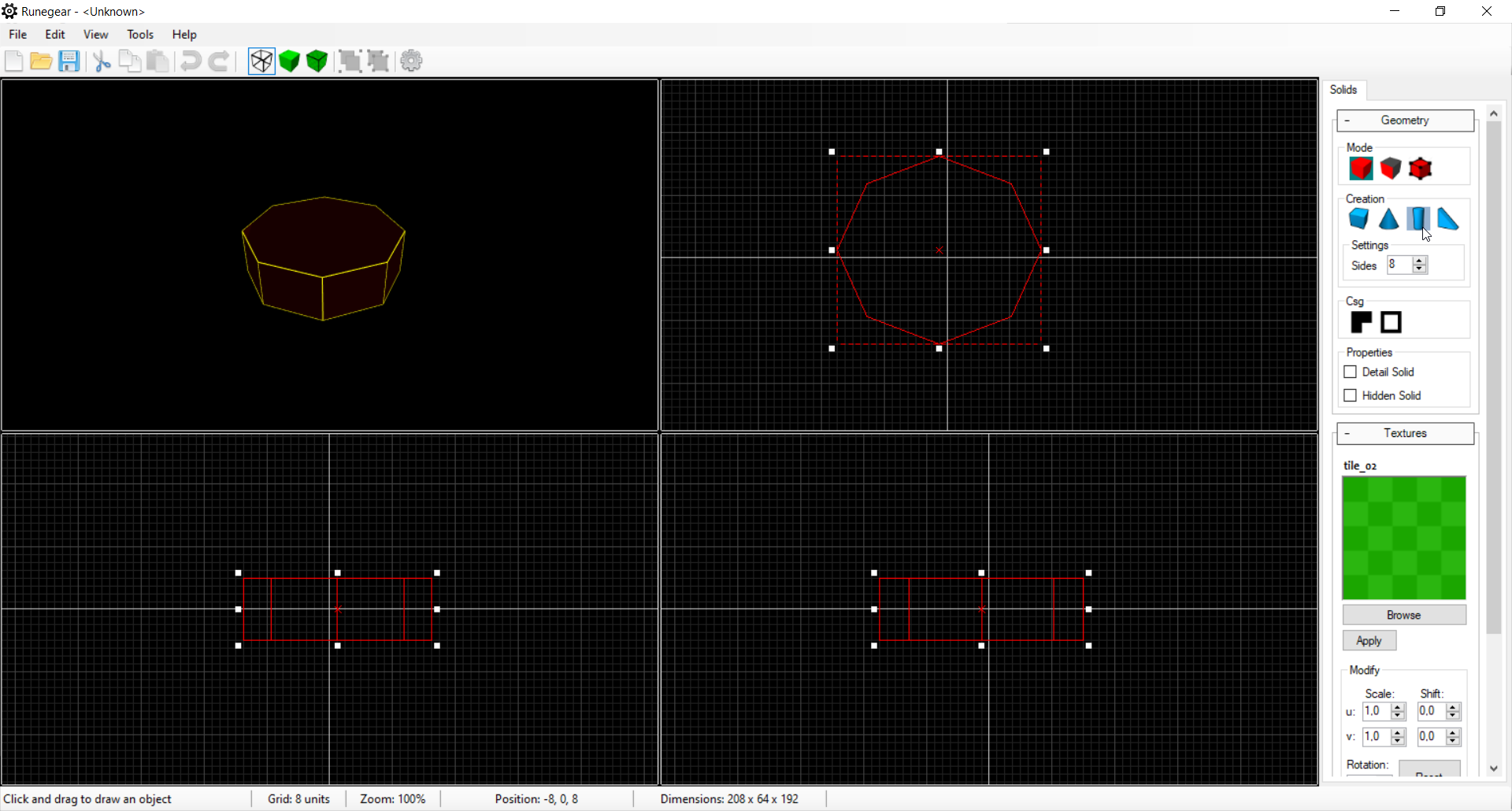
@ericwa are you still working on this? I made this feature once in my own editor.
Based on the AABB that was used to draw the shape and a transformation matrix for the orientation.
I guess this is what is meant with this issue?
 MarkWilds
on 27 Feb 2020
MarkWilds
on 27 Feb 2020
Maybe include other parametric brushes like stairs?
Would be very helpful if these could be created on the fly with the possibility of editing the parameters (like number and width of stairs) as long as the shape isn't confirmed.
LordGrievous
on 27 Feb 2020
Hey guys, I'm back. I spoke with ericw, and I requested that we go ahead and do something. Just start simple, then improve in later versions of TrenchBroom.
So, I mentioned my earlier comment (here) about simply doing:
Brush -> Create -> Prism. Enter radius. Enter # of sides. Press Return.
New video: https://youtu.be/4dgC_GeKWrs
ericw and I both realized that the practice of waiting for the "perfect" solution isn't always a good practice, and it's essentially held us back from having this powerful feature; to create circle brushes, quickly, easily, and accurately.
With the generated brush, a lot can be achieved, as you may already know from other youtube videos. I often use it as a template to draw stairs within it, or trim around it, or cut it into a half-circle and use it for archs or arch windows, and so on.
So, ericw says something like:
- menu with Edit -> Create Brush -> Prism... ?
- dialog box prompts for # of sides, radius, and height
- create the brush in the center of the active viewport
ryanbriscall
on 9 Aug 2020
@ryanbriscall That's a good idea and easy to implement and mantain, when would you start with this?
 rtxa
on 26 Aug 2020
rtxa
on 26 Aug 2020
Related issues
kduske
·
4Comments
 Razumen
·
4Comments
Razumen
·
4Comments
 ericwa
·
4Comments
ericwa
·
4Comments
ericwa
·
4Comments
ericwa
·
4Comments
 totalnewbie
·
3Comments
totalnewbie
·
3Comments
Most helpful comment
Hey guys, I'm back. I spoke with ericw, and I requested that we go ahead and do something. Just start simple, then improve in later versions of TrenchBroom.
So, I mentioned my earlier comment (here) about simply doing:
Brush -> Create -> Prism. Enter radius. Enter # of sides. Press Return.
New video: https://youtu.be/4dgC_GeKWrs
ericw and I both realized that the practice of waiting for the "perfect" solution isn't always a good practice, and it's essentially held us back from having this powerful feature; to create circle brushes, quickly, easily, and accurately.
With the generated brush, a lot can be achieved, as you may already know from other youtube videos. I often use it as a template to draw stairs within it, or trim around it, or cut it into a half-circle and use it for archs or arch windows, and so on.
So, ericw says something like: