Treestyletab: [Idea] TST CSS syntax coloring (CodeMirror)
Description
More recently, CSS usage in TST seems to be an more important for more people due to the change in built-in styles and the increased size of synchronized CSS data possible.
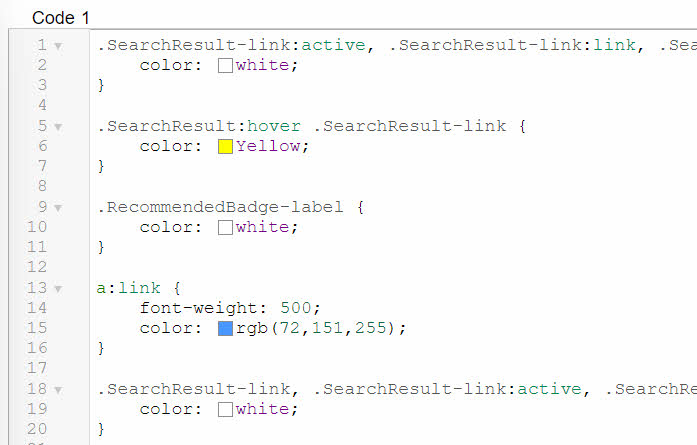
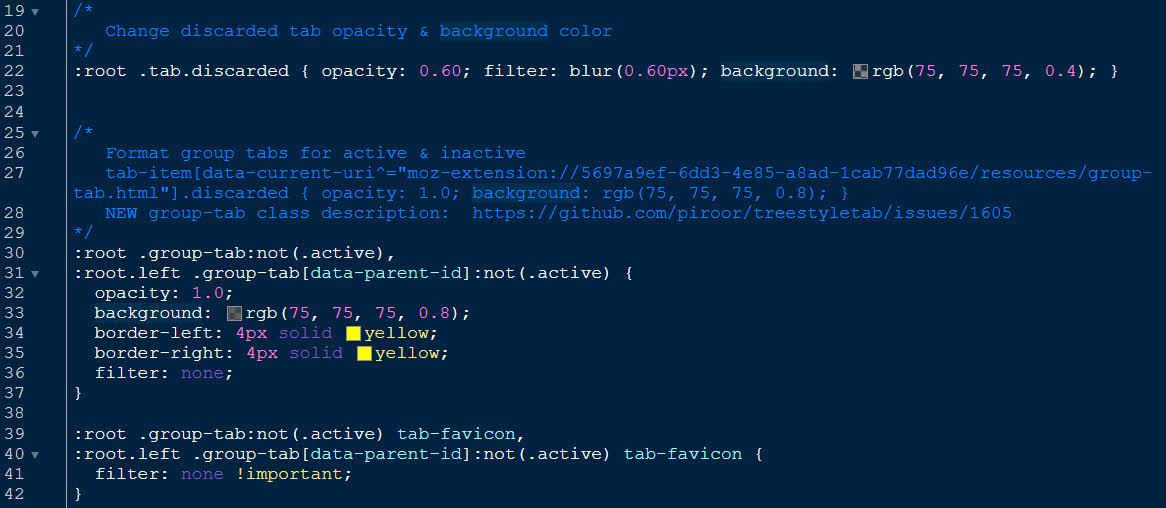
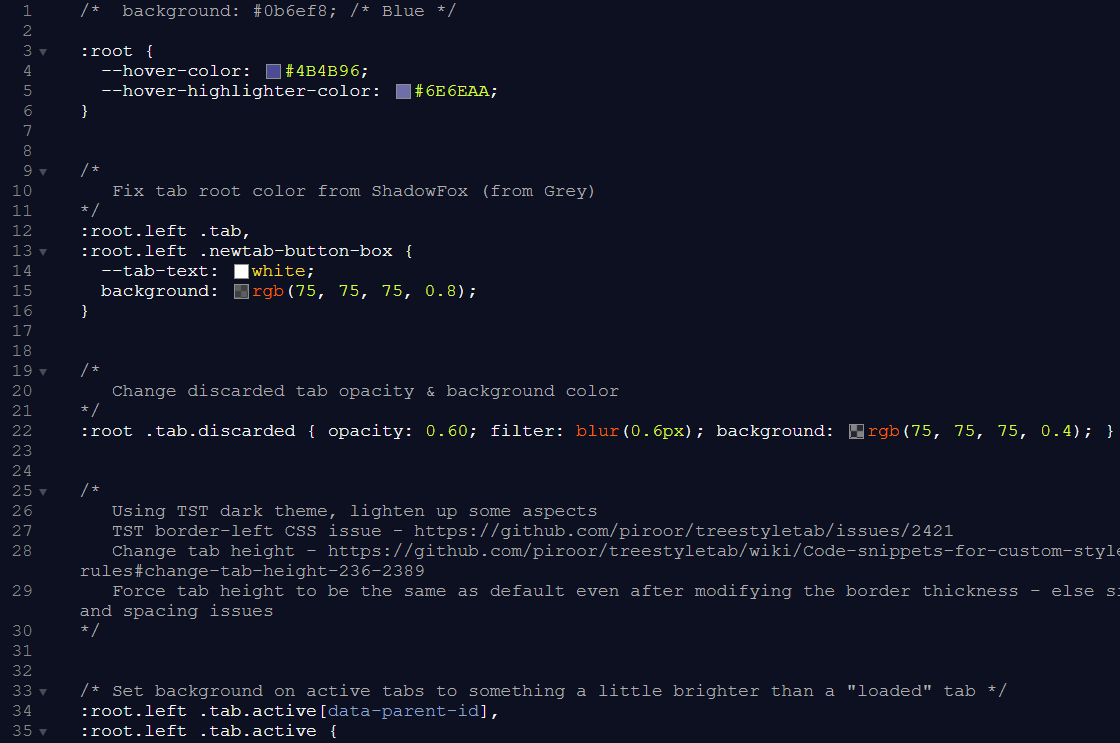
In thinking about working with CSS, I think about how working with CSS in Stylus is easy to use due to the syntax highlighting, color patches which represent color values (like "rgba(255, 255, 255, 0.3)" or "#4B4B96") and easy ways to see when lines are commented out or not.
_Stylus CSS Editor (Default theme):_
_Clip of my TST CSS inside of Stylus (Cobalt theme):_
Suggestion
It looks like Stylus had been using an open source library that provides syntax coloring (MIT License) called CodeMirror (Github: https://github.com/codemirror/CodeMirror) ["CodeMirror is a versatile text editor implemented in JavaScript for the browser."] It provides a variety of "modes" and one if obviously for CSS.
Basic Usage

The easiest way to use CodeMirror is to simply load the script and style sheet found under lib/ in the distribution, plus a mode script from one of the mode/ directories. For example:

<script src="lib/codemirror.js"></script>
<link rel="stylesheet" href="lib/codemirror.css">
<script src="mode/javascript/javascript.js"></script>
Conclusion
CodeMirror might not be the best solution or the one you might want to do (if at all) but thought it might be worth a discussion.
If you don't want to entertain the idea, please feel free to close this item.
 irvinm
All 9 comments
I've created a branch for an experiment. It looks working but there are some problems, so we need to do more things to use such a rich text editor...
 piroor
on 1 Sep 2020
piroor
on 1 Sep 2020
If it helps, here is the edit.html that Stylus uses: https://github.com/openstyles/stylus/blob/master/edit.html
It obviously includes more than what is needed here (although things like themes, beautify, color pickers, and collapsible sections are all nice to have for CSS editors\highlighters).
I think syntax highlighting and color swatches by themselves would be the best improvements.
irvinm
on 1 Sep 2020
having this implemented would be lovely. on a similar note, would it be okay to have a thread dedicated to discussing CSS tweaks and customization?
 mimecry
on 8 Jan 2021
mimecry
on 8 Jan 2021
I've merged changes activating CodeMirror for the user styles editor to the trunk. Now it is available by default, and I hope the development build to be tested more by people. https://github.com/piroor/treestyletab#development-builds
@mimecry I've activated the "Discussions" feature for this repository. I hope it to be used like a forum: https://github.com/piroor/treestyletab/discussions
piroor
on 15 Jan 2021
I've also activated the color picker in the CodeMirror editor.
piroor
on 15 Jan 2021
thank you very much for the Discussions tab
mimecry
on 15 Jan 2021
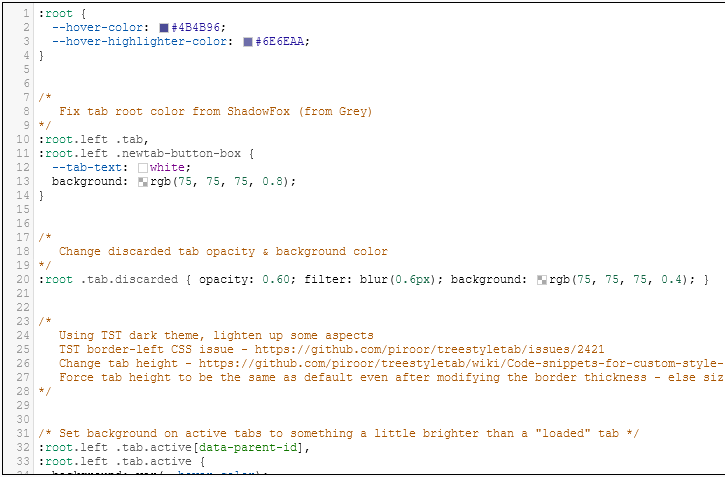
@piroor I played around with the new editor and it looks great. The lines numbers, syntax highlighting, color picker, and color swatches are all going to help people I think when editing their CSS. I didn't see any problems with my limited testing.
My only comment might be around the theme and I could see people wanting to use different themes or to be able to tweak certain items by themselves. Either way, the highlighting is still a hug improvement as it is.
OS Light mode:
OS Dark mode:
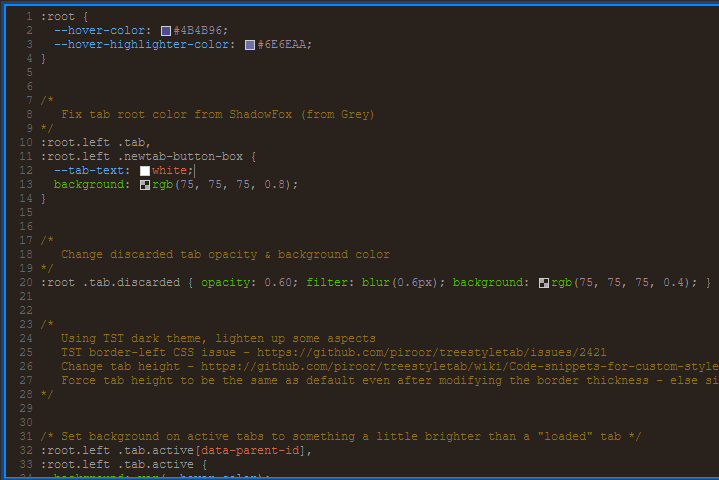
Dark theme I use in Stylus: (Theme "blackboard")
irvinm
on 16 Jan 2021
OK, I've added the theme chooser UI.
piroor
on 20 Jan 2021
@piroor the theme picker looks and works great!
By the way, I also really like how the text editor for the CSS now remembers the view port size that was last used between firefox sessions.
All great usability enhancements!
irvinm
on 20 Jan 2021
Related issues
 bughit
·
41Comments
bughit
·
41Comments
 SimonSapin
·
53Comments
SimonSapin
·
53Comments
 stapuft
·
48Comments
stapuft
·
48Comments
 sim642
·
34Comments
sim642
·
34Comments
 nyanpasu
·
28Comments
nyanpasu
·
28Comments
Most helpful comment
OK, I've added the theme chooser UI.