Treestyletab: Keyboard shortcuts for common tasks
It would be nice to have keyboard/mouse shortcuts for common tasks like:
open new tab as child of current one.
Navigating tab tree
Moving subtree
Closing subtree
 fctorial
All 13 comments
TST already have some of them:
- 1 => Open a new tab: Child Tab
- 3 => Move Current Tree Up / Move Current Tree Down
- 4 => Close this Tree / Close Descendants
And what the command "Navigating tab tree" means? Could you describe more details?
 piroor
on 22 Jan 2020
piroor
on 22 Jan 2020
@piroor Pressing 1, 3 or 4 doesn't do anything on my installation. I'm using firefox 72 on linux.
By navigating tab tree, I mean moving up down in the list of tabs.
Where can I find the list of keybindings, if there is one?
fctorial
on 22 Jan 2020
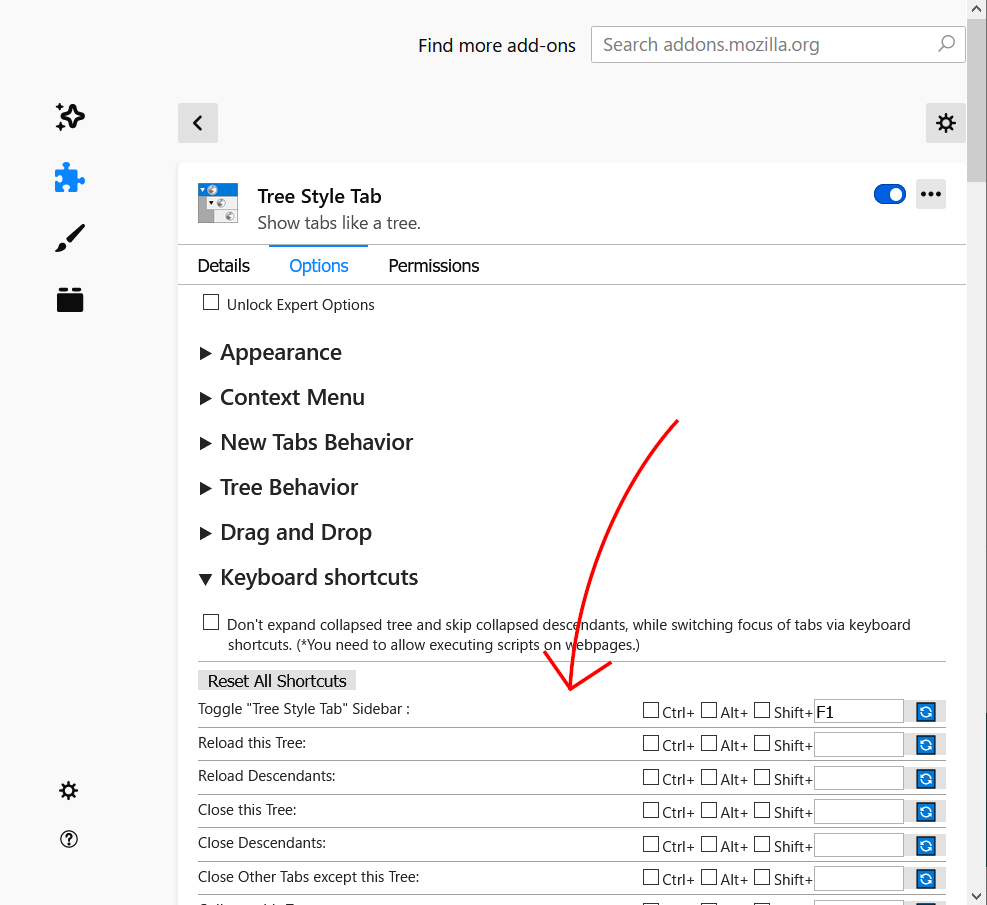
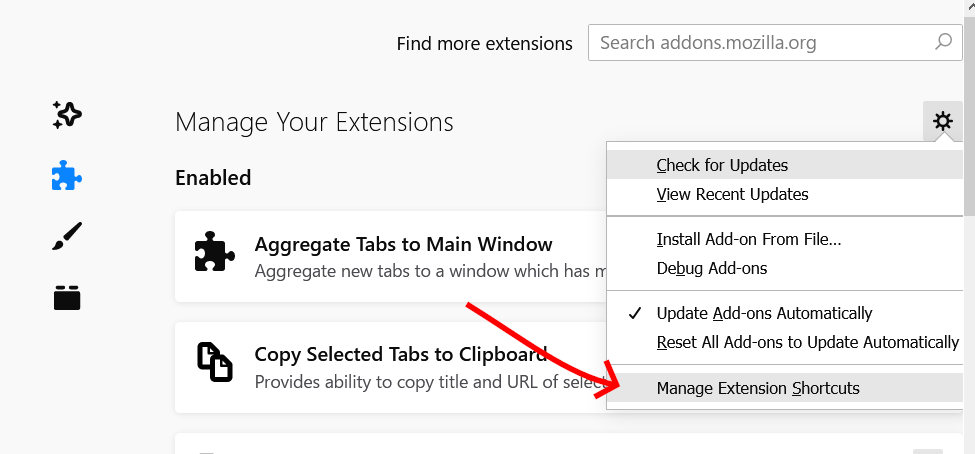
What shortcut key did you actually pressed? If you really just pressed numeric 1, 3 and 4 keys, please note that you need to set your custom shortcut (it must not conflict to Firefox's one) for each command manually via the "Keyboard Shortcut" section in the TST's options page, or about:addons.
piroor
on 23 Jan 2020
Great, that solves most of my issues. I've noticed that firefox default keybindings are preferred over the ones registered by an addon. Would it be possible to revert this behaviour?
fctorial
on 23 Jan 2020
It is an issue of Firefox itself and any addon cannot solve it for now. See also the bug:
1325692 - [commands] Explicit support for overriding built-in keyboard shortcuts by WebExtensions
https://bugzilla.mozilla.org/show_bug.cgi?id=1325692
piroor
on 23 Jan 2020
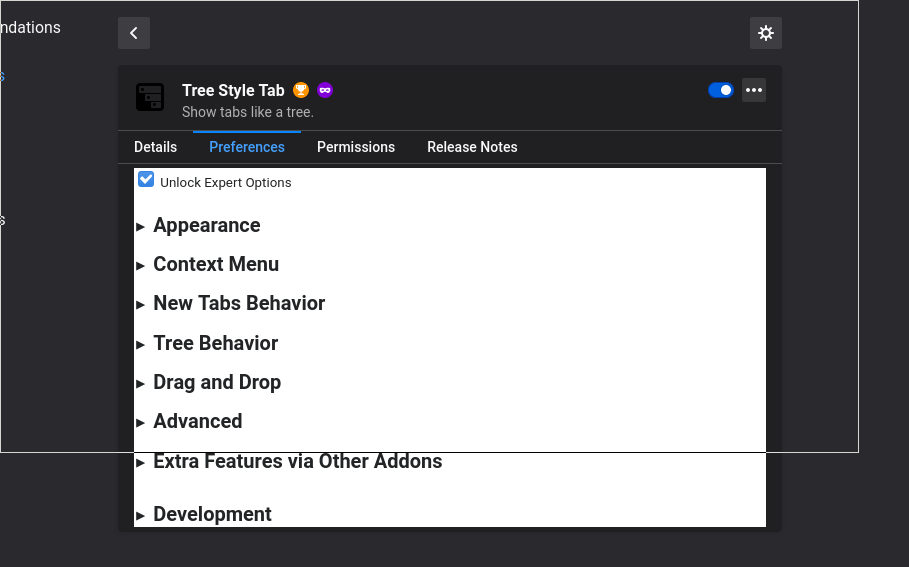
I'm confused, was the keybindings section of TST moved somewhere else?
 Kabouik
on 16 Mar 2020
Kabouik
on 16 Mar 2020
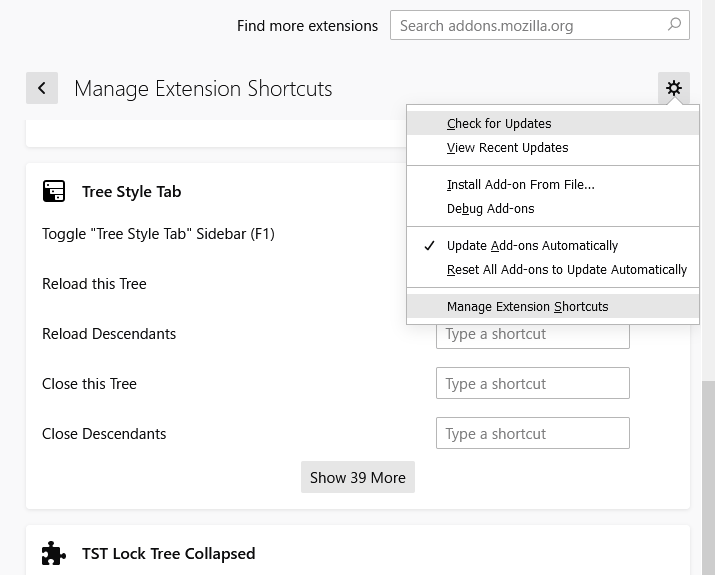
The section was removed, because Firefox already has better customization UI for keyboard shortcuts of addons. It is available at about:addons page:
piroor
on 16 Mar 2020
Awesome, thanks. Somehow I missed this menu even after looking where to edit shortcuts in Firefox for hours! I see know that you mentioned it in your second message here, sorry, I must have read it too fast and only noticed the TST sub-menu.
I still have an issue though: my keybinds to change tabs have no effect. I suppose it's the same issue @fctorial is encountering, they probably are conflicting with default Firefox addons (though there is no warning):
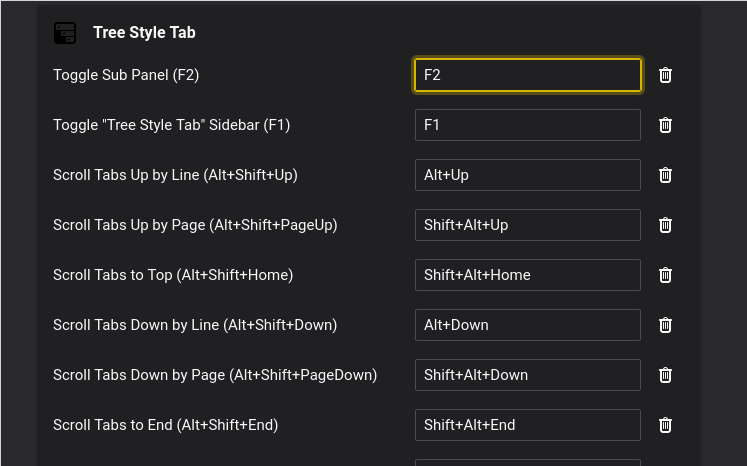
Shift+Alt+up/down shouldn't be conflicting with defaults, however, so there might be something else.
Kabouik
on 16 Mar 2020
@Kabouik Alt-Shift-Up/Down for those commands work for me, at Nightly 76.0a1 on Windows 10. Is any other shortcut works for the command? Or, only these shortcuts (keybindings) don't work for any command?
piroor
on 17 Mar 2020
@Kabouik If Alt-Shift-Up/Down don't work for any other command, it may be a problem of Firefox itself or a conflict with something utility running on your platform.
piroor
on 17 Mar 2020
Thanks for testing @piroor. Alt+Up/Down does not work for anything (I tried other extensions), nor does Ctrl+Up/Down, and they don't seem to be assigned to other Firefox features because else there would be a warning.
I am running Firefox 74.0 on Linux, and i3wm as my window manager (but Alt+Up/Down are not bound to anything in i3wm).
Kabouik
on 17 Mar 2020
Alt+Up/Down are properly recognized in Vivaldi, so the issue seems to be specific to Firefox and not to my environment.
Kabouik
on 17 Mar 2020
Wait,I'm embarrassed to say I mixed things up and was trying to use the wrong TST function. I thought "Scroll tab up by line" was what I was after because I didn't see "Focus previous tab" before, probably because the former one was bound to a key by default and therefore draw my attention as one of the main functions. "Focus previous tab" further down the list is the feature I wanted, and assigning a keybind to that one does work as expected. I am really sorry for the noise @piroor.
While I'm here, thanks a lot for this great add-on. It is a game changer for me, I would not use Firefox without it.
Kabouik
on 17 Mar 2020
Related issues
 allixx
·
4Comments
allixx
·
4Comments
 emceekain
·
3Comments
emceekain
·
3Comments
 ElhemEnohpi
·
4Comments
ElhemEnohpi
·
4Comments
 waldyrious
·
4Comments
waldyrious
·
4Comments
 thomasetter
·
3Comments
thomasetter
·
3Comments
Most helpful comment
The section was removed, because Firefox already has better customization UI for keyboard shortcuts of addons. It is available at about:addons page:
