Treestyletab: [feature request] reverse order of tabs
I am usually working with more than 20 tabs and it seems that a full reverse tree order could improve usability as the last opened tabs will be closer to the address bar.
It should look like a stack starting from top and pushing down all previous opened tabs.
Environment
- Platform (OS): Debian GNU/Linux testing (stretch)
- Version of Firefox: 45.5.0
- Version (or revision) of Tree Style Tab: 0.18.2016111701
 skarmoutsosv
All 30 comments
This feature would be very useful, because lower part of screen sometimes is not visible
 ellegance
on 3 Jan 2017
ellegance
on 3 Jan 2017
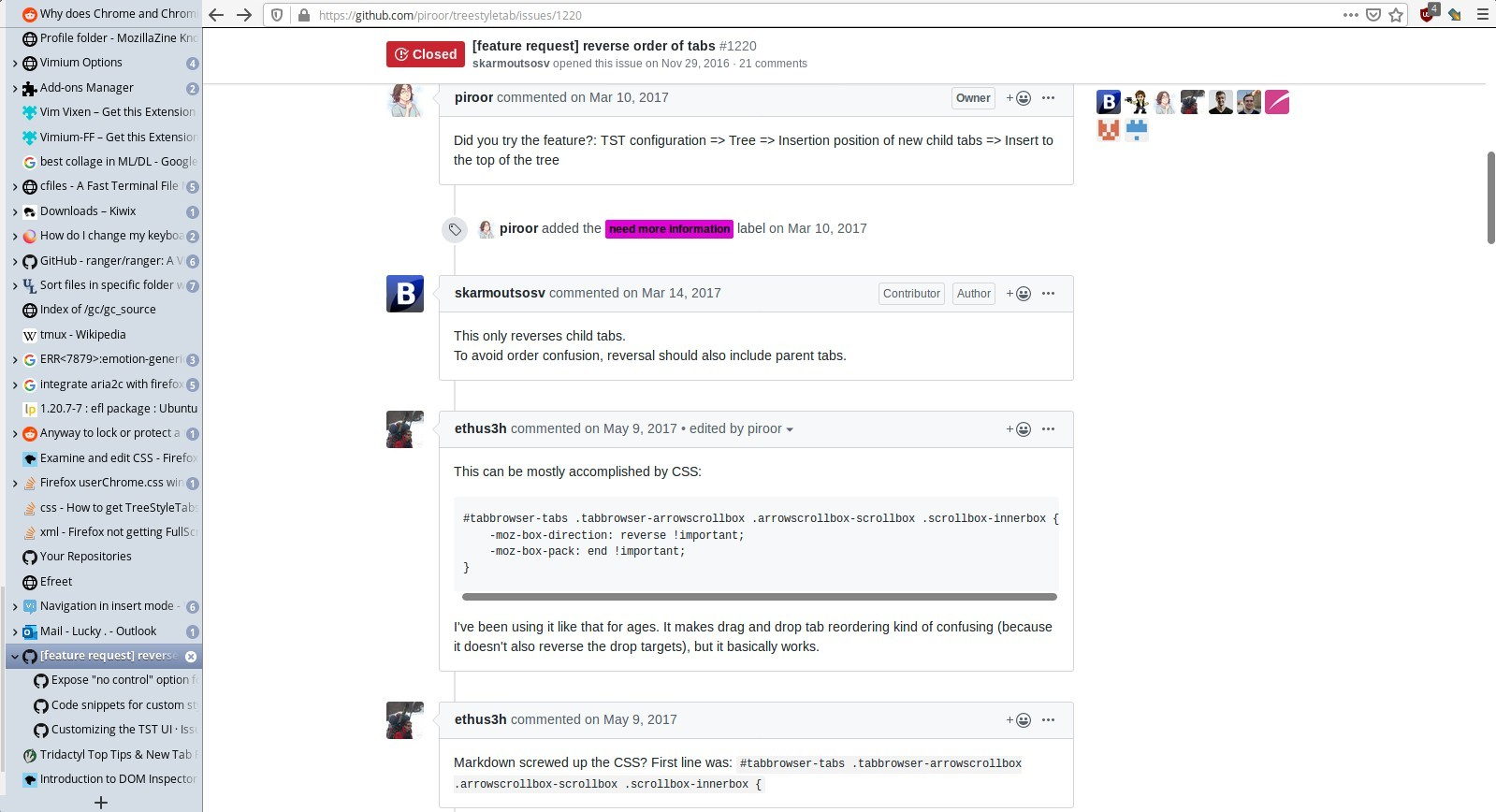
Did you try the feature?: TST configuration => Tree => Insertion position of new child tabs => Insert to the top of the tree
 piroor
on 9 Mar 2017
piroor
on 9 Mar 2017
This only reverses child tabs.
To avoid order confusion, reversal should also include parent tabs.
skarmoutsosv
on 13 Mar 2017
This can be mostly accomplished by CSS:
#tabbrowser-tabs .tabbrowser-arrowscrollbox .arrowscrollbox-scrollbox .scrollbox-innerbox {
    -moz-box-direction: reverse !important;
    -moz-box-pack: end !important;
}
I've been using it like that for ages. It makes drag and drop tab reordering kind of confusing (because it doesn't also reverse the drop targets), but it basically works.
 ethus3h
on 9 May 2017
ethus3h
on 9 May 2017
Markdown screwed up the CSS? First line was: #tabbrowser-tabs .tabbrowser-arrowscrollbox .arrowscrollbox-scrollbox .scrollbox-innerbox {
ethus3h
on 9 May 2017
You should break the line just after "```" ;)
piroor
on 9 May 2017
Hmm, @piroor I'm also looking for this. Ctrl+T should open a tab at the very top of the tab list (or "left", if using horizontal terminology).
I don't see the CSS-based reverse having any effect in my userChrome. Is it working on FF57 for anyone else here?
 lkraav
on 27 Sep 2017
lkraav
on 27 Sep 2017
I would appreciate to have the option to have the 'root-tabs' displayed in reverser order. This is different to the option "append new tab to top" or so. I would appreciate the sidebar to display the tabs I already have, just in reverse order, so that what is currently at the top of the list will then be at the bottom and vise versa. (Children tabs should still be displayed below the parent tab.) The behavior that new tabs are appended at the top should then be implicit. Do you get what I mean? What do you think @piroor ?
 pofl
on 13 Dec 2017
pofl
on 13 Dec 2017
I close this because this is too old and not match to the latest maintained version of TST.
piroor
on 1 May 2019
Hmm, I'd like to have this feature (inverted tree, newest parents at top, newest children push down the tree and pop to the top; also "+" button at top too). I tried the CSS fix given [#tabbrowser-tabs ...] but it didn't make a change for me, I also tried the "insert to the top of the tree" setting for child tabs but curiously that didn't change anything either.
Should I open a new [feature request] or ...?
Everything else is working well though, thanks!
 pbhj
on 4 Jul 2019
pbhj
on 4 Jul 2019
I found an addon Tab Open/Close Control which allows you to open a new tab at the topmost position, and after testing TST has no compatibility with that because "open new tab as independent tab" behavior always move the opened tab to the last position. So I've introduce a change 63fe4bd to expose "no control" choice for new tab control options. I think it improves compatibility of TST with other addons like that.
piroor
on 5 Jul 2019
I've realized that Tab Open/Close Control 0.0.3 doesn't work as expected for the option "New Tab Open at" => "First Tab" when there is any pinned tab. I've reported this problem to the author with a patch:
- diff.txt : the patch
- tab_open_close_control-mod.xpi.zip : a modified version of the addon including the patch.
piroor
on 5 Jul 2019
I would love a TST-native option where new independent tabs are created at the leftmost position. I don't want to reverse the children inside the trees. All I want is reverse ordered trees, so that the the most recently created one is at the top and the once that are old are at the bottom. This would make the entire extension more ergonomic. Because most often I'll deal with the most recent tabs and trees.
pofl
on 5 Jul 2019
Sorry but such a native option won't be implemented by TST itself, because it is not related to "tree management". I believe that it should be controlled by other addons created for the purpose, and TST should become compatible to them (and I hope to make effort for that like my previous comment).
piroor
on 5 Jul 2019
Alright, what a pitty. Thanks for your work anyway! Would you accept a contribution, adding that feature?
pofl
on 5 Jul 2019
Sorry but such a native option won't be implemented by TST itself, because it is not related to "tree management". I believe that it should be controlled by other addons created for the purpose, and TST should become compatible to them (and I hope to make effort for that like my previous comment).
I don't understand why "tree management" couldn't include displaying the last tab on top instead of bottom?
I mean, if an addon is able to display the last tab at the bottom then it wouldn't be hard to display the same at the top?
This is like a must have feature and TST should definately add this feature.
 LucKy-4U
on 1 Feb 2020
LucKy-4U
on 1 Feb 2020
Sorry but such a native option won't be implemented by TST itself, because it is not related to "tree management". I believe that it should be controlled by other addons created for the purpose, and TST should become compatible to them (and I hope to make effort for that like my previous comment).
I don't understand why "tree management" couldn't include displaying the last tab on top instead of bottom?
I mean, if an addon is able to display the last tab at the bottom then it wouldn't be hard to display the same at the top?
This is like a must have feature and TST should definately add this feature.
This can be mostly accomplished by CSS:
#tabbrowser-tabs .tabbrowser-arrowscrollbox .arrowscrollbox-scrollbox .scrollbox-innerbox {
    -moz-box-direction: reverse !important;
    -moz-box-pack: end !important;
}
I've been using it like that for ages. It makes drag and drop tab reordering kind of confusing (because it doesn't also reverse the drop targets), but it basically works.
This seems to be not working for me. Could you please explain if it works for you and how?
LucKy-4U
on 1 Feb 2020
Markdown screwed up the CSS? First line was:
#tabbrowser-tabs .tabbrowser-arrowscrollbox .arrowscrollbox-scrollbox .scrollbox-innerbox {
mate, Markdown is still screwed up as it's the exact same as your last comment. Maybe just upload your userChrome.css file instead? or take a screenshot of this from your userChrome and upload the screenshot instead?
would really help us all out a lot if you were able to show us this. Thanks a lot. :))
LucKy-4U
on 1 Feb 2020
I don't understand why "tree management" couldn't include displaying the last tab on top instead of bottom?
In other words, I believe that features should be provided as a separate addon for people who don't use TST, if it is useful on Firefox's native horizontal tab bar also. (And of course TST should be compatible with such addons.)
piroor
on 1 Feb 2020
I don't understand why "tree management" couldn't include displaying the last tab on top instead of bottom?
In other words, I believe that features should be provided as a separate addon for people who don't use TST, if it is useful on Firefox's native horizontal tab bar also. (And of course TST should be compatible with such addons.)
well, the reason why firefox has the latest tabs on the right is because the firefox_close button is also on the right and so are all of their tools which makes it much more ergonomical and practical but when someone uses the TreeStyleTabs, all the tabs are now on either left or right side and going all the way to the bottom of the page to find the latest tabs is all of a sudden a burdon, You see what I mean? it's no more ergonomical.
I completely understand what you mean by having a separate add-on but I notice one problem with your logic: you see you also have that + button as the bottom of the TreeStyleTabs, so no matter what another add-on does to native tabs, that plus sign at the bottom to add new tabs would still be there. So I think that there is only one way to get that + sign to move up top when the order is reversed and that is to include this feature natively.
I believe that the latest tabs at the top should be the default option.
I think that almost all your users would love that but I think you should just ask your users and have a vote on if they prefer the top-down approach or the down-top approach.
I bet the majority would choose the top-down approach, ie, having the latest tabs on top. :))
but I believe you should let your users choose.
LucKy-4U
on 1 Feb 2020
super stuff
From: piroor notifications@github.com
Sent: Saturday, February 1, 2020 7:28 PM
To: piroor/treestyletab treestyletab@noreply.github.com
Cc: Subscribed subscribed@noreply.github.com
Subject: Re: [piroor/treestyletab] [feature request] reverse order of tabs (#1220)
I don't understand why "tree management" couldn't include displaying the last tab on top instead of bottom?
In other words, I believe that features should be provided as a separate addon for people who don't use TST, if it is useful on Firefox's native horizontal tab bar also. (And of course TST should be compatible with such addons.)
—
You are receiving this because you are subscribed to this thread.
Reply to this email directly, view it on GitHubhttps://github.com/piroor/treestyletab/issues/1220?email_source=notifications&email_token=AIFJ4KOHYEIBE6S5MCAKOPTRAV5ZZA5CNFSM4CX2Q6FKYY3PNVWWK3TUL52HS4DFVREXG43VMVBW63LNMVXHJKTDN5WW2ZLOORPWSZGOEKQ5WPA#issuecomment-581032764, or unsubscribehttps://github.com/notifications/unsubscribe-auth/AIFJ4KM2RKHANAT4I74SIO3RAV5ZZANCNFSM4CX2Q6FA.
 rockysehmbi
on 1 Feb 2020
rockysehmbi
on 1 Feb 2020
This seems to be not working for me. Could you please explain if it works for you and how?
Sorry I missed this point. You can put the "+" button at top with a custom CSS rule:
#tabbar {
  display: flex;
  flex-direction : column-reverse;
  justify-content: flex-end;
}

#tabbar.overflow {
  bottom: 0 !important;
  top: 1.5em !important;
}

#tabbar.overflow tab-item.pinned {
  margin-top: 1.5em;
}

#tabbar.overflow ~ .after-tabs {
  bottom: auto;
  top: 1.5em;
}
I've confirmed this works with TST 3.3.5. I agree this is not perfect, so I hope you to maintain this by yourself.
piroor
on 2 Feb 2020
If you use another "open new tab at top" addon with this CSS, you'll get ergonomic behavior.
piroor
on 2 Feb 2020
If you use another "open new tab at top" addon with this CSS, you'll get ergonomic behavior.
Fair enough, and I appreciate your help. could you please tell me which add-on would be the best
This seems to be not working for me. Could you please explain if it works for you and how?
Sorry I missed this point. You can put the "+" button at top with a custom CSS rule:
#tabbar {
  display: flex;
  flex-direction : column-reverse;
  justify-content: flex-end;
}

#tabbar.overflow {
  bottom: 0 !important;
  top: 1.5em !important;
}

#tabbar.overflow tab-item.pinned {
  margin-top: 1.5em;
}

#tabbar.overflow ~ .after-tabs {
  bottom: auto;
  top: 1.5em;
}
I've confirmed this works with TST 3.3.5. I agree this is not perfect, so I hope you to maintain this by yourself.
This is not working for me, I just added it to my userChrome.css, this is supposed to be added to the usechrome file? right?
here is a screenshot of what my firefox looks like:
LucKy-4U
on 2 Feb 2020
This seems to be not working for me. Could you please explain if it works for you and how?
Sorry I missed this point. You can put the "+" button at top with a custom CSS rule:
#tabbar {
  display: flex;
  flex-direction : column-reverse;
  justify-content: flex-end;
}

#tabbar.overflow {
  bottom: 0 !important;
  top: 1.5em !important;
}

#tabbar.overflow tab-item.pinned {
  margin-top: 1.5em;
}

#tabbar.overflow ~ .after-tabs {
  bottom: auto;
  top: 1.5em;
}
I've confirmed this works with TST 3.3.5. I agree this is not perfect, so I hope you to maintain this by yourself.
I think github adds/removes markdowns, etc from the code when posted in a comment, the same reason why ethus3h's code didn't work.
would you be able to post the same in an image or a file? if possible? so that the code isn't impacted by github's default fixups? :((
Thank You for all the work you have done on this add-on. :)) really appreciate it. :))
LucKy-4U
on 2 Feb 2020
This seems to be not working for me. Could you please explain if it works for you and how?
Sorry I missed this point. You can put the "+" button at top with a custom CSS rule:
#tabbar {
  display: flex;
  flex-direction : column-reverse;
  justify-content: flex-end;
}

#tabbar.overflow {
  bottom: 0 !important;
  top: 1.5em !important;
}

#tabbar.overflow tab-item.pinned {
  margin-top: 1.5em;
}

#tabbar.overflow ~ .after-tabs {
  bottom: auto;
  top: 1.5em;
}
I've confirmed this works with TST 3.3.5. I agree this is not perfect, so I hope you to maintain this by yourself.
my TST is 3.3.5 as well and my firefox is 70, using Ubuntu 16.04.5 LTS.
This code isn't working either, I just added it to my userChrome file. I think there is some markdown issue added by github because of which it's not working.
LucKy-4U
on 2 Feb 2020
This seems to be not working for me. Could you please explain if it works for you and how?
Sorry I missed this point. You can put the "+" button at top with a custom CSS rule:
#tabbar {
  display: flex;
  flex-direction : column-reverse;
  justify-content: flex-end;
}

#tabbar.overflow {
  bottom: 0 !important;
  top: 1.5em !important;
}

#tabbar.overflow tab-item.pinned {
  margin-top: 1.5em;
}

#tabbar.overflow ~ .after-tabs {
  bottom: auto;
  top: 1.5em;
}
I've confirmed this works with TST 3.3.5. I agree this is not perfect, so I hope you to maintain this by yourself.
Could you please tell me how to just remove that plus(+) button? because it feels useless to me as I never use it. I just use the shortcut ctrl+t to open new tabs so getting rid of that plus button would be very helpful. :))
LucKy-4U
on 2 Feb 2020
It is not for userChrome.css. See "Advanced" section in the TST's options page.
piroor
on 2 Feb 2020
Please remind that I just help myself via development of TST, based on my private motivation. If you have a demand similar to mine, my addons will help you. But, basically I don't have a motivation to put new tabs above existing tabs. Sorry but you may need to find another way - different existing addon, or you may need to develop a new addon for your demand - if your demand is far from mine. (Of course you can use TST as a base of your development, because it is an OSS.)
And I'm not a specialist about such a usecase, so I may not to find out addons exactly matching to your demand successfully. I hope to you to help yourself.
Could you please tell me how to just remove that plus(+) button?
Why don't you dig into CSS? You can inspect the DOM tree of the sidebar via the remote debugger opened with about:debugging.
piroor
on 2 Feb 2020
Please remind that I just help myself via development of TST, based on my private motivation. If you have a demand similar to mine, my addons will help you. But, basically I don't have a motivation to put new tabs above existing tabs. Sorry but you may need to find another way - different existing addon, or you may need to develop a new addon for your demand - if your demand is far from mine. (Of course you can use TST as a base of your development, because it is an OSS.)
And I'm not a specialist about such a usecase, so I may not to find out addons exactly matching to your demand successfully. I hope to you to help yourself.
Could you please tell me how to just remove that plus(+) button?
Why don't you dig into CSS? You can inspect the DOM tree of the sidebar via the remote debugger opened with
about:debugging.
well, I just opened it but as I am not really used to CSS so I don't understand about 70% of it. Will have to spend some time to figure it all out and then learn CSS to figure out how to remove that plus button. So maybe will help you out with this Add-on's development someday but not for now. :))
but which CSS contains the plus button? is it Throbber.css or twisty.css?
also Thanks for your help with moving the + sign on top. It worked.
I also installed the add-on that you mentioned, ie, "Tab Open/Close Control" and changed its settings to open new tabs before first unread tab. :)) It's not perfect but I believe it should get the job done. :) I will just have to save all the current opened tabs in a bookmark folder and will have to start afresh with it. :))
The one issue that I see with it is that after TreeStyleTab groups tabs, the new tabs open right inside them but as a parent tab and not as a child tab so it instead forks the entire Tree from the middle.
Also Child tabs go to all sorts of wierd places. for eg, the parent tab will be 7 parent tabs above the 2 childs and if you expand/collapse the parent, those child tabs will become visible/invisible without any parent tab above them. they show up out of nowhere. :P hahaha
But I guess that's something I will have to live with since there has been no updates to "Tab Open/close Control" add-on since 2017. so I can't wish for that addon to be improved anymore. :((
LucKy-4U
on 2 Feb 2020
Related issues
 woj-tek
·
3Comments
woj-tek
·
3Comments
 Lej77
·
4Comments
Lej77
·
4Comments
 mreppen
·
3Comments
mreppen
·
3Comments
 emceekain
·
3Comments
emceekain
·
3Comments
 thomasetter
·
3Comments
thomasetter
·
3Comments
Most helpful comment
I would appreciate to have the option to have the 'root-tabs' displayed in reverser order. This is different to the option "append new tab to top" or so. I would appreciate the sidebar to display the tabs I already have, just in reverse order, so that what is currently at the top of the list will then be at the bottom and vise versa. (Children tabs should still be displayed below the parent tab.) The behavior that new tabs are appended at the top should then be implicit. Do you get what I mean? What do you think @piroor ?