Toggldesktop: Website works but desktop app can't connect
💻 Environment
Platform: Windows
OS Version: Windows 10 1809
Toggl Version: 7.4.1015
🐞 Actual behavior
In the middle of tracking time, Toggl Desktop suddenly stopped syncing and gave me a little exclamation mark next to the time entry. If I clicked the sync button, it would just spin forever. I have internet, I went on toggl.com to go to the timer and it all works, just not in Toggl Desktop.
I uninstalled and reinstalled the latest Toggl 7.4.1015 but now I can't even login, I get this:
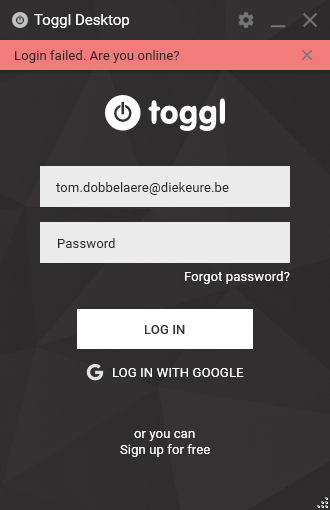
I allowed Toggl through the firewall, this hasn't been an issue until now, which is odd.
💯 Expected behavior
Logging in should work, tracking time should sync.
🔨 Steps to reproduce
- Be me
📦 Additional info
 TomDobbelaere
All 18 comments
We've temporarily blocked the desktop apps as we discovered a sync issue with put a lot of stress to the backend. We're working on a fix and will resume the normal behavior soon. Thank you for reporting.
 IndrekV
on 1 Oct 2019
IndrekV
on 1 Oct 2019
I have the same issue with Windows 10 desktop, 7.4.10.15 build.
Please let me know if you need logs or anything. Thanks.
Future suggestion - have a mechanism to provide bespoke error messages as I'm sure many of us have spent quite some time trying to log in and out before seeing this thread. C'est la vie. I still love toggl!
 liamvictor
on 1 Oct 2019
liamvictor
on 1 Oct 2019
This really does need more visibility. I have just spent 30 minutes trying to discover the issue, deleting the local db file, reading the log file on both computers and re-installing the application.
 hojdars
on 1 Oct 2019
hojdars
on 1 Oct 2019
Sorry about that @AshenCZ!
At the moment, the best we can do is announce problems such as this on Twitter. In the future, we're hoping to have/create a proper Status page that lists the availability of all services.
 vedr4n
on 1 Oct 2019
vedr4n
on 1 Oct 2019
@vedr4n I think it's more the way the error message is written that cause the confusion. The "Are you online?" make me think that maybe there's a problem on my end. "Can't reach the server" would be better in my opinion.
Anyway good luck with the fix!
 francisprovost
on 1 Oct 2019
francisprovost
on 1 Oct 2019
@francisprovost Seems like this is client-specific. macOS app displays this message.
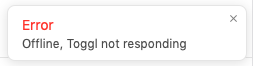
PS: Desktop sync service has been restored with rate limiting. Logging in and syncing should work, just slower than usual (for now).
vedr4n
on 1 Oct 2019
Sorry about that @AshenCZ!
At the moment, the best we can do is announce problems such as this on Twitter. In the future, we're hoping to have/create a proper Status page that lists the availability of all services.
Twitter is blocked on my computer (as are all social websites).
liamvictor
on 1 Oct 2019
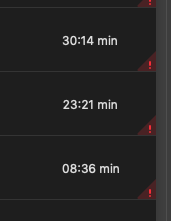
Still not syncing :/
I see only these 2 messages :
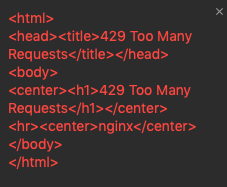
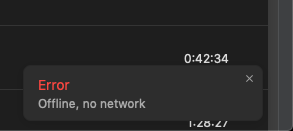
 Pytlicek
on 1 Oct 2019
Pytlicek
on 1 Oct 2019
@Pytlicek let try the hotfix 7.4.1022. This limit issues will be removed soon as soon as we carefully investigate it.
 NghiaTranUIT
on 1 Oct 2019
NghiaTranUIT
on 1 Oct 2019
I just installed 7.4.1022, still 492 and
 kapooostin
on 1 Oct 2019
kapooostin
on 1 Oct 2019
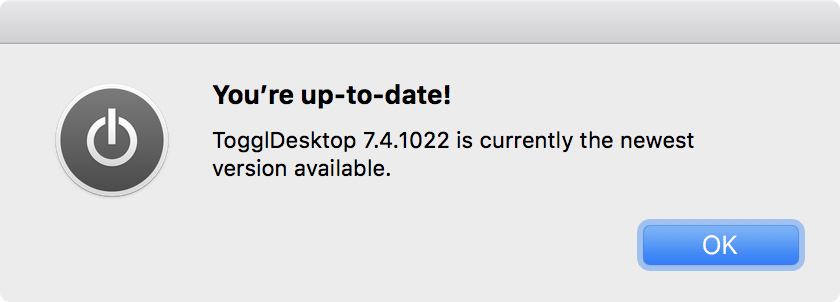
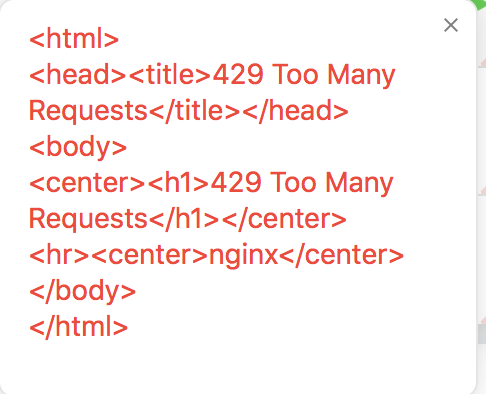
The same here with 7.4.1022.
 mynameisbogdan
on 1 Oct 2019
mynameisbogdan
on 1 Oct 2019
Any updates?
I have not been making lots of requests at all. If I try to "sync" my timelog toggle desktop error notification comes back with "429 Too Many Requests" like others have noted here.
It's 1PM Pacific Time, in the middle of the work day, so we're relying on time tracking as usual. Maybe the weekend or evening time would have been a better time to disable the API outside of peak work hours?
 sean-mystyle
on 1 Oct 2019
sean-mystyle
on 1 Oct 2019
chrome extension works fine
kapooostin
on 2 Oct 2019
Still not working... all our devs are using the desktop app, and entries from the last 18h or so aren't synced.
@IndrekV do you have an idea when it will be working again? If it's taking longer we have to switch to the web app and sync the data by hand, so that we can create our invoices based on that times
 23tux
on 2 Oct 2019
23tux
on 2 Oct 2019
We're keeping desktop apps rate limited as long as we have enough users updated to latest version. The previous version had an issue that made it re-sync all the time even when there was no need for it. This overloaded our servers and we decided to block desktop apps so all other apps could work without problems. We released a fixed version (7.4.1022) yesterday within about 2 hours of detecting the issue and are pushing everyone to update so we can remove the faulty version from the market so to say.
Rate limited means that if certain sync requests are done within a minute it will delay the sync by one minute. So sync works it's just delayed.
We are constantly monitoring the situation and will remove the rate limit the moment it is possible.
Thank you everyone for the reports, feedback and most of all patience with this unfortunate situation.
IndrekV
on 2 Oct 2019
@IndrekV FYI: current linux deb version on website is still 7.4.528. How to get latest?
 tumb1er
on 2 Oct 2019
tumb1er
on 2 Oct 2019
For Linux version 7.4.528 is the latest, we did not release the version with issues on Linux. Rate limiting in the backend is being removed step by step so everything should return to normal soon.
IndrekV
on 2 Oct 2019
Closing the issue as it relates to a specific incident during October 1st-3rd.
More info here https://toggl.com/blog/toggl-desktop-issue-october-2019.
 skel35
on 13 May 2020
skel35
on 13 May 2020
Related issues
 VeljkoTN
·
5Comments
IndrekV
·
4Comments
VeljkoTN
·
5Comments
IndrekV
·
4Comments
 nidarasheed
·
5Comments
nidarasheed
·
5Comments
 sojusnik
·
6Comments
sojusnik
·
6Comments
 ghost
·
3Comments
ghost
·
3Comments
Most helpful comment
This really does need more visibility. I have just spent 30 minutes trying to discover the issue, deleting the local db file, reading the log file on both computers and re-installing the application.