Toggl-button: GitLab - "Start timer" button missing after latest UI update
Environment details
- Operation system: Mac (Chrome)
- Extension version: 1.6.0
Expected behavior
Should see a "start timer" in the issue/merge-request/etc header. Like this (from prev. version):

Actual behavior
No toggl button 😢

Steps to reproduce the behavior
Just visit GitLab - the new UI has been made public it seems - so _everyone_ should see it.
Additional details
A temporary work around would be to deactivate GitLab's new UI, as you could previously, but it seems it's been fully rolled out
 breadadams
All 18 comments
Hmm but this was fixed in 1.6.0 (https://github.com/toggl/toggl-button/pull/885)? 🤔
breadadams
on 17 Sep 2017
1.6.0 is not released in all channels yet. The last version Toggl chose to release to Mozilla Addons is 1.5.0.
 emilv
on 18 Sep 2017
emilv
on 18 Sep 2017
Same problem with chrome (arch linux)
 jdalrymple
on 18 Sep 2017
jdalrymple
on 18 Sep 2017
I see 1.6.0 in Chrome @emilv ❓ 🤔 . Or have I misunderstood something?

breadadams
on 18 Sep 2017
Ah, so you are saying that you are running 1.6.0, which should be fixed, but it still does not work for you! I apparently skipped that detail in your report and just assumed everyone was using Firefox...
emilv
on 18 Sep 2017
No problem @emilv :v:. Yeah that's exactly it, I mentioned the browser in _Environment details -> Operation system_.
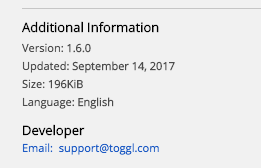
Latest version in chrome webstore:
breadadams
on 18 Sep 2017
Hi,
You're correct, 1.6.0 fixed a gitlab issue but gitlab changed again and this was once again fixed by #885 but this just hasn't been released yet.
So this has actually been fixed and we can close this issue. I will do another release shortly.
Also, note that Mozilla has a pretty lengthy review process so the release cycle for the firefox version is much slower.
 syko
on 19 Sep 2017
syko
on 19 Sep 2017
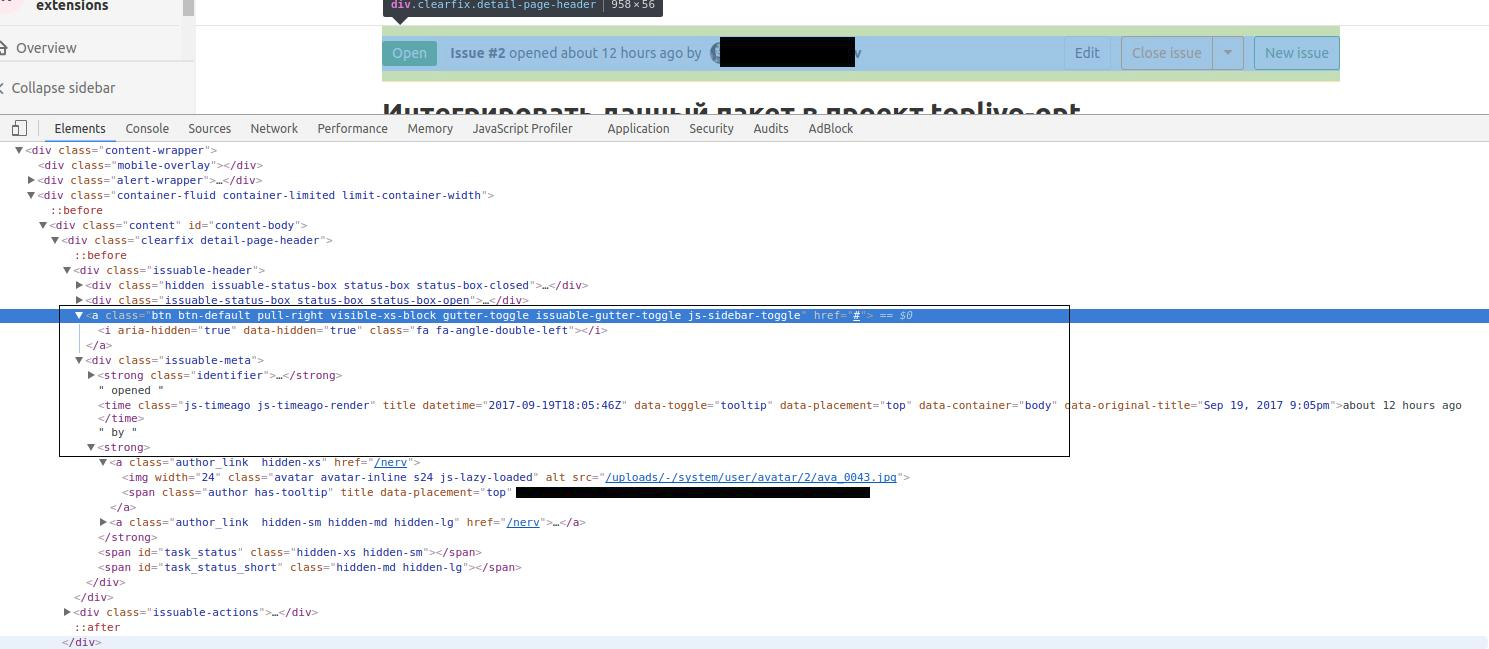
@syko This update broke integration for older GitLab version (9.5.1) for both old and new themes. Button appears in html code, but is not visible for human beings :)
 MikeSorokin
on 20 Sep 2017
MikeSorokin
on 20 Sep 2017
goddamn. I guess there is no way to easily test this using the online version of gitlab :/
syko
on 20 Sep 2017
@syko yeah, just the last update. I think, we could do this way: fix this thing for latest version and allow users to define in integration options specific styles/classes for their needs.
Upd. Other way: select integration version in options, just for this case. E.g. 'GitLab <9.5.1', 'GitLab 9.5.2+'
MikeSorokin
on 20 Sep 2017
fix this thing for latest version and allow users to define in integration options specific styles/classes for their needs.
That would be too complex. Choosing between gitlab version is also an option but there is no reason why we couldn't support both. We just need to make the content script adapt to the 2 DOM options. The tricky part is the testing.
syko
on 20 Sep 2017
Same here. Not working since a couple of weeks.
 scrobbleme
on 21 Sep 2017
scrobbleme
on 21 Sep 2017
Hey @scrobbleme, are you also on version (9.5.1)?
 LulzAugusto
on 21 Sep 2017
LulzAugusto
on 21 Sep 2017
@LulzAugusto Yes, latest.
scrobbleme
on 21 Sep 2017
It appears to be back! 🎉
Running extension version 1.7.0 in Chrome

breadadams
on 26 Sep 2017
@breadadams what is your GitLab version? On 9.5.1 button still is invisible, as there are no released updates in this extension.
MikeSorokin
on 27 Sep 2017
Might possibly be fixed with the next release (I also don't see a reason why it should've autofixed itself)
syko
on 14 Nov 2017
@syko GitLab 9.5.1 btn release 1.8.0 - it works again! Thanks a lot! :+1:
MikeSorokin
on 16 Nov 2017
Related issues
 jhagberg
·
3Comments
jhagberg
·
3Comments
 sergey-alekseev
·
4Comments
sergey-alekseev
·
4Comments
 aeromorrison
·
3Comments
aeromorrison
·
3Comments
 maritoggl
·
6Comments
maritoggl
·
6Comments
 oliveratgithub
·
5Comments
oliveratgithub
·
5Comments
Most helpful comment
@syko GitLab 9.5.1 btn release 1.8.0 - it works again! Thanks a lot! :+1: