Tocas: 語意輸入欄位出現預期外的符號、允許 Icon Input 內放入 Button 而非僅 `<a>` 連結
想要套上語意的輸入欄位
negative 似乎跟 error 效果一致?
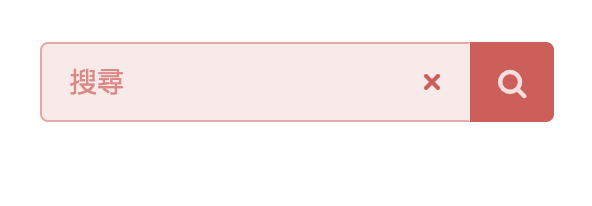
<form class="ts fluid action negative input" action="/search">
    <input name="q" type="text" placeholder="搜尋">
    <button class="ts icon negative button" type="submit">
        <i class="search icon"></i>
    </button>
</form>
 goodjack
All 5 comments
順便加問一個問題
我不確定這要不要開一個 issue
但也找不到適合留言的地方
部落格後台範例 中的搜尋框
看起來搜尋圖示是可以點擊的

我要怎麼讓他有這種樣式
同時又是 submit 按鈕的功能呢?
<div class="ts icon input">
    <input type="text" placeholder="搜尋⋯⋯">
    <i class="search link icon"></i>
</div>
我目前嘗試用 basic
但效果有點... 奇怪...
hover 的時候會有黑底

<form class="ts fluid action input" action="/search">
    <input name="q" type="text" placeholder="搜尋">
    <button class="ts basic icon button" type="submit">
        <i class="search icon"></i>
    </button>
</form>
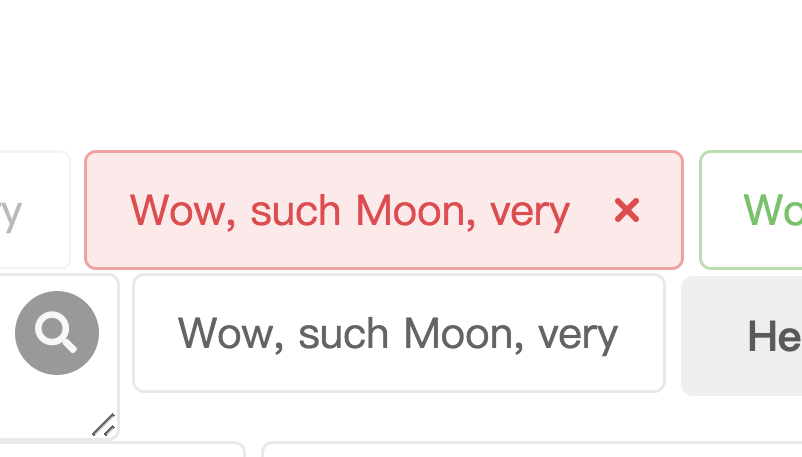
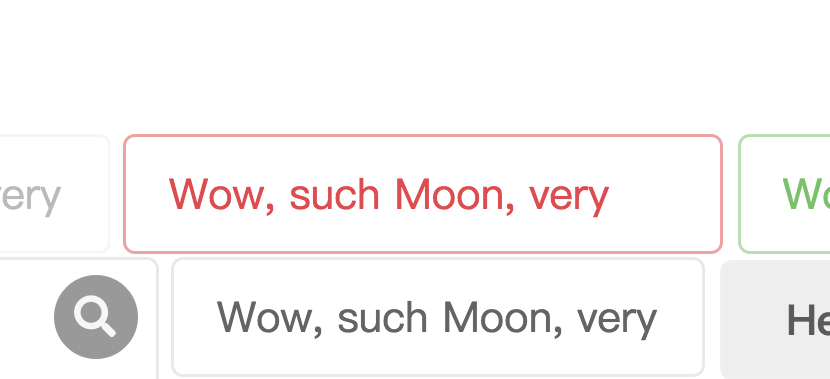
Negative 跟 Error 的效果是一樣的(只是別名),用上 Error 在有些時候會比 Negative 要來更適合某些場合。如果不希望語意輸入欄位有符號,試著加上 .basic 樣式。
原先
加上 .basic
 YamiOdymel
on 8 Apr 2018
YamiOdymel
on 8 Apr 2018
👍1
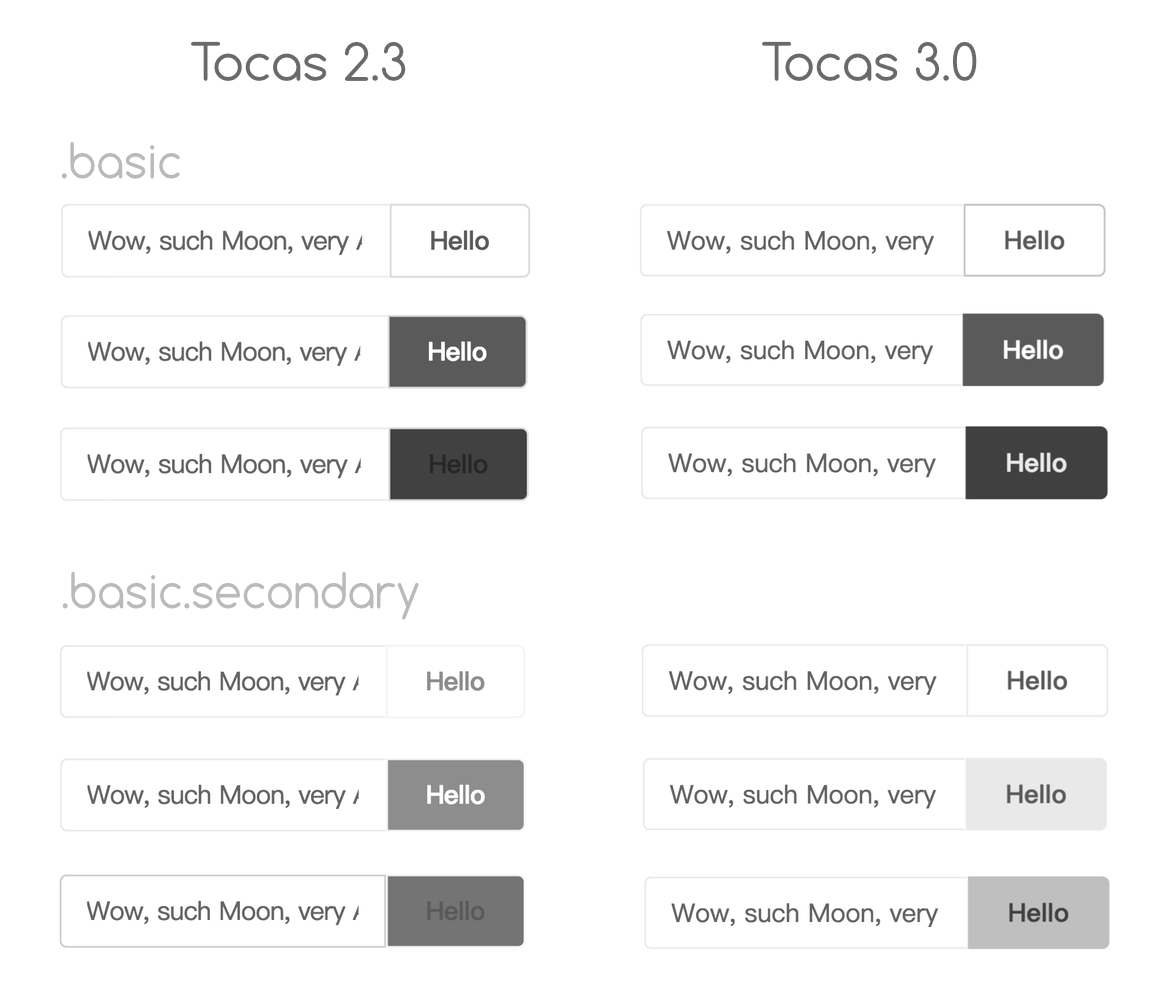
至於輸入欄位旁邊加上按鈕的話⋯其實你的做法是對的,只是那個顏色有點深。加上 .secondary 給按鈕的話應該可以改善一點。
不過因為 2.3 的 Basic 顏色其實有點⋯⋯鳥(也有人抱怨就是了,所以之後用上 3.0 的時候, Secondary 按鈕顏色應該會更好一些。
YamiOdymel
on 8 Apr 2018
👍1
看來 Button[type=Submit] 有必要能夠放進 .ts.icon.input 裡面,以前雖然就想這麼做了但是那段時間被挪去尻槍用了(還是說做不起來,有點忘記了)。
所以這個問題會改為讓 Button 也能夠放在 Icon Input 裡,而非只有單純的 <a> 連結。
YamiOdymel
on 10 Apr 2018
😄1
如果要放入 Button,在 3.0 可以透過下列方式。
<div class="ts icon input">
    <input type="text" placeholder="搜尋⋯⋯">
    <button type="submit">
        <i class="search icon"></i>
    </button>
</div>
🎉1
Was this page helpful?
0 / 5 - 0 ratings
Related issues
goodjack
·
5Comments
 racterub
·
4Comments
racterub
·
4Comments
 toby3d
·
3Comments
goodjack
·
3Comments
toby3d
·
3Comments
goodjack
·
3Comments
 gnehs
·
4Comments
gnehs
·
4Comments