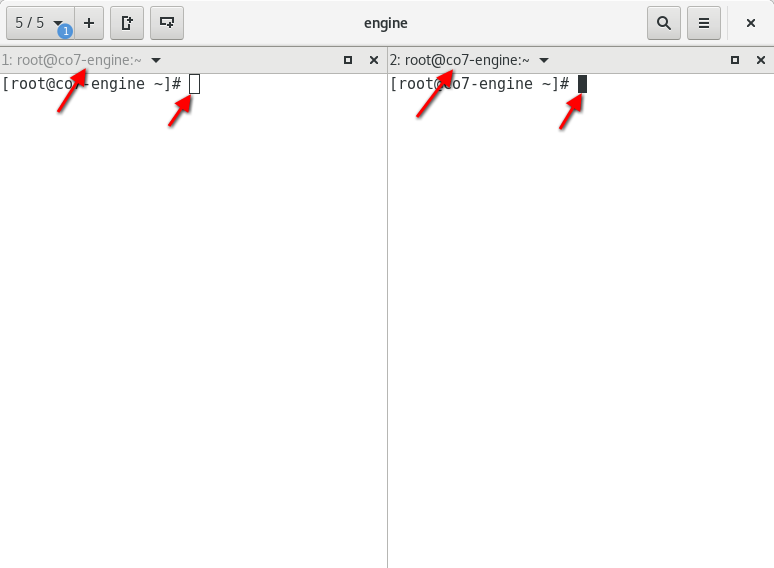
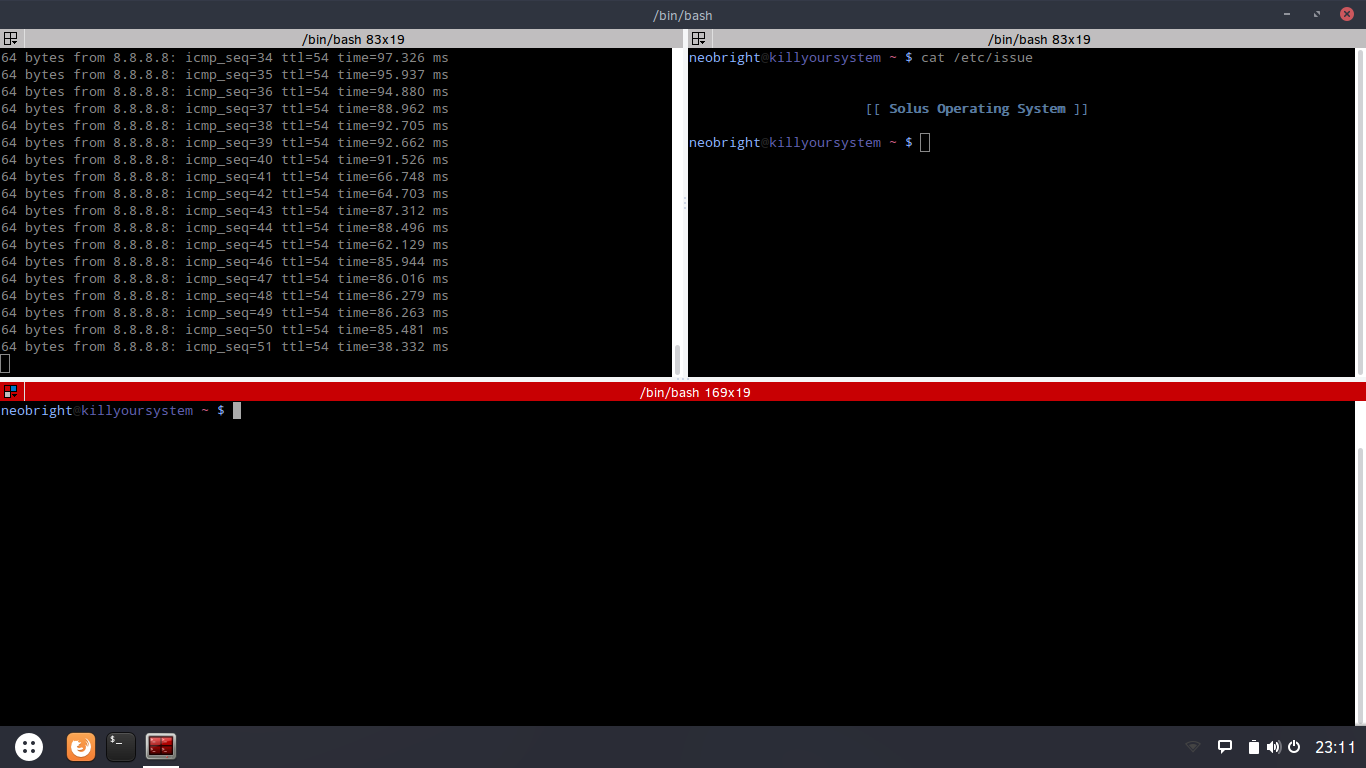
Please allow to highlight selected terminal. Currently it can be recognized only by color of terminal title and blinking cursor (if present).
It's a bit too much in terminator but it is clearly recognizable:
 jniederm
All 6 comments
I don't have any plans to add an option for this, however it can be styled as you wish using CSS. See #688 for more information.
 gnunn1
on 31 Jul 2017
gnunn1
on 31 Jul 2017
Oh and also note that you can dim the unfocused terminals so the focused one stands out more.
gnunn1
on 31 Jul 2017
Thank you for at advice @glunn1. #688 suggests to use style class terminix-terminal-title which I can't even grep in current master branch. I guess one of terminal-titlebar, tilix-terminal-title defined in terminal.d is the successor. So I tried to put following code
.tilix-terminal-title {
  color: red;
  background-color: orange;
}

.terminal-titlebar {
  color: red;
  background-color: orange;
}
into file ~/.config/gtk-3.0/gtk.css and started tilix. The UI was completely unchanged. Could you please help me to enable styling the UI?
Styling other app like gnome-calc using gtk.css work ok for me.
$ tilix --version
Versions
    Tilix version: 1.6.4
    VTE version: 0.48
    GTK Version: 3.22.17

Tilix Special Features
    Notifications enabled=1
    Triggers enabled=0
    Badges enabled=0
$ rpm -q tilix
tilix-1.6.4-1.fc26.x86_64
 happylynx
on 1 Aug 2017
happylynx
on 1 Aug 2017
I tried the following in gtk.css in GTK 3.22 and it worked fine for me:
.terminal-titlebar:active {
    background-color: red;
}
Make sure to quit all instances of tilix (including quake window) and restart it.
gnunn1
on 1 Aug 2017
Killing all instances was the missing bit. Now it works beautifully. Thanks
happylynx
on 1 Aug 2017
Just wanted to add to this that I would also really like a more obvious look for the active tab by default.
 kramer65
on 21 Jun 2018
kramer65
on 21 Jun 2018
Related issues
 sirex
·
3Comments
sirex
·
3Comments
 alex285
·
3Comments
alex285
·
3Comments
 roadhoghook
·
4Comments
roadhoghook
·
4Comments
 tomtobac
·
3Comments
gnunn1
·
3Comments
tomtobac
·
3Comments
gnunn1
·
3Comments
Most helpful comment
Just wanted to add to this that I would also really like a more obvious look for the active tab by default.