Tiddlywiki5: [BUG] Get more plugins does not load
Describe the bug
Using chrome, trying to get more plugins.
Looks like tiddlywiki cant open the plugin library
To Reproduce
Open your TiddlyWiki in a browser
Open the control panel , click on the Plugins tab and then the Get more plugins button
Click open plugin library to open the official plugin library
Expected behavior
Display a library
Screenshots
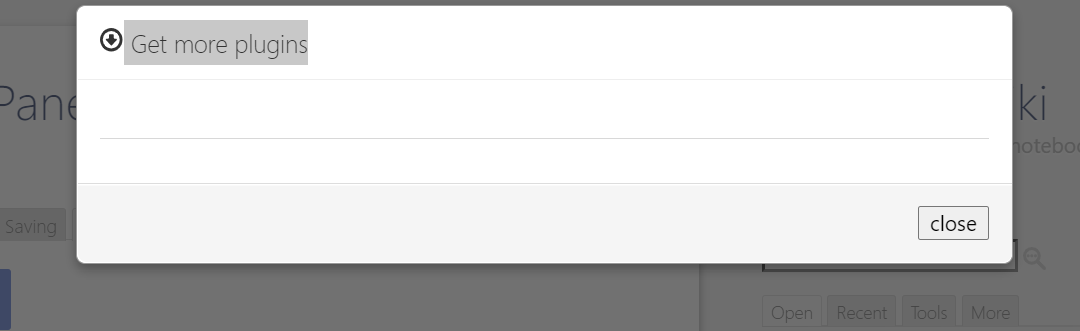
Desktop (please complete the following information):
Windows, chome 87.0.4280.88 (Official Build) (64-bit)
 Mixie-12
All 9 comments
I have this issue as well. I searched for issues with plugin libraries, because I've rebuilt my wiki with 5.1.23 and didn't know if it's "just me." On https://tiddlywiki.com/prerelease/ it looks as though the official library has plugins, but when you click the plugins tab, it goes back to just the two top tabs offering the online or local libraries.
I'm on Mac Catalina 10.15.7, Firefox.
 clutterstack
on 8 Dec 2020
clutterstack
on 8 Dec 2020
@clutterstack @Mixie-12 Can you both please confirm if you have this problem at:
Or is this happening when running locally on node?
The plugin library is working just fine for me at both of the above URLs in Chrome and Firefox on Windows 10.
 saqimtiaz
on 8 Dec 2020
saqimtiaz
on 8 Dec 2020
I can confirm using latest 5.1.23 the third party plugin libraries do not work!
Tested: Windows 10, Chrome 87, TW 5.1.23prerelease
 kookma
on 8 Dec 2020
kookma
on 8 Dec 2020
@saqimtiaz It works fine on tiddlywiki.com, but not on tiddlywiki.com/prerelease for me, if I use Firefox (83.0, up to date).
But -- both sites work fine in Safari!
OS: Mac Catalina 10.15.7
clutterstack
on 8 Dec 2020
OK, argh, I spoke too soon. I was able to see the plugins under the "plugins" tab in Safari, but if I click another tab it goes blank.
In any case, looking at the google group, is this just a matter of finalising the library address on release, and not truly a bug?
clutterstack
on 8 Dec 2020
Another test:
- go to https://tiddlywiki.com/prerelease/#Empty%20Edition
- download empty.html
- go to $:/ControlPanel , Plugins tab, and click on Get more plugins
3.1 NO plugin is displayed (empty window)
4 import https://tiddlywiki.com/prerelease/#%24%3A%2Fconfig%2FOfficialPluginLibrary - save and relaod
- got to $:/ControlPanel , Plugins tab, and click on Get more plugins
- all official plugin is seen
- try to add a plugin
- tab is closed like it resets everything
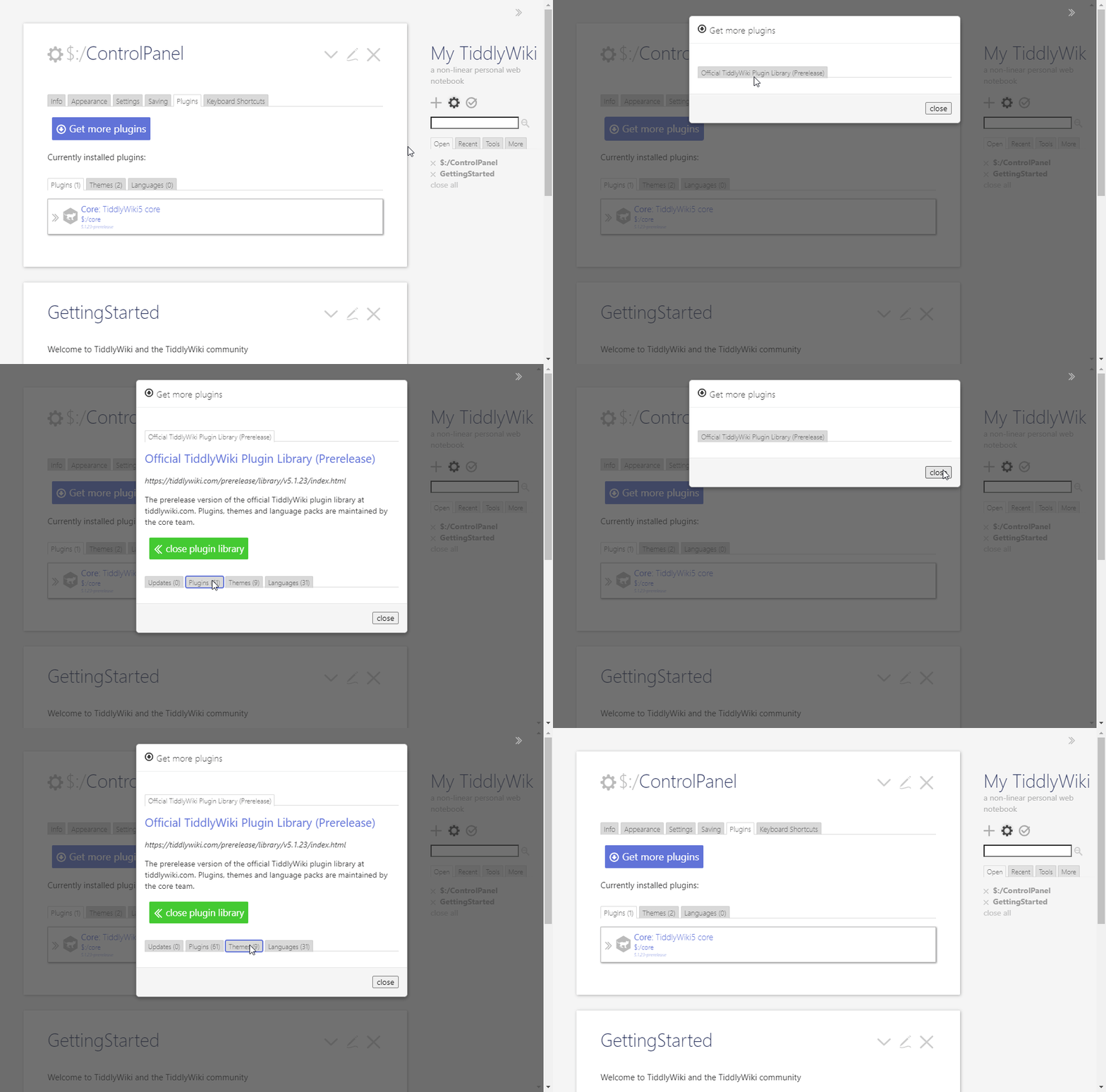
Tested on
Windows 10, Chrome 87, Edge 87, FF 82
kookma
on 9 Dec 2020
strangely in opera no plugins are shown. the plugin library is empty
kookma
on 9 Dec 2020
Thanks everyone I've tracked it down to a problem in #4985, I'll commit a fix shortly.
 Jermolene
on 9 Dec 2020
Jermolene
on 9 Dec 2020
@Jermolene - I can confirm the issue has gone.
kookma
on 9 Dec 2020
Related issues
 AnthonyMuscio
·
4Comments
AnthonyMuscio
·
4Comments
 0xMH
·
6Comments
0xMH
·
6Comments
 diego898
·
5Comments
diego898
·
5Comments
 twMat
·
5Comments
twMat
·
5Comments
 joshuafontany
·
5Comments
joshuafontany
·
5Comments
Most helpful comment
Thanks everyone I've tracked it down to a problem in #4985, I'll commit a fix shortly.