Describe the bug
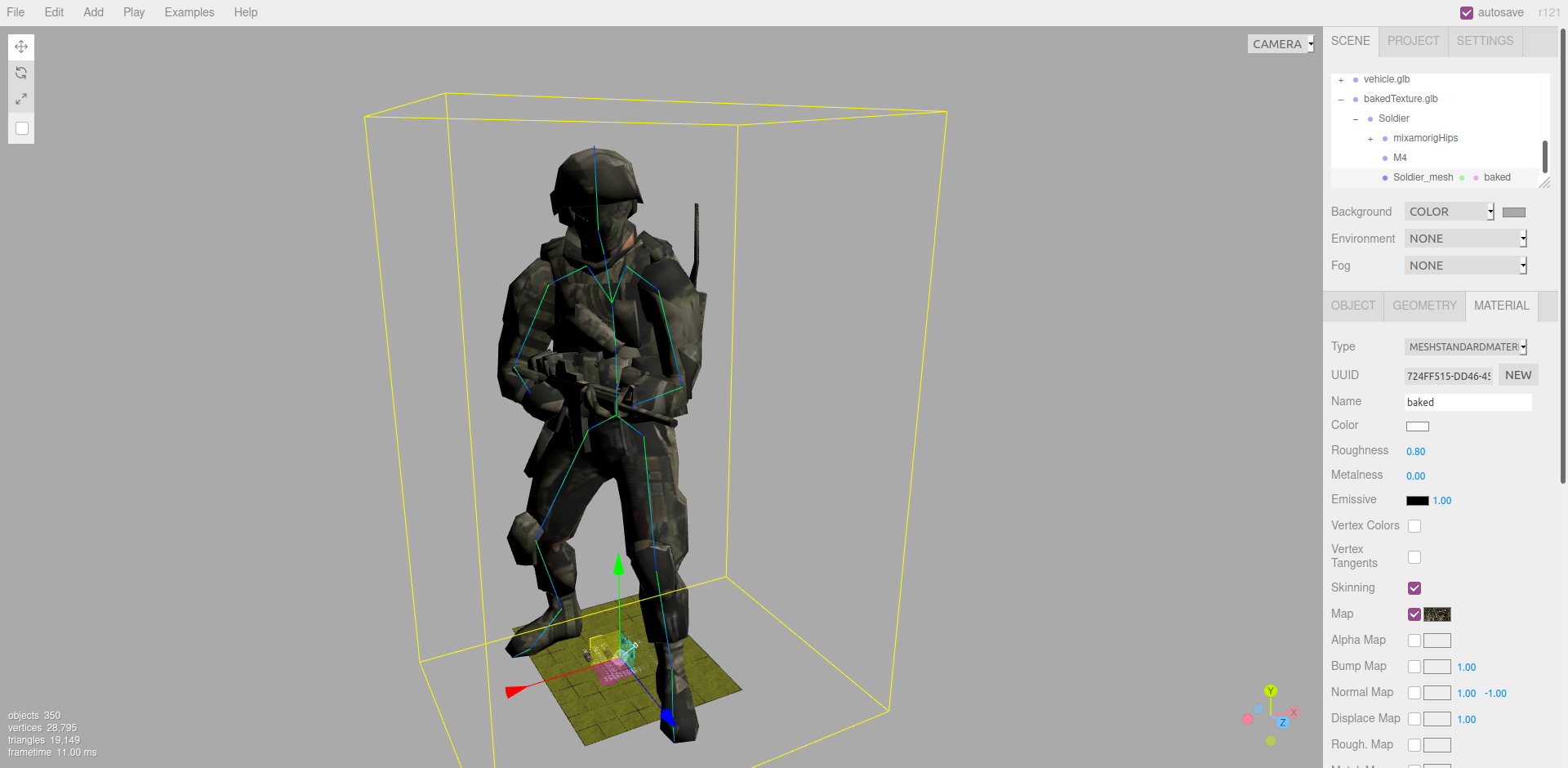
I'm trying to reassign a new texture to a material, but the new texture is not respecting the UV map! I tried to use the same texture of the object by reloading it, and it also doesn't respect the UV map.
To Reproduce
Steps to reproduce the behavior:
- load the glb file
- update the texture of the main body material.
- the texture will be updated with a strange UV mapping.
Live example
the object:
https://drive.google.com/file/d/1Cd17YhsNN7Tru13I87xUh1Fgibk8NGr8/view?usp=sharing
the texture used:
https://drive.google.com/file/d/1-wIgJ-d3TTHoWvCSb6GLr8KiCB13uJ_G/view?usp=sharing
Expected behavior
the texture should respect the UV map.
Screenshots
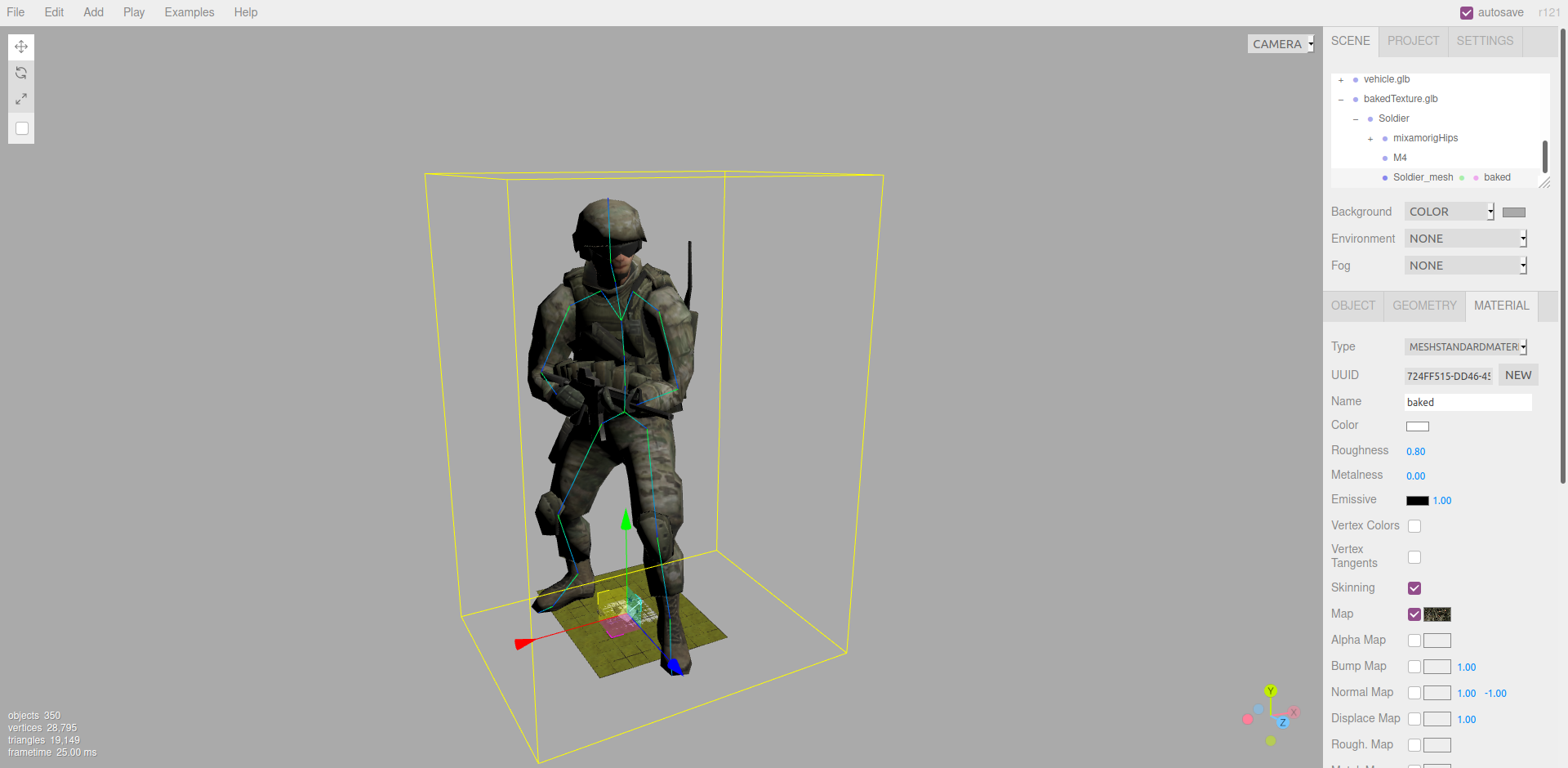
here is how it looks when first upload the object in the editor
here is how it looks when choosing the map with the exact same texture
I also tried it via coding because I thought it might be the editor issue, but it also didn't work with custom coding!
Platform:
- Device: Desktop
- OS: Linux
- Browser: Chrome, Firefox
- Three.js version: r120
 mshamaseen
All 2 comments
Note the texture section here — https://threejs.org/docs/#examples/en/loaders/GLTFLoader ... if you are loading a texture outside of the glTF model, you will need to set .flipY=false on the texture to have it match glTF's UV convention. Does that fix your issue?
 donmccurdy
on 9 Oct 2020
donmccurdy
on 9 Oct 2020
@donmccurdy Yep that fix it! I was looking at Texture and Material sections of the documentation, I didn't expect it will be GLTF limitation.
Thank you very much, man!
mshamaseen
on 9 Oct 2020
Related issues
 boyravikumar
·
3Comments
boyravikumar
·
3Comments
 jens-duttke
·
3Comments
jens-duttke
·
3Comments
 scrubs
·
3Comments
scrubs
·
3Comments
 ghost
·
3Comments
ghost
·
3Comments
 seep
·
3Comments
seep
·
3Comments
Most helpful comment
Note the texture section here — https://threejs.org/docs/#examples/en/loaders/GLTFLoader ... if you are loading a texture outside of the glTF model, you will need to set
.flipY=falseon the texture to have it match glTF's UV convention. Does that fix your issue?