Three.js: OBJLoader loads vertex colors incorrectly
Description of the problem
The OBJLoader loads vertex colors incorrectly for files with multiple objects, some of which have vertex colors and others not. This becomes an issue if the objects lacking vertex color are not last in the file.
A smallish example file that reproduces the issue:
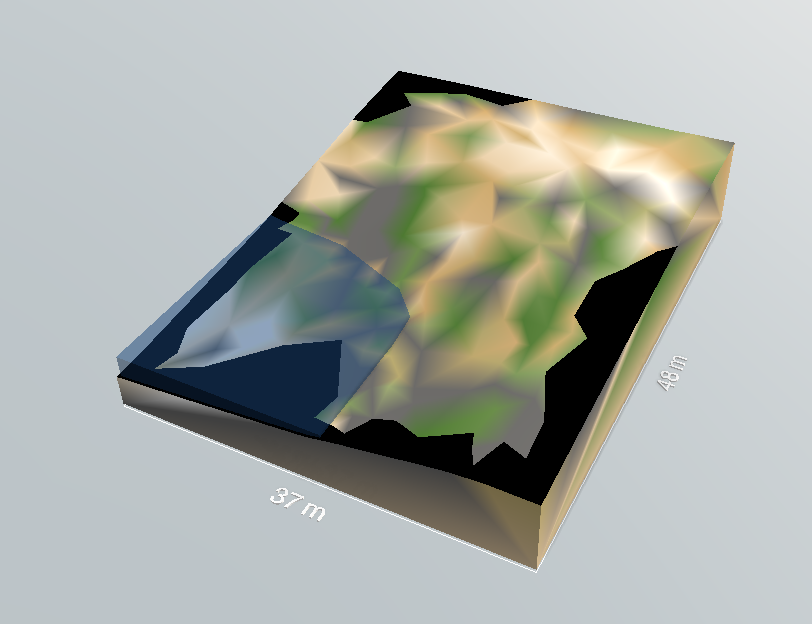
The result looks quite scrambled, and it seems that the second mesh (that has vertex colors, starts using colors after an "offset" (the number of vertices on the first mesh?), and thus this shift causes all colors to be wrong, and the last vertices to become black (no colors left?).
The blue mesh is the one without colors.
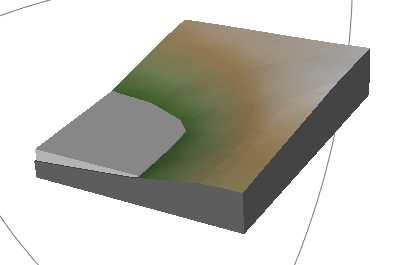
Here is the same file opened in MeshLab, which seems to correctly load such files.
Three.js version
I initially used r89 when i detected this issue, now i migrated to the latest revision to see if it had already been fixed, since the OBJLoader had changed a good deal, but it had not.
Browser
- [x] Chrome
Probably all browsers, can't see how this would be a browser issue
OS
- [x] Windows
 cedemax
All 6 comments
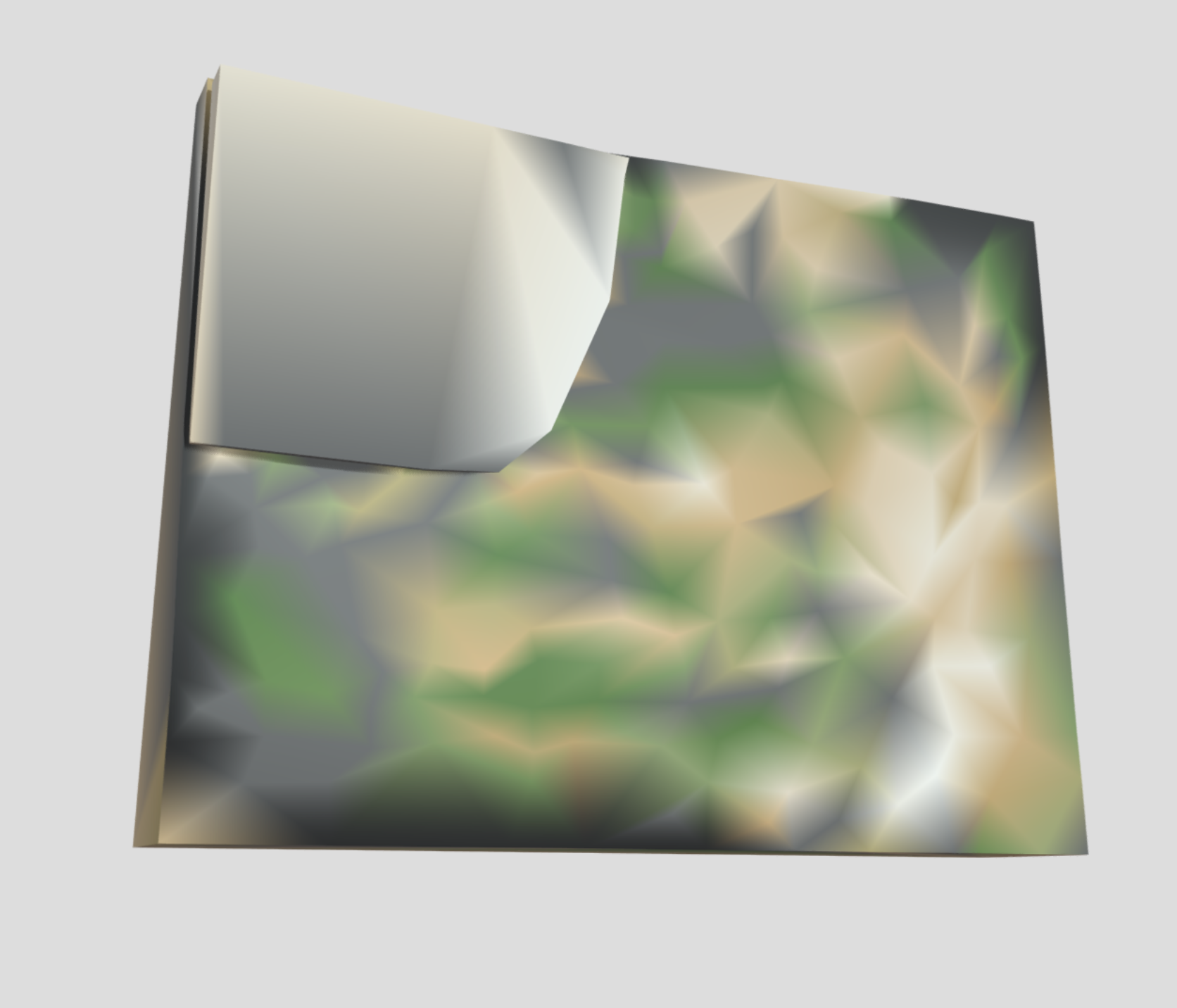
This is the result from Sketchfab:
 Mugen87
on 29 Apr 2020
Mugen87
on 29 Apr 2020
OBJ has no official specification document but even in the most referenced ones like this here vertex colors are not specified. Hence, their usage in context of OBJ is fragile.
Can you work with another 3D format like PLY or even glTF? Both should handle vertex colors more robust.
Mugen87
on 29 Apr 2020
More info about Wavefront OBJ: https://www.loc.gov/preservation/digital/formats/fdd/fdd000507.shtml.
 WestLangley
on 29 Apr 2020
WestLangley
on 29 Apr 2020
OBJhas no official specification document but even in the most referenced ones like this here vertex colors are not specified. Hence, their usage in context ofOBJis fragile.Can you work with another 3D format like
PLYor evenglTF? Both should handle vertex colors more robust.
Yes I can work around the issue easily by just adding vertex colors to the meshes that currently lack them, or I could add such code to the loader that it would assume default color for all vertices, but this would bloat the file. I will look into the other formats, but I like the simplicity of specifying sharp/smooth edges using per face vertex normals in obj.
cedemax
on 30 Apr 2020
The problem is this pattern:
o object1
x y z
x y z
x y z
o object2
x y z r g b
x y z r g b
x y z r g b
OBJ uses the same indices to access vertices and vertex colors. Since OBJLoader will produce vertex and color arrays of different length for the above setup, vertex colors will be wrong. An easy fix is to keep the length of vertex and color arrays equal so the indices are correct again. I'll file a PR so it's easier to see the respective changes.
Mugen87
on 30 Apr 2020
Yet another case of... OBJ is definitely not an easy file format.
 mrdoob
on 30 Apr 2020
mrdoob
on 30 Apr 2020
Related issues
 ghost
·
3Comments
ghost
·
3Comments
 jack-jun
·
3Comments
jack-jun
·
3Comments
 Bandit
·
3Comments
Bandit
·
3Comments
 akshaysrin
·
3Comments
akshaysrin
·
3Comments
 makc
·
3Comments
makc
·
3Comments
Most helpful comment
Yet another case of... OBJ is definitely not an easy file format.