Three.js: (editor) Unclear: how to select render/play camera
In the three.js editor, there seems to be no way to choose which camera is rendering to the screen in "PLAY" mode.
This is especially inconvenient because the scene I'm using has an orthographic camera.
Am I missing something?
 danksky
All 2 comments
Play mode uses always the default (perspective) camera of the scene. You can preview it with different cameras (see screenshot) but this setting is not used when activating Play.
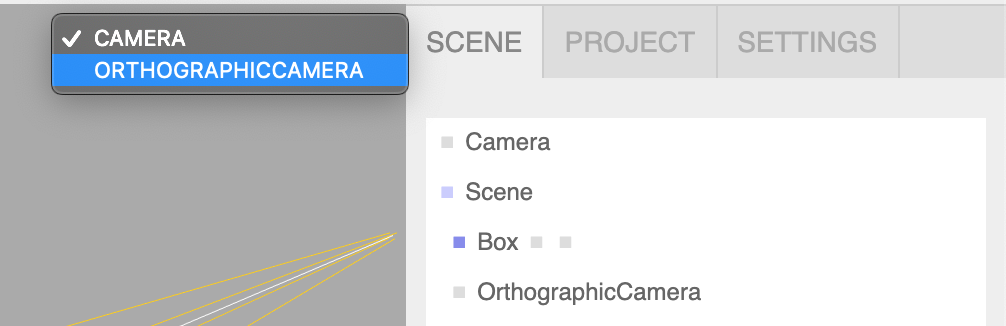
 Mugen87
on 9 Jun 2019
Mugen87
on 9 Jun 2019
You can change the Player's camera by calling setCamera(camera).
Example
player.setCamera(scene.getObjectByName("OrthographicCamera"));
Add a script to your scene that will call this function.
 Temdog007
on 10 Jun 2019
Temdog007
on 10 Jun 2019
❤1
👍1
Was this page helpful?
0 / 5 - 0 ratings
Related issues
 Horray
·
3Comments
Horray
·
3Comments
 seep
·
3Comments
seep
·
3Comments
 donmccurdy
·
3Comments
donmccurdy
·
3Comments
 jlaquinte
·
3Comments
jlaquinte
·
3Comments
 zsitro
·
3Comments
zsitro
·
3Comments
Most helpful comment
You can change the
Player'scamera by callingsetCamera(camera).Example
Add a script to your scene that will call this function.