Three.js: When using an MMD model, there is no illumination effect on the surface of the model
Description of the problem
Load the MMD model and turn off the ambient light and put in a spot light and turn on the shadow, no matter how you adjust the light, there's no light on the model, but on the floor capable of receiving shadows from models and it changes with the direction of the light.
JavaScript code
var container;

var mesh, camera, scene, renderer, effect;
var helper;

var ready = false;

var clock = new THREE.Clock();

init();
animate();

// 初始化相机
function initcamera() {
    camera = new THREE.PerspectiveCamera(45, window.innerWidth / window.innerHeight, 1, 2000);
    camera.position.z = 50
}

function initscene() {
    // 初始化场景
    scene = new THREE.Scene();
}

// 初始化空间
function initplane() {
    // 设置场景的背景颜色Color接受一个hex值,即为16进制颜色代码
    scene.background = new THREE.Color('#AAAAAA');
    // 创建一个地面辅助正方型
    var gridHelper = new THREE.GridHelper(50, 50);
    gridHelper.position.y = -10
    scene.add(gridHelper)
    // 地板
    var planeGeometry = new THREE.PlaneBufferGeometry(50, 50);
    var planeMaterial = new THREE.MeshLambertMaterial();

    plane = new THREE.Mesh(planeGeometry, planeMaterial);
    plane.rotation.x = -0.5 * Math.PI;
    plane.position.y = -10;

    //告诉底部平面需要接收阴影
    plane.receiveShadow = true;
    plane.castShadow = true

    scene.add(plane);
}
// 初始化光照
function initambient() {
    // 创建环境光,设置环境光颜色
//     var ambient = new THREE.AmbientLight(0x666666,1);
//     scene.add(ambient);

    var directionalLight = new THREE.DirectionalLight(0x666666, 4);
    // 开启阴影
    directionalLight.castShadow = true;
    directionalLight.shadowCameraNear = 20; //产生阴影的最近距离
    directionalLight.shadow.camera.far = 200; //产生阴影的最远距离
    directionalLight.shadowCameraLeft = -50; //产生阴影距离位置的最左边位置
    directionalLight.shadowCameraRight = 50; //最右边
    directionalLight.shadowCameraTop = 50; //最上边
    directionalLight.shadowCameraBottom = -50; //最下面

    //这两个值决定使用多少像素生成阴影 默认512
    directionalLight.shadowMapHeight = 1024;
    directionalLight.shadowMapWidth = 1024;
    directionalLight.position.set(50, 50, -3);
    scene.add(directionalLight);
}

function initrenderer() {
    // 初始化渲染器
    renderer = new THREE.WebGLRenderer({
        antialias: true,
        alpha: true
    });
    renderer.setPixelRatio(window.devicePixelRatio);
    renderer.setSize(window.innerWidth, window.innerHeight);
    renderer.physicallyCorrectLights  = true
    container.appendChild(renderer.domElement);
}
function initModel1(){
    var radius = 6, segemnt = 40, rings = 40;

    var sphereMaterial = new THREE.MeshLambertMaterial({ color: 0xCC0000 });

    var sphere = new THREE.Mesh(
        new THREE.SphereGeometry(radius,segemnt,rings),
        sphereMaterial
    );

    sphere.geometry.verticesNeedUpdate = true;
    sphere.geometry.normalsNeedUpdate = true;
    sphere.castShadow = true

    scene.add(sphere);
}

function initModel() {
    // 载入模型阶段
    function onProgress(xhr) {
        console.log(xhr)
        if (xhr.lengthComputable) {

            var percentComplete = xhr.loaded / xhr.total * 100;
            console.log('正在加载:' + Math.round(percentComplete, 2) + '%');

        }

    }

    // 本地模型
    var modelFile = 'models/loli.pmx';
    var vmdFiles = ['models/hanser.vmd'];

    helper = new THREE.MMDAnimationHelper();

    var loader = new THREE.MMDLoader();
    loader.load(modelFile, function (object) {
        mesh = object
        mesh.position.y = -10
        mesh.castShadow = true
        scene.add(mesh)
    }, onProgress, null)
}

function initconter() {
    // 启用阴影
    renderer.shadowMap.enabled = true;
    renderer.shadowMap.type = THREE.PCFSoftShadowMap;

    effect = new THREE.OutlineEffect(renderer);
    // 设置帧数显示
    stats = new Stats();
    container.appendChild(stats.dom);

    //启用鼠标控制
    new THREE.OrbitControls(camera, renderer.domElement);
}

function init() {
    container = document.createElement('div');
    document.body.appendChild(container);
    // 执行初始化函数
    initcamera()
    initscene()
    initplane()
    initambient()
    initrenderer()
    initModel1()
    initconter()
    // 获取窗口大小
    window.addEventListener('resize', onWindowResize, false);

}

// 窗口变动之后触发自适应窗口
function onWindowResize() {
    // 重新设置相机宽高比
    camera.aspect = window.innerWidth / window.innerHeight;
    // 重设投影矩阵
    camera.updateProjectionMatrix();
    // 更新渲染器大小
    effect.setSize(window.innerWidth, window.innerHeight);

}

//循环渲染
function animate() {

    requestAnimationFrame(animate);
    // 启动第一帧检查
    stats.begin();
    render();
    stats.end();

}

function render() {

    if (ready) {

        helper.update(clock.getDelta());

    }

    effect.render(scene, camera);

}
html code
<!DOCTYPE html>
<html lang="en">

<head>
    <meta charset="UTF-8">
    <meta name="viewport" content="width=device-width, initial-scale=1.0">
    <meta http-equiv="X-UA-Compatible" content="ie=edge">
    <title>Document</title>
</head>

<body>
    <!-- 引入主js -->
    <script src="./three.js"></script>

     <!-- 加载mmd所需要的js以及渲染 -->
    <script src="js/libs/mmdparser.min.js"></script>
    <script src="js/libs/ammo.js"></script>
    <script src="js/loaders/TGALoader.js"></script>
    <script src="js/loaders/MMDLoader.js"></script>
    <script src="js/effects/OutlineEffect.js"></script>
    <script src="js/animation/CCDIKSolver.js"></script>
    <script src="js/animation/MMDPhysics.js"></script>
    <script src="js/animation/MMDAnimationHelper.js"></script>

    <script src="js/controls/OrbitControls.js"></script>
    <script src="js/libs/dat.gui.min.js"></script>
    <script src="js/libs/stats.min.js"></script>

    <script src="./renderer1.js"></script>
</body>

</html>
>In the example of the document, I found that the loaded MMD file is in PMD format, and the format of PMX has not changed much compared with PMD format, which can be used in MMD software. I think it is not the problem of the file, the effect is as follows
After loading the MMD model
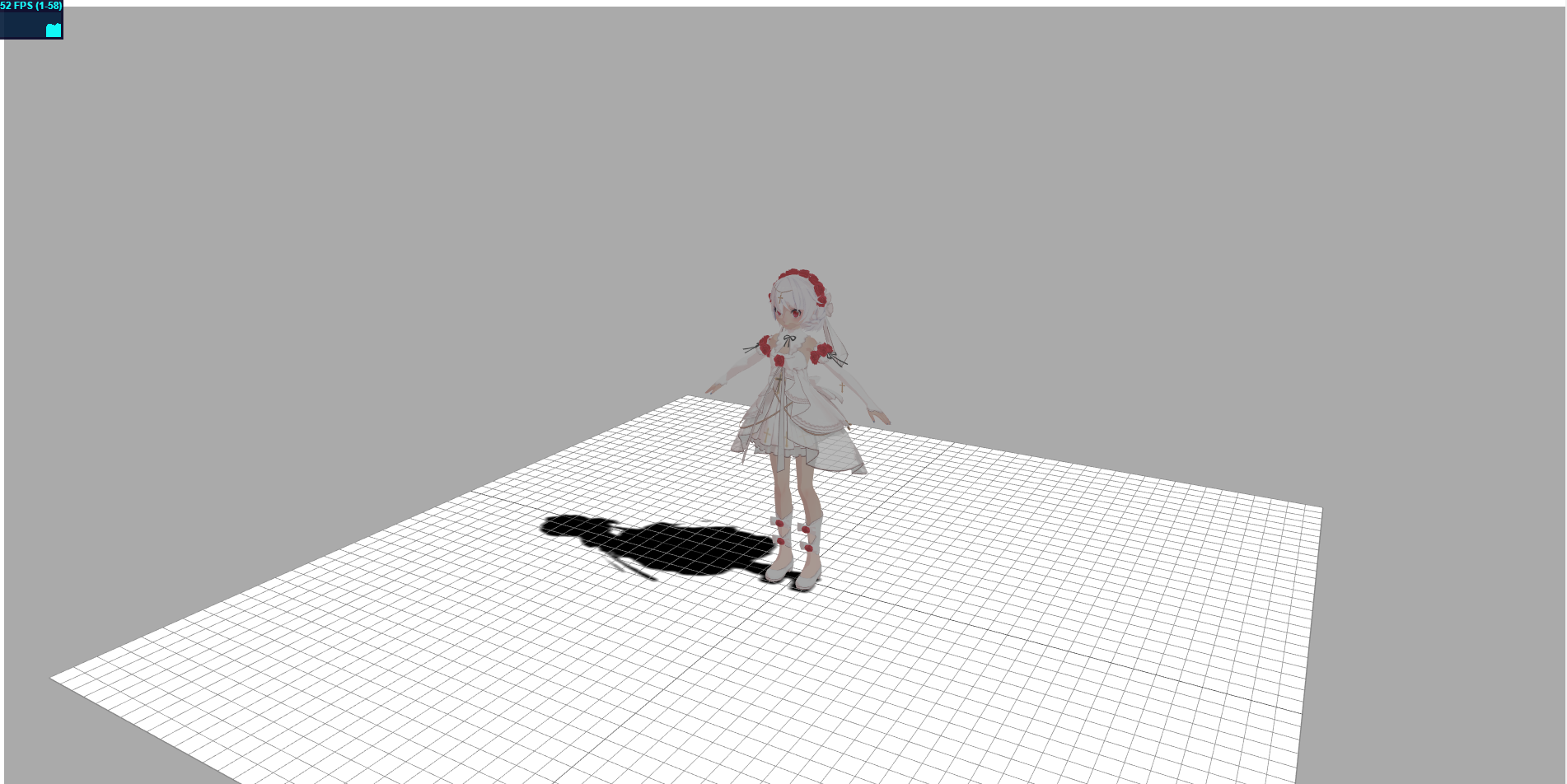
Use the balls in threejs
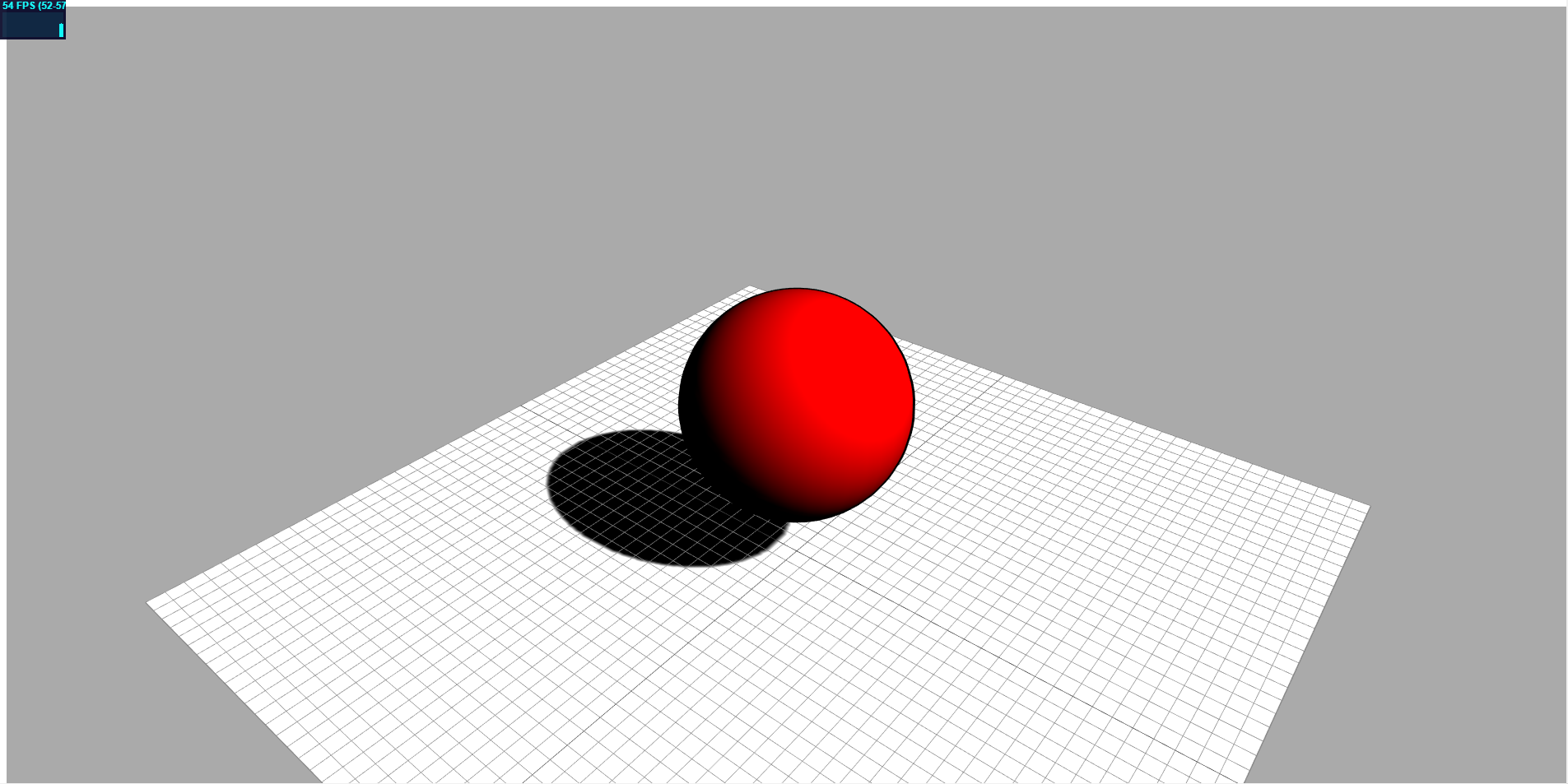
Figure 1 is the initModel function and figure 2 is the initModel1 function,The effect in the picture is the same as the code above, which turns off the state of ambient light. I think this may be a bug. Or is it because I didn't add some parameters or? I hope I get the answer. thank you
Three.js version
- [ ] Dev
- [x] r103
- [ ] ...
Browser
- [ ] All of them
- [x] Chrome
- [ ] Firefox
- [ ] Internet Explorer
OS
- [ ] All of them
- [x] Windows
- [ ] macOS
- [ ] Linux
- [ ] Android
- [ ] iOS
Hardware Requirements (graphics card, VR Device, ...)
 umbrella22
All 5 comments
I'm guessing that the loaded material of your Miku Miku Dance :dancers: model is MeshBasicMaterial, this material is not affected by light :bulb:. Use some other material, at least MeshLambertMaterial.
 Usnul
on 11 Apr 2019
Usnul
on 11 Apr 2019
Looking at the source, MMDLoader does not assign MeshBasicMaterial to models. Only MeshToonMaterial.
put in a spot light and turn on the shadow, no matter how you adjust the light, there's no light on the model,
Um, I don't see an instance of THREE.SpotLight in your code. Can you please share the model files in this thread?
 Mugen87
on 24 Apr 2019
Mugen87
on 24 Apr 2019
@Mugen87 sure~
月下花嫁.zip
umbrella22
on 24 Apr 2019
I have the following result with this lighting setup:
var ambient = new THREE.AmbientLight( 0x666666 );
scene.add( ambient );

var directionalLight = new THREE.DirectionalLight( 0x887766 );
directionalLight.position.set( - 1, 1, 1 ).normalize();
scene.add( directionalLight );
As you can see, using an ambient light produces much better results. Why have you removed it from your scene?

no matter how you adjust the light, there's no light on the model
I'm afraid that's not true. Even without an ambient light the model is definitely illuminated by the directional light. Just set the color to 0xffffff to better see this.
Mugen87
on 25 Apr 2019
Ok, I see. Thanks for your help
umbrella22
on 28 Apr 2019
Related issues
 Bandit
·
3Comments
Bandit
·
3Comments
 makc
·
3Comments
makc
·
3Comments
 konijn
·
3Comments
konijn
·
3Comments
 yqrashawn
·
3Comments
yqrashawn
·
3Comments
 seep
·
3Comments
seep
·
3Comments
Most helpful comment
I have the following result with this lighting setup:
As you can see, using an ambient light produces much better results. Why have you removed it from your scene?
I'm afraid that's not true. Even without an ambient light the model is definitely illuminated by the directional light. Just set the color to
0xffffffto better see this.