Three.js: MeshStandardMaterial & MeshPhysicalMaterial Lighting problem on Adreno GPU
Description of the problem
MeshStandardMaterial & MeshPhysicalMaterial Lighting problem on Adreno GPU.
Not Adreno GPU

Adreno GPU

live example:
Three.js version
- [x] r98
Browser
- [x] All of them
- [ ] Chrome
- [ ] Firefox
- [ ] Internet Explorer
OS
- [x] Android
Hardware Requirements (graphics card, VR Device, ...)
- [x] Adreno GPU
 MagicLM
All 18 comments
I can confirm this on my Moto G6 with Adreno 506. Issue appears the same with Chrome and Firefox.
It's even more obvious if you set the roughness to 0:

 looeee
on 14 Nov 2018
looeee
on 14 Nov 2018
@looeee
Yes, I've been testing it for a long time and I don't know which part of the calculation is not compatible.But it's all good if you use a MeshPhongMaterial.And I don't see the similar problem on sketchfab,so it should be just MeshStandardMaterial & MeshPhysicalMaterial problem.
MagicLM
on 14 Nov 2018
What happens if you set the precision property of the material to a lower value like so:
material.precision = 'mediump';
 Mugen87
on 14 Nov 2018
Mugen87
on 14 Nov 2018
@Mugen87
if set
material.precision = 'mediump';
macOS

iOS

Android with Adreno 512 GPU

Android not Adreno GPU

MagicLM
on 14 Nov 2018
This might be a precision problem of the PBR materials in three.js.
Related: #14570
Mugen87
on 14 Nov 2018
@Mugen87
I think it should not be a problem of precision.
For high precision:
iOS is correct
Android not Adreno GPU is correct
Android with Adreno GPU is incorrect
For medium precision:
iOS is incorrect.
Android not Adreno GPU is incorrect,looks just fuzzy.
Android with Adreno GPU is incorrect too.
MagicLM
on 14 Nov 2018
We had multiple issues with Adreno GPUs in the past where the floating point precision was always the source of the problem e.g. #14137
Mugen87
on 14 Nov 2018
But, MeshPhongMaterial is correct on all device.Does it use different precision?
I am just a beginner for shader : )
MagicLM
on 14 Nov 2018
Does it use different precision?
No. But MeshStandardMaterial and MeshPyhsicalMaterial definitely have rendering issues with mediump right now. #14570 tracks this issue. We also never tested MeshPhongMaterial for fully compatibility in context of mediump.
Mugen87
on 14 Nov 2018
@Mugen87
MeshStandardMaterial and MeshPyhsicalMaterial also have rendering issues with highp on Adreno GPUs.
Do you mean Adreno GPUs use mediump default?
Now what can I do to deal with this problem? Any Suggestions? Thank you.
MagicLM
on 14 Nov 2018
Do you mean Adreno GPUs use mediump default?
Certain devices do not support highp. mediump is the maximum precision.
Now what can I do to deal with this problem?
Maybe upgrading your phone^^? But seriously, as long as the three.js materials do not support mediump, there is nothing you can do.
Mugen87
on 14 Nov 2018
I found this code when I was looking at adreno_opengl_es_developer_guide.pdf.
precision mediump float;
#ifdef GL_FRAGMENT_PRECISION_HIGH
#define NEED_HIGHP highp
#else
#define NEED_HIGHP mediump
#endif
varying vec2 vSmallTexCoord;
varying NEED_HIGHP vec2 vLargeTexCoord;
Can modifications like this work?
MagicLM
on 14 Nov 2018
This might be a part of the solution. But the actual challenge is to adjust stuff like lighting calculations so they still work with lower precision.
Mugen87
on 14 Nov 2018
I hope it will be solved soon. Sketchfab has no problem there. Maybe we can learn from it.
I will try this plan tomorrow. Thank you for your answer. @Mugen87
MagicLM
on 14 Nov 2018
Is it okay for you when I mark this issue as a duplicate and close it? The actual precision problem is already tracked here: #14570
Mugen87
on 14 Nov 2018
@Mugen87
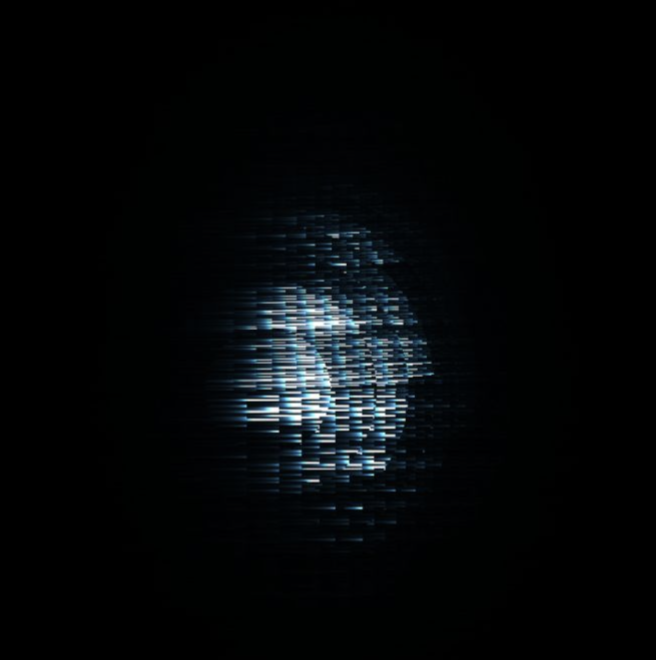
After a week of exploring, I think I should have solved the problem.
Before the change:
modified:
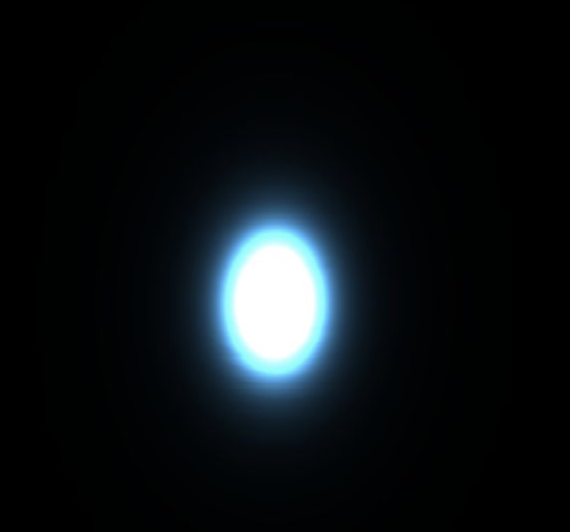
According to the developer's code, I modified the relevant code of three.js
float D_GGX( const in float alpha, const in float dotNH,const vec3 normal, const vec3 halfDir ) {
    vec3 NxH = cross(normal, halfDir);
    float oneMinusNoHSquared = dot(NxH, NxH);
    float a = dotNH * alpha;
    float k = alpha / (oneMinusNoHSquared + a * a);
    float d = k * k * (1.0 / PI);
    return saturateMediump(d);
}
and
float D = D_GGX( alpha, dotNH ,geometry.normal,halfDir);
And then add code:
#define MEDIUMP_FLT_MAX 65504.0
#define saturateMediump(x) min(x, MEDIUMP_FLT_MAX)
Thanks for sharing your solution. It might be valuable when #14570 moves on.
Mugen87
on 22 Nov 2018
FYI @bhouston @WestLangley https://github.com/mrdoob/three.js/issues/15244#issuecomment-440949378
 mrdoob
on 25 Nov 2018
mrdoob
on 25 Nov 2018
Related issues
 fuzihaofzh
·
3Comments
fuzihaofzh
·
3Comments
 konijn
·
3Comments
konijn
·
3Comments
 Horray
·
3Comments
Horray
·
3Comments
 zsitro
·
3Comments
zsitro
·
3Comments
 filharvey
·
3Comments
filharvey
·
3Comments
Most helpful comment
@Mugen87


After a week of exploring, I think I should have solved the problem.
Before the change:
modified:
Links to the original author
According to the developer's code, I modified the relevant code of three.js
and
float D = D_GGX( alpha, dotNH ,geometry.normal,halfDir);And then add code: