Thingsboard: Trigger Action from static HTML widget
I have some static HTML widgets in my dashboards. Some of these widgets have elements in them.
I want when the user clicks on the image, an action to be triggered, changing the state of the dashboard.
How can an HTML tag be configured, to generate actions, like above?
 fotis400
All 28 comments
With custom JSfunction embedded into it. See widget development guide
 ashvayka
on 8 Nov 2017
ashvayka
on 8 Nov 2017
Just checked the widget development guide, but unfortunately it is not very clear to me what has to be done...
Is it possible to add an action to the HTML of a static widget, or I have to create a new widget for this?
For example I tried to insert this:
<script>
    self.actionSources = function() {
        return {
            'headerButton': {
                name: 'Header button',
                multiple: true
            },
            'imageButton': {
                name: 'Image',
                multiple: true
            }
        };
    }
</script>
I expected to see a new action source in the settings of this particular widget, but nothing happened.
Any more info, please?
fotis400
on 9 Nov 2017
Is this solved? Please help.
 ghost
on 4 Feb 2019
ghost
on 4 Feb 2019
If you are using a custom widget then you should be able to trigger any actions. I can suggest a direction if you provide more details on what you plan to implement.
 vparomskiy
on 4 Feb 2019
vparomskiy
on 4 Feb 2019
@vparomskiy Ok I want to be able to add a type: e.g "_Navigate to a new dashboard state_" in a new dashboard without a button.. for example.. I want to click on a specific graph in a timeseries bars and then it will navigate to a new dashboard.
ghost
on 4 Feb 2019
Here is a code that you can use for navigating to other dashboard state. params will be added into dashboard state
var params = {
        entityId: entityId,
        entityName: entityName
    }
    widgetContext.stateController.openState('building_view', params, false);
vparomskiy
on 4 Feb 2019
Ok thank you @vparomskiy. But were do i write that piece of code.. Im assuming you mean widget library?
if so can i just import that code for example in timeseries bars?
ghost
on 4 Feb 2019
our standard widgets use directives that are predefined in the UI sources, you will not be able to modify them form UI widget editor. I will need to create a custom widget that will drow a chart and handle click on time series bar.
vparomskiy
on 4 Feb 2019
Ok i see.. im trying to make a custom widget and i get the following error: Any ideas? @vparomskiy
Error: [ng:areq] Argument 'RequireCtrl' is not a function, got undefined
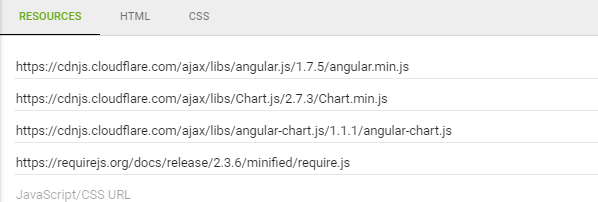
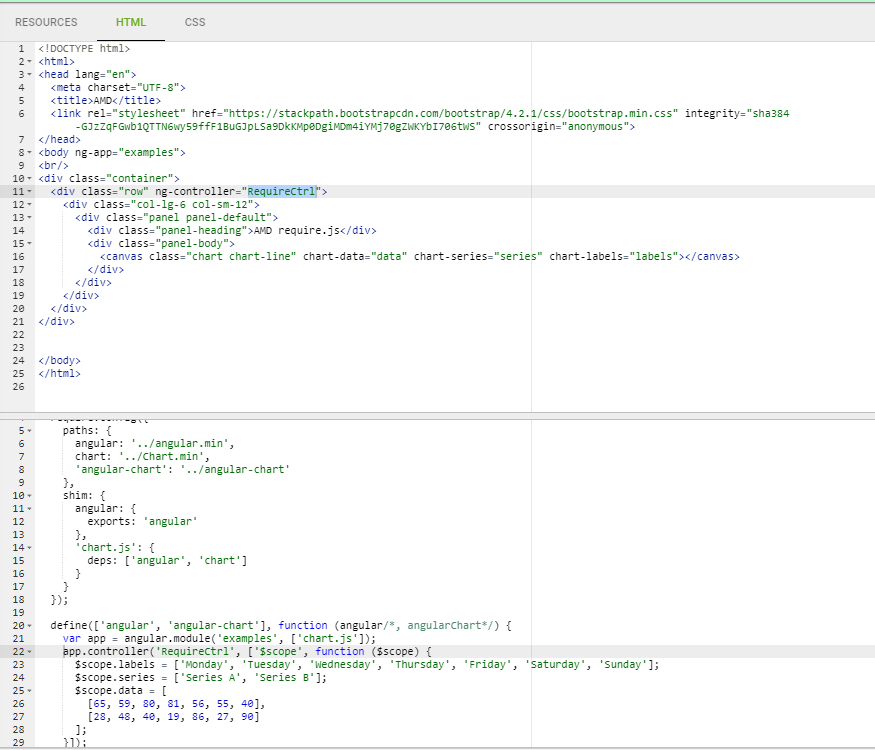
Code:
<!DOCTYPE html>
<html>
<head lang="en">
  <meta charset="UTF-8">
  <title>AMD</title>
  <link rel="stylesheet" href="https://stackpath.bootstrapcdn.com/bootstrap/4.2.1/css/bootstrap.min.css" integrity="sha384-GJzZqFGwb1QTTN6wy59ffF1BuGJpLSa9DkKMp0DgiMDm4iYMj70gZWKYbI706tWS" crossorigin="anonymous">
</head>
<body ng-app="examples">
<br/>
<div class="container">
  <div class="row" ng-controller="RequireCtrl">
    <div class="col-lg-6 col-sm-12">
      <div class="panel panel-default">
        <div class="panel-heading">AMD require.js</div>
        <div class="panel-body">
          <canvas class="chart chart-line" chart-data="data" chart-series="series" chart-labels="labels"></canvas>
        </div>
      </div>
    </div>
  </div>
</div>
<script>
(function () {
  'use strict';

  require.config({
    paths: {
      angular: '../angular.min',
      chart: '../Chart.min',
      'angular-chart': '../angular-chart'
    },
    shim: {
      angular: {
        exports: 'angular'
      },
      'chart.js': {
        deps: ['angular', 'chart']
      }
    }
  });

  define(['angular', 'angular-chart'], function (angular/*, angularChart*/) {
    var app = angular.module('examples', ['chart.js']);
    app.controller('RequireCtrl', ['$scope', function ($scope) {
      $scope.labels = ['Monday', 'Tuesday', 'Wednesday', 'Thursday', 'Friday', 'Saturday', 'Sunday'];
      $scope.series = ['Series A', 'Series B'];
      $scope.data = [
        [65, 59, 80, 81, 56, 55, 40],
        [28, 48, 40, 19, 86, 27, 90]
     ];
    }]);
  });

})();
</script>

</body>
</html>
@HaithemS You ought to take a look at Widgets Libraries > Charts > Pie – Chart.js (or Bars – Chart.js) this widget will clarify some general moments about how to create custom widgets in Thingsboard
 jktu2870
on 4 Feb 2019
jktu2870
on 4 Feb 2019
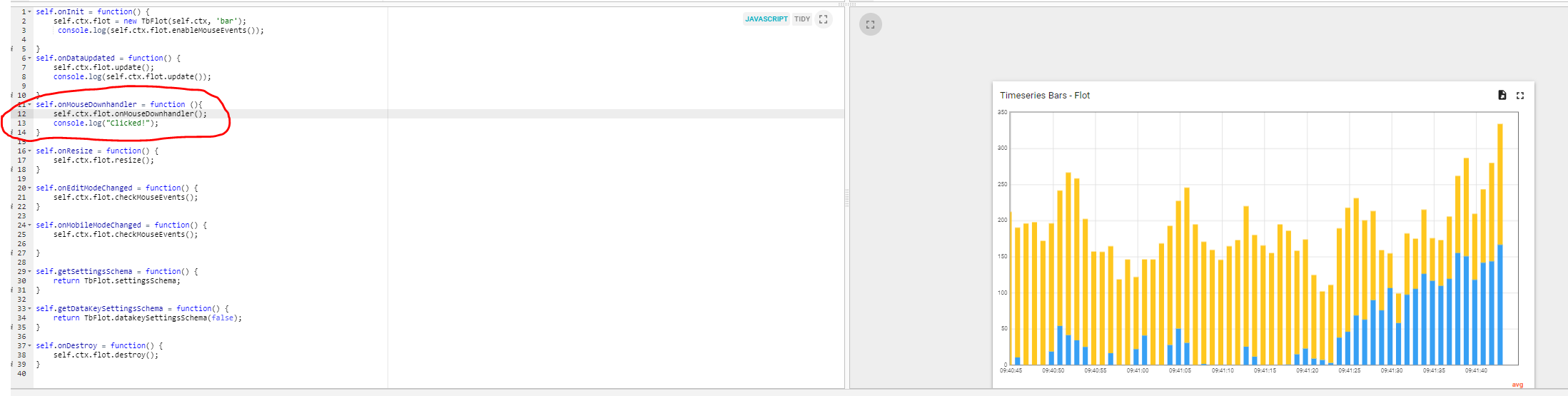
@jktu2870 Ok.. Shouldn't i be able to do something like this?:
For some reason this dosen't work..
ghost
on 5 Feb 2019
@HaithemS You've opened a wrong widget. "Timeseries Bars - Flot" is not a widget you need. It has to be one of two widgets "Pie - Chart.js" or "Bars - Chart.js" (pay attention at a widget name)
jktu2870
on 5 Feb 2019
Thank you @jktu2870
I choose the bar then.. So.. I want to know how i can click on 1 bar and do console.log("_Clicked!_"); everytime i click. Maybe you can push me in the right direction?
ghost
on 6 Feb 2019
@HaithemS
Unfortunately, it is impossible at the moment since "tbFlot" constructor initializes "jQuery Flot" chart with no grid.clickable = true; option. When this option is added (into the source code) it will be possible to bind handler in a next way.
self.onInit = function() {
    self.ctx.flot = new TbFlot(self.ctx, 'bar');

    self.ctx.flot.$element.bind('plotclick', function(e, pos, item) {
        console.log('clicked', e, pos, item);
    });
}
Ok i understand. but what if i used a _static widget_ with "onClick" to control Action API for _"Navigate to a new dashboard state"_? What do you think? @jktu2870
ghost
on 6 Feb 2019
@HaithemS
You can do that, you just need to know the state name and use the next method inside your widget:
self.ctx.stateController.openState(stateName, {});
Also you can get all your created actions
self.ctx.actionsApi.getActionDescriptors('actionCellButton')
and take stateName from them
jktu2870
on 6 Feb 2019
Hello
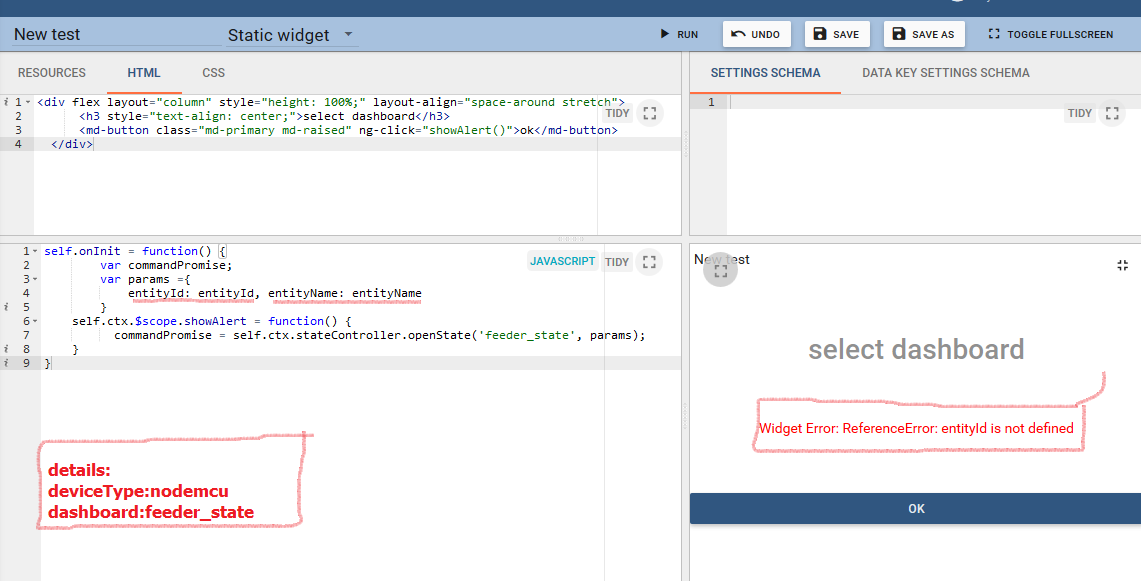
I am creating a widget that can be moved to another dashboard by clicking on the button but I did not succeed. Please give me some guidance.
Also, I encounter an error and I do not know what the term entityId and entityName mean:
<
 m0o0
on 13 Feb 2019
m0o0
on 13 Feb 2019
Hello @m0o0 !
To move to another Dashboard you need to use the method:
self.ctx.actionsApi.handleWidgetAction($event, actionDescriptor, entityId, entityName, additionalParams);
- $event (angular event, affects only in a case of custom action)
- actionDescriptor (is a descriptor of your action)
- entityId, entityName (entity you need to be resolved at the state you are trying to open)
- additionalParams (are parameters you want to transmit into your custom action)
html
<div ng-repeat="actionDescriptor in ctx.actionsApi.getActionDescriptors('actionCellButton')">
 <a ng-click="onButtonClick($event, entity, actionDescriptor)">Some text</a>
</div>
js
self.onInit = function() {
    $scope = self.ctx.$scope;
    $scope.ctx = self.ctx;
    $scope.onButtonClick = function($event, entity,
        actionDescriptor) {
        if ($event) {
            $event.stopPropagation();
        }
        var entityId;
        var entityName;
        if (entity) {
            entityId = entity.id;
            entityName = entity.entityName;
        }
        self.ctx.actionsApi.handleWidgetAction(
            $event, actionDescriptor, entityId,
            entityName);
    }
}

self.actionSources = function() {
    return {
        'actionCellButton': {
            name: 'widget-action.action-cell-button',
            multiple: true
        }
    };
}
After you've added this code into a widget, add the widget to a dashboard and add action(s). Here's a video of how you can do it https://www.youtube.com/watch?v=Wau2icogLrw
At a stage of actions creation use the next adjustments:
- Action source: Action cell button
- Type: Navigate to other dashboard
- Target dashboard:
- Target dashboard state:
jktu2870
on 15 Feb 2019
thank you for your guidance @jktu2870
Give me the following error:
Widget Error: TypeError: $ is not a constructor
Widget was not loaded due to the following errors:
Failed to compile widget script. Error: $ scope is not defined
The part that I want to go to is called feeder _stat.
Please be sure to advise you more precisely.
Thankful
m0o0
on 16 Feb 2019
You can write a complete example to make changes possible.
Thankful
@jktu2870
m0o0
on 16 Feb 2019
@m0o0
Please take a look at my previous comment again I've added more complete instructions
jktu2870
on 16 Feb 2019
thanks so much @jktu2870 +_+
m0o0
on 17 Feb 2019
an additional question
..... k($event, entity, actionDescriptor)">Some text
how ca i achieve that the text = "Some text" is coming from widget title for example ?
i want to configure wiget display text ?
 colognebroker
on 3 Mar 2019
colognebroker
on 3 Mar 2019
Thank you @jktu2870, your post was very helpful.
What I want to achieve is simply a 'button' that will redirect the user to another dashboard state.
I have created a new widget following your advice, and it works correctly.
I have a problem though. I want to make the image displayed configurable, and I cannot make it work in any way.
Here is my widget.
How can the src property of the <img> tag be configured according to the imageSource property of the widget's settings?
fotis400
on 19 May 2019
Hello fotis400, may be that my recent PR https://github.com/thingsboard/thingsboard/pull/1817 can help you.
You need to place some IDs into HTML elements of your widget to bind element with standard actions you want trigger.
Then add some widget actions with names equal to HTML elements IDs you want use to fire the action.
This is available on both HTML Card (static) and HTML Value card (latest value) system widgets.
 pgrisu
on 27 Jun 2019
pgrisu
on 27 Jun 2019
@pgrisu Thank you!
fotis400
on 28 Jul 2019
Just checking this again.
Although there is an option for actions when the HTML element is clicked (as per #1817), it is not working.
I click on the element and nothing happens.
Tested on TB2.5.1.
fotis400
on 3 Jun 2020
hi Guys,
I want to do same action while clicking button its navigate to another state of thingsboard.
i have follow static example mentioned in document just one change the below:
js script:
self.onInit = function() {
self.ctx.$scope.showAlert = function() {
    var alertContent = self.ctx.settings.alertContent;

    var temp;
    // if (!alertContent) {
    //     alertContent = "Content derived from alertContent property of widget settings.";
    // }
    // window.alert(alertContent);

var params = { entityId: entityId, entityName: entityName }
widgetContext.stateController.openState('setting',params);


// temp = self.ctx.stateController.openState('setting', {});
// window.alert((temp));
};
}
While clicking on button nothing happening there but when i used "temp = self.ctx.stateController.openState('setting', {});"
then navigating but data no showing next state.
please help me out how can i acheived
 GauravChoube
on 15 Sep 2020
GauravChoube
on 15 Sep 2020
Related issues
fotis400
·
14Comments
 ArtHoffmann
·
15Comments
ArtHoffmann
·
15Comments
 openedhardware
·
14Comments
openedhardware
·
14Comments
 MarsWarrior
·
13Comments
MarsWarrior
·
13Comments
 dejwoo
·
14Comments
dejwoo
·
14Comments
Most helpful comment
Just checked the widget development guide, but unfortunately it is not very clear to me what has to be done...
Is it possible to add an action to the HTML of a static widget, or I have to create a new widget for this?
For example I tried to insert this:
I expected to see a new action source in the settings of this particular widget, but nothing happened.
Any more info, please?