Theia: Folder Plugin not Working in Theia Build Local with Plugins of VS Code
Description
I have been using theia doing my own build.
and following this tutorial to use vs code plugin
https://github.com/theia-ide/theia/wiki/Testing-VS-Code-extensions
It doesn't work when I add the plugins in the folder.
only work when I use this command when theia is running
"1Alternatively, you can use the command "Deploy plugin by id" from the command palette. When asked for a parameter, enter the following: vscode:extension/
but when leaving theia and restarting the plugins are not loaded and I have to do the same process again
Reproduction Steps
- 1 - download any extension
- 2 - create folder plugins and add your extension
- 3- start theia and click in view > plugins with message :
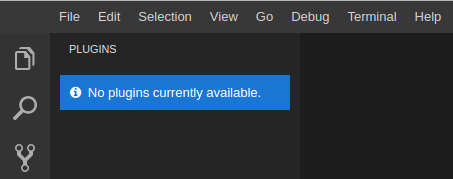
4 - in Deploy plugin by id > vscode:extension/
works 5 - close Theia and start again , is not loader plugin .
he not saved the plugins
OS and Theia version:
all
Diagnostics:
N/A
 Daniel-Dos
All 10 comments
For additional information, what VSCode extension did you use when testing?
Can you include the logs when running the application?
 vince-fugnitto
on 9 Sep 2019
vince-fugnitto
on 9 Sep 2019
here the folder with extensions that use .

and with Theia in start
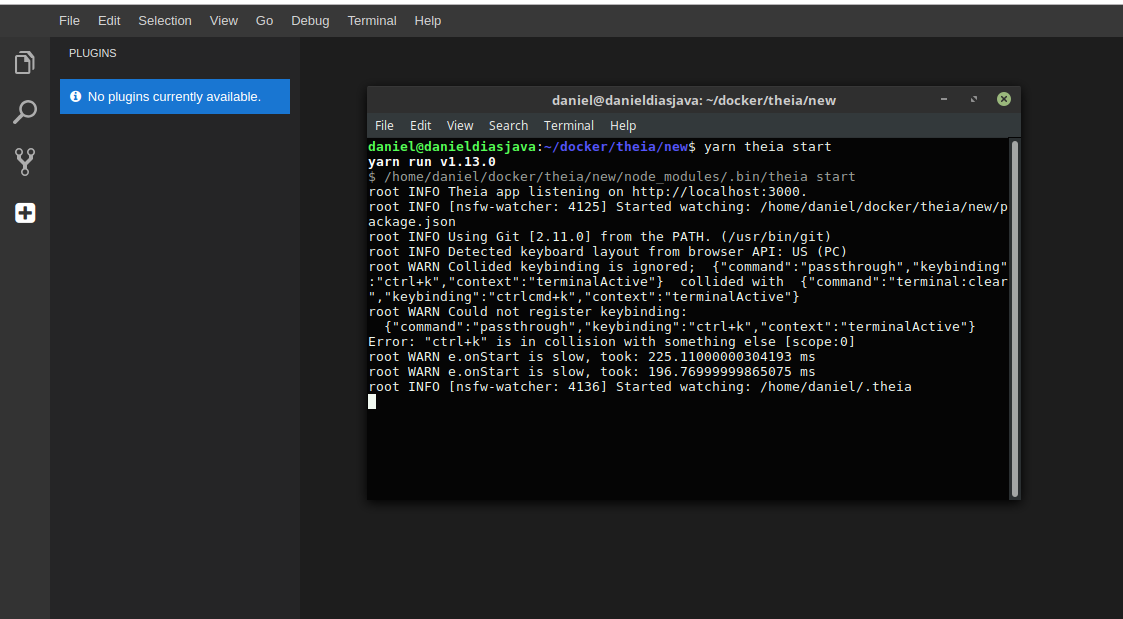
now , if add any extension for example : vscode:extension/redhat.java
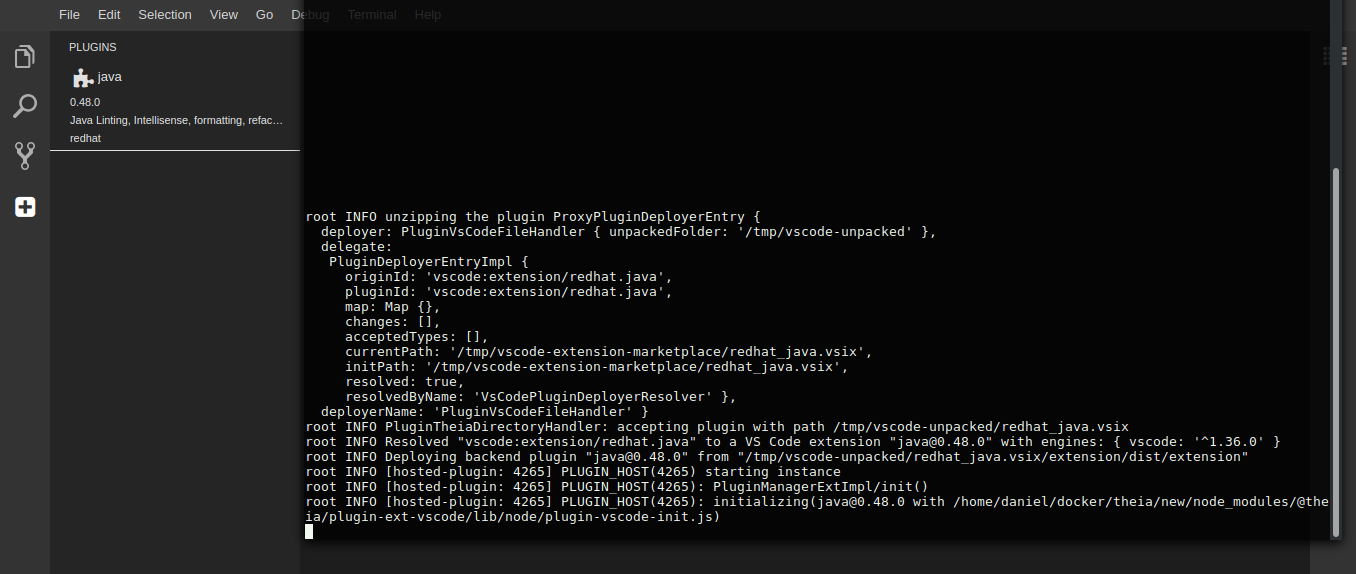
if I stop Theia, the plugin is not loaded
I have to do the process again to add the plugin
Daniel-Dos
on 9 Sep 2019
@Daniel-Dos
I tested it out myself and it works correctly:
I followed the following steps:
- build Theia from sources
- create a
plugindirectory at the root of the project - download a VSCode extension (
.vsixfile) - in my case thegitignoreextension - start the application:
$ (cd examples/browser/ && yarn start)
yarn run v1.12.3
$ theia start --plugins=local-dir:../../plugins
root INFO Theia app listening on http://localhost:3000.
root INFO unzipping the plugin ProxyPluginDeployerEntry {
  deployer:
   PluginVsCodeFileHandler {
     unpackedFolder:
      '/private/var/folders/h2/m_txl3zj69x8nnhqmj03r2000000gn/T/vscode-unpacked' },
  delegate:
   PluginDeployerEntryImpl {
     originId: 'local-dir:../../plugins',
     pluginId: 'codezombiech.gitignore-0.6.0.vsix',
     map: Map {},
     changes: [],
     acceptedTypes: [],
     currentPath:
      '/Users/vincentfugnitto/workspace/theia/plugins/codezombiech.gitignore-0.6.0.vsix',
     initPath:
      '/Users/vincentfugnitto/workspace/theia/plugins/codezombiech.gitignore-0.6.0.vsix',
     resolved: true,
     resolvedByName: 'LocalDirectoryPluginDeployerResolver' },
  deployerName: 'PluginVsCodeFileHandler' }
root INFO PluginTheiaDirectoryHandler: accepting plugin with path /private/var/folders/h2/m_txl3zj69x8nnhqmj03r2000000gn/T/vscode-unpacked/codezombiech.gitignore-0.6.0.vsix
root INFO Resolved "codezombiech.gitignore-0.6.0.vsix" to a VS Code extension "[email protected]" with engines: { vscode: '^1.18.0' }
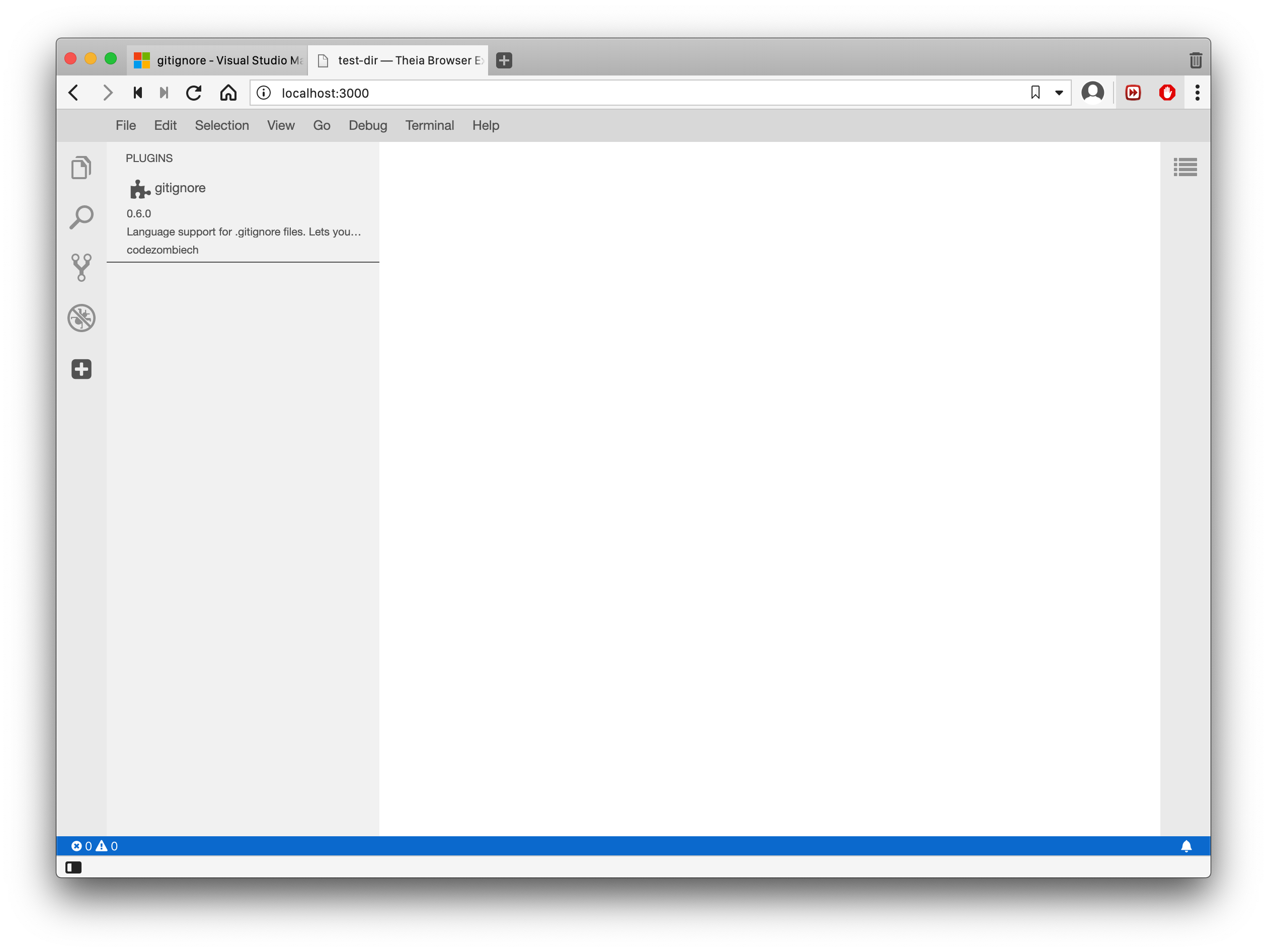
I see that the extension is loaded:
 vince-fugnitto
on 9 Sep 2019
vince-fugnitto
on 9 Sep 2019
here the folder with extensions that use .
Where do you place your plugins?
From the logs I can see that they are not being loaded.
vince-fugnitto
on 9 Sep 2019
I put the plugins in a plugin folder along with theia build files

Daniel-Dos
on 9 Sep 2019
I put the plugins in a plugin folder along with theia build files
I assume you're running on docker, and that you've built your own ide?
You haven't built the application from sources (the main repository) as described in the first step of the guide?
vince-fugnitto
on 9 Sep 2019
'm not climbing the docker,
I built the IDE itself as per this documentation
https://www.theia-ide.org/docs/composing_applications
"Build your own IDE"
Daniel-Dos
on 9 Sep 2019
'm not climbing the docker,
I built the IDE itself as per this documentation
https://www.theia-ide.org/docs/composing_applications
"Build your own IDE"
I see, the guide you initially mentioned is mainly for testing purposes. The first step in the guide describes building the application from sources. This means cloning the theia repository and building it, not composing an application.
vince-fugnitto
on 9 Sep 2019
hi @vince-fugnitto ,
now work .
thanks .
Daniel-Dos
on 9 Sep 2019
hi @vince-fugnitto ,
now work .
thanks .
Great! I'm glad :)
vince-fugnitto
on 9 Sep 2019
Related issues
 akosyakov
·
3Comments
akosyakov
·
3Comments
 jeanlucburot
·
3Comments
jeanlucburot
·
3Comments
 tetchel
·
3Comments
tetchel
·
3Comments
 dhananjayharel
·
3Comments
dhananjayharel
·
3Comments
 fangnx
·
3Comments
fangnx
·
3Comments