Tf-pose-estimation: save the estimated video
i want to save the estimated video without the original background just the skeleton ,what should i do?
 guofuzheng
All 6 comments
In src/estimator.py you have a class TFPoseEstimator with the method draw_humans which takes an image as input. Simply pass an empty image (all zeros) and you get an image with only the skeleton overlaid.
 AVCarreiro
on 12 Apr 2018
AVCarreiro
on 12 Apr 2018
@AVCarreiro hello,i want to get the output like this
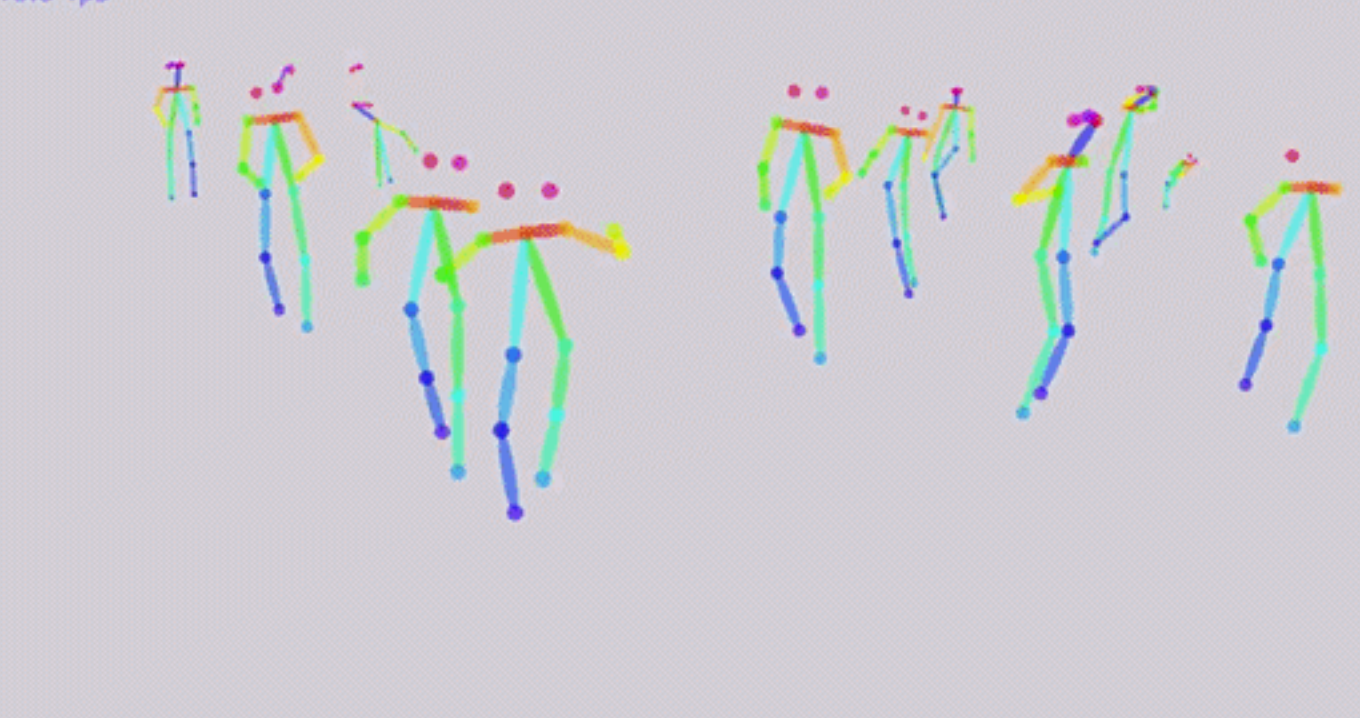
and i modify the src/run_video.py like this
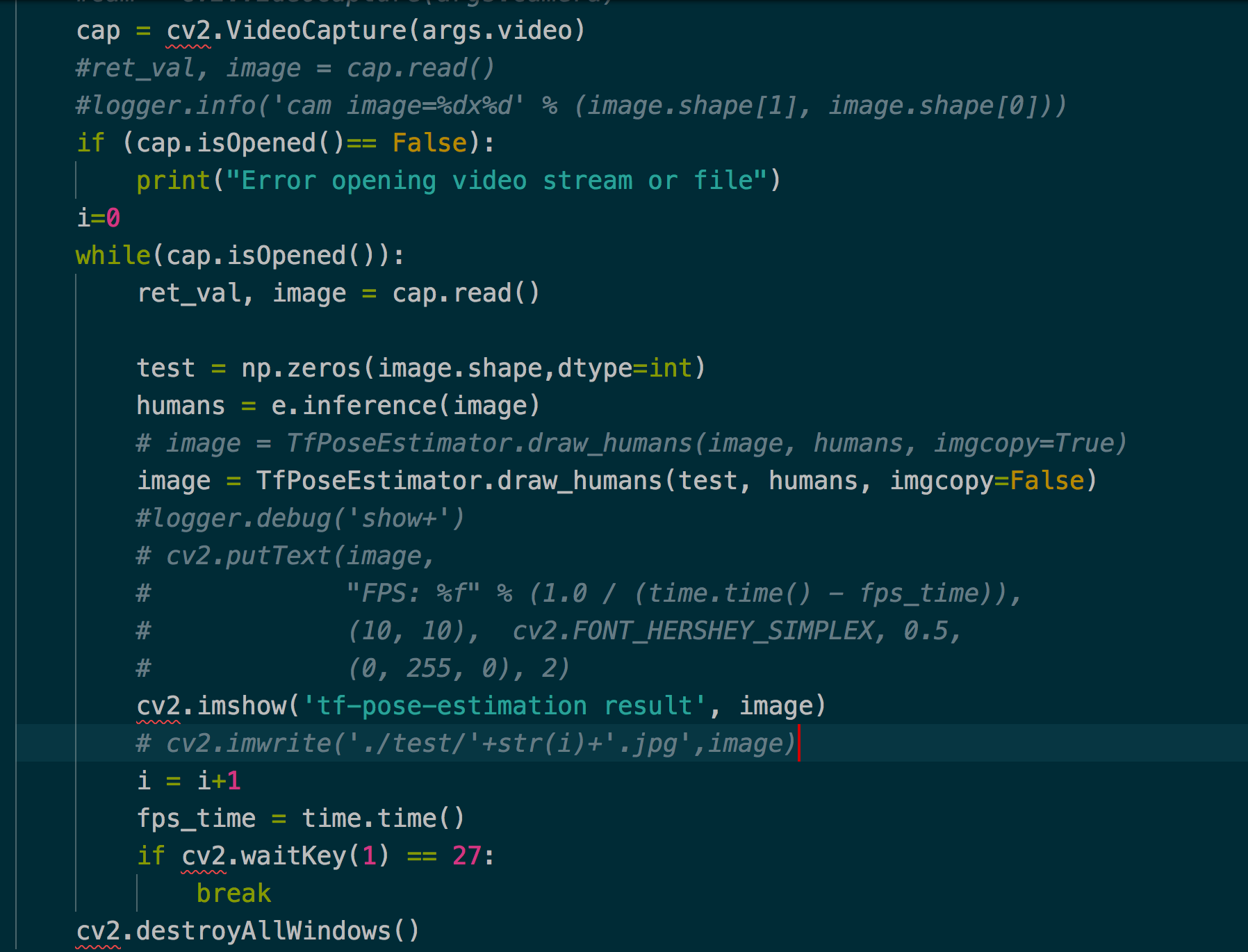
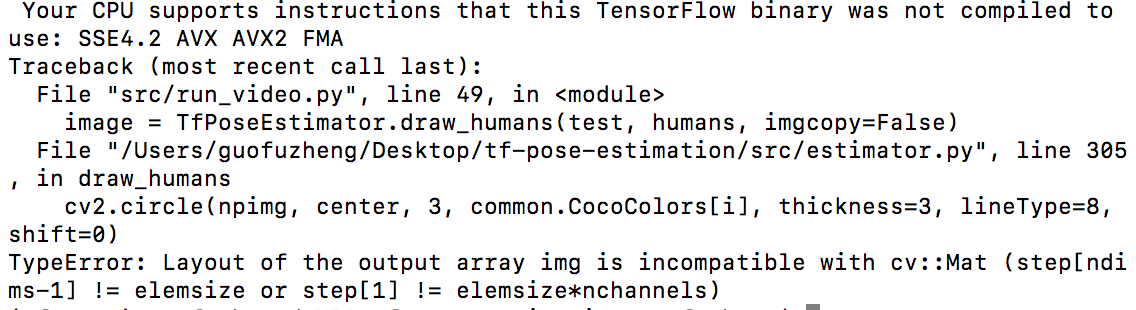
i replace the original input "image" with "test". But i get the wrong output ,may i ask for your help?
guofuzheng
on 13 Apr 2018
Seems like you have an issue with the image shape, or the dtype. I think opencv expects images as matrices of type 'uint8'.
AVCarreiro
on 13 Apr 2018
@AVCarreiro I have solved the problem.Thank you for your help.
guofuzheng
on 15 Apr 2018
@guofuzheng could you provide me please with code for saving the estimated video ?
 rawandeheliah
on 12 Nov 2018
rawandeheliah
on 12 Nov 2018
@rawandeheliah hello, i did not save the estimated video, i saved the estimated pictures. The code can process videos also can process pictures. About how to save the estimated pictures, it is very easy. Let me show you the code.
humans = e.inference(image)
image = TfPoseEstimator.draw_humans(image, humans, imgcopy=True)
# cv2.imshow('tf-pose-estimation result', image)
cv2.imwrite(path_save+tmp.split('.')[0]+'/'+str(i)+'.jpg',image)
'image' is the image you want to estimate. After the second line of the code, and if we use 'cv2.imshow' the code will show us the estimated image, if we use'cv2.imwrite' , the code will save the estimated image. If you have any problem about how to save the estimated image, just let me know.
guofuzheng
on 13 Nov 2018
Related issues
 khan958
·
3Comments
khan958
·
3Comments
 tomercohen11
·
6Comments
tomercohen11
·
6Comments
 gavinzhang1995
·
6Comments
gavinzhang1995
·
6Comments
 ildoonet
·
3Comments
ildoonet
·
3Comments
 jpizarrom
·
6Comments
jpizarrom
·
6Comments
Most helpful comment
In src/estimator.py you have a class TFPoseEstimator with the method draw_humans which takes an image as input. Simply pass an empty image (all zeros) and you get an image with only the skeleton overlaid.