Tf-pose-estimation: Performance of trained Mobilenet_thin is not as good as the demo
Hi, I trained mobilenet_thin version, the loss during training is as below:
last layer training loss: 43.82
last layer validation loss: 46.06
total loss on training set: 268
total loss on validation set:286.2
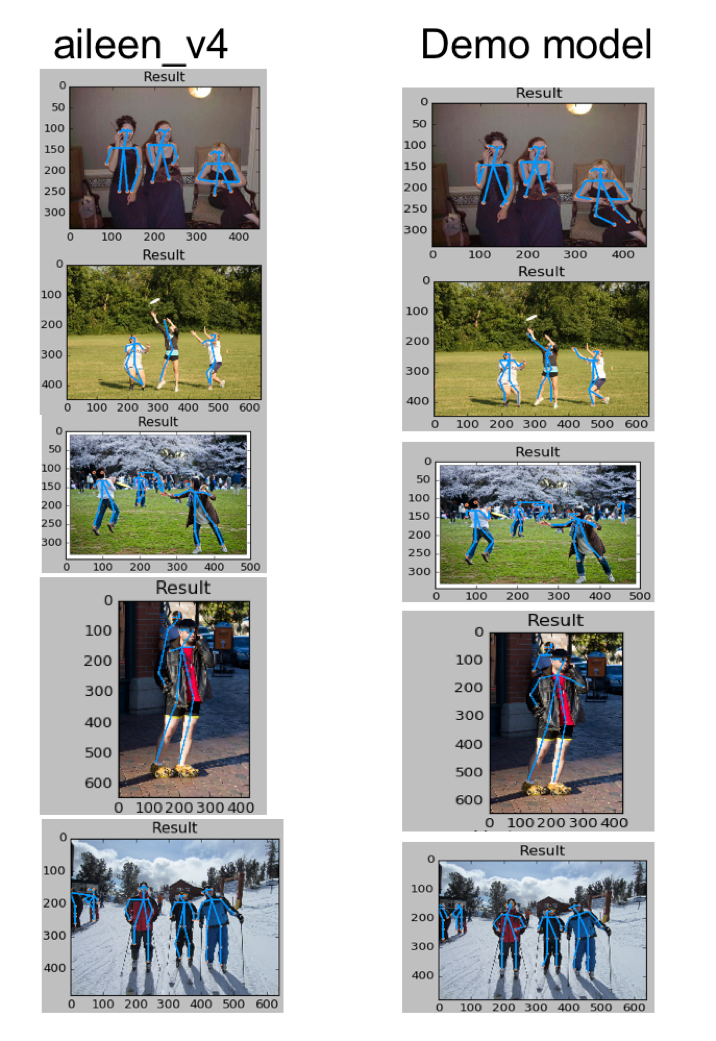
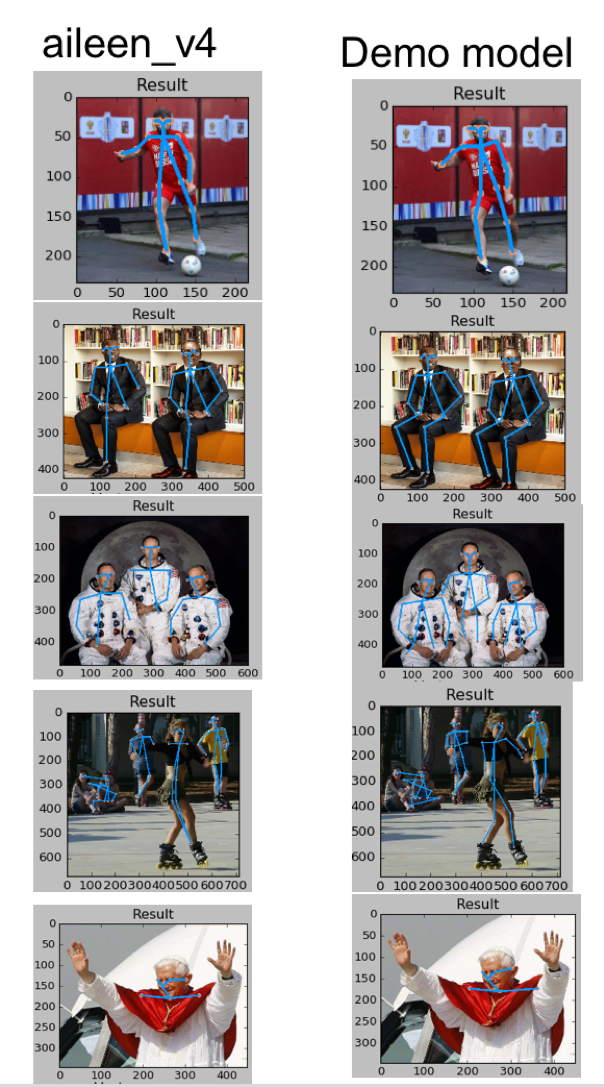
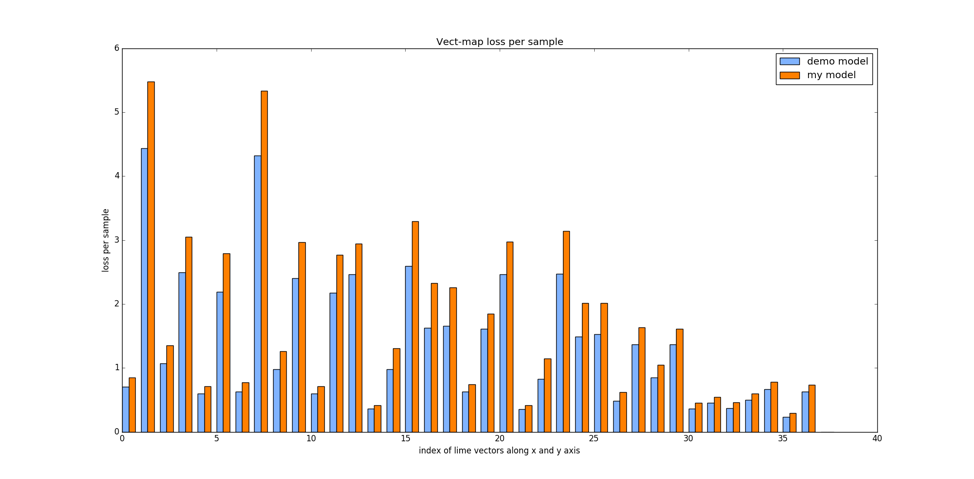
But when I tested the model, there are a lot of errors, always missing one ankle joint, see attached result, it seems not to be as good as the demo version, I also plot the last layer validation loss with regard to each joint, and each part association, it seems to be similar with the demo model, cannot figure out the reason.
Could anyone please advise? Is my loss too large or something with the post-processing part? Many thanks!

 Aileenlingyu
All 12 comments
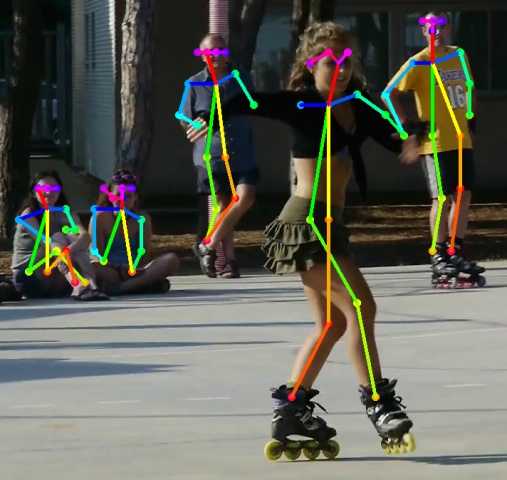
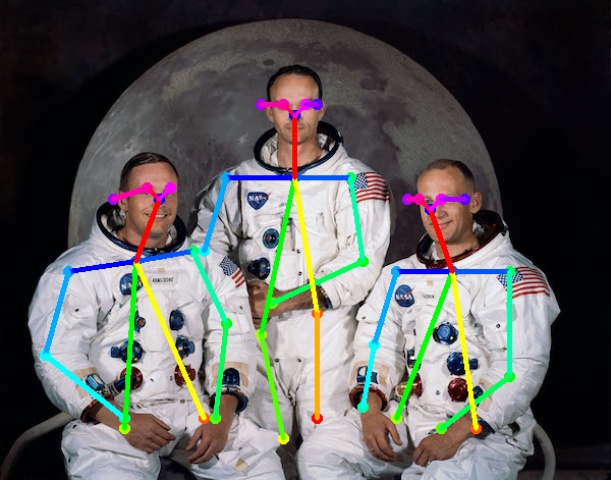
I would say that the total loss is a little big, should be < 230, here is my mobilenet_thin plot on ski.jpg, maybe you should try with smaller batch size, what exactly the training command you are using?
 ouceduxzk
on 28 Mar 2018
ouceduxzk
on 28 Mar 2018
Thanks for the information!
I am using
batch size = 16
Learning rate = 0.0001
Optimizer: RMSprop
Input width: 368
Input height: 368
Really appreciate for any suggestions!
Aileenlingyu
on 28 Mar 2018
i am using batch size 48, find it quite good, did not tried much with RMSprop, I find adam better though
ouceduxzk
on 28 Mar 2018
Thank you so much! I will try it!
Aileenlingyu
on 28 Mar 2018
some tips, the loss sometimes is not very indicative after it below 250, so you should constantly check the heatmap plot , sometimes i found the heatmap plot is chaotic and no matter how long it trained, the nice visualizaiton does not come back even though the loss looks good.
ouceduxzk
on 28 Mar 2018
were you able to resolve the problem? I cant reproduce demo results too with the same config as @ouceduxzk
 seovchinnikov
on 2 Apr 2018
seovchinnikov
on 2 Apr 2018
Me neither, still trying
Aileenlingyu
on 2 Apr 2018
the demo result visually looks reproducible to me
ouceduxzk
on 2 Apr 2018
@ouceduxzk Hi, may I ask how many iterations did you run? I am currently running 60k iterations, but not found any significant decrease since 40k iterations. Thanks much!
Aileenlingyu
on 10 Apr 2018
around 100k, one thing i forget to mention, for the kernel size of branches, i adopted the cmupose way of using 7 x7 instead of 3x3
ouceduxzk
on 10 Apr 2018
Thank you! I am also trying to increase the complexity of the model, hope it can work out.
Aileenlingyu
on 10 Apr 2018
Hi @Aileenlingyu
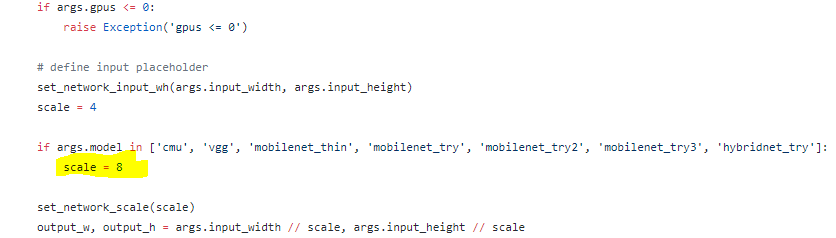
Excuse me, Could I ask you the value of "scale" in train.py ?
Did you assign the scale to 8 before training the mobilenet_thin model?
i.e.
Thank you!
 s101010tw
on 17 Jul 2018
s101010tw
on 17 Jul 2018
Related issues
 gen21kawa
·
5Comments
gen21kawa
·
5Comments
 guofuzheng
·
6Comments
guofuzheng
·
6Comments
 zerolim820
·
3Comments
zerolim820
·
3Comments
 khan958
·
3Comments
khan958
·
3Comments
 arnabdeypolimi
·
5Comments
arnabdeypolimi
·
5Comments