Texstudio: some lines disappear in editor
Hi,
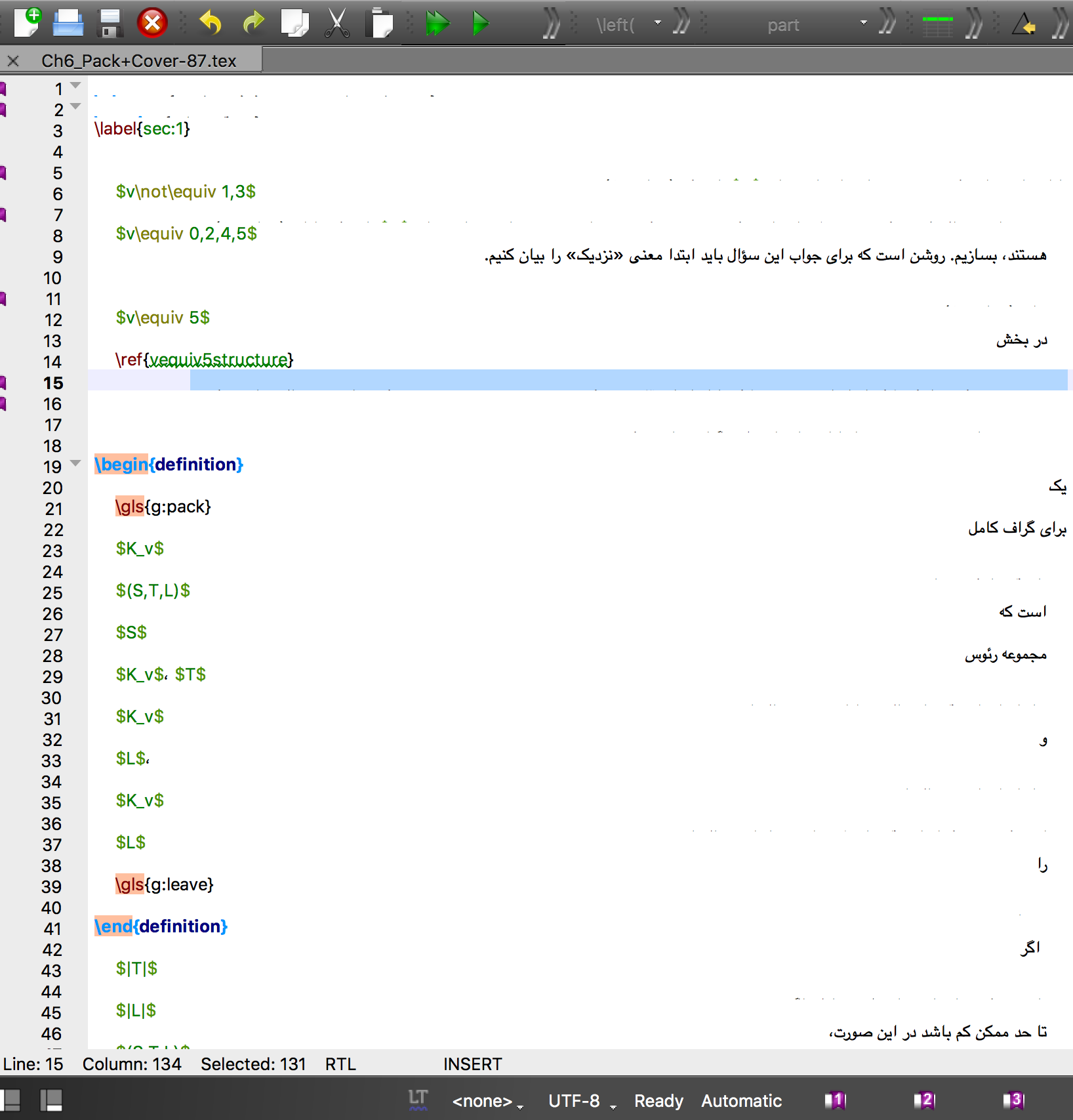
after updating my OSX to _macOS High Sierra (version 10.13.2)_ some lines of my .tex files keep disappearing. As you can see in this picture some lines don't appear in texstudio but they are shown in texmaker. I've used the same version of texstudio and the same files before updating my mac and I didn't have such problems.
_TeXstudio 2.12.6 (hg 6631:16db084dae24)
Using Qt Version 5.7.1, compiled with Qt 5.7.1 R_

 01000110
All 10 comments
I can't test on OSX 10.13.
Could you try a development build: https://bintray.com/sunderme/texstudio/download_file?file_path=texstudio-osx-2.12.7-201712272142-git_1e7fa04.dmg
 sunderme
on 6 Jan 2018
sunderme
on 6 Jan 2018
@sunderme I tried this and the same problem exists. :(
01000110
on 6 Jan 2018
Can you please activate the line numbers (Options -> Adv. Editor -> Appearance) and redo the screenshot. Some lines appear to be cut of in height and with the line numbers it's easier to see.
 timhoffm
on 6 Jan 2018
timhoffm
on 6 Jan 2018
@timhoffm Here is a screenshot with line numbers activated. I have marked some of the disappeared lines with bookmarks.
01000110
on 6 Jan 2018
Interesting. The font appears to be much larger than the line height. Does it help to manually increase Options -> Editor -> Line Spacing?
timhoffm
on 7 Jan 2018
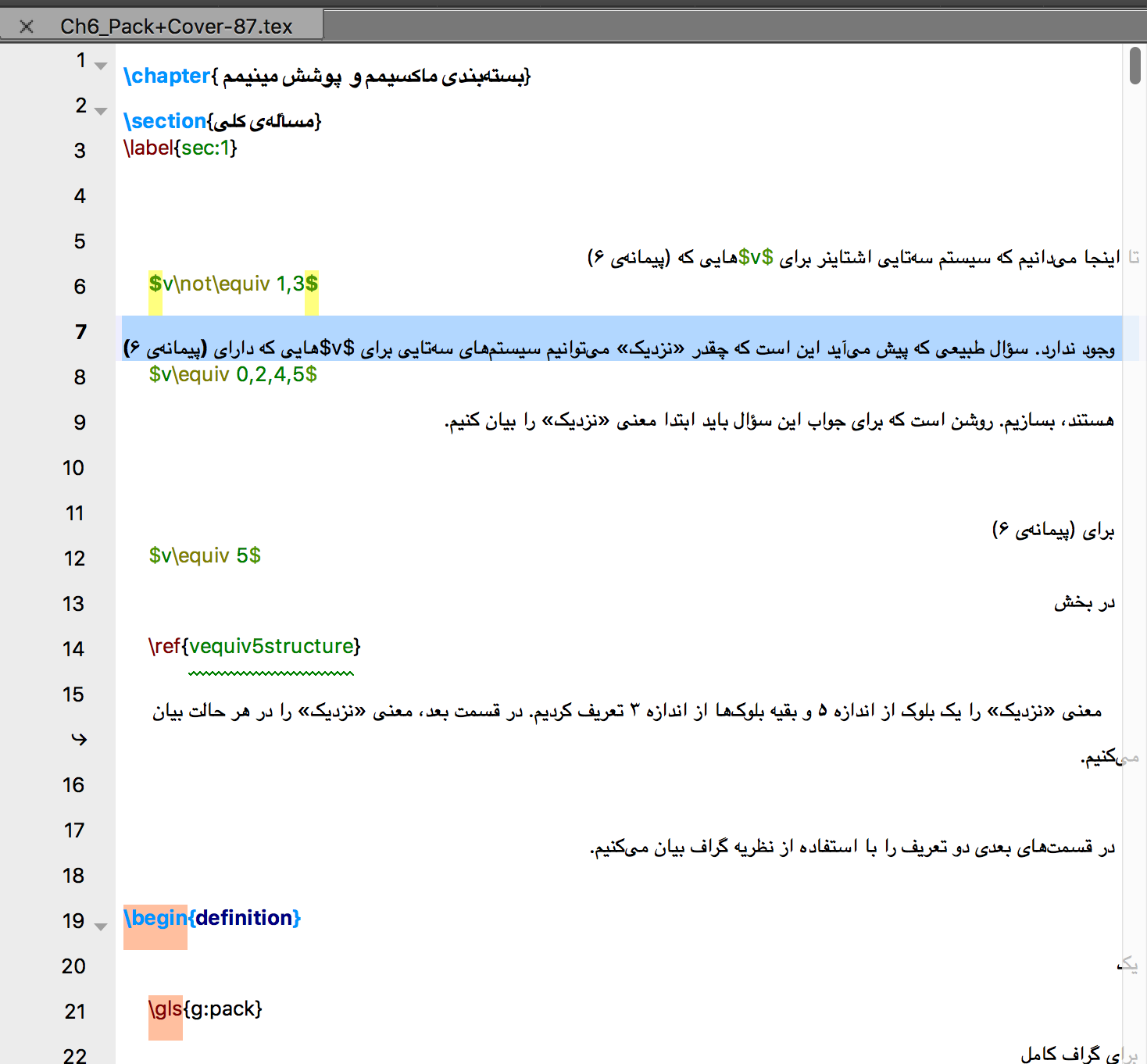
@timhoffm Yay!! That's it! Thanks a lot! I really missed using TeXstudio!
The below picture is the result of increasing line spacing to 180%
01000110
on 7 Jan 2018
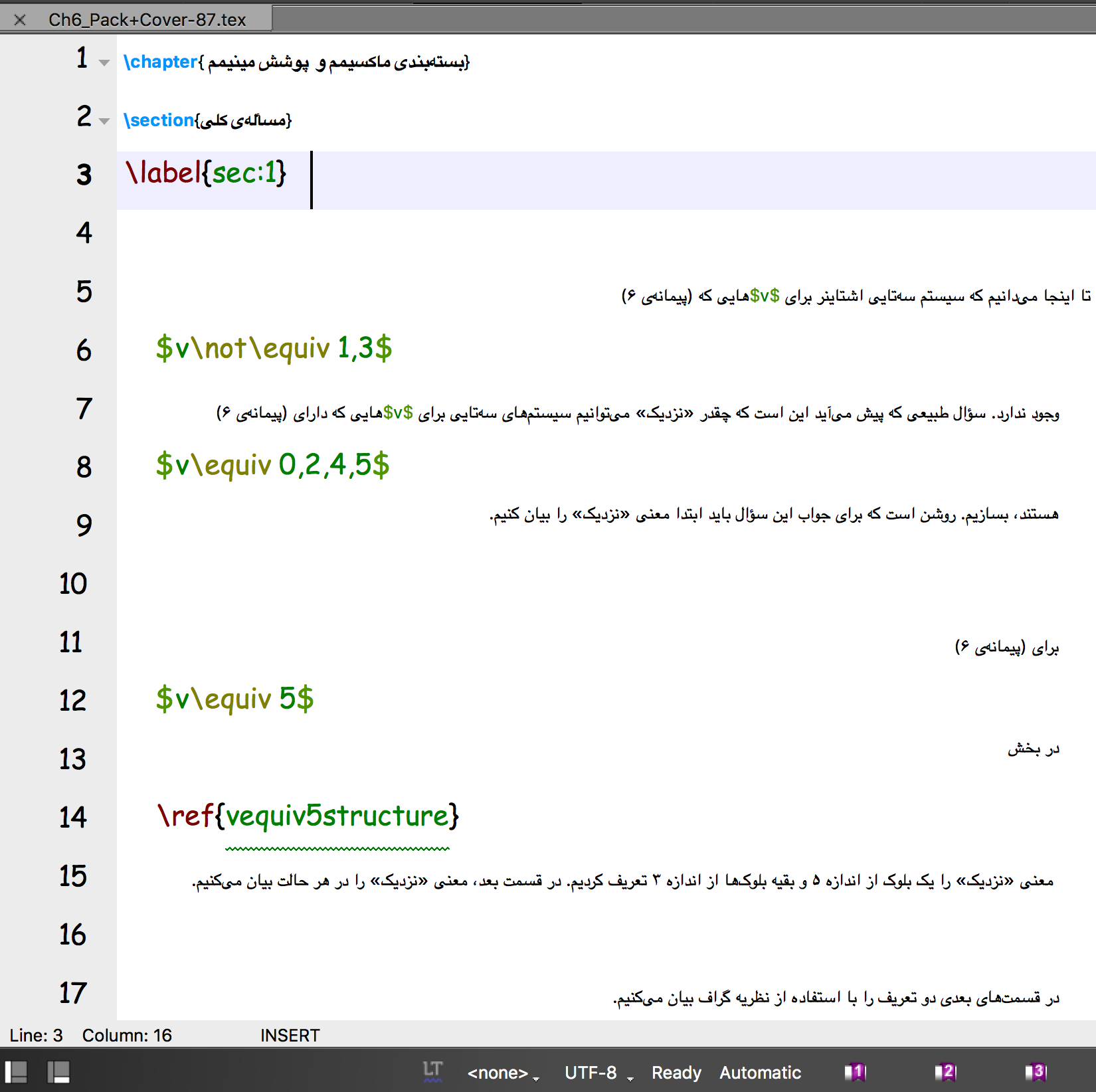
It seems that changing font size and font family don't have any effect on the lines containing Farsi characters!
Here I have changed the font family to comic sans and increased the font size but Farsi parts haven't changed at all!
01000110
on 7 Jan 2018
It seems that changing font size and font family don't have any effect on the lines containing Farsi characters!
At least that explains why the farsi texts were larger than the line height. I don't know how the font substitution works. It's either done by Qt or by the OS. Given that this broke after updating the OS, I suppose that there is a bug in OSX 10.13.2 concerning font substitution.
timhoffm
on 7 Jan 2018
@01000110 could you provide a text snippet for testing?
 jonasstein
on 24 Jan 2018
jonasstein
on 24 Jan 2018
@jonasstein This is a text snippet for you :)
example.tex.zip
01000110
on 26 Jan 2018
Related issues
 erich666
·
7Comments
erich666
·
7Comments
 sjx95
·
7Comments
sjx95
·
7Comments
 juliandragon
·
6Comments
juliandragon
·
6Comments
 mohammadsdtmnd
·
8Comments
mohammadsdtmnd
·
8Comments
 philippwerner
·
3Comments
philippwerner
·
3Comments