My application has specific behaviour for when it loses focus. I was not able to find anything to simulate the OnBlur event with TC.
I'm referring to window.onblur to know my application is in the background.
Seems like a useful feature to have.
question
 xorxero
>All comments
@xorxero
Hello,
I created a simple example that calls the window.onblur handler function. I used a ClientFunction to dispatch the "blur" event.
index.html:
<!doctype html>
<html lang="en">
<head>
    <meta charset="UTF-8">
    <meta name="viewport"
          content="width=device-width, user-scalable=no, initial-scale=1.0, maximum-scale=1.0, minimum-scale=1.0">
    <meta http-equiv="X-UA-Compatible" content="ie=edge">
    <title>Document</title>
</head>
<body>
<script>
    window.onblur  = function () {console.log('onblur')};
</script>
</body>
</html>
test.js:
import { ClientFunction } from 'testcafe';

const blurWindow = ClientFunction(() => {
    var blur = new Event('blur');

    return window.dispatchEvent(blur); // NOTE: https://developer.mozilla.org/en-US/docs/Web/API/EventTarget/dispatchEvent (Return Value)
})

fixture `Fixture`
    .page `./index.html`;

test('test', async t => {
    await t
        .expect(blurWindow()).ok();

    await t.wait(10000);
});
Result:
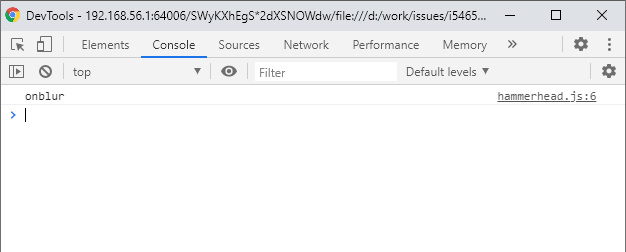
Please try this ClientFunction in your scenario and see how it works.
 Farfurix
on 27 Aug 2020
Farfurix
on 27 Aug 2020
😄1
👍1
Was this page helpful?
0 / 5 - 0 ratings
Related issues
 fnlctrl
·
3Comments
fnlctrl
·
3Comments
 KaneMorgan
·
3Comments
KaneMorgan
·
3Comments
 Turkirafaa
·
3Comments
Turkirafaa
·
3Comments
 hinok
·
3Comments
hinok
·
3Comments
 chebum
·
3Comments
chebum
·
3Comments
Most helpful comment
@xorxero
Hello,
I created a simple example that calls the
window.onblurhandler function. I used aClientFunctionto dispatch the "blur" event.index.html:
test.js:
Result:

Please try this
ClientFunctionin your scenario and see how it works.