Testcafe: Testcafe freezes while filling in the form
What is your Test Scenario?
Filling in input fields in the form.
What is the Current behavior?
The form is filled in extremely slowly. At some point the test freezes and fills in e.g. one letter every minute, to the point that filling in 3 input fields takes over 4 minutes. I recorded this behavior, please check this video: https://youtu.be/wOGOjKgMbYY.
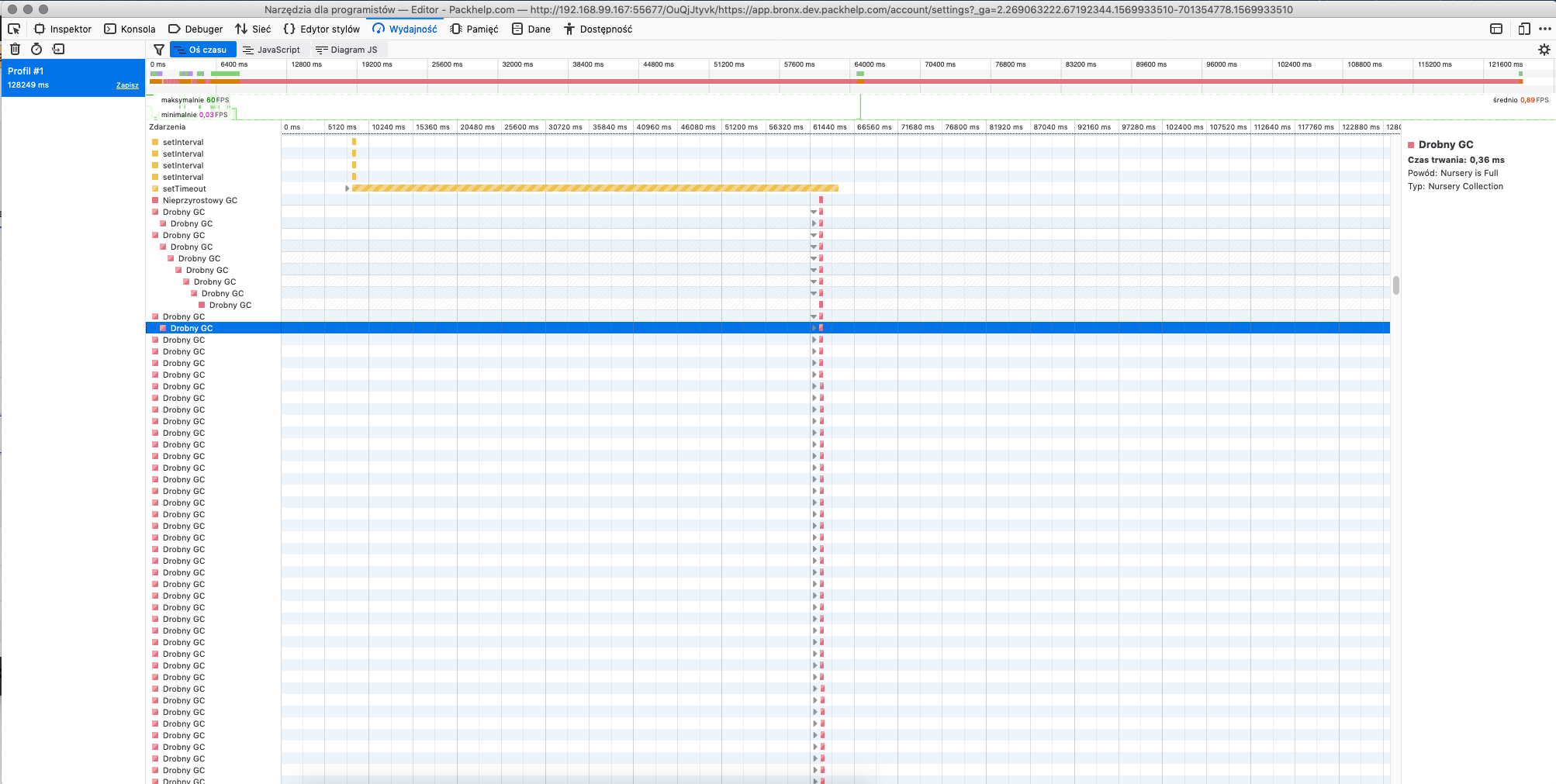
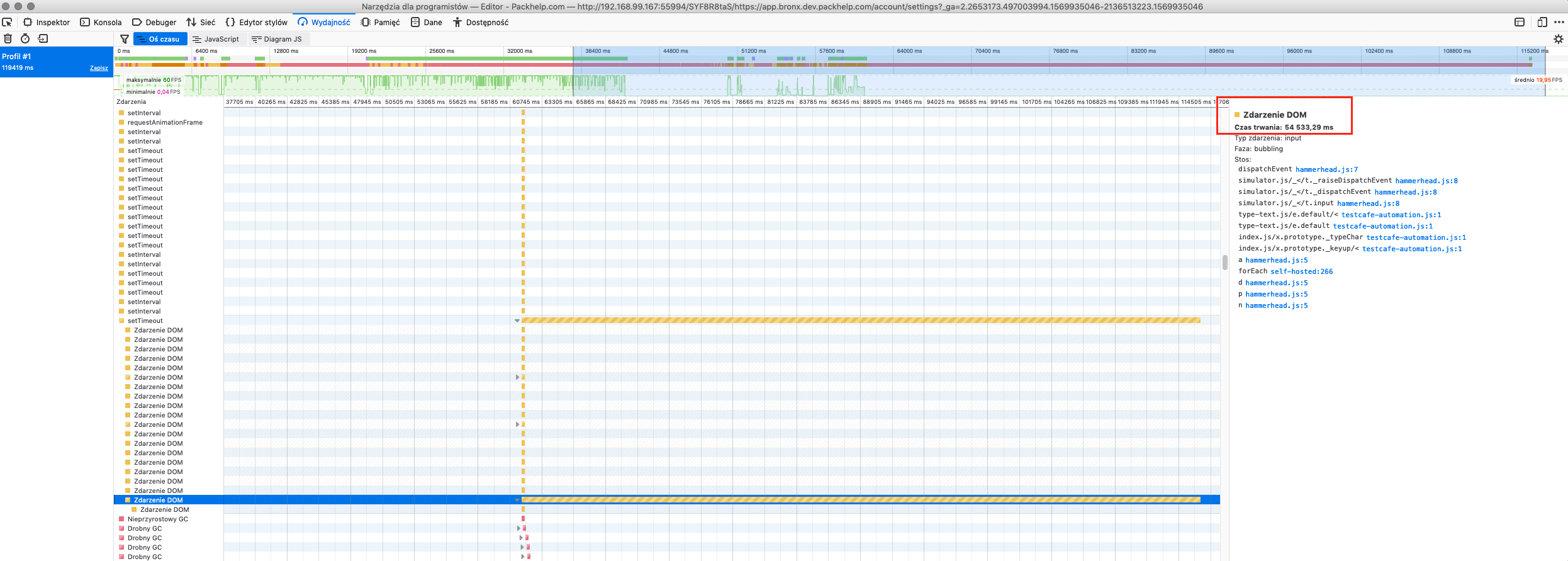
It might have something to do with looped garbage collector, please check the Performance tab in the browser tools and attached screenshot.
IMPORTANT
We are giving you access to our test server with test user especially created for you to check this issue. Please be aware that we can only make our server available for you for a week, after that we will take the server again for our internal purposes and we will remove the possibility to access it using credentials in the test.
What is the Expected behavior?
The form is filled in with normal speed and can be saved with the input data.
What is your web application and your TestCafe test code?
import {Selector} from "testcafe";

fixture(`Example fixture`)
    .httpAuth({ username: 'testcafetmp', password: 'rickets-squeak-manila' })
    .page('https://bronx.dev.packhelp.com/');

test(`example test`, async t => {
    await t.wait(5000);
    await t.click(Selector('span').withText('Sign in'));
    await t.typeText(Selector('input#email'), '[email protected]');
    await t.click(Selector('button').withText('Sign in'));
    await t.typeText(Selector('input#password'), 'asdasd123');
    await t.click(Selector('button').withText('Continue'));
    await t.wait(5000);
    await t.click(Selector('span').withText('Account'));
    await t.click(Selector('span').withText('Personal details'));
    await t.click(Selector('div.cookie-notice').find('button').withText('I accept'));
    await t
        .typeText(Selector('input#firstName'), 'Firstname')
        .typeText(Selector('input#lastName'), 'Lastnamington');
    await t.click(Selector('.select__controller-button').nth(0));
    await t.click(Selector('.zphoneinput__prefix-item').withText('+48'));
    await t.typeText(Selector('input#phoneNumber'), '123456789');
    await t.typeText(Selector('input#companyName'), 'Company Name');
    await t.typeText(Selector('input#companyStreet'), 'Street 1');
    await t.typeText(Selector('input#companyStreet2'), 'Street 2');
    await t.click(Selector('.select__controller-button').nth(1));
    await t.click(Selector('.select__menu').nth(1).find('.select__item').withText('United Kingdom'));
    await t.click(Selector('.select__controller-button').nth(2));
    await t.click(Selector('.select__menu').nth(2).find('.select__item').nth(0));
    await t.typeText(Selector('input#companyPostcode'), '12345');
    await t.typeText(Selector('input#companyCity'), 'London');
    await t.click(Selector('.checkbox__input').nth(0));
    await t.click(Selector('.checkbox__input').nth(1));
});
Screenshots
Steps to Reproduce:
- Run the attached test
- See the console and Performance tab
Your Environment details:
- testcafe version: 1.2.1
- node.js version: 10.15
- command-line arguments:
    "specs": "./specs",
    "browsers": [
        "firefox --incognito --no-sandbox --disk-cache-size=1 -profile=\"./firefox-profile\" --enable-features=NetworkService,NetworkServiceInProcess --disable-features=VizDisplayCompositor"
    ],
    "concurrency": 1,
    "screenshots": {
        "directory": "log/screenshots",
        "takeOnlyOnFailed": true,
        "namingPattern": "test-${TEST_INDEX}/${USERAGENT}/${QUARANTINE_ATTEMPT}-attempt/${FILE_INDEX}.png"
    },
    "reporters": [
        "spec",
        {
            "name": "allure",
            "output": "./log/allure/"
        }
    ],
    "runnerSettings": {
        "skipJsErrors": true,
        "selectorTimeout": 25000,
        "pageLoadTimeout": 100000,
        "debugOnFail": false,
        "quarantineMode": false,
        "assertionTimeout": 20000
    }
}
- browser name and version: Firefox 69.0.0
- platform and version: Mac OS X 10.14.0
 zuzannadziewulska
All 14 comments
Hello @zuzannadziewulska ,
We would love to assist you and diagnose this issue. However, our policy prevents us from accessing internal resources without prior written approval from a site owner. If you want us to further research the problem directly on your side, please ask the website owner to send us (mailto:[email protected]) a written confirmation. It must permit DevExpress personnel to remotely access the website and its internal resources for research/testing/and debugging purposes.
 aleks-pro
on 2 Oct 2019
aleks-pro
on 2 Oct 2019
Hi @aleks-pro, we have sent you an email with permission to access our site. Please check your inbox.
zuzannadziewulska
on 2 Oct 2019
I checked the example and confirm that the issue exists
 AlexKamaev
on 3 Oct 2019
AlexKamaev
on 3 Oct 2019
Hi @AlexKamaev,
Just to inform you that we need to take back for development the server that was shared with you, so you will not be able to access it anymore. Please let us know in case you need to access it again.
zuzannadziewulska
on 14 Oct 2019
Hi @zuzannadziewulska,
We haven't researched this case yet but I hope we will be able to start with this ticket soon. We will inform you when we are ready.
AlexKamaev
on 14 Oct 2019
@zuzannadziewulska
Hi,
I am ready to start researching the issue. Could you please grant me access again?
AlexKamaev
on 15 Oct 2019
@AlexKamaev our DevOps is on holidays, I'm waiting for someone with access to add basic auth credentials for TestCafe debugging - as soon as I'll get basic auth I'll respond here and send an email to Your team.
 Evilweed
on 18 Oct 2019
Evilweed
on 18 Oct 2019
bump
 sjt003
on 16 Apr 2020
sjt003
on 16 Apr 2020
Do we have any resolution to this issue as are also facing the similar issue while filling up form and testcafe version is 1.6.1.
 manjyots
on 22 Jul 2020
manjyots
on 22 Jul 2020
Hello @manjyots, We haven't determined the cause of this issue yet. If you experienced a similar issue, please share your example to demonstrate it. It will help us find a solution.
 Ogurecher
on 22 Jul 2020
Ogurecher
on 22 Jul 2020
Hello @manjyots, We haven't determined the cause of this issue yet. If you experienced a similar issue, please share your example to demonstrate it. It will help us find a solution.
Hi @Ogurecher , Thanks for replying. I cant share the code base because of client security norms but majorly I have seen it is having issues while interacting with field type like Radio button, Select drop downs etc. working fine for plain text fields.
manjyots
on 22 Jul 2020
@manjyots, Thank you for the additional information. We'll post any updates on the issue in this thread.
Ogurecher
on 22 Jul 2020
We see that this issue is gaining a lot of feedback and decided to prioritize it.
@zuzannadziewulska, sorry for a huge delay in processing your ticket. If the problem is still relevant, can you please grant access one more time?
If anyone here experienced the same (or similar) problem with freezing while interacting with input elements, please share an example of such a site. We will look into the problem.
 wentwrong
on 28 Aug 2020
wentwrong
on 28 Aug 2020
Feel free to reopen the issue if the problem persists and you can provide an example to reproduce it.
wentwrong
on 14 Sep 2020
Related issues
 dzannotti
·
56Comments
dzannotti
·
56Comments
 janbaer
·
38Comments
janbaer
·
38Comments
 Hotell
·
33Comments
Hotell
·
33Comments
 nmackey
·
33Comments
nmackey
·
33Comments
 inikulin
·
93Comments
inikulin
·
93Comments