Testcafe: Chrome and Chromium won't work on Windows 10
Are you requesting a feature or reporting a bug?
bug
What is the current behavior?
When I run testcafe chrome .\testcafe\sample.spec.ts or testcafe chromium .\testcafe\sample.spec.ts on my Windows laptop, the browser will open but the page remains blank and I get a sad face icon in the browser tab...
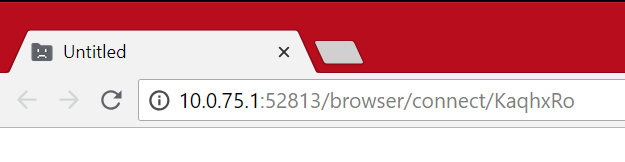
However if I try with Edge, it works fine.
What is the expected behavior?
Chrome and Chromium should load TestCafé and run the test.
How would you reproduce the current behavior (if this is a bug)?
Just run testcafe chrome .\testcafe\sample.spec.ts
Provide the test code and the tested page URL (if applicable)
Test code
import { Selector } from 'testcafe';

fixture('Trying this out').page('https://google.com');

test('Log in to app', async t => {
});
Specify your
- operating system: Windows 10 Build 17134.165
- testcafe version: 0.20.5
- node.js version: 8.11.3
- Chromium 67.0.3396.99 (64bit)
- Chrome 67.0.3396.99 (64bit)
 Ventajou
All 6 comments
Works for me on Windows 10 with node 8.11.2 and testcafe 0.20.5
 evayde
on 21 Jul 2018
evayde
on 21 Jul 2018
Hi @Ventajou, could you please specify Node.js & Chrome versions, Windows 10 edition & build number.
 AndreyBelym
on 23 Jul 2018
AndreyBelym
on 23 Jul 2018
@AndreyBelym I've updated the version numbers above. I tried the same code on my other computer and it worked fine there. The Node version is different so I'm going to try and upgrade here just in case.
Ventajou
on 23 Jul 2018
Here's an update after digging up some more, I ran across https://github.com/GoogleChrome/chrome-launcher/issues/11 which talks about running as admin. I typically use an admin prompt and when I tried as a regular user the test ran correctly.
Ventajou
on 23 Jul 2018
Hi @Ventajou, thank you for investigation. Have you tried to specify the --no-sandbox flag, e.g.
testcafe "chrome --no-sandbox" test.js
This comment says that it can help.
Unfortunately I can't reproduce the issue on my machine, However I've seen such problems on our old build server, which used CruiseControl.NET to run builds.
AndreyBelym
on 25 Jul 2018
I will close the issue because no activity has been encountered for a long time.
Feel free to reopen the issue if the problem persists and you can provide an example to reproduce it.
 miherlosev
on 4 Sep 2018
miherlosev
on 4 Sep 2018
Related issues
 KaneMorgan
·
3Comments
KaneMorgan
·
3Comments
 fnlctrl
·
3Comments
fnlctrl
·
3Comments
 hinok
·
3Comments
hinok
·
3Comments
 devmondo
·
3Comments
AndreyBelym
·
3Comments
devmondo
·
3Comments
AndreyBelym
·
3Comments
Most helpful comment
Hi @Ventajou, thank you for investigation. Have you tried to specify the
--no-sandboxflag, e.g.This comment says that it can help.
Unfortunately I can't reproduce the issue on my machine, However I've seen such problems on our old build server, which used CruiseControl.NET to run builds.