Test-infra: Spyglass returns 403 for `static` files on private instance
What happened:
Spyglass is returning a 403 when fetching static files on a private Deck instance that is behind an oauth proxy for some ~non-Google~ users.
What you expected to happen:
I expect Spyglass to return a 200 when fetching static files, similar to the retrieval of other resources.
How to reproduce it (as minimally and precisely as possible):
- Configure an oauth proxy for a private Deck instance (example).
- Ensure you are not signed in with a Github or Gmail account that may already have access to the logs/resources and are associated with Google employment.
- Navigate to a Spyglass view of a job (i.e.
/view/gcs/...) . - Static files will not load; the error will be a 403.
Please provide links to example occurrences, if any:
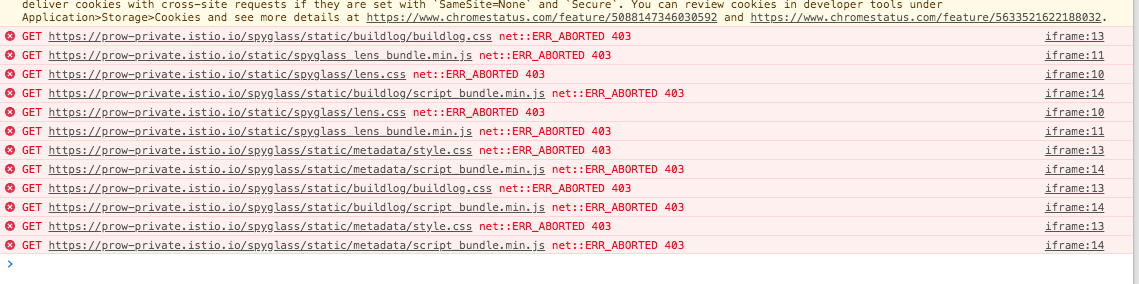
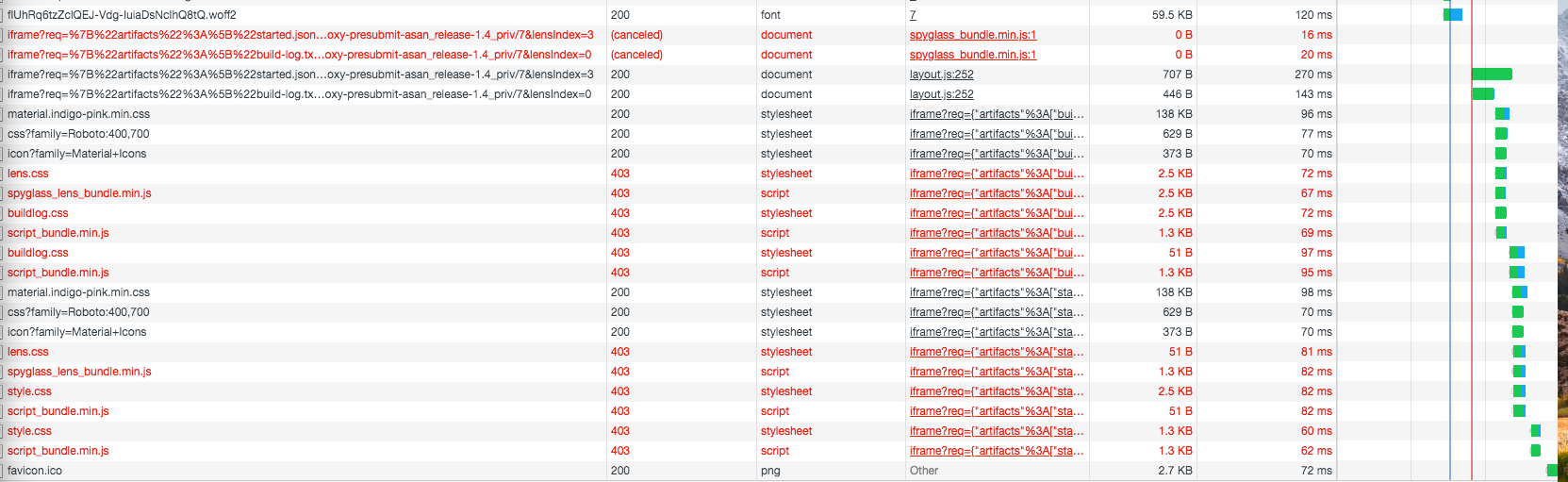
/assign
 clarketm
All 8 comments
I expect Spyglass to return a 200 and use a GCS credentials file (i.e. --gcs-credentials-file) where necessary when fetching static files, similar to the retrieval of other resources.
static files are not retrieved from GCS (or in any way related to GCS); they're served by deck and requested by simply including them with <script> tags, etc. It would not be meaningful to use GCS credentials here.
I imagine this is related to the (intentional) sandboxing of spyglass lenses.
 Katharine
on 24 Jan 2020
Katharine
on 24 Jan 2020
I expect Spyglass to return a 200 and use a GCS credentials file (i.e. --gcs-credentials-file) where necessary when fetching static files, similar to the retrieval of other resources.
static files are not retrieved from GCS (or in any way related to GCS); they're served by deck and requested by simply including them with
<script>tags, etc. It would not be meaningful to use GCS credentials here.
Thanks for the clarification. After looking at the code and seeing how the static files are served, I realize GCS auth is not to blame. I further edited the issue description to make this more clear.
I imagine this is related to the (intentional) sandboxing of spyglass lenses.
I am not sure what you mean by sandboxing here or why this specific issue is only affecting static files and only for non-Googlers on a particular Prow instance. Can you clarify a bit?
clarketm
on 24 Jan 2020
Spyglass lenses are sandboxed, which ensures they only use the expected APIs and, once we have remote lenses, they cannot do anything too questionable.
A key part of this sandboxing is that they have a different origin (more specifically, it is null). I can imagine this causing issues trying to authenticate to the OAuth proxy — and, perhaps relatedly, there is a comment about cross-site requests running off the top of that screenshot. Just a guess though.
I also have no idea how this would relate to whether you are or are not a googler — but then, I can't imagine any explanation that would hinge on that, unless the proxy is set up very strangely.
I'm fairly sure others are successfully using spyglass behind a proxy of some form.
Katharine
on 24 Jan 2020
The link in the screenshot goes to https://chromestatus.com/feature/5088147346030592, which says how cookies behave by default is switching in Chrome 80. The current release version is 79, so if they are using a canary version they might see new behaviour.
Perhaps you could try adjusting your proxy to specify SameSite=None on your cookies.
Katharine
on 24 Jan 2020
Spyglass lenses are sandboxed, which ensures they only use the expected APIs and, once we have remote lenses, they cannot do anything too questionable.
A key part of this sandboxing is that they have a different origin (more specifically, it is
null). I can imagine this causing issues trying to authenticate to the OAuth proxy — and, perhaps relatedly, there is a comment about cross-site requests running off the top of that screenshot. Just a guess though.says how cookies behave by default is switching in Chrome 80. The current release version is 79, so if they are using a canary version they might see new behaviour.
Perhaps you could try adjusting your proxy to specify
SameSite=Noneon your cookies.
You are correct about the 403 being caused by the Oauth proxy combined with the sandboxing. Furthermore, setting SameSite=None sounds like a good idea as well (I will follow-up with a PR). Lastly, upon further investigation, being a non-Googler appears to be a mere coincidence. It looks like in this particular case it is a matter of Chrome settings. I was able to reproduce this exact issue by enabling Block third-party cookies in Chrome on my machine.

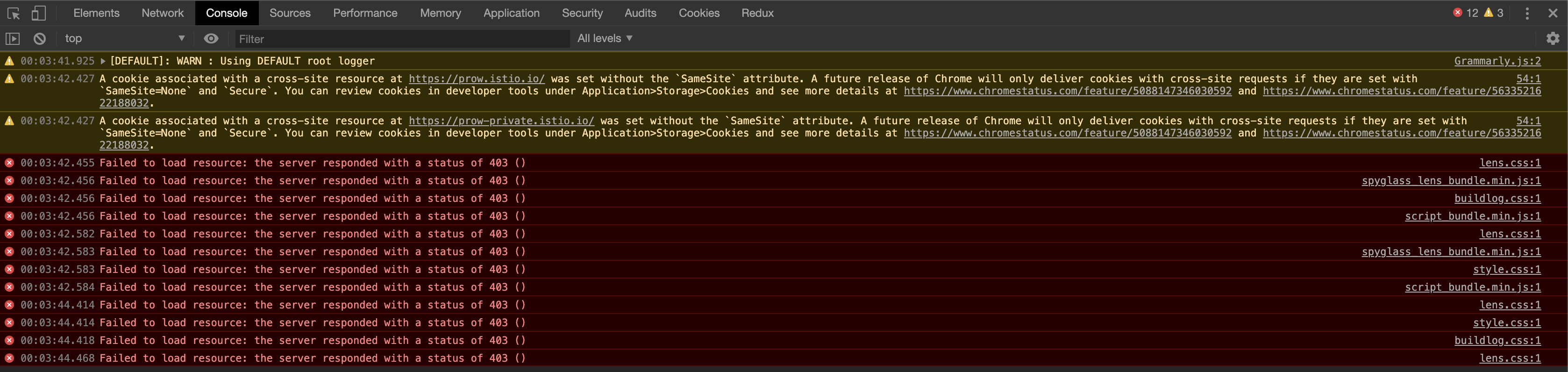
So, either disabling Block third-party cookies or adding an entry to the Allow whitelist will resolve. @Katharine - how familiar are you with this; are you aware of any mitigation at the application-level that can be used to prevent the blocking to begin with? Maybe the SameSite=None (https://github.com/istio/test-infra/pull/2297) and/or setting sandbox=allow-same-origin on the iframe which as described says it allows the iframe content to be treated as being from the same origin (https://github.com/kubernetes/test-infra/pull/16011).

clarketm
on 24 Jan 2020
cc @petr-muller @droslean -- they are using spyglass behind a Proxy
 stevekuznetsov
on 24 Jan 2020
stevekuznetsov
on 24 Jan 2020
Issues go stale after 90d of inactivity.
Mark the issue as fresh with /remove-lifecycle stale.
Stale issues rot after an additional 30d of inactivity and eventually close.
If this issue is safe to close now please do so with /close.
Send feedback to sig-testing, kubernetes/test-infra and/or fejta.
/lifecycle stale
 fejta-bot
on 23 Apr 2020
fejta-bot
on 23 Apr 2020
The link in the screenshot goes to https://chromestatus.com/feature/5088147346030592, which says how cookies behave by default is switching in Chrome 80. The current release version is 79, so if they are using a canary version they might see new behaviour.
Perhaps you could try adjusting your proxy to specify
SameSite=Noneon your cookies.
Thanks for the tip!
adding OAUTH2_PROXY_COOKIE_SAMESITE: none for oauth2 proxy fixes this for chrome users.
 afirth
on 25 Aug 2020
afirth
on 25 Aug 2020
Related issues
 BenTheElder
·
4Comments
BenTheElder
·
4Comments
BenTheElder
·
4Comments
BenTheElder
·
4Comments
 fejta
·
4Comments
fejta
·
4Comments
 sjenning
·
4Comments
sjenning
·
4Comments
 spiffxp
·
3Comments
spiffxp
·
3Comments