Teams-for-linux: Clicking on URL preview pictures don't lead to the URL
Describe the bug
When you click on the generated preview image, it opens your browser to a blank page. Clicking the URL works as expected.
To Reproduce
Steps to reproduce the behaviour:
- Send or receive a URL
- When Teams generates a URL preview, click on it.
- This will open a blank browser tab
- See error
Expected behaviour
Clicking on the URL Preview image should open the desired URL
Screenshots


Desktop (please complete the following information):
- OS: Fedora
- Installation package: rpm
- Version [e.g. 0.2.0]
Additional context
Dagnammit, Ismael!
 ndmckeown
All 12 comments
Have you tried ctrl+click? Might be some sort of cookies/session stuff that is not pass throw.
 IsmaelMartinez
on 15 Apr 2019
IsmaelMartinez
on 15 Apr 2019
It's definitely just the preview that is affected.
On Mon, 15 Apr 2019, 21:16 IsmaelMartinez, notifications@github.com wrote:
Have you tried ctrl+click? Might be some sort of cookies/session stuff
that is not pass throw.I'm sure the link still works... Is just the "preview". Can you confirm??
—
You are receiving this because you authored the thread.
Reply to this email directly, view it on GitHub
https://github.com/IsmaelMartinez/teams-for-linux/issues/109#issuecomment-483402059,
or mute the thread
https://github.com/notifications/unsubscribe-auth/AZ5Ck4L7ER7hHwaH8Bz4t63f1uHVWRPJks5vhN4sgaJpZM4cwSGA
.
ndmckeown
on 15 Apr 2019
Ok, this is a bit more difficult than expected.
Basically, electron only gets the "about:blank" from the link.
I am just pushing a wee change so that those link just don't do anything.
To fix this, it will need some js magic and/or maybe moving to the webview instead of the iframe... but webview is a not recommended path by electron (as google is re-implementing it).
So, I will leave it in here and see if someone can come up with a solution for it.
Sorry!
IsmaelMartinez
on 19 Apr 2019
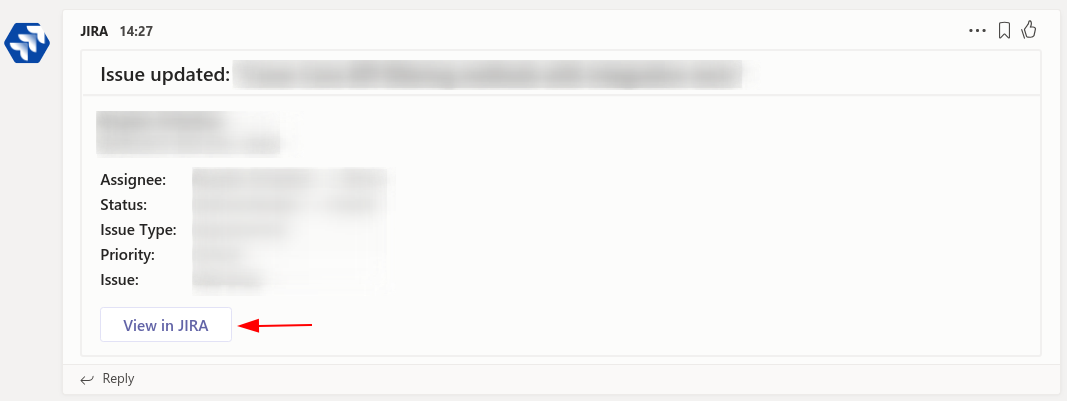
It looks like the same issue appears for actions in cards, like the ones posted by Jira, Jenkins or other connectors:
 orange-buffalo
on 6 May 2019
orange-buffalo
on 6 May 2019
Hi @orange-buffalo ,
Does it work with Ctrl+Click?
Thanks
IsmaelMartinez
on 6 May 2019
Hi @IsmaelMartinez ,
Sorry, I tried this before posting a comment, and a new blank popup window was opened. I just did not wait long enough - now I see that the URL is loaded successfully in this popup window..
The only problem is that it is not a browser window, but another Electron one. So obviously no cookies, extensions etc from my browser is accessible in this window. Is there any way to open the default browser instead of this popup, just like for any other link in a Teams message?
orange-buffalo
on 6 May 2019
Not as far as I am aware. You can open an external window but that doesn't pass the cookies/credentials/etc...
I think is down electron using its own profile, so security etc.
There might be a way, but I haven't found it... and I suspect it might not possible, yet.
IsmaelMartinez
on 6 May 2019
This seems to be the same issue as https://github.com/IsmaelMartinez/teams-for-linux/issues/107
 HarlemSquirrel
on 10 May 2019
HarlemSquirrel
on 10 May 2019
Hi @ndmckeown and @orange-buffalo, this should be fixed now.
PR #172 is out there waiting for a review.
It will be in version 0.4.0. I you want to check it use snap edge channel or send me an email.
@ndmckeown , you can just shout.
--- updated... wrong nathan!
IsmaelMartinez
on 11 Jul 2019
Hi @IsmaelMartinez, thanks for the new release!
For actions in cards, they now open with a simple click (without ctrl), but it is still an electron window (with no URL bar to copy the link from). There was some work done in one of the PRs to actually open the underlying URL in system browser. Is there any chance for those changes to be included into the app?
orange-buffalo
on 20 Jul 2019
Have you tried doing Ctrl+click? Otherwise raise a feature request. Might be ok to add a "copy link" to the right click menu
IsmaelMartinez
on 20 Jul 2019
Yes, it's the same with and without Ctrl. I've created #182 for this.
orange-buffalo
on 22 Jul 2019
Related issues
 theangryangel
·
4Comments
theangryangel
·
4Comments
 LowLevelMahn
·
3Comments
LowLevelMahn
·
3Comments
 galgalesh
·
9Comments
galgalesh
·
9Comments
 ellepdesk
·
7Comments
ellepdesk
·
7Comments
 danielscarvalho
·
3Comments
danielscarvalho
·
3Comments