Teams-for-linux: Snap not starting anymore on ubuntu 19.04
Describe the bug
application no longer starts when clicking icon or running from command line
To Reproduce
Steps to reproduce the behavior:
- Go to launcher
- Click on 'teams for linux'
- nothing, no error, no logs, no main window
Expected behavior
Team for linux opens
Screenshots
[empty desktop]
Desktop (please complete the following information):
- OS: ubuntu 19.04 (X11)
- Installation package: snap,
- Version 0.3.0 2019-05-27
Additional context
Worked last week
removed and re-installed snap without effect
Checking out source and running 'yarn run start' does start the application
Other snap-apps do work
 ellepdesk
All 7 comments
Hi @ellepdesk ,
There has been no changes in application for over 22 days so I can't really understand why your issue will be happening. Other than snap been temperamental.
I can't use snap and rely on @julian-alarcon or @benyanke to sort this sort of issues. Hopefully they can have a look at it soon. In the meantime you should be able to use the deb package. (check the release folder)
I wonder if this is related to #148
 IsmaelMartinez
on 18 Jun 2019
IsmaelMartinez
on 18 Jun 2019
Removed the snap package, installed the deb, works again.
Thank you for the help, I hope it's just a thing for my machine and not a bug for more people.
ellepdesk
on 19 Jun 2019
Removed the snap package, installed the deb, works again.
Thank you for the help, I hope it's just a thing for my machine and not a bug for more people.
I'm on Pop!_OS 19.04 and experiencing the same problem. I followed these steps which has resolved my issue.
 cloud-dan
on 19 Jun 2019
cloud-dan
on 19 Jun 2019
Closing as snap can be sometimes a pain. There is are workarounds
IsmaelMartinez
on 1 Jul 2019
It starts in very thin window. But that's not what bothers the most.
Each time I start the service, to get it working I must go to debug > Application > clear site data.
To Reproduce
Steps to reproduce the behavior:
- Install the app through snap. The first start goes fine. Add to favourites. Hit quit.
- Click icon to start
- You are going to have the window with an "Initialising" header (blank window) for minutes
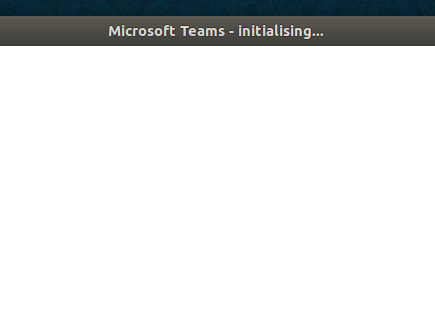
- See error

- Quit
- Restart, go in debug mode, application > clear site data. Hit refresh
Desktop (please complete the following information):
- Ubuntu 18.04 Linux 4.15.0-58-generic #64-Ubuntu
- snap
- Version 0.7.0
Additional context
Going in debug mode and clearing site data, hit refresh and it works as expected.
 nmoller
on 19 Aug 2019
nmoller
on 19 Aug 2019
Did you remove your config folder as indicated in the release notes?
Clean your application cache before starting:
https://github.com/IsmaelMartinez/teams-for-linux/blob/develop/KNOWN_ISSUES.md#blank-page
If you still get a blank screen, clean your config location:
https://github.com/IsmaelMartinez/teams-for-linux/blob/develop/KNOWN_ISSUES.md#config-folder-locations
Otherwise, better open a new issue instead of putting a comment in an old one. Thanks!
IsmaelMartinez
on 19 Aug 2019
@IsmaelMartinez : Thanks, I did not remove config folder. After doing that, it works as expected.
Sorry... for the noise, I did not read the release notes.
nmoller
on 19 Aug 2019
Related issues
 elhennig
·
7Comments
elhennig
·
7Comments
 lkrms
·
4Comments
lkrms
·
4Comments
 wagnst
·
5Comments
wagnst
·
5Comments
 jpiautinity
·
8Comments
IsmaelMartinez
·
7Comments
jpiautinity
·
8Comments
IsmaelMartinez
·
7Comments