Teammates: Instructor: 'all records' page: contribution questions: show 'perceived contribution' even if the student has not submitted responses
Scenario:
- There is a session with a 'team contribution' question. e.g., the
First team feedback sessionin the sample course of a new instructor - There is a student who has not submitted the session. To simulate this, you can edit the submission of a student in the session mentioned above to remove his/her submission for the question in concern.
- Instructor is looking at the 'All records' page of that student.
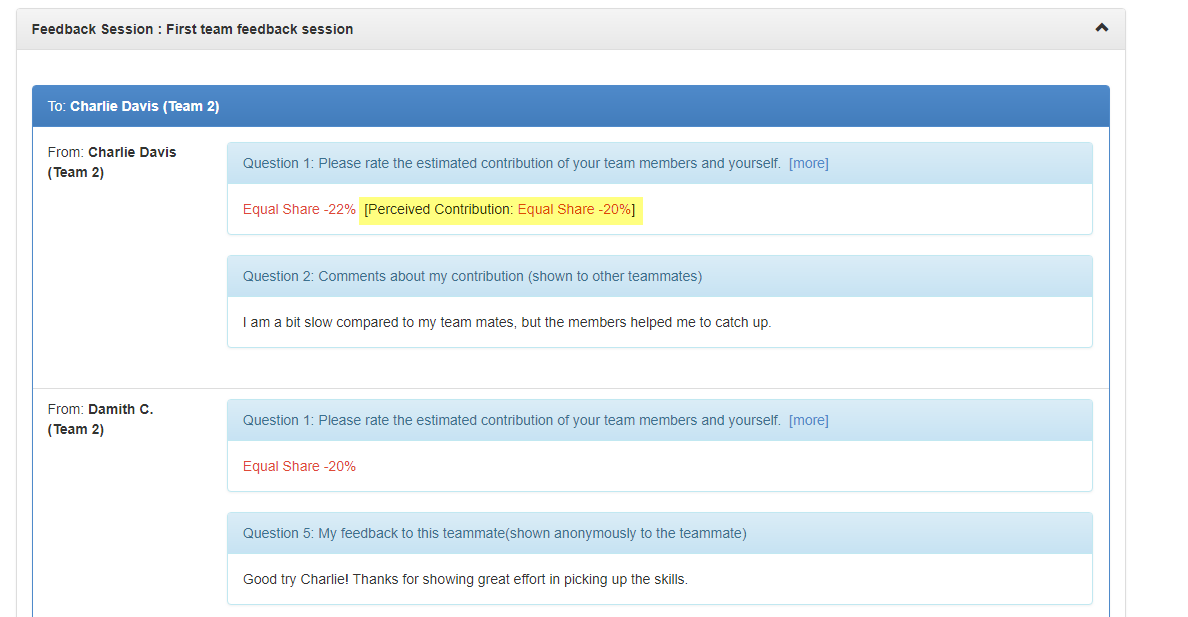
Currently, the _Perceived Contribution (PC)_ value is shown within the student's self response. Here is the page for a student who has submitted the session.
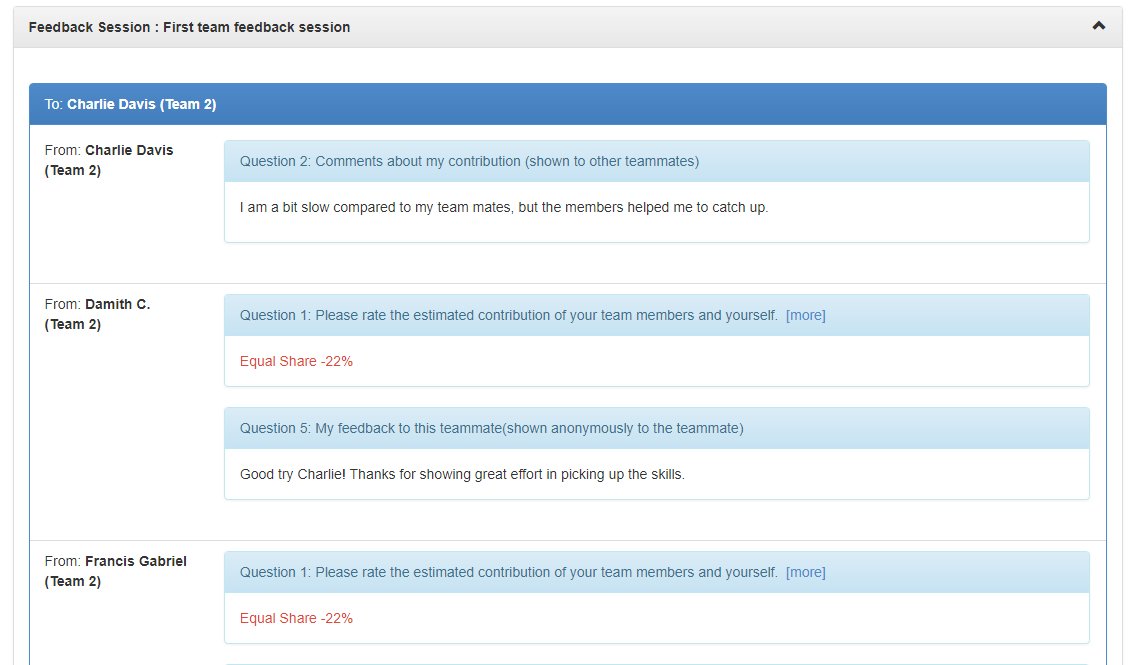
If the student has not submitted anything for that session, the PC value is not shown at all. Here is an example (compare with the screenshot above)
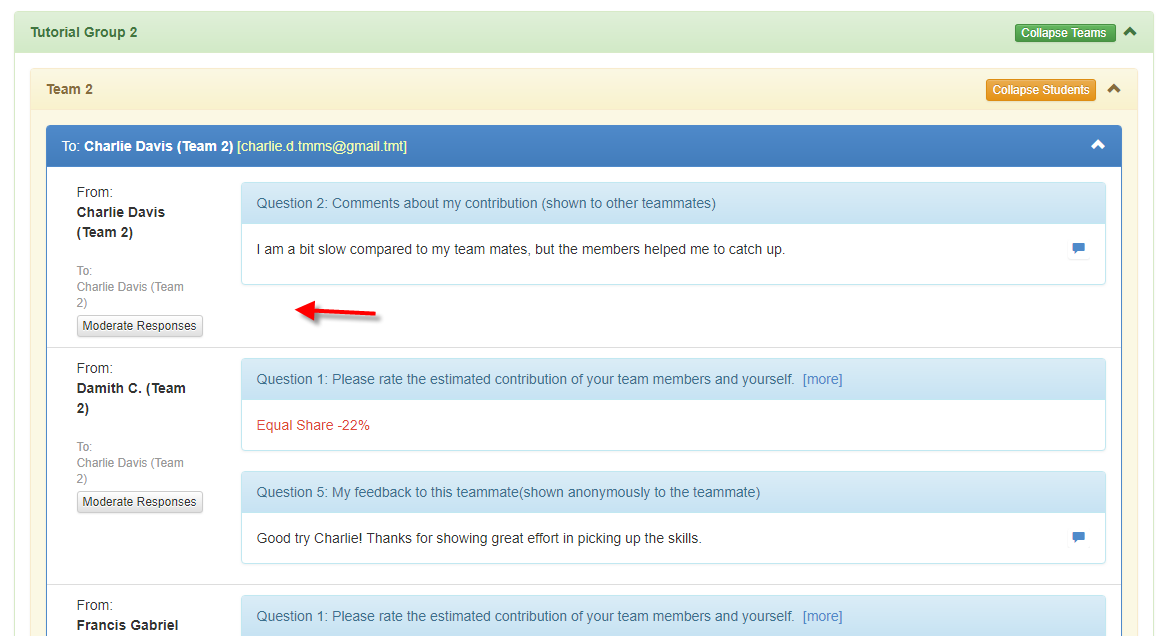
This is also applicable to when the instructor is viewing results, grouped by recipient. e.g.,
I suspect both problems can be solved by one fix (if both views are generated by the same code). If not, create another issue for the second one after fixing the first one.
 damithc
All 27 comments
I would like to work on it. Could you elaborate a bit more on this and where should I start looking?
 architkansal
on 1 Mar 2018
architkansal
on 1 Mar 2018
I would like to work on it. Could you elaborate a bit more on this and where should I start looking?
Updated the description with more details.
damithc
on 1 Mar 2018
I tried reproducing the scenario:
I created a course - cs101 and a session in it - Feedback for PPT-1
I added some students and submitted session for one student ( from student's account ).
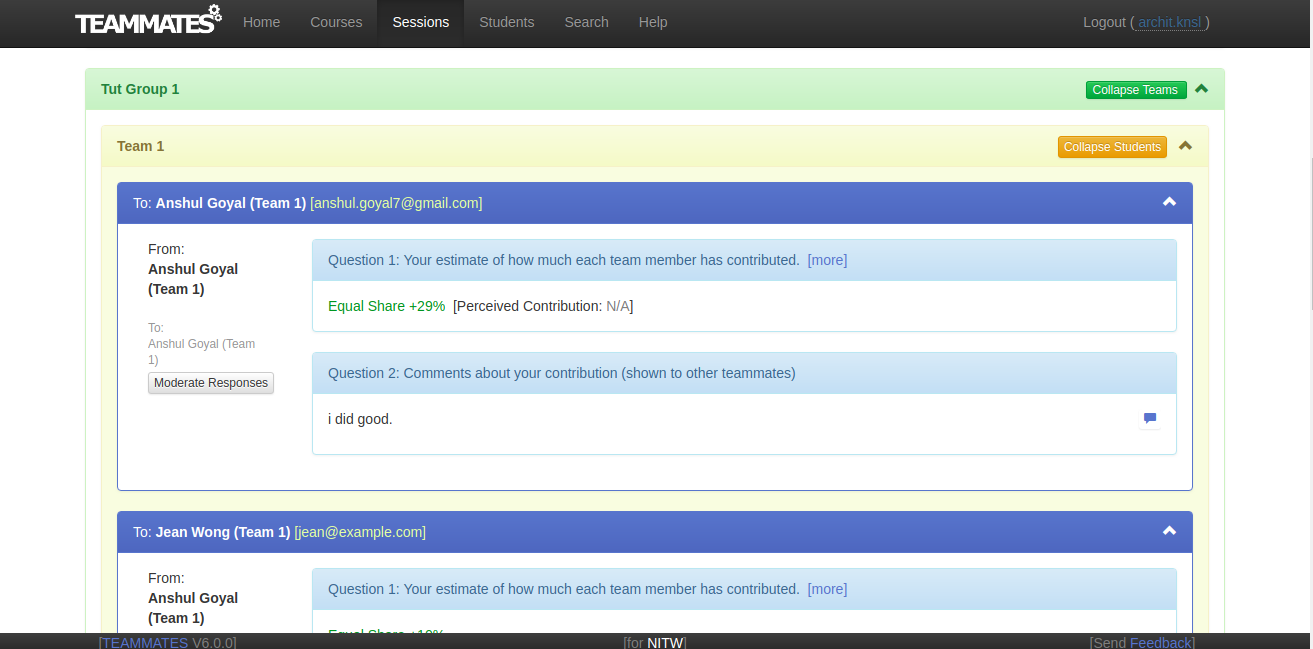
Why is the PC: N/A in Instructor's View ? and there is no data corresponding to other students (who have not submitted session ) about themselves.
I might be lacking some context here. Cloud you explain a bit more about the PC value and how to reproduce the problem in a new session, to help me understand better.
Here are some screenshots from my session:
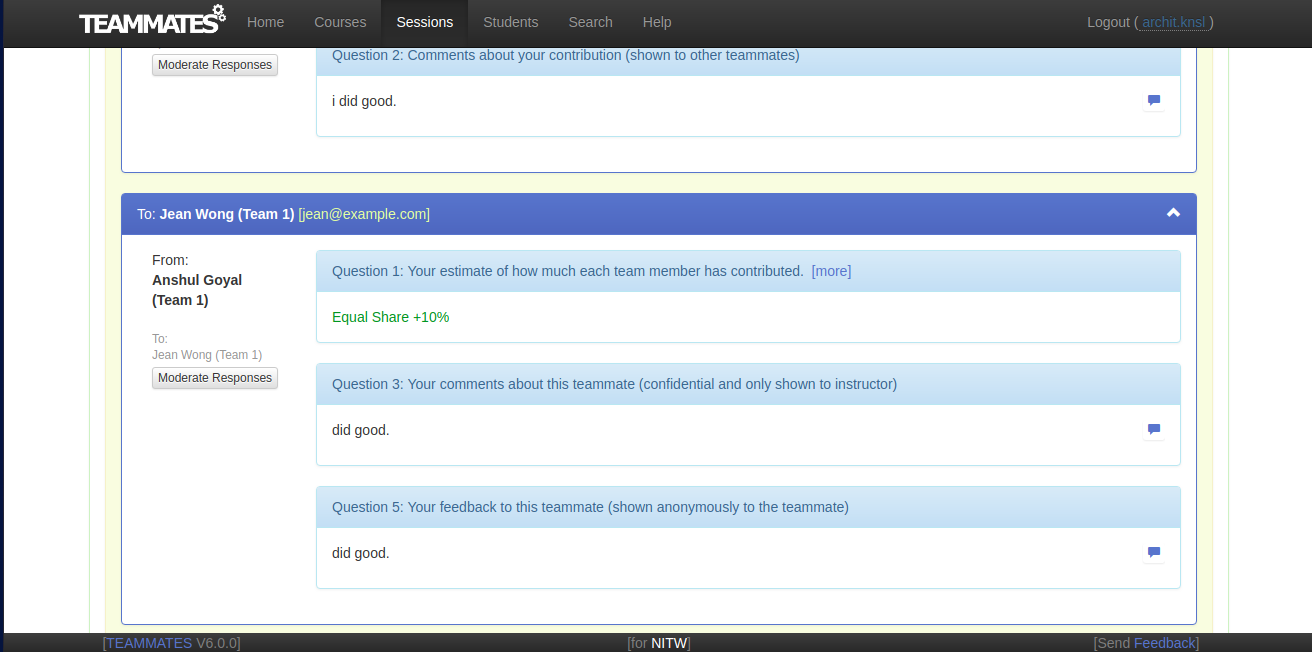
Instructor View:
Student View:
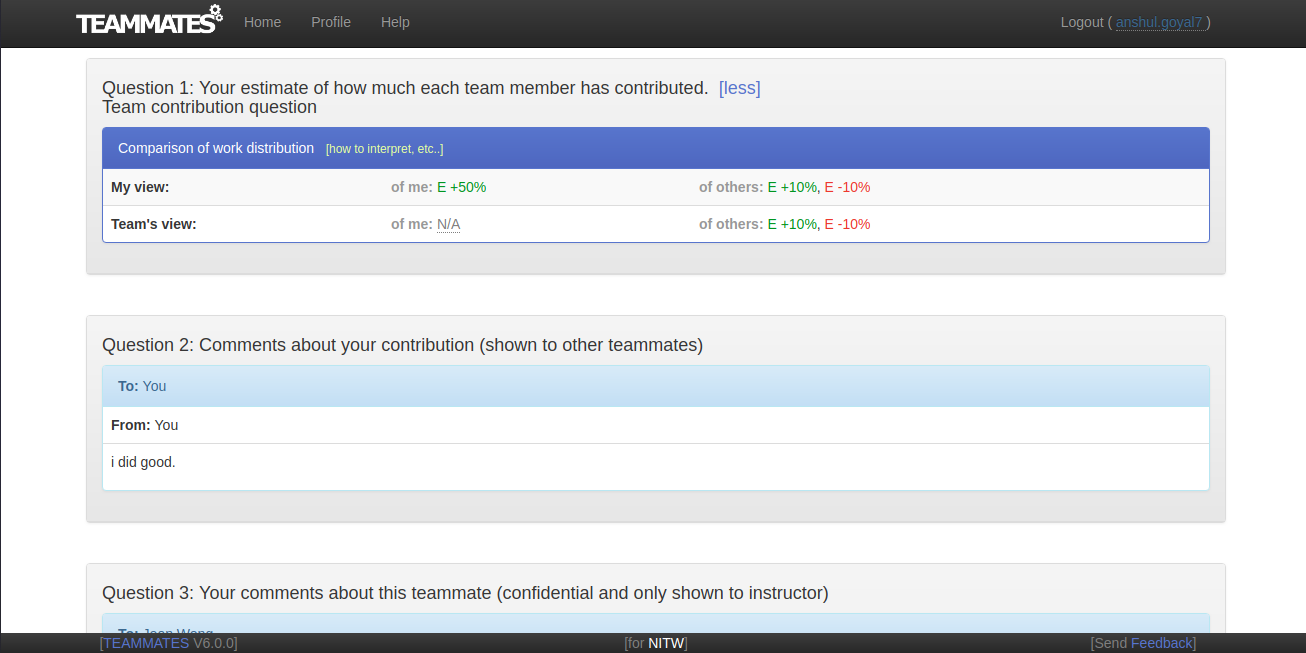
architkansal
on 1 Mar 2018
Why is the PC: N/A in Instructor's View ?
PC is calculated based on how others rated the student. If no one else has rated the student, PC is not available.
damithc
on 1 Mar 2018
so PC is only applicable for Team Contribution Question right ?
and in 2nd Image above, To Jean Wong - From Anshul Goyal the PC value should have been there as Anshul has given feedback for Jean Wong. But Jean Wong has not submiited the session yet. And that is the issue here exactly right ?
architkansal
on 1 Mar 2018
so PC is only applicable for Team Contribution Question right ?
and in 2nd Image above, To Jean Wong - From Anshul Goyal the PC value should have been there as Anshul has given feedback for Jean Wong. But Jean Wong has not submiited the session yet. And that is the issue here exactly right ?
Yes, for both questions.
damithc
on 1 Mar 2018
Thanks a lot for the clarification.
architkansal
on 1 Mar 2018
Is there some way to persistently store the data from localhost somewhere so that when server is restarted the data including courses, students etc is not lost ?
or incrementally build the server so that changes in backend reflect without restarting the server again to avoid losing data ?
architkansal
on 1 Mar 2018
Is there some way to persistently store the data from localhost somewhere so that when server is restarted the data including courses, students etc is not lost ?
@LiHaoTan for your comments please
damithc
on 1 Mar 2018
Is there some way to persistently store the data from localhost somewhere so that when server is restarted the data including courses, students etc is not lost ?
@architkansal is that not the case right now? Are you developing with Eclipse, IntelliJ, or command line?
 wkurniawan07
on 1 Mar 2018
wkurniawan07
on 1 Mar 2018
Right now, when I restarted the server with some changes in UI controller, all my data got erased.
I am developing with Eclipse. Though I ran the server from terminal using ./gradlew appengineRun.
architkansal
on 1 Mar 2018
Though I ran the server from terminal using
./gradlew appengineRun.
Thanks for reporting. Apparently the run command is modified when the Gradle plugin upgrades from 1.3.3 to 1.3.4. Will create an issue and submit a quick fix.
Meanwhile, if you want to bypass this limitation for now, change the value of 1.3.4 here to 1.3.3:
https://github.com/TEAMMATES/teammates/blob/7390503e29083bc487c7d0b689177ea8bc71e897/build.gradle#L27
wkurniawan07
on 1 Mar 2018
Thanks, will switch to 1.3.3 for now.
architkansal
on 1 Mar 2018
what are the best ways to log the outputs in the project temporarily for the sake of investigation ?
can we hit the endpoints explicitly and get the data e.g. using postman, for a session ?
What practices do we generally follow here ?
architkansal
on 2 Mar 2018
@architkansal have you read the development guidelines? You can find the answers to all your questions there.
Can we hit the endpoints explicitly and get the data e.g. using postman, for a session ?
No; we don't use a RESTful architecture. There is a limited subset of function that adopt RESTful architecture but this is for the testing infrastructure rather than production usage.
wkurniawan07
on 2 Mar 2018
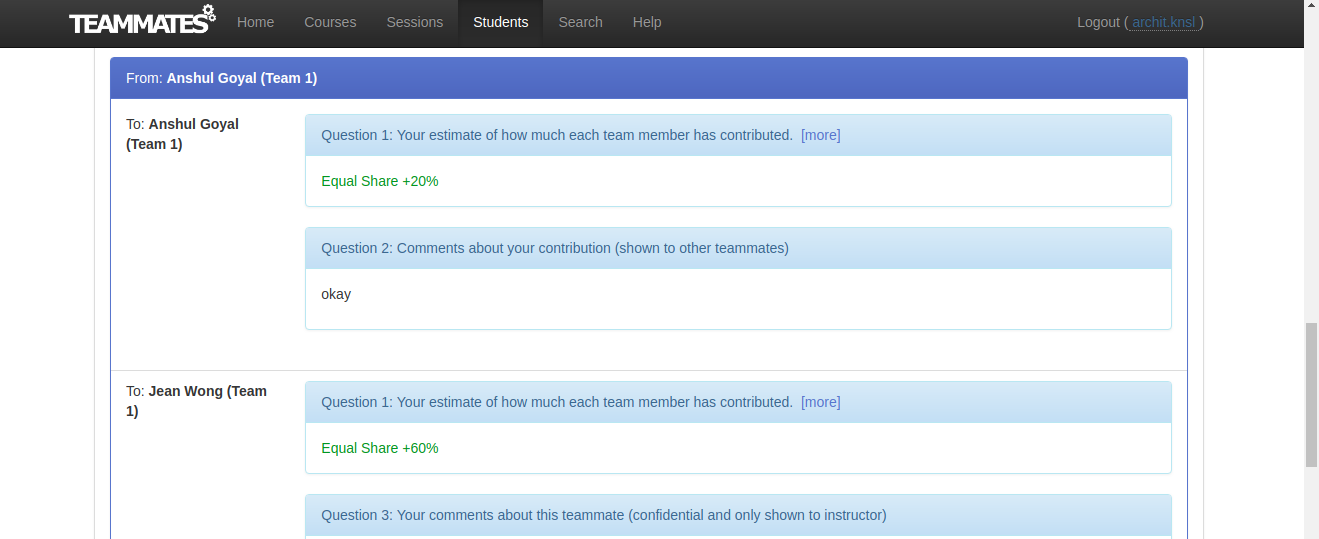
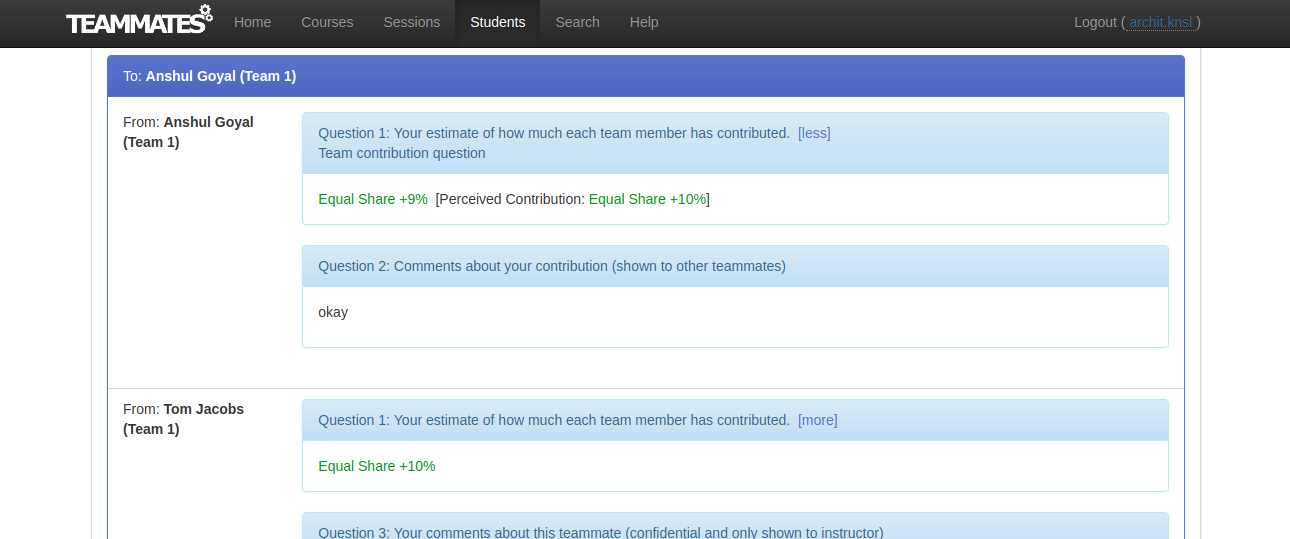
Why are there two different values ? ( 'All Records' Page )
from Anshul Goyal to Anshul Goyal: ( Shows the value actually filled by Anshul Goyal )
to Anshul Goyal from Anshul Goyal: ( Why is it different from above ? How is this calculated? )
architkansal
on 2 Mar 2018
@architkansal For understanding how contributions are calculated, you can view this file.
https://github.com/TEAMMATES/teammates/blob/master/src/main/webapp/partials/technicalInformationCalculatePointsContribution.jsp
 nidhi98gupta
on 2 Mar 2018
nidhi98gupta
on 2 Mar 2018
Why are there two different values ?
This happens when a student a student gives ratings that don't add up to the correct total. e.g., if there are 4 members but the students ratings add up to 4E+10% instead of the correct value 4E.
The To Student view shows values after correcting for this error while From student view shows before. Yes, this is confusing to the reader, but that's a battle for another day.
damithc
on 2 Mar 2018
Got it! Below is an example for student who has not submitted session but now his PC value is shown in all records Page:
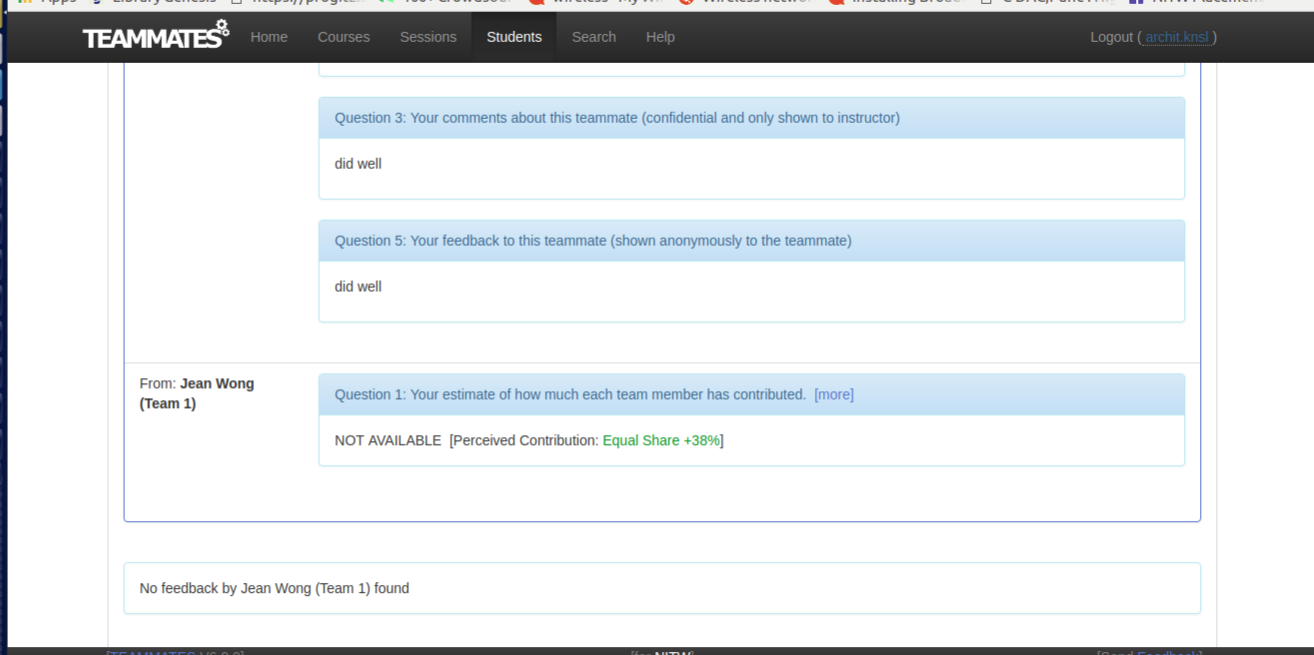
I have shown the student's own response as NOT AVAILABLE and displayed the PC value next to it.
Is that okay from UI side or do we want to display it in some other manner ?
Also this does not fix the view when the instructor is viewing results, grouped by recipient as you had suspected @damithc so I shall take care of that separately when this one is done.
architkansal
on 4 Mar 2018
Is that okay from UI side or do we want to display it in some other manner ?
In other places we show absence of a response like the following. May be we can do the same here?

damithc
on 4 Mar 2018
@damithc sure, will replace the text "NOT AVAILABLE" with "No Response".
architkansal
on 4 Mar 2018
@damithc is there some command / tool to format the code according to the required code style in order to pass the static analysis ?
should I run in God mode also, to update the expected html files ?
architkansal
on 4 Mar 2018
@damithc is there some command / tool to format the code according to the required code style in order to pass the static analysis ?
should I run in God mode also, to update the expected html files ?
You can run linters to ensure the code style is correct. Our dev docs explain how to setup/run linters.
Yes, you'll need God mode for this.
damithc
on 5 Mar 2018
I think there is one small issue in Development Guidelines-Using Chrome.
We need to mention :
change test.selenium.browser=firefox to test.selenium.browser=chrome.
let me know if that is correct. I will create one small issue and submit the solution.
architkansal
on 5 Mar 2018
let me know if that is correct. I will create one small issue and submit the solution.
Go ahead @architkansal
damithc
on 5 Mar 2018
@architkansal refer to existing issue #8254.
However, I am also currently working on general documentation update under the flag of #8565 which will also include that, so you need not work on it.
wkurniawan07
on 5 Mar 2018
closed via #8874
 jacoblipech
on 2 Sep 2018
jacoblipech
on 2 Sep 2018
Related issues
wkurniawan07
·
4Comments
 xpdavid
·
3Comments
xpdavid
·
3Comments
 whipermr5
·
4Comments
whipermr5
·
4Comments
whipermr5
·
4Comments
whipermr5
·
4Comments
 joanneong
·
4Comments
joanneong
·
4Comments