Teammates: InstructorFeedbackSession: Make validation for submission times stricter
Environment
master branch at commit 49386fe
Steps to reproduce
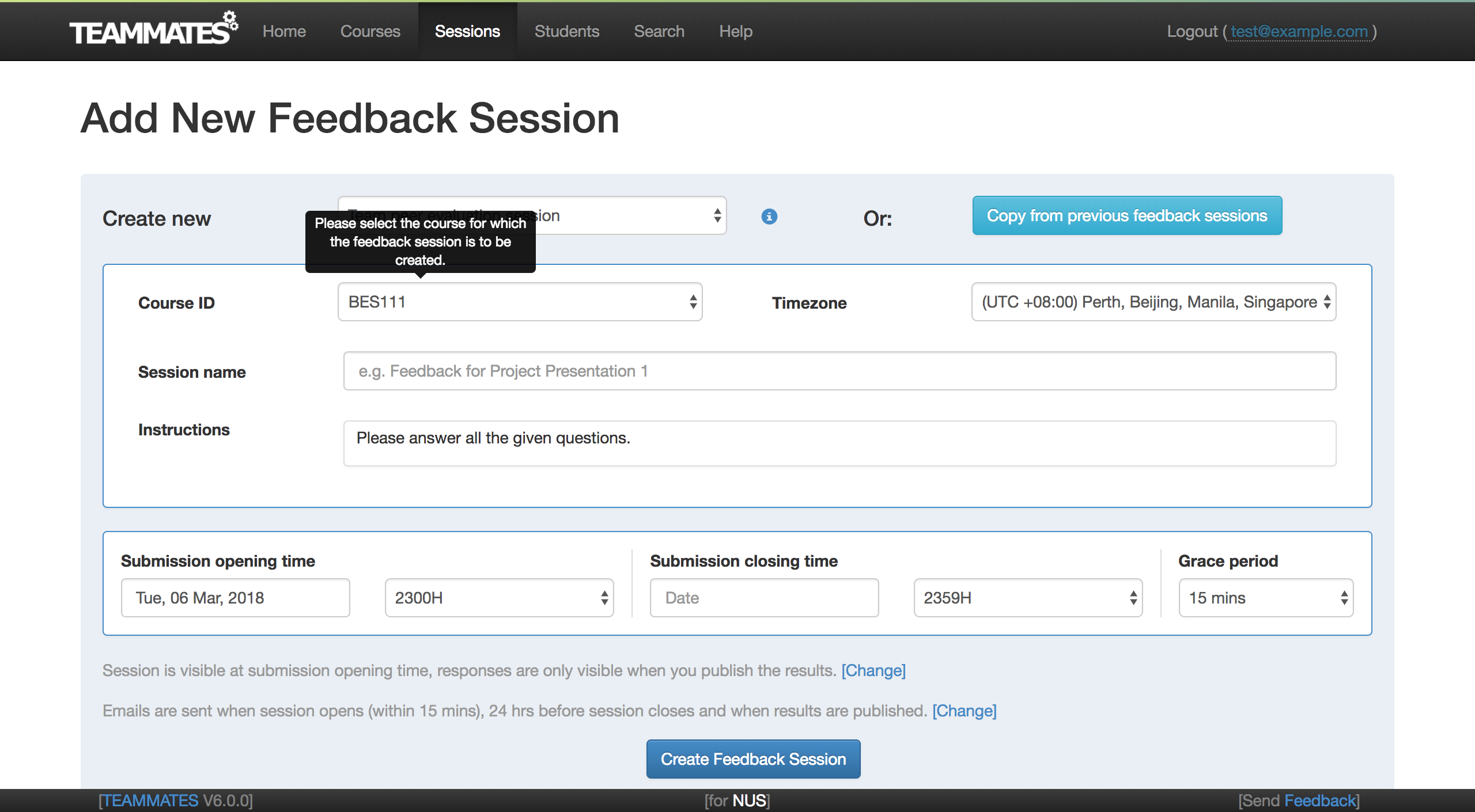
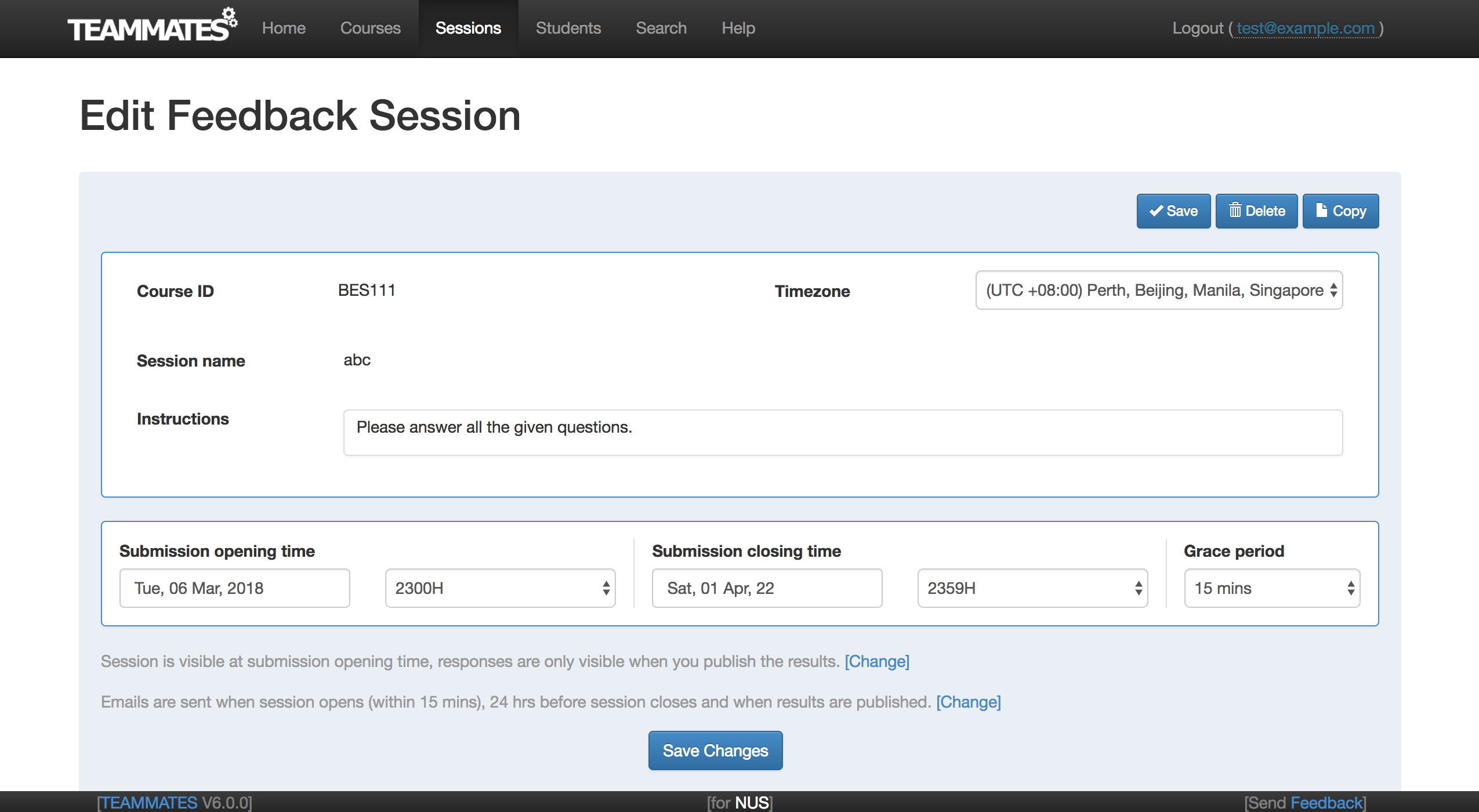
This can be reproduced either when adding a new feedback session, or when editing an existing feedback session. However, the error is the same for both scenarios, and affects both the submission start time and end time.
- Go to the form which allows instructors to specify the submission start time and submission end time.
For adding a new feedback session:
For editing an existing feedback session:
Click on the
Submission opening time/Submission closing timeinput box. Choose a date from the date picker that appears.Click on the
Submission opening time/Submission closing timeinput box again, and type some random digits/characters in the input box.Create feedback session/ save the session details.
Session is created/ updated successfully.
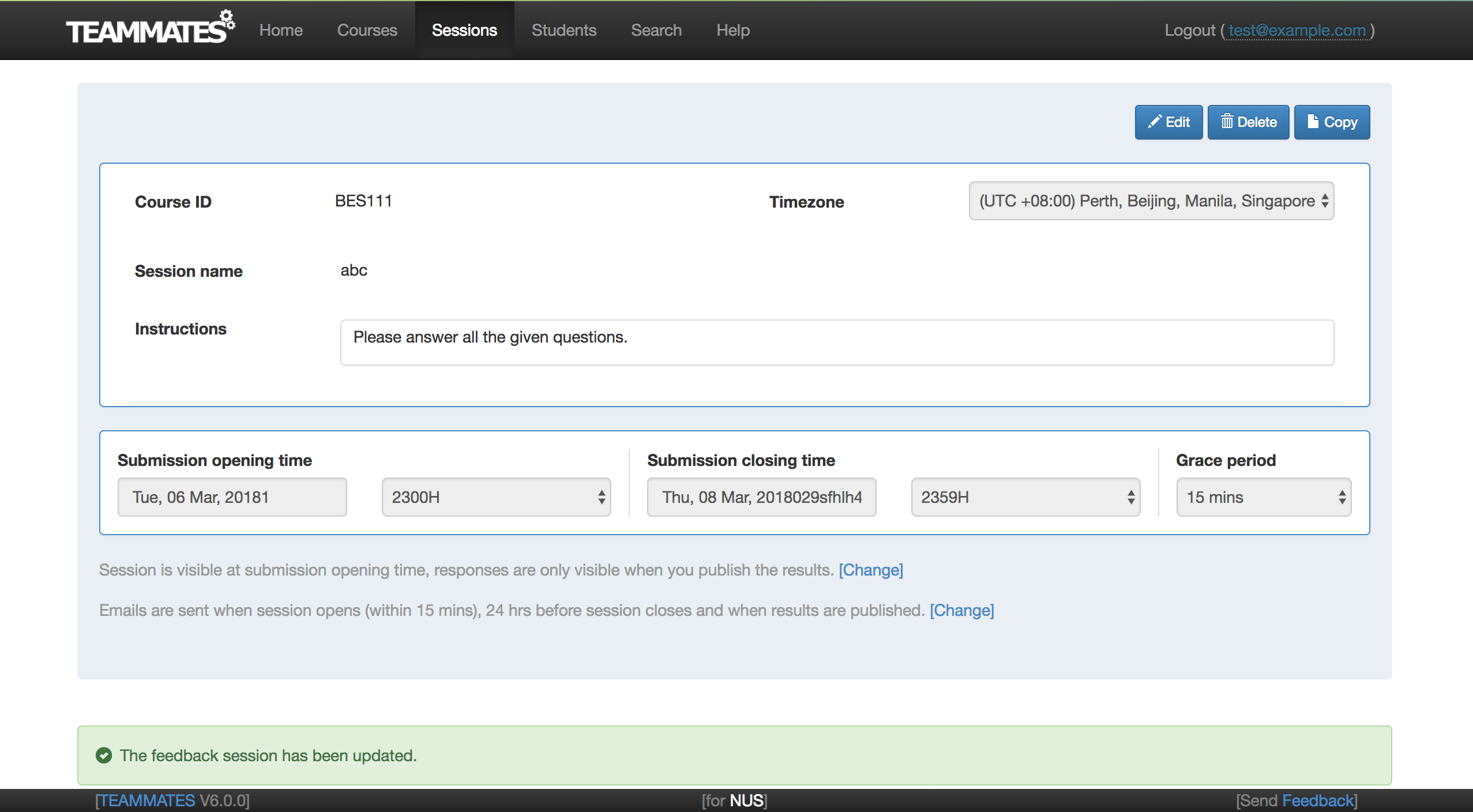
The erroneous details persist and are displayed even if you access another page before re-accessing the session.
For example:
Expected behaviour
It does not make sense for a time field to be displayed as something like Thu, 08 Mar, 2018029sfhlh40. Instead, either (i) the input box should only accept values via the date picker, (ii) the form should display an error message when the erroneous dates are parsed, or (iii) the system should automatically trim and remove the additional numbers/strings and display only the correct date.
 joanneong
All 4 comments
Hmm, we need to make InstructorFeedbackAbstractAction#extractFeedbackSessionData throw InvalidParametersException too. Right now invalid dates are simply treated as null when creating the FeedbackSessionAttributes from user input. Looks like @darrenwee's point was very valid: https://github.com/TEAMMATES/teammates/pull/8428#discussion_r167438664
 whipermr5
on 6 Mar 2018
whipermr5
on 6 Mar 2018
(iii) the system should automatically trim and remove the additional numbers/strings and display only the correct date
I think it does; the frontend is just not updating as it uses AJAX. A refresh should show a valid date.
whipermr5
on 6 Mar 2018
@whipermr5 Hmm I tested it out again and recorded it:
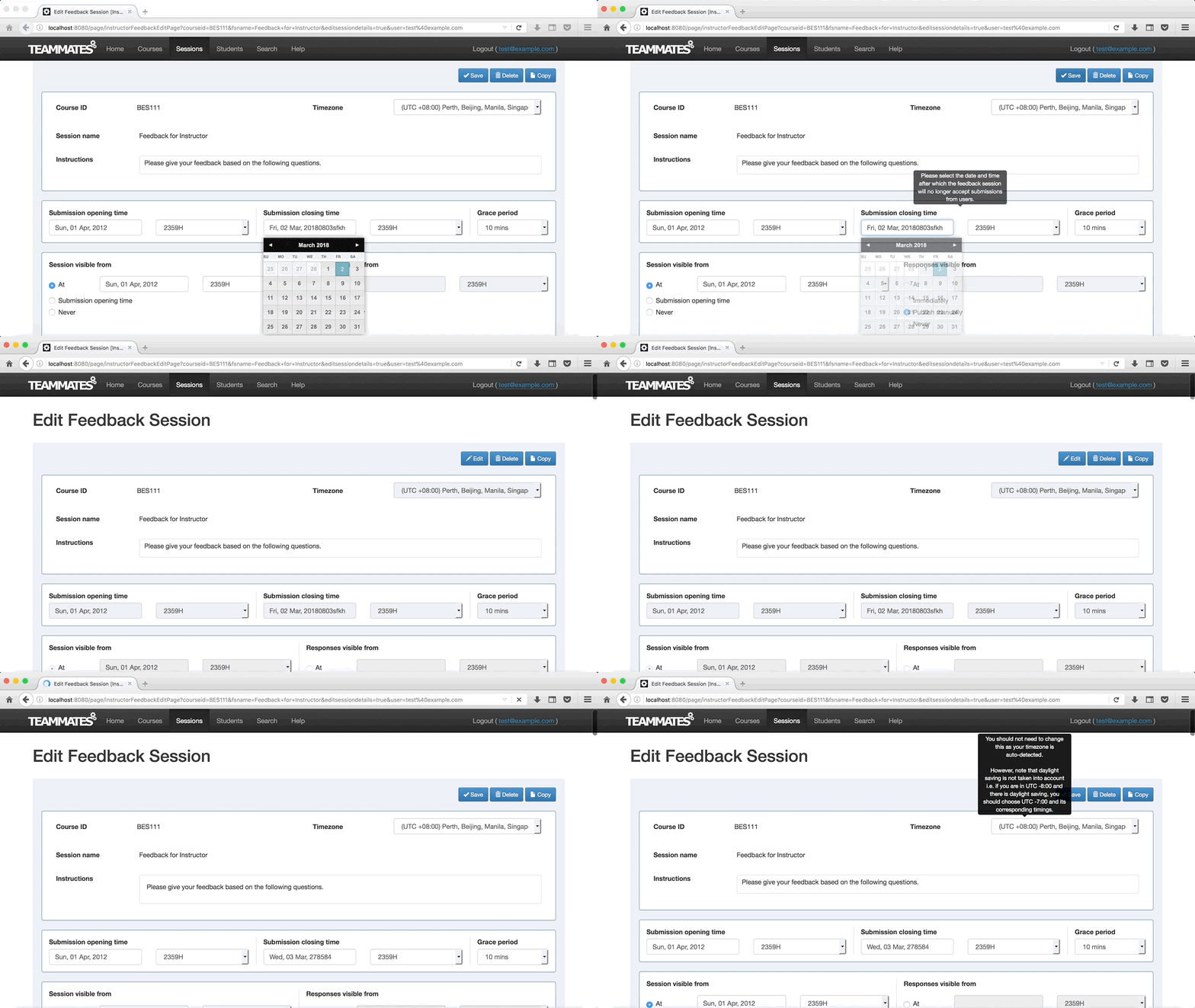
It seems like changes were made to the times, making them valid dates but.... So maybe options (i) or (ii)...
joanneong
on 6 Mar 2018
Block submission if the date in the text box does not correspond to a valid date?
 damithc
on 7 Mar 2018
damithc
on 7 Mar 2018
Related issues
damithc
·
4Comments
 craaaa
·
4Comments
craaaa
·
4Comments
 wkurniawan07
·
4Comments
damithc
·
4Comments
wkurniawan07
·
4Comments
damithc
·
4Comments
 YongJieYongJie
·
3Comments
YongJieYongJie
·
3Comments