Tdesktop: Select specific chat to be exported/ability to skip the data already exported.
Steps to reproduce
- Have a huge amount of private chats(old data,1million limit on each chat).
- Want to export/back them via the new feature.
- Close telegram by mistake, PC power outage/crash.
Expected behaviour
It should let us choose which chats we want to export, so we can skip the ones already exported, or be smart enough to continue after failing midway, skipping the chats it has already backed up/exported, ability to resume from where it left.
Actual behaviour
it just starts from the beginning.
Configuration
Operating system: Windows 10 Enterprise build 1803
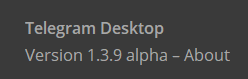
Version of Telegram Desktop: 1.3.9 alpha
Used theme: Incognito by @IncognitoTheme
dark #grey
Notes:
i selected to export ONLY videos.
i want all my private chat's video files.
but i was almost done like(566/588 chats)
but my computer was turned off because of power outage.....
I dont want to do the whole export from the start.
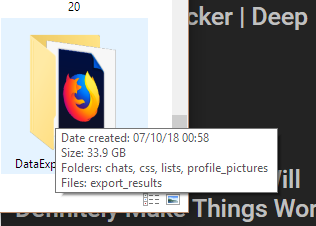
Its not smart enough to see what files it already has so it can skip them at least? it takes 2/3 whole days to download 50GBs of data from start with my horrible internet speed in Iran(900kbps) that is slowed down even more by government blockages & VPNs my speed is like 400kbps at its best. does it use peer to peer connection, its slow. any workaround?
Logs:
Insert logs here (if necessary)
 Aphotice
All 4 comments
🔂 Telegram Desktop 1.3.11 Alpha
• Allow single chat history export.
2018-08-02
i read this in the patch notes & was excited but i cant figure out how to make it export one chat ... i select private chats & it just starts to export all my 300+ chats that litertally take 24+ hour...no way to select single chat.
Aphotice
on 5 Aug 2018
@Aphotice In the three dot menu inside the chat.
 john-preston
on 5 Aug 2018
john-preston
on 5 Aug 2018
ah perfect & handy, ill try it tonight!
i greet thee.
Aphotice
on 5 Aug 2018
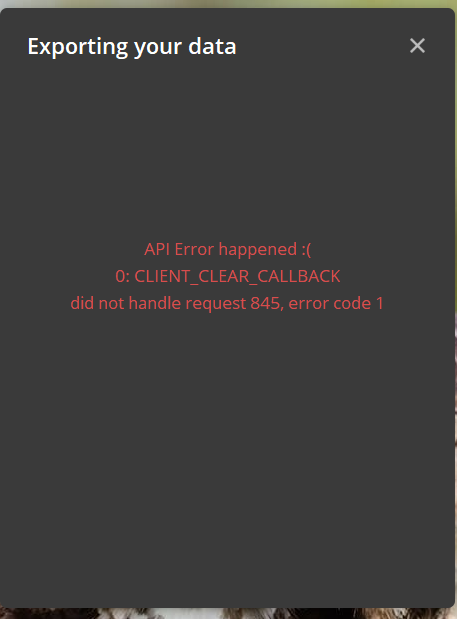
this happened overnight that i let it run on single chat history export on a big chat...
Aphotice
on 6 Aug 2018
Related issues
 Yanrishatum
·
3Comments
Yanrishatum
·
3Comments
 DRSDavidSoft
·
3Comments
DRSDavidSoft
·
3Comments
 Mindstormer619
·
3Comments
Mindstormer619
·
3Comments
 qwitriy
·
3Comments
qwitriy
·
3Comments
 JhonSane
·
3Comments
JhonSane
·
3Comments
Most helpful comment
@Aphotice In the three dot menu inside the chat.