Tdesktop: Window Display is Broken on nVidia Surround
Steps to reproduce
- Set up a Surround based Monitor
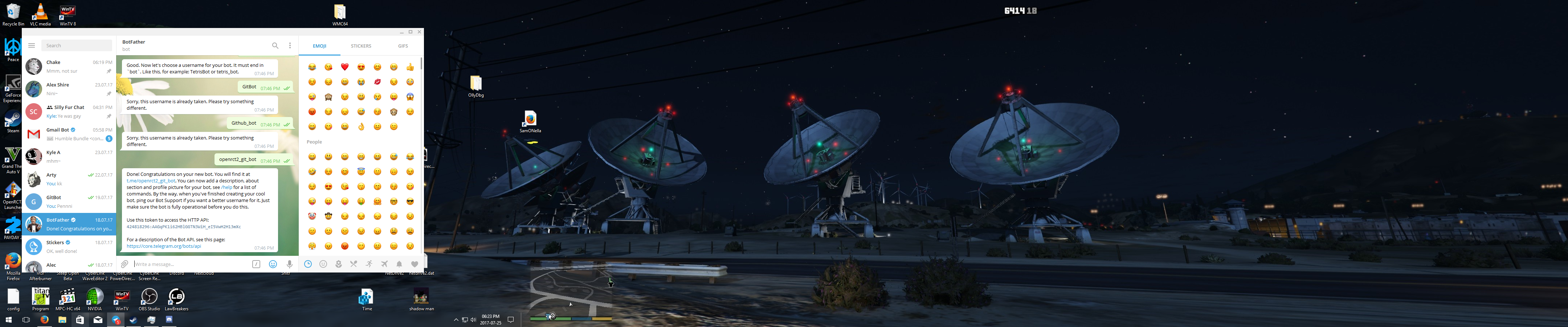
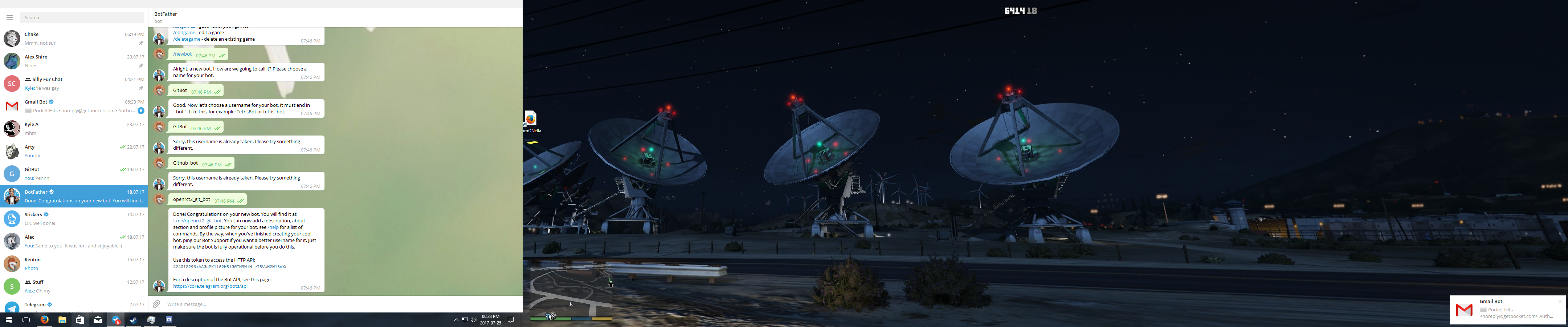
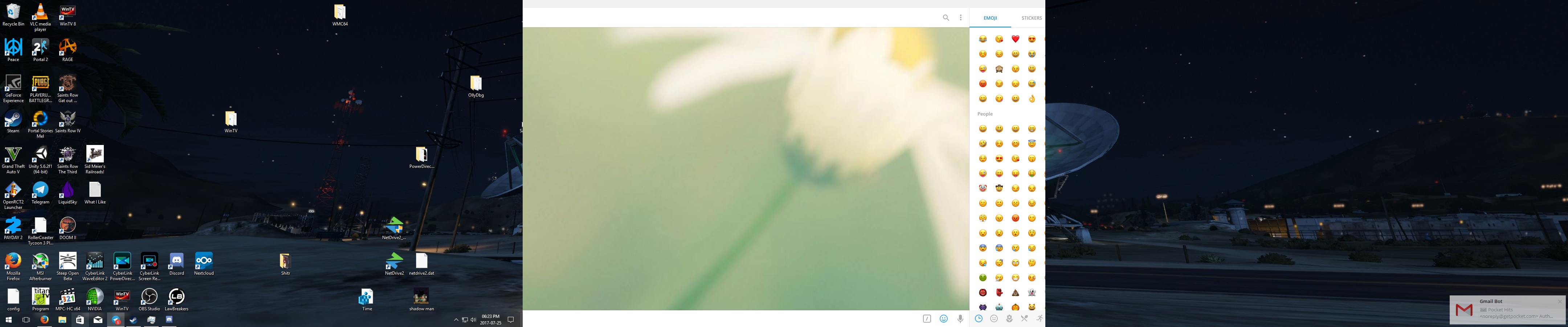
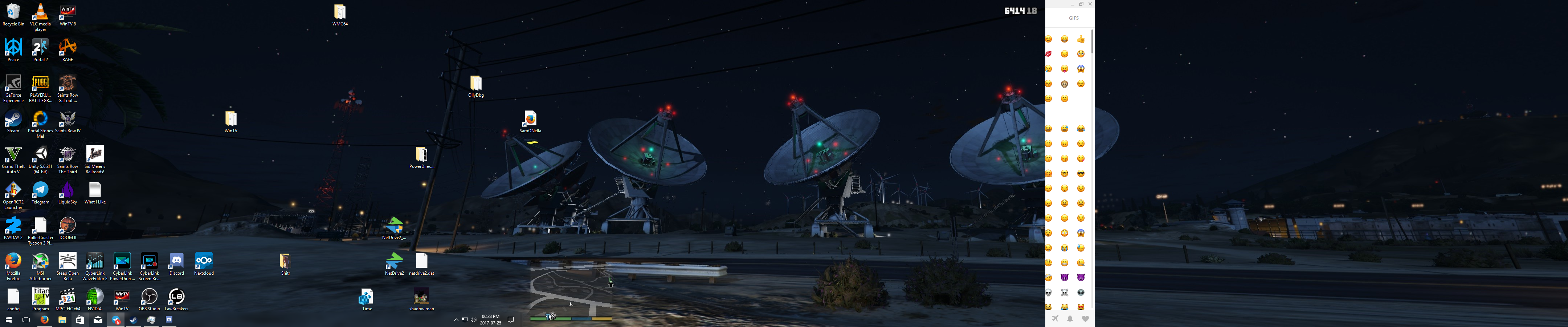
- Open Telegram and attempt to Maximise it on a monitor
- See Screenshots.
Expected behaviour
It should open and display correctly on whatever monitor is it open on, like any other application
Actual behaviour
It shows part of the UI or is extremely cut off.
Configuration
Operating system: Windows 10
Version of Telegram Desktop: Not sure how to check, but as far as I know, latest.
Used theme: Default
 Krutonium
All 26 comments
Hey there!
We're automatically closing this issue since there was no activity in this issue since 439 days ago. We therefore assume that the user has lost interest or resolved the problem on their own. Closed issues that remain inactive for a long period may get automatically locked.
Don't worry though; if this is in error, let us know with a comment and we'll be happy to reopen the issue.
Thanks!
(Please note that this is an automated comment.)
 tdesktop-closer
on 8 Oct 2018
tdesktop-closer
on 8 Oct 2018
As far as I know, this is still a thing. I don't have my Surround setup, setup at the moment or I would verify.
Krutonium
on 9 Oct 2018
when nVidia Surround is enabled i having still this bug 😢
 stamepicmorg
on 2 Nov 2018
stamepicmorg
on 2 Nov 2018
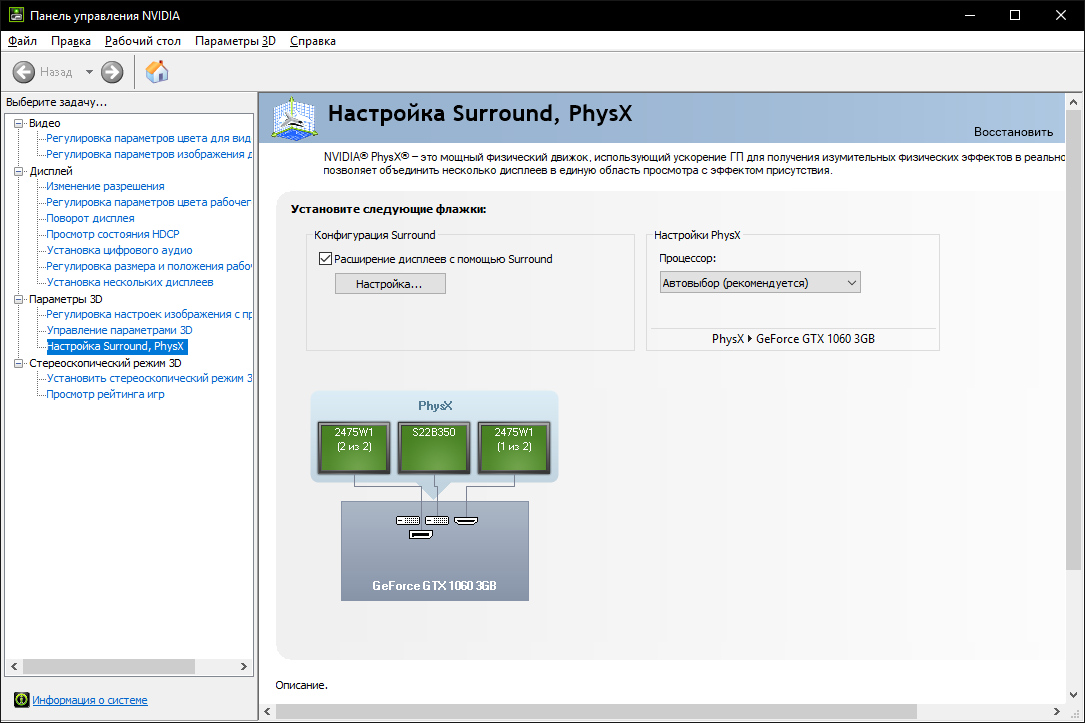
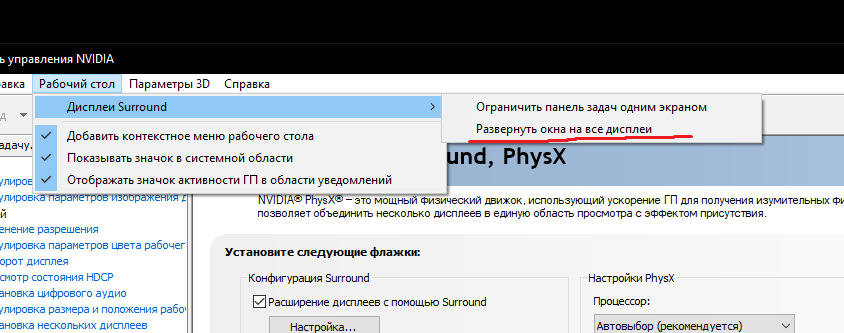
some additional helpful info:
- w10 x64, all builds from 1607 to 1809 (i am using only stable, not tech preview).
- display: 5760x1080 (3x1080p).
- current nvidia driver 416.34 WHQL,
- first driver with this bug what i have catched: 397.64 WHQL

stamepicmorg
on 6 Nov 2018
i think this was fixed on 1.9.8
 Aokromes
on 8 Jun 2020
Aokromes
on 8 Jun 2020
@Aokromes i have 2.1.10 desktop and it still have this issue. reopen plese! could you please provede commit that fixes this problem?
stamepicmorg
on 9 Jun 2020
i have 2.1.10 and i don't see "offscreen" when i maximize telegram, maybe you need to update gfx drivers.
Aokromes
on 9 Jun 2020
i don't see "offscreen" when i maximize telegram
have you nVidia Surround enabled, right?
maybe you need to update gfx driver
ok. i will try at first to update nvidia drivers 446.14-desktop-win10-64bit-international-dch-whql.exe. and i will record video with details if this will be doesn't work .
update 1:
nope. it dosen't work.
stamepicmorg
on 10 Jun 2020
@Aokromes
stamepicmorg
on 16 Jun 2020
dunno, for me works... no size out of main monitor like months ago (ps. edit ticket doesn't trigger new notifications)
Aokromes
on 16 Jun 2020
@Aokromes
Info
windowed

trying to maximize



stamepicmorg
on 20 Jun 2020
@Aokromes i think my problen resolved by adding this awesome toggle in to Telegram v2.1.18 beta client.


w10 x64 build 2004
display: nvidia sorround 5760x1080 (3x1080p).
current nvidia driver 451.67 WHQL,
Telegram v2.1.18 beta
stamepicmorg
on 13 Jul 2020
Hey there!
This issue will be automatically closed in 7 days if there would be no activity. We therefore assume that the user has lost interest or resolved the problem on their own.
Don't worry though; if this is an error, let us know with a comment and we'll be happy to reopen the issue.
Thanks!
![stale[bot] picture](https://avatars3.githubusercontent.com/in/1724?v=4&s=40) stale[bot]
on 23 Oct 2020
stale[bot]
on 23 Oct 2020
Bad Bot.
Krutonium
on 24 Oct 2020
Could anyone check if the issue present on this artifact?
https://github.com/ilya-fedin/tdesktop/actions/runs/363168390
 ilya-fedin
on 14 Nov 2020
ilya-fedin
on 14 Nov 2020
Could anyone check if the issue present on this artifact?
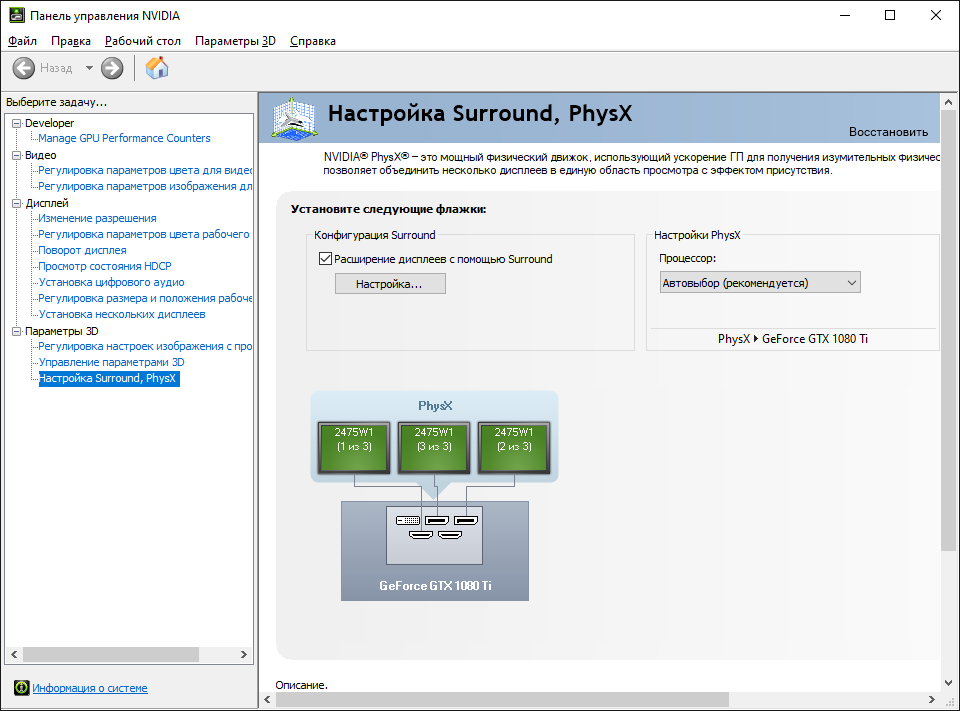
i have checked your build. cosmetics is right. but any elements inside window is unclickable if window in maximized on center or right screens.
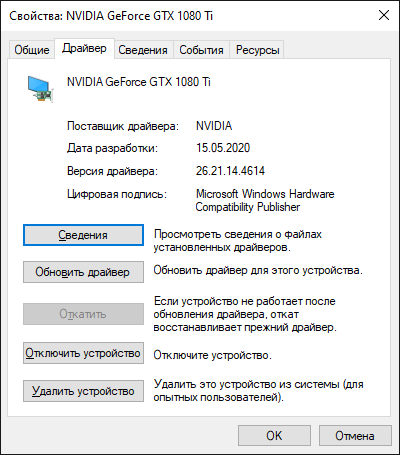
tested on: NVIDIA GeForce GTX 1080 Ti + 3x AOC 2475W
, Drivers: v452 and v457.30
normal:

unclicable:


stamepicmorg
on 15 Nov 2020
ilya-fedin
on 16 Nov 2020
Try this one
works fine! 👍
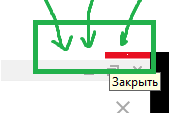
but also i see this main buttons when window is maximized. with both your builds. i have forgot to report about it.
stamepicmorg
on 16 Nov 2020
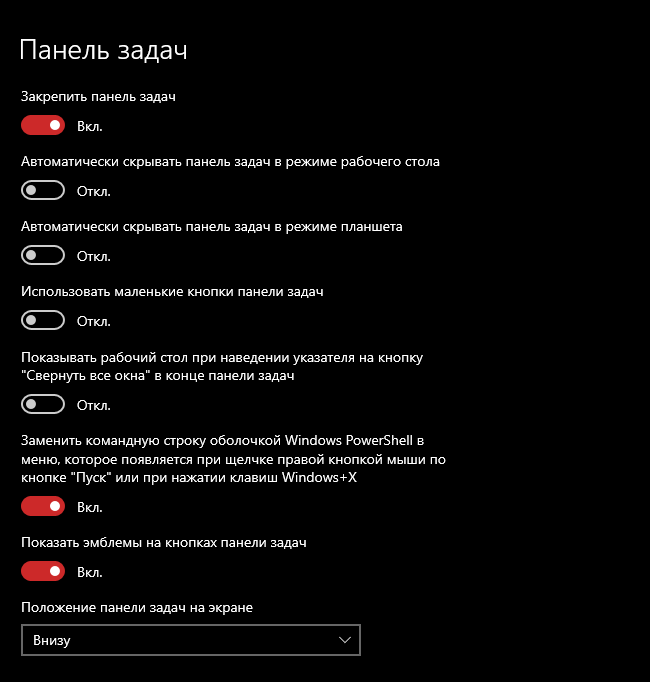
What if you enable the taskbar?
ilya-fedin
on 16 Nov 2020
What if you enable the taskbar?
same :(
stamepicmorg
on 16 Nov 2020
same :(
Did you enable it without auto-hidding?
ilya-fedin
on 17 Nov 2020
@stamepicmorg I'm still awaiting for answer
ilya-fedin
on 24 Nov 2020
Did you enable it without auto-hidding?
yes. i was disabled auto-hidding.
I'm still awaiting for answer
sorry for long reply :(
stamepicmorg
on 24 Nov 2020
ilya-fedin
on 24 Nov 2020
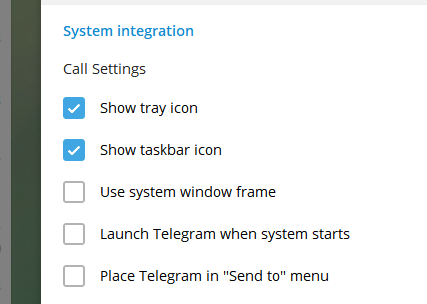
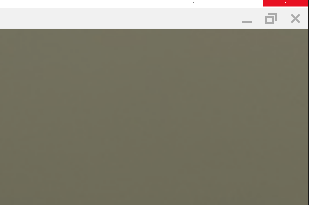
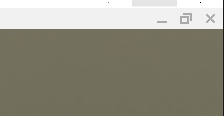
Try this one
stamepicmorg
on 24 Nov 2020
meh, I have no more idea, unfortunately.
ilya-fedin
on 24 Nov 2020
Related issues
 JhonSane
·
3Comments
JhonSane
·
3Comments
 ArmeF97
·
3Comments
ArmeF97
·
3Comments
 abhyrz
·
3Comments
abhyrz
·
3Comments
 beppe9000
·
3Comments
beppe9000
·
3Comments
 luisalvarado
·
3Comments
luisalvarado
·
3Comments