Tasmota: Support for BlitzWolf® BW-SHP8 3680W
I know it's early, but opening this just to let you know there is a new BW socket and when somebody gets their hands on one maybe post some pictures/instructions for flashing.
Thanks.
 WladyX
All 14 comments
Try https://blakadder.github.io/templates/smanergy_KA10.html as it looks to me a perfect copy...
 arendst
on 20 Jun 2019
arendst
on 20 Jun 2019
I have tried to flash BW-SHP8 and configure it as Smanergy KA10 and it works correctly.
Thank you!
 mbellido
on 27 Aug 2019
mbellido
on 27 Aug 2019
I have tried to flash BW-SHP8 and configure it as Smanergy KA10 and it works correctly.
Thank you!
Could you explain how have you flash the bw-shp8? Have you needed to connect wires or through web interface?
 jujoparo
on 28 Aug 2019
jujoparo
on 28 Aug 2019
I need to connect wires. Visit https://github.com/arendst/Sonoff-Tasmota/wiki/CE-Smart-Home---LA-WF3-Wifi-Plug-(TYWE2S) this switch also uses the TYWE2S. The procedure is similar.
More info about TYWE2S: https://docs.tuya.com/en/hardware/WiFi-module/wifi-e2s-module.html
Flashing:
GPIO0 Needs to be grounded in order to get into flashing mode.
1) erase_flash
2) flash tasmota sonoff_sensor_6.6.0
When flashed, configure it as KA10 (64) via the web interface.
Finally you might need to calibrate your power monitoring device:https://github.com/arendst/Sonoff-Tasmota/wiki/Power-Monitoring-Calibration
mbellido
on 28 Aug 2019
Some photo


 drtsb
on 25 Sep 2019
drtsb
on 25 Sep 2019
I was able to flash tasmota OTA on this using https://github.com/ct-Open-Source/tuya-convert.
WladyX
on 3 Oct 2019
I also tried https://github.com/ct-Open-Source/tuya-convert and it was a success. Easier that soldering on those small pins. I used KA10 as module type
 iondulgheru
on 8 Oct 2019
iondulgheru
on 8 Oct 2019
The only thing I don't like about this device is that it shows wrong voltage and amps. It shows 270V instead of 230 and when measuring amps it seems to have a deviation between 10% and 20%. Does it need any calibration? Or maybe the KA10 settings need any adjustments?
iondulgheru
on 23 Oct 2019
in the comment above it is explained that it requires calibration:
Finally you might need to calibrate your power monitoring device:https://github.com/arendst/Sonoff-Tasmota/wiki/Power-Monitoring-Calibration
 ascillato
on 23 Oct 2019
ascillato
on 23 Oct 2019
Tested with the template for the KA-10.
I share the mine, customized, and based on the KA-10:
{"NAME":"BW-SHP8 16A","GPIO":[0,56,0,17,134,132,0,0,131,53,21,0,0],"FLAG":0,"BASE":64}
 tiagofreire-pt
on 15 Jan 2020
tiagofreire-pt
on 15 Jan 2020
I have installed Tasmota without any problem using tuya-convert and it is working fine. But today when trying to integrate it into HA, I noticed it is not turning off anymore the power, even if the relay seems to be working. Wifi is fine, MQTT is fine, the indications in Tasmota and HA are fine, but the power is always on.

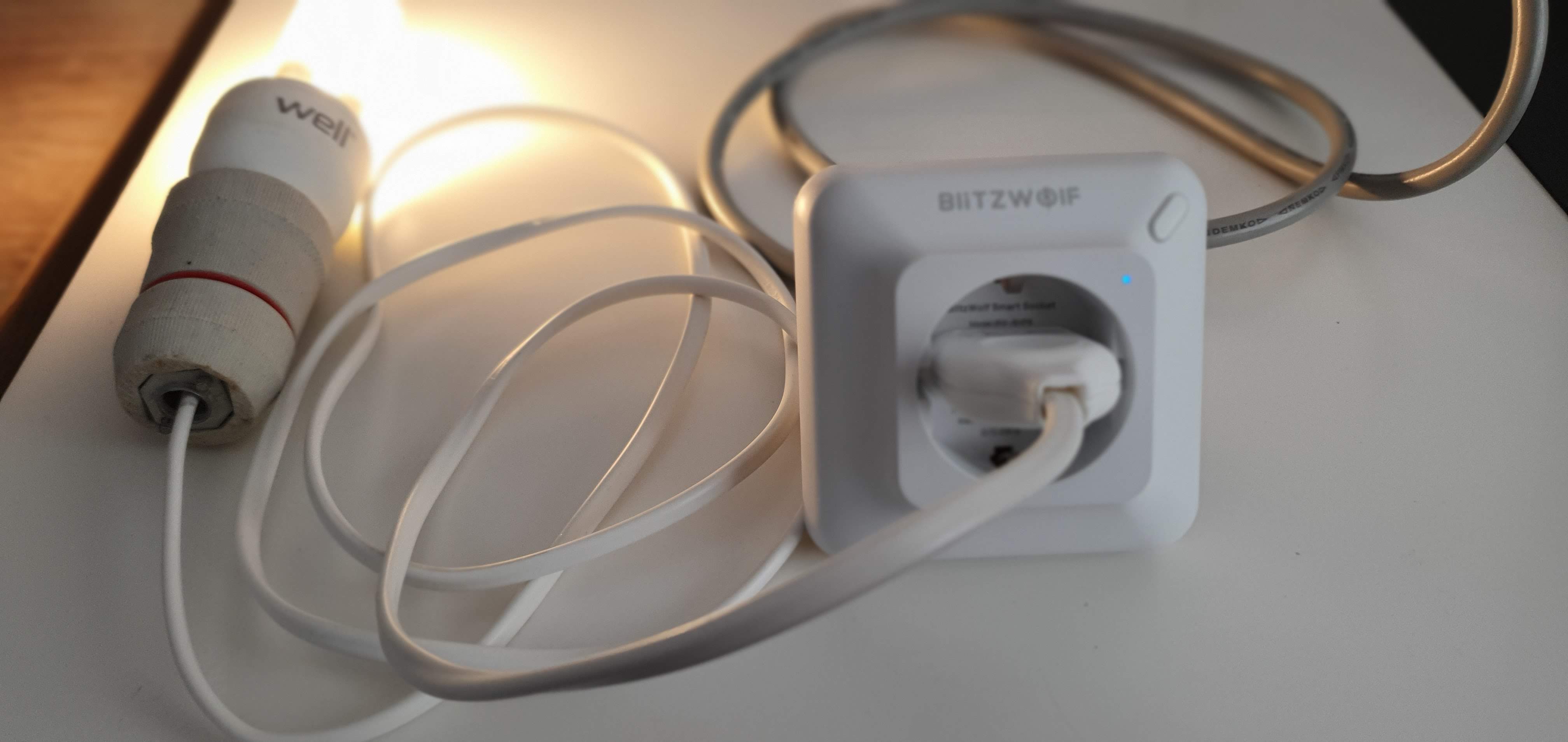

Have I done something wrong in the configuration? Did I manage to turn it into a dummy outlet?
 schilea
on 22 Jan 2020
schilea
on 22 Jan 2020
Please, address this to the Tasmota Support Chat. The chat is a better and more dynamic channel for helping you. Github issues are meant for Tasmota Software Bug Reporting.
Please check the Contributing Guideline and Policy and the Support Guide.
Thanks.
Support Information
See Wiki for more information.
See FAQ for common questions/answers and links if none of your question is in the list
See Chat for more user experience.
See Community for forum.
See Code of Conduct
ascillato
on 22 Jan 2020
I have installed Tasmota without any problem using tuya-convert and it is working fine. But today when trying to integrate it into HA, I noticed it is not turning off anymore the power, even if the relay seems to be working. Wifi is fine, MQTT is fine, the indications in Tasmota and HA are fine, but the power is always on.
Have I done something wrong in the configuration? Did I manage to turn it into a dummy outlet?
Whitch tutorial have you followed? I have bought 2 SHP8 and want to flash them.
 dajpereira
on 8 Feb 2020
dajpereira
on 8 Feb 2020
follow this one from digiblurDYI https://www.youtube.com/watch?v=dt5-iZc4_qU
schilea
on 9 Feb 2020
Related issues
 abzman
·
3Comments
abzman
·
3Comments
 j4k3
·
3Comments
j4k3
·
3Comments
 belidzs
·
3Comments
belidzs
·
3Comments
 TylerDurden23
·
3Comments
TylerDurden23
·
3Comments
 garret
·
3Comments
garret
·
3Comments
Most helpful comment
I was able to flash tasmota OTA on this using https://github.com/ct-Open-Source/tuya-convert.