Hello, I would like to test tamota on my device.
I have downloaded ether firmware or source code. Then I flash it in to device /with success/.
But I doesn't work. I am not able to use key work control the device.
After restart the green led is on for 1-2 seconds and it is the last action.....
Do you have any idea what should by wrong? @
 mfelgr
All 25 comments
Not without more information. It sounds like you might have the ability to flash your device over serial.
What device are you using?
What does the serial port show when you restart the device?
What does the log show when you send the status 0 command?
 Frogmore42
on 30 May 2018
Frogmore42
on 30 May 2018
suggest reading Troubleshooting first
 curzon01
on 30 May 2018
curzon01
on 30 May 2018
Flashing seems to be ok.
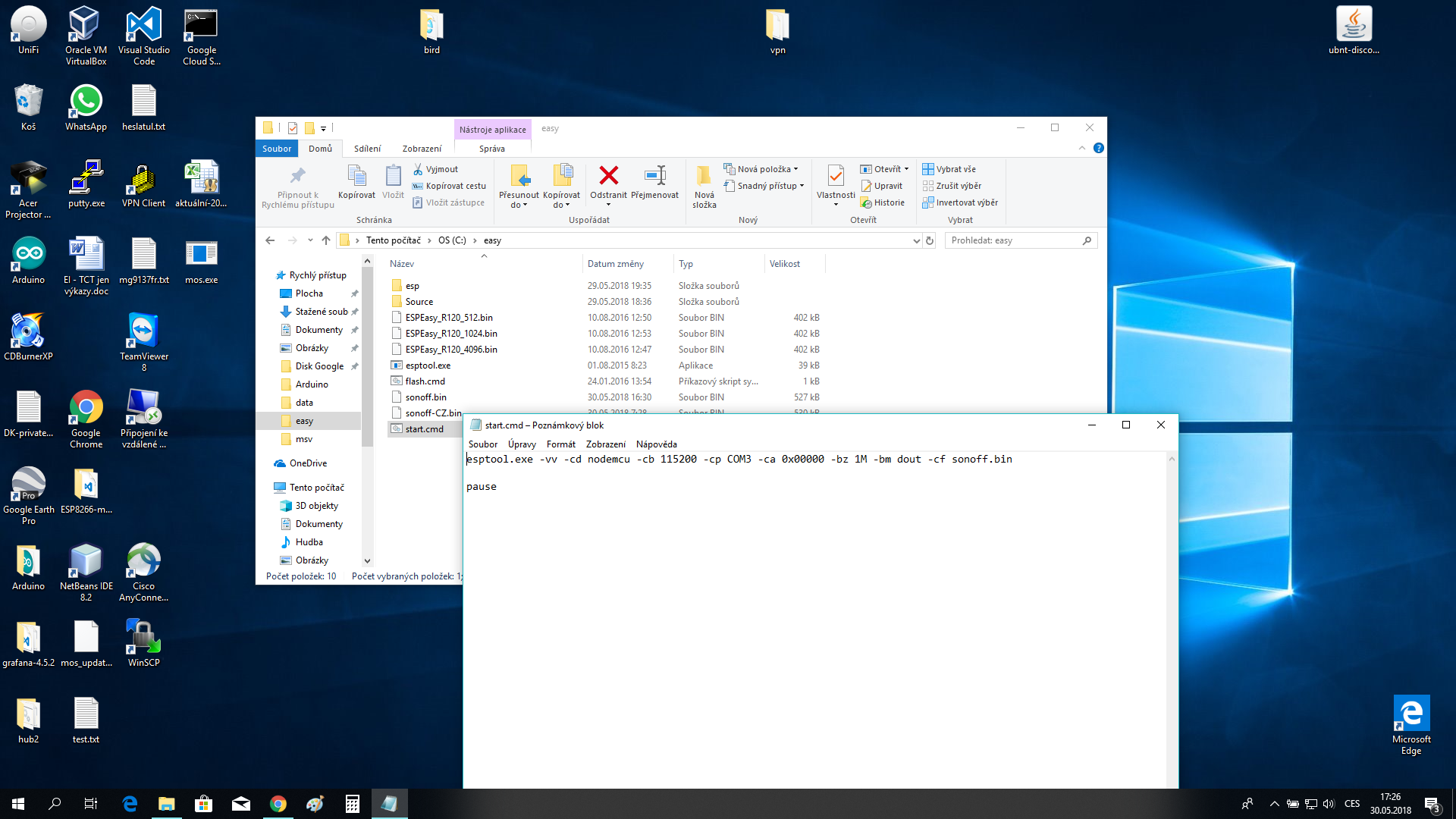
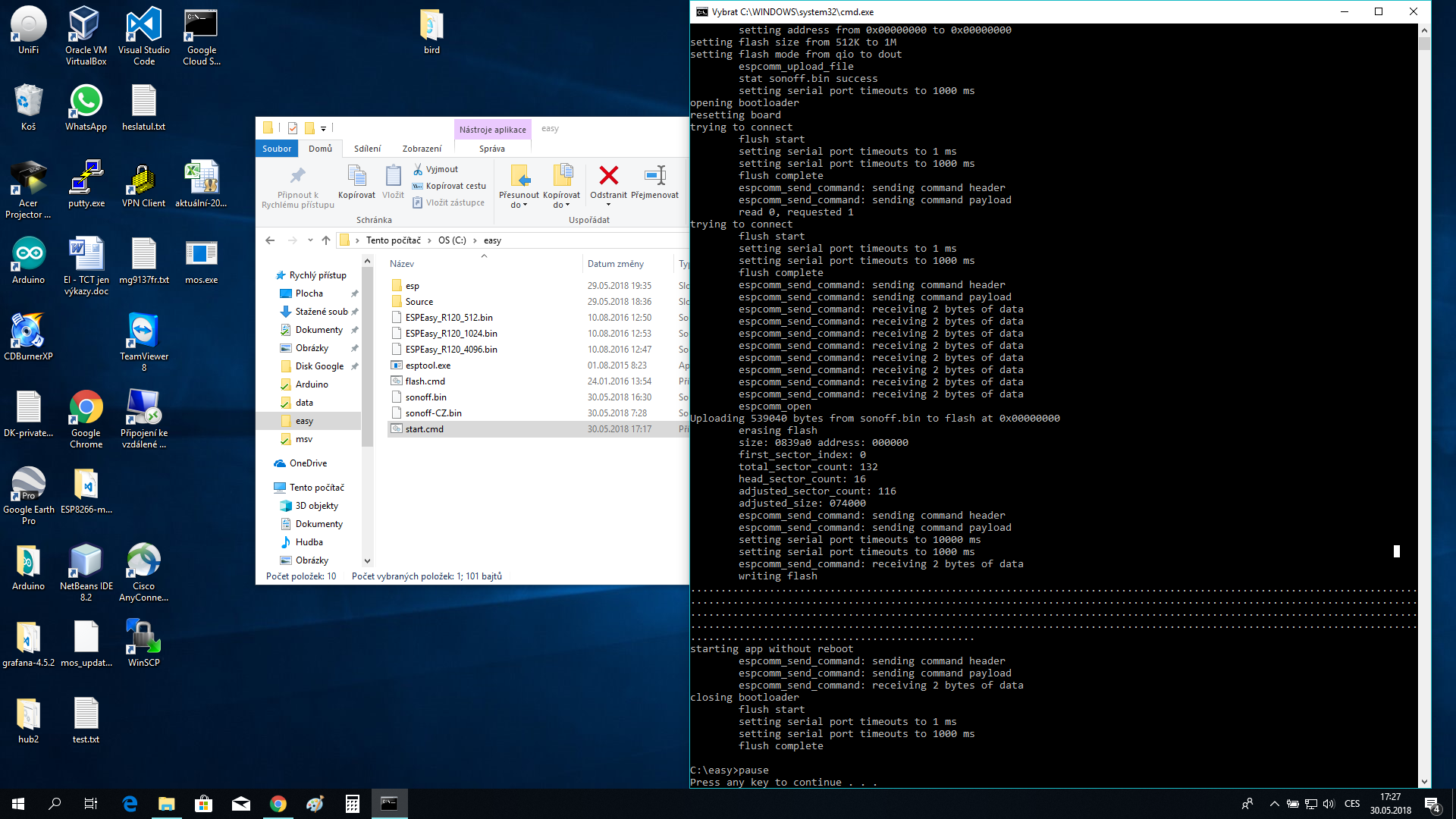
the version of sonoff is R2 2017-10-11 1803
I am using usb rs232 converter with 3.3V support
mfelgr
on 30 May 2018
I have read "suggest reading Troubleshooting first" but there isn't nothing that helps me...
mfelgr
on 30 May 2018
- Try connect a terminal program to your COM3 using 115200 baud and see what's happen
- if the device boots up, use Button to start Wifi Manager, connect to the new Wifi, access http://192.168.4.1 and go on...
curzon01
on 30 May 2018
I see you have Visual Studio installed.
Compile your own firmware with this. Just edit user_config.h for your needs
(WIFI) and the device will connect automatically and gets a Ip from your DHCP Server
Important use Arduino 2.3.0. Every other version could be a troublemaker...
 Jason2866
on 30 May 2018
Jason2866
on 30 May 2018
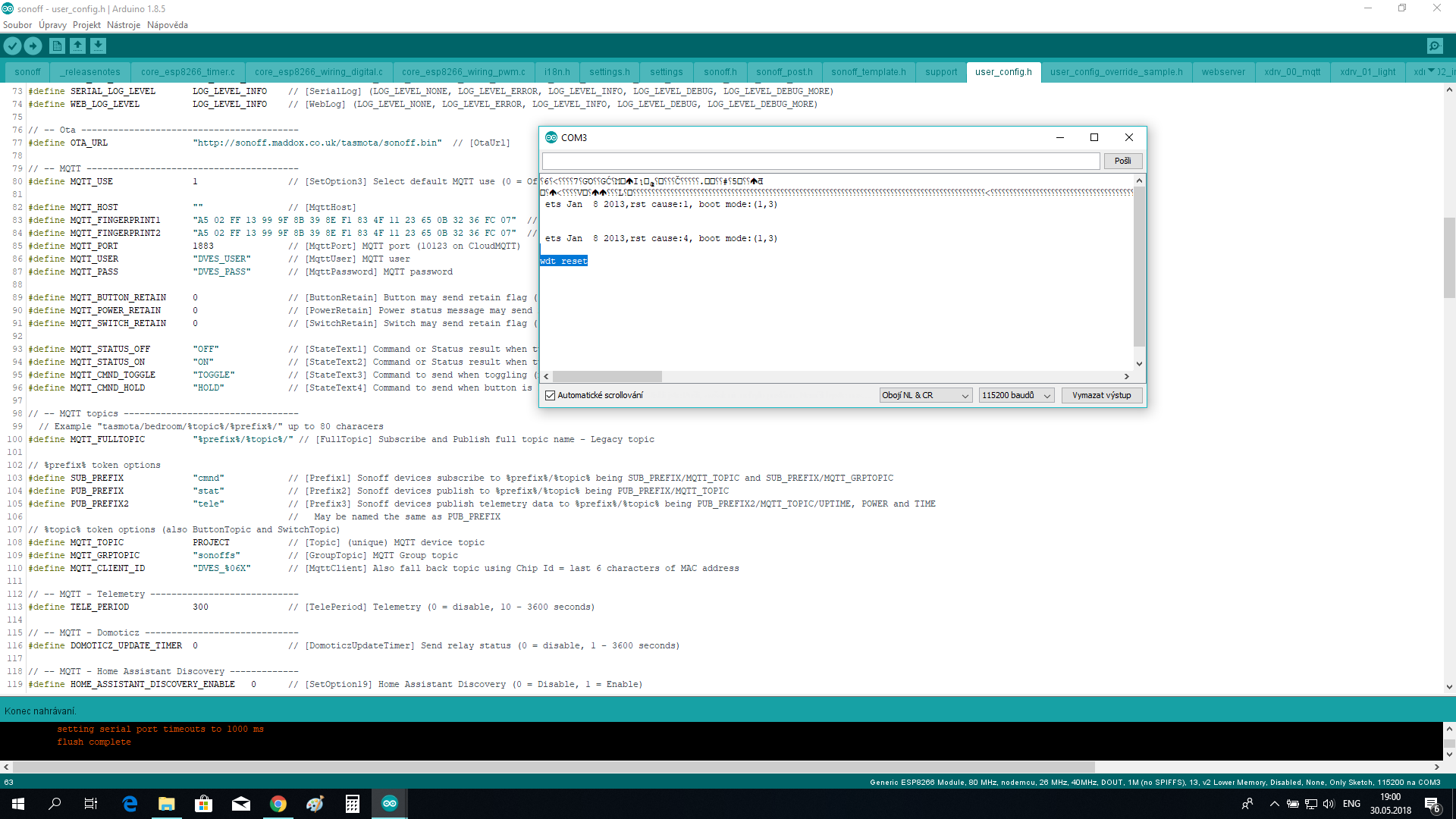
There is screen of com monitor ...
mfelgr
on 30 May 2018
Flash was unsuccessful or your binary is garbage...
Suggestion: Start with a ready compiled bin from Releases
curzon01
on 30 May 2018
Hi @mfelgr
Have you managed to flash your device?
 ascillato
on 4 Jun 2018
ascillato
on 4 Jun 2018
I am having the same issue.
The flash went ok but it won't connect to my access point (flashed several sonoffs and only the basic r2 v1.0 are not working).
Serial output:
```0:00:16 WIF: Connect failed with AP timeout
00:00:16 WIF: Connecting to AP1 in mode 11N as sonoff-4310...
00:00:32 WIF: Connect failed with AP timeout
00:00:32 WIF: WPSConfig active for 3 minutes
00:00:52 APP: Restarting
ets Jan 8 2013,rst cause:1, boot mode:(3,0)
load 0x4010f000, len 1384, room 16
tail 8
chksum 0x2d
csum 0x2d
v60000608
~ld
⸮
00:00:00 Project sonoff Sonoff (Topic sonoff, Fallback DVES_A7F0D6, GroupTopic sonoffs) Version 6.0.0a-2_3_0
00:00:00 WIF: Connecting to AP1 in mode 11N as sonoff-4310...
And this loops on and on.
 ioudeveldhuis
on 21 Jun 2018
ioudeveldhuis
on 21 Jun 2018
@ioudeveldhuis: try erase complete flash before re-flash
curzon01
on 21 Jun 2018
I tried that with tasmota 5.14 several times.
I now have it working in a sense that it connects to my AP.
For other users, here is what I have done.
Grab the 5.10 minmal firmware ( https://github.com/arendst/Sonoff-Tasmota/releases/download/v5.10.0/sonoff-minimal.bin ) and flash it to the sonoff ( esptool --port COM3 --baud 115200 write_flash -fs 1MB -fm dout 0x000000 sonoff-minimal.bin )
Change COM3 to the port of your ftdi device.
If everything worked, you'll see it tries to connect to the 'default' AP but it will fail.
Then grab the 5.10 source code ( https://github.com/arendst/Sonoff-Tasmota/archive/v5.10.0.zip ) and unzip it. Open it with Arduino and make sure that in the Board manager you have installed ESP8266 v 2.3.0 (2.4.1 is the latest but don't use that one). Setup instructions for Arduino can be found here (https://github.com/arendst/Sonoff-Tasmota/wiki/Arduino-IDE ). Make sure you follow the steps for ESP8266 Board version before 2.4.0!
Add the stuff you want personalised to user_config_override.h and upload the sketch.
My settings are : Generic ESP8266 Module, flash mode DOUT, Flash size 1M(no SPIFFS). If you can't select the correct flash size, you missed a step in the setup (See ESP8266 Board version before 2.4.0).
ioudeveldhuis
on 21 Jun 2018
Hi,
@mfelgr
Seems that your question has been addressed. Closing this issue. Please, reopen if needed. Thanks.
 ascillato2
on 10 Jul 2018
ascillato2
on 10 Jul 2018
Just my way of how i solved, not meant to reopen this issue:
- Have Sonoff Basic R2 dated 2017-10-11.
- Arduino IDE seems to work but had problems on wifi, so i used ESPTOOL.py on OSX.
- I used CP2102 based TTL converter which has 6 pins including 3.3V and 5V. Current was enough.
3.5. For a long time i got no connection to sonoff from arduino ide and esptool. Then i started using the other USB port on my airmac and it works.
- Connection from TTL converter to Sonoff is 3.3V->VCC, GND->GND, TX->TX, RX->RX. Don't know why TX->RX and RX->TX didn't worked, but connecting TX to TX and RX to RX worked in my situation.
- Press Button while connecting TTL to computer for flash mode. It still works. During flash mode the LED never blinks nor stays on. It is always OFF.
- Also for test, when you connec the Sonoff to TTL and computer without flash mode. Then the led on sonoff blinks green every second.
- Backup the current image on Sonoff with esptool while in flash mode.
- Take out the TTL USB from PC and connect to it again in flash mode.
- Erase current image on Sonoff.
- Take out the TTL USB from PC and connect to it again in flash mode.
- Use esptool to burn sonoff.bin image to sonoff.
- disconnect everything and connect sonoff in to live ac.
- press sonoff button 4 short presses and connet to sonoff wifi ap to make wifi settings.
I've seen somewhere, you do not need to make a solder joint from ESP8266 chip D0 to groundlike in the Basic RF. Button still works.
Also desoldering the already soldered 4 pin locations of VCC,TX,RX,Ground is a bit hard, i used a desoldering pump but it still made me work a lot. Too small for my eyes and hands...
I also worked on external power supplies and measuring all connections and everything. But these steps solved my problem at last.
Good luck...
 febalci
on 22 Sep 2018
febalci
on 22 Sep 2018
@arendst
Same problems here. With the Sonoff Basic R2 V1.0 2017-01-11
This week 2 Sonoff Basic came in and a Sonoff Pow.
Flash it to Tasmota 6.2.1 Everything fine.
Sonoff Pow into Wifi manager, acces to the WIFI and works fine.
But the Sonoff Basic will not works fine.
Wifi manager started, but i can not connect to the webserver @ 192.168.4.1
Termite 3.4 says:
00:00:00 Project sonoff Sonoff (Topic sonoff, Fallback DVES_0F4301, GroupTopic sonoffs) Versie 6.2.1-2_3_0
00:00:00 WIF: Verbinden met AP1 RayMan2.4 in stand 11N als sonoff-0769...
00:00:07 WIF: Verbinding mislukt omdat AP onbereikbaar is
00:00:07 WIF: Verbinden met AP1 RayMan2.4 in stand 11N als sonoff-0769...
00:00:14 WIF: Verbinding mislukt omdat AP onbereikbaar is
00:00:14 WIF: WifiManager 3 minuten actief
00:00:14 HTP: Webserver actief op sonoff-0769 met IP adres 192.168.4.1
00:02:00 RSL: tele/sonoff/UPTIME = {"Time":"1970-01-01T00:02:00","Uptime":"0T00:02:01"}
But no Connection...
I'll flash it over with USB-FTDI back to 5.14 Works fine
Flash it to 6.2.1 minimal file transfer, works an i can connect over the web page.
Then i'll flash it to 6.2.1 NL and it stays in Wifi manager modus...
And I have it with both Sonoff Basic.
When i do the same witch Old Sonoff Basic, No problems!
@arendst You tested the last time with the Old Sonoff Basic.
Cheers, Ray
 raymajor
on 4 Oct 2018
raymajor
on 4 Oct 2018
LAst update after more test:
Flash 5.14.0 NL USB- FTDI
WPSConfig 3 minuten actief
Get Ipadress and log in @ Web acces
Over Web acces update to V6.1.1 NL
Mislukt...
Over Web acces update to V6.1.1 Minimal
Update Oke.. 6.1.1 Inlog Webacces..
Update to 6.2.1. Minimal over Webacces
Update Successful! (Sonoff-Tasmota 6.2.1-minimal by Theo Arends)
Firmware Upgrade:
File upload.
Sonoff-NL
Upload Successful....
No Conection...
And dan @ Termite:
00:00:00 Project sonoff Sonoff (Topic sonoff, Fallback DVES_0F4301, GroupTopic sonoffs) Versie 6.2.1-2_3_0
00:00:00 WIF: Verbinden met AP1 RayMan2.4 in stand 11N als sonoff-0769...
00:00:07 WIF: Verbinding mislukt omdat AP onbereikbaar is
00:00:07 WIF: Verbinden met AP1 RayMan2.4 in stand 11N als sonoff-0769...
00:00:14 WIF: Verbinding mislukt omdat AP onbereikbaar is
00:00:14 WIF: WifiManager 3 minuten actief
00:00:14 HTP: Webserver actief op sonoff-0769 met IP adres 192.168.4.1
raymajor
on 4 Oct 2018
@raymajor
Which usb serial adapter do you use chip type?
Jason2866
on 4 Oct 2018
I don't no.. Where can i read that?
But it;s strange that Basic R1 is working fine..
And R2 working not from V6.1.1
raymajor
on 4 Oct 2018
Because flashing R2 sometimes fails even it says it is successfull.
FTDI chips are know to fail. Sometimes the work sometimes not. Adapters with chip CH340 works fine
It is printed on the chip of the adapter. Have you deleted the whole flash before flashing the new firmware?
If not try it. You can use esptool for that. See wiki https://github.com/arendst/Sonoff-Tasmota/wiki/Esptool
Try latest dev firmware from here http://thehackbox.org/tasmota/
Jason2866
on 4 Oct 2018
@Jason2866
But Why i can flash it to 5.14 and that's works.
After that i'll do á OTA to 6.2.1
He connect and then it goes in to WIFIManager mode..
00:00:00 Project sonoff Sonoff (Topic sonoff, Fallback DVES_0F4301, GroupTopic sonoffs) Version 6.2.1.11-2_3_0
00:00:00 WIF: Connecting to AP1 RayMan2.4 in mode 11N as sonoff-0769...
00:00:05 WIF: Connected
00:00:05 DNS: Initialized
00:00:05 HTP: Web server active on sonoff-0769.local with IP address 192.168.10.70
00:00:05 MQT: Attempting connection...
00:00:06 DNS: Query done. MQTT services found 0
00:00:06 MQT: Connect failed to :1883, rc -2. Retry in 10 sec
00:00:26 WIF: Connect failed as AP cannot be reached
00:00:26 WIF: Connecting to AP1 RayMan2.4 in mode 11N as sonoff-0769...
00:00:33 WIF: Connect failed as AP cannot be reached
00:00:33 WIF: WifiManager active for 3 minutes
00:00:33 HTP: Web server stopped
00:00:33 HTP: Web server active on sonoff-0769 with IP address 192.168.4.1
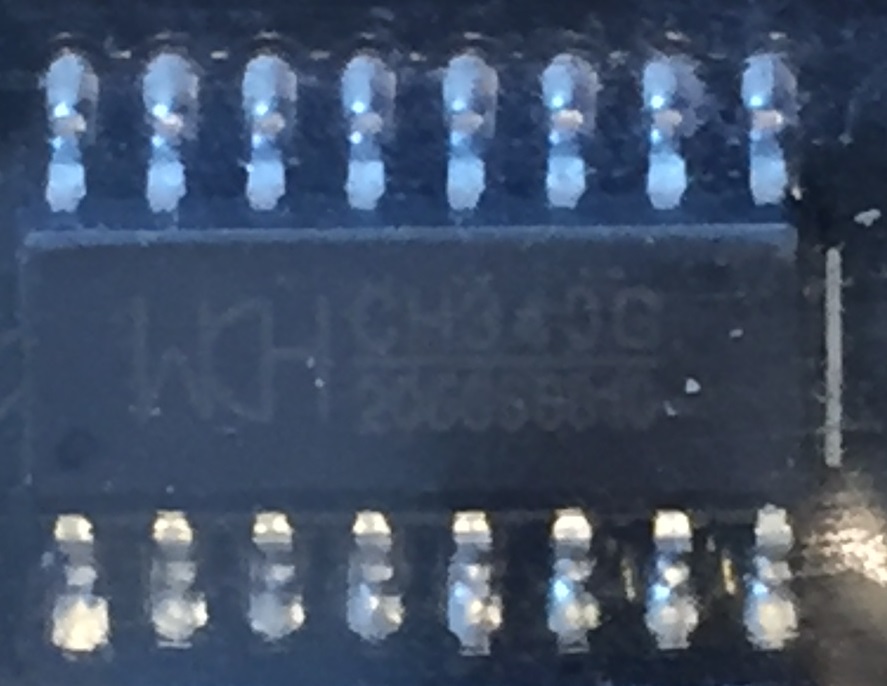
This is the Chip. A CH340 So that would be not te problem.
raymajor
on 5 Oct 2018
@raymajor Please provide a status 0 output - without this we cannot continue, or answer the why.
 andrethomas
on 5 Oct 2018
andrethomas
on 5 Oct 2018
@raymajor
Just try what i suggest.
I cant say why it isnt working what you are trying. So a other way is needed... (see https://github.com/arendst/Sonoff-Tasmota/issues/2868#issuecomment-427155918)
And without a status 0 Output nothing can be done.
Jason2866
on 5 Oct 2018
What do you meen with a status 0 output?
raymajor
on 5 Oct 2018
Please read wiki: https://github.com/arendst/Sonoff-Tasmota/wiki/Commands
Status 0 Show all status information
Please do this in a new Issue with a informations asked in the template
Jason2866
on 5 Oct 2018
@raymajor
It is a command issued from serial console - the same place where you got all the output you gave us here came from.
Please read the Wiki on commands here: https://github.com/arendst/Sonoff-Tasmota/wiki/Commands
Please also read the rest of the Wiki and then open your own Issue instead of hijacking another one. Also remember that non-completion of a new Issue template will result in your issue not being handled in a timely manner.
Support Information
See Wiki for more information.
See Community for forum.
See Chat for more user experience.
 andrethomas2
on 5 Oct 2018
andrethomas2
on 5 Oct 2018
Related issues
 j4k3
·
3Comments
j4k3
·
3Comments
 renne
·
3Comments
renne
·
3Comments
 luisfpinto
·
3Comments
luisfpinto
·
3Comments
 belidzs
·
3Comments
belidzs
·
3Comments
 Ndrinta
·
3Comments
Ndrinta
·
3Comments
Most helpful comment
Flash was unsuccessful or your binary is garbage...
Suggestion: Start with a ready compiled bin from Releases