Tasmota: MagicHome LED (ESP-IR-B-v2.3 RGB / ESP8285MOD ESP-M2) dosent have correct PWM pinout for RGB
Hey,
i connected in uart and flashed tasmota, setconfig 15 1, yadda yadda. i can control all the color but blue:
Color 1 or FF0000 is OFF
Color 2 or 00FF00 is RED
Color 3 OR 0000FF is GREEN
any idea on how to troubleshoot a pwm issue? should be coming from GPIO12
 lance36
All 15 comments
device?
 reloxx13
on 6 Feb 2018
reloxx13
on 6 Feb 2018
It's the MagicHome LED strip Controller, the variant without the exposed pins as described at the end of:
https://github.com/arendst/Sonoff-Tasmota/wiki/MagicHome-LED-strip-controller

lance36
on 6 Feb 2018
i just brought another board, reflashed tasmota and i have the exact same issue.
i could output BLUE just fine with the stock firmware wtf?
lance36
on 17 Feb 2018
reloxx13
on 17 Feb 2018
Yeah, i had to change this part in the sonoff_template.h:
  { "MagicHome",       // Magic Home (aka Flux-light) (ESP8266) - https://www.aliexpress.com/item/Magic-Home-Mini-RGB-RGBW-Wifi-Controller-For-Led-Strip-Panel-light-Timing-Function-16million-colors/32686853650.html
     0,
     0,
     GPIO_LED1_INV,    // GPIO02 Blue onboard LED
     0,
     GPIO_USER,        // GPIO04 IR receiver (optional)
     GPIO_PWM1,        // GPIO14 RGB LED Red
     0,
     0,
     0,
     0,
     0,
     0,
     GPIO_PWM2,        // GPIO05 RGB LED Green
     GPIO_PWM3,        // GPIO12 RGB LED Blue
     GPIO_USER,        // GPIO13 RGBW LED White (optional - set to PWM4 for Cold White or Warm White)
     0, 0, 0
  },
maybe i have a different revision of the board?
lance36
on 17 Feb 2018
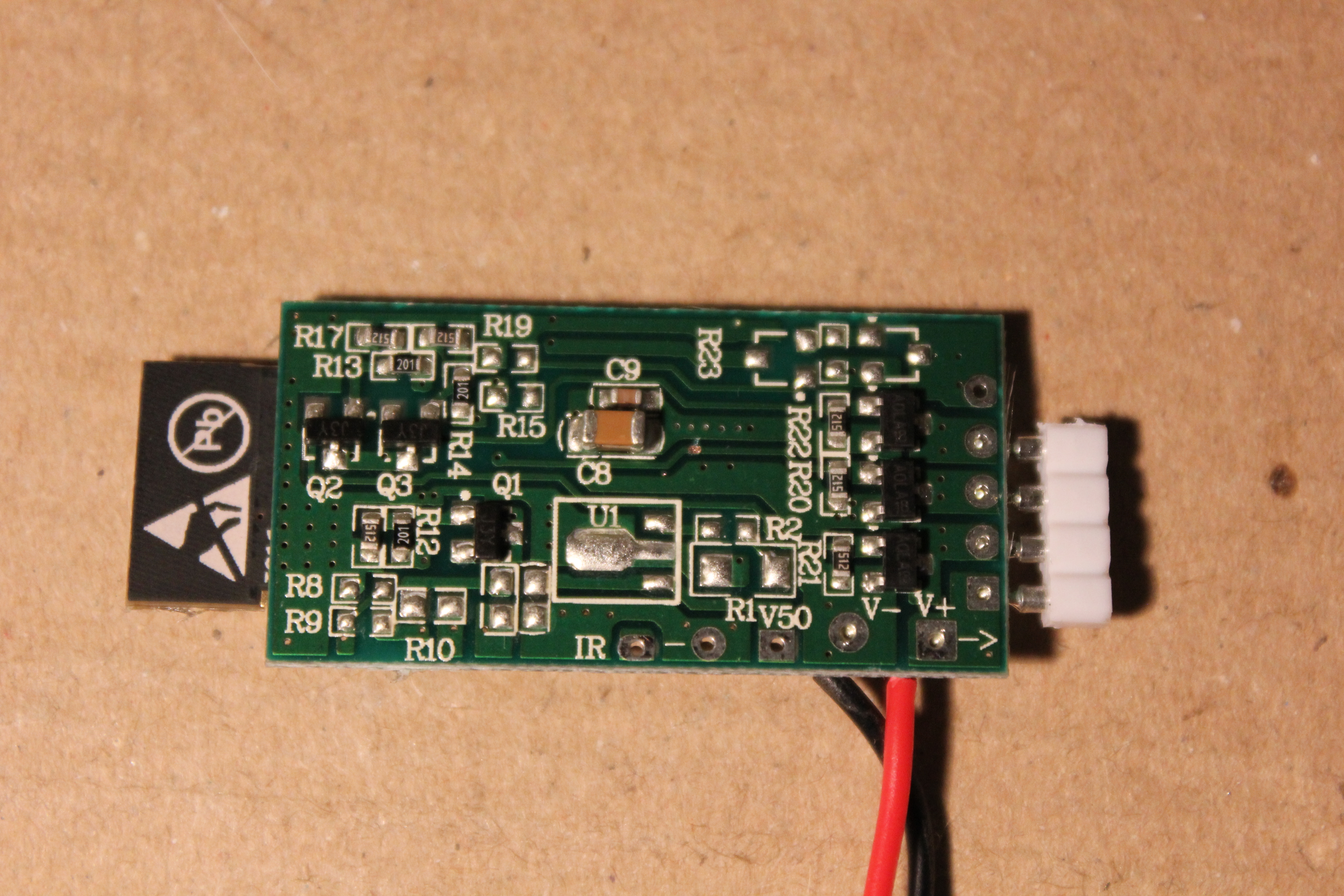

lance36
on 17 Feb 2018
would love to be able to set RED\BLUE\GREEN pins on the GUI
lance36
on 17 Feb 2018
@reloxx13 i did read that.
in fact, I'm adding to it :)
lance36
on 18 Feb 2018
This issue has been automatically marked as stale because it has not had recent activity. It will be closed if no further activity occurs. Thank you for your contributions.
![stale[bot] picture](https://avatars3.githubusercontent.com/in/1724?v=4&s=40) stale[bot]
on 6 Jun 2018
stale[bot]
on 6 Jun 2018
This issue will be auto-closed because there hasn't been any activity for a few months. Feel free to open a new one if you still experience this problem.
stale[bot]
on 21 Jun 2018
Can you change the pinout config via console? I just unsoldered everything :(
 stewface
on 6 Oct 2018
stewface
on 6 Oct 2018
Can you change the pinout config via console? I just unsoldered everything :(
That would be great.. Same issue :-D
Or just put them as dropdown in the settings, device options.
 niklaskr
on 25 Oct 2018
niklaskr
on 25 Oct 2018
Forget what i said.
You can use premade 37 Arilux LC01 device settings.
I found it in the sonoff_template.h becuase it uses also an esp8285
Mine works perfectly fine even with hue, rgb, brightness etc.
niklaskr
on 25 Oct 2018
sorry to bother in,
but i experience same behaviour.
and the bug(") is not really fully solved..
as i have "a clone labelled “ZJ-ESP-IR-F V1.1” of the MagicHome https://github.com/arendst/Sonoff-Tasmota/wiki/MagicHome-LED-strip-controller the configuration-hints in the wiki are hard to find:
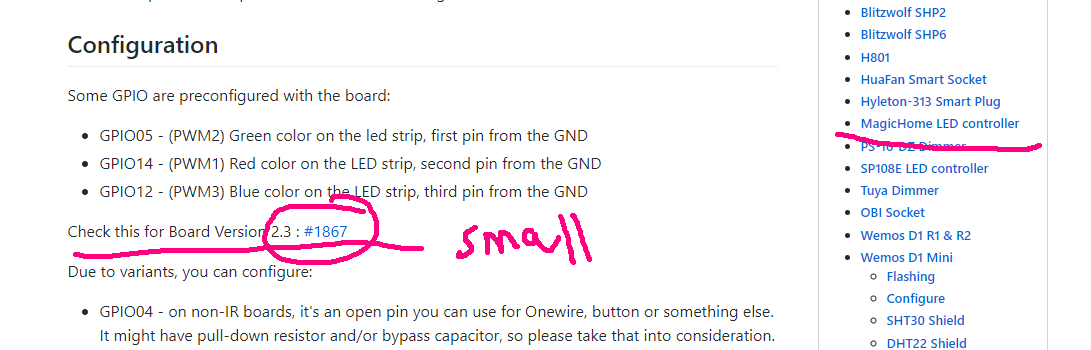
as with this version of hardware and tasmota 6.4 i still have the same trouble: no BLUE lights...
it tried a lot of configs for the PMWs on different GPIOs with no success.
as for the other hardware-templates it is not always clear if they work on the esp 8285,
it carefully tried not to flash them.
my problem is still not solved : https://github.com/arendst/Sonoff-Tasmota/issues/1867#issuecomment-447797679
but the thread has lots of same led-sorting solutions, maybe one could create another hardware-template for further user?
still it is unclear if the problem is solved with
1) the right GPIOs (which?)
2) or maybe the hardwaresettings on the arduino?
3) or some hidden settings for the Color order? GBR?
right/wrong?
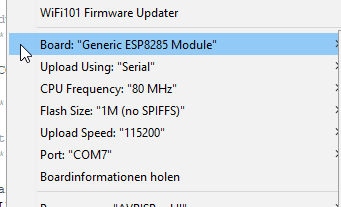
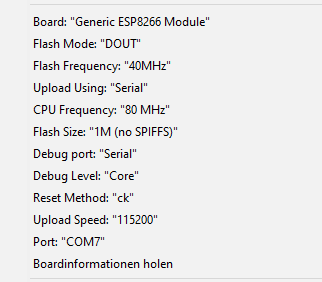
thanks for hints
 ozett
on 17 Dec 2018
ozett
on 17 Dec 2018
i sorted it out, my problem is solved.
to solve it i had to set the module type on the running ESP/Sonoff/etc..
not before in the arduino IDE where i defined it. it was not automatically default by itself on runtime...
thanks to all
ozett
on 17 Dec 2018
Related issues
 TylerDurden23
·
3Comments
TylerDurden23
·
3Comments
 luisfpinto
·
3Comments
luisfpinto
·
3Comments
 belidzs
·
3Comments
belidzs
·
3Comments
 grizewald
·
3Comments
grizewald
·
3Comments
 JoergZ2
·
3Comments
JoergZ2
·
3Comments
Most helpful comment
Forget what i said.
You can use premade 37 Arilux LC01 device settings.
I found it in the sonoff_template.h becuase it uses also an esp8285
Mine works perfectly fine even with hue, rgb, brightness etc.