Talk-android: Theme for message menus
Steps to reproduce
- Set the app's theme to dark.
- Create a conversation.
- Write a message.
- Mark the body of the message.
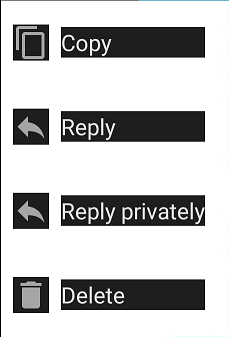
The background color of the menu does not change to the set theme:
Device information
Android version: 10
Talk version: 12.0.0 Alpha 13
Server information
Nextcloud version: 21.0.1
Talk version: 11.2.1
 Valdnet
All 13 comments
@Valdnet When the application is turned off and on again is the color then correct? Just asking because it works just fine for me (on master though, haven't yet tried Alpha 13)
 AndyScherzinger
on 20 May 2021
AndyScherzinger
on 20 May 2021
When the application is turned off and on again is the color then correct?
@AndyScherzinger The background color is always the same.
Valdnet
on 20 May 2021
@nickvergessen @mahibi can you reproduce this? It works fine on my Android 11 device and also fine on a Android 11 emulator 0_0
AndyScherzinger
on 20 May 2021
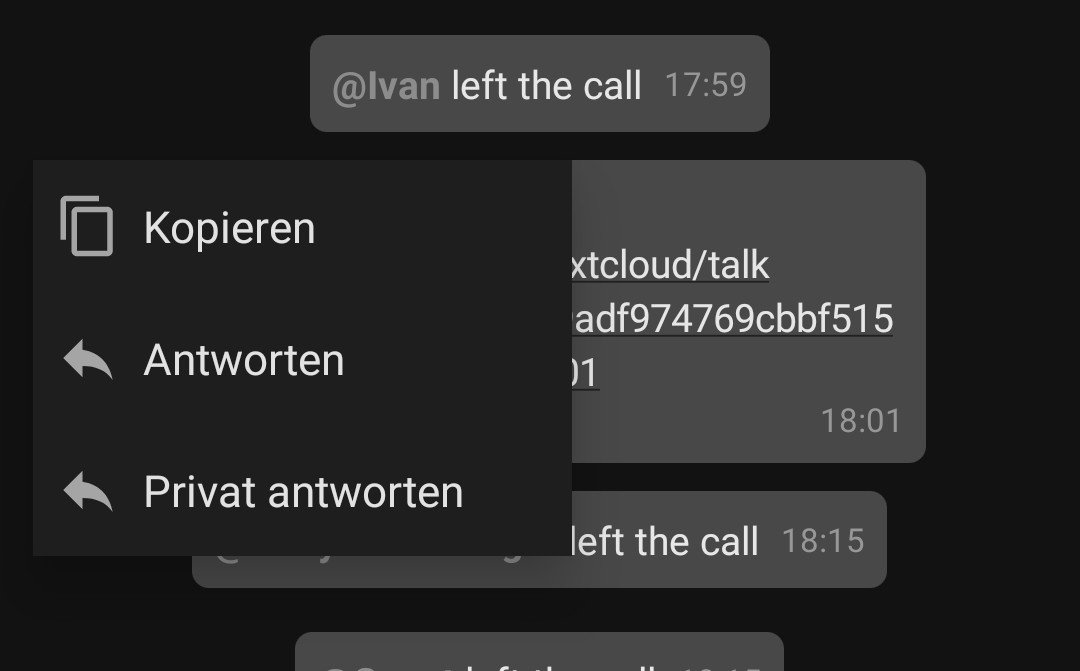
Works fine here on my xiaomi redmi note 8 with Android 10 and Miui 12
 nickvergessen
on 20 May 2021
nickvergessen
on 20 May 2021
also works fine here.
Talk version: 12.0.0 Alpha 13
Android version: 9
Xiaomi Redmi Note 7, MIUI 10.3.6.0
@Valdnet which device do you use?
 mahibi
on 21 May 2021
mahibi
on 21 May 2021
which device do you use?
@mahibi My device is:
HUAWEI P smart 2019
Android 10
EMUI 10.0.0
Valdnet
on 21 May 2021
Do you have the OS set to white and Talk set to dark?
nickvergessen
on 21 May 2021
@nickvergessen I have white mode set for OS. It doesn't matter what my set up is, it always does.
Valdnet
on 21 May 2021
I just reproduced this with:
OneplusOne
LineageOS 15.1 (Android8.1.0)
mahibi
on 17 Jun 2021
@mahibi can you reproduce this in any emulator-image?
AndyScherzinger
on 17 Jun 2021
If you can spare some time testing: https://github.com/nextcloud/talk-android/pull/1462#issuecomment-878424831 should fix the issue.
AndyScherzinger
on 12 Jul 2021
Works fine :+1:. Now the menu has the correct background. Thanks a lot for the fix.
Valdnet
on 12 Jul 2021
Sweet, thanks a lot for testing @Valdnet 🙏
AndyScherzinger
on 12 Jul 2021
Related issues
 jakobroehrl
·
4Comments
jakobroehrl
·
4Comments
 ddi98
·
6Comments
ddi98
·
6Comments
 neerro
·
3Comments
neerro
·
3Comments
 gerroon
·
9Comments
gerroon
·
9Comments
 mario
·
6Comments
mario
·
6Comments
Most helpful comment
I just reproduced this with:
OneplusOne
LineageOS 15.1 (Android8.1.0)