Tailscale: iOS VPN backend crashes after a while
We're investigating problems where the iOS VPN backend gets terminated by iOS after a while, either due to excess memory usage or excess CPU usage, or due to a Go panic. It seems to trigger more often when you hop between networks (eg. between wifi networks, or between wifi and LTE).
Bug #336 is a side effect of this.
 apenwarr
All 10 comments
Would implementing VPN On Demand help with this?
Recent updates have vastly improved stability but I still find myself opening the Tailscale app every so often to reconnect.
https://developer.apple.com/documentation/networkextension/personal_vpn/vpn_on_demand_rules
 epk
on 3 May 2020
epk
on 3 May 2020
It would help somewhat, in the sense of auto-restarting the VPN after it
gets terminated. But it would only help under certain circumstances (eg.
visiting a particular URL inside the right domain name), so it's more of a
separate feature.
ᐧ
On Sat, May 2, 2020 at 10:47 PM Aditya Sharma notifications@github.com
wrote:
Would implementing VPN On Demand help with this?
https://developer.apple.com/documentation/networkextension/personal_vpn/vpn_on_demand_rules
—
You are receiving this because you authored the thread.
Reply to this email directly, view it on GitHub
https://github.com/tailscale/tailscale/issues/337#issuecomment-623045556,
or unsubscribe
https://github.com/notifications/unsubscribe-auth/AAAFA4FWZWCH2LGBGFBSFKLRPTLMFANCNFSM4MUAK5HQ
.
--
Avery Pennarun // CEO @ Tailscale
apenwarr
on 4 May 2020
Hi, I am on wifi, and unable to open iOS app at all. is there any workaround for now (I've tried restarting the app a few times already).
i am trying this on iphone 11
Many thanks
 rajatjindal
on 5 May 2020
rajatjindal
on 5 May 2020
@rajatjindal, I'm not sure what you're hitting, but try turning the VPN off in the Settings app, then close the app from the list of recent apps, and try opening it again?
 bradfitz
on 5 May 2020
bradfitz
on 5 May 2020
thank you for replying. still ran into same issue again.
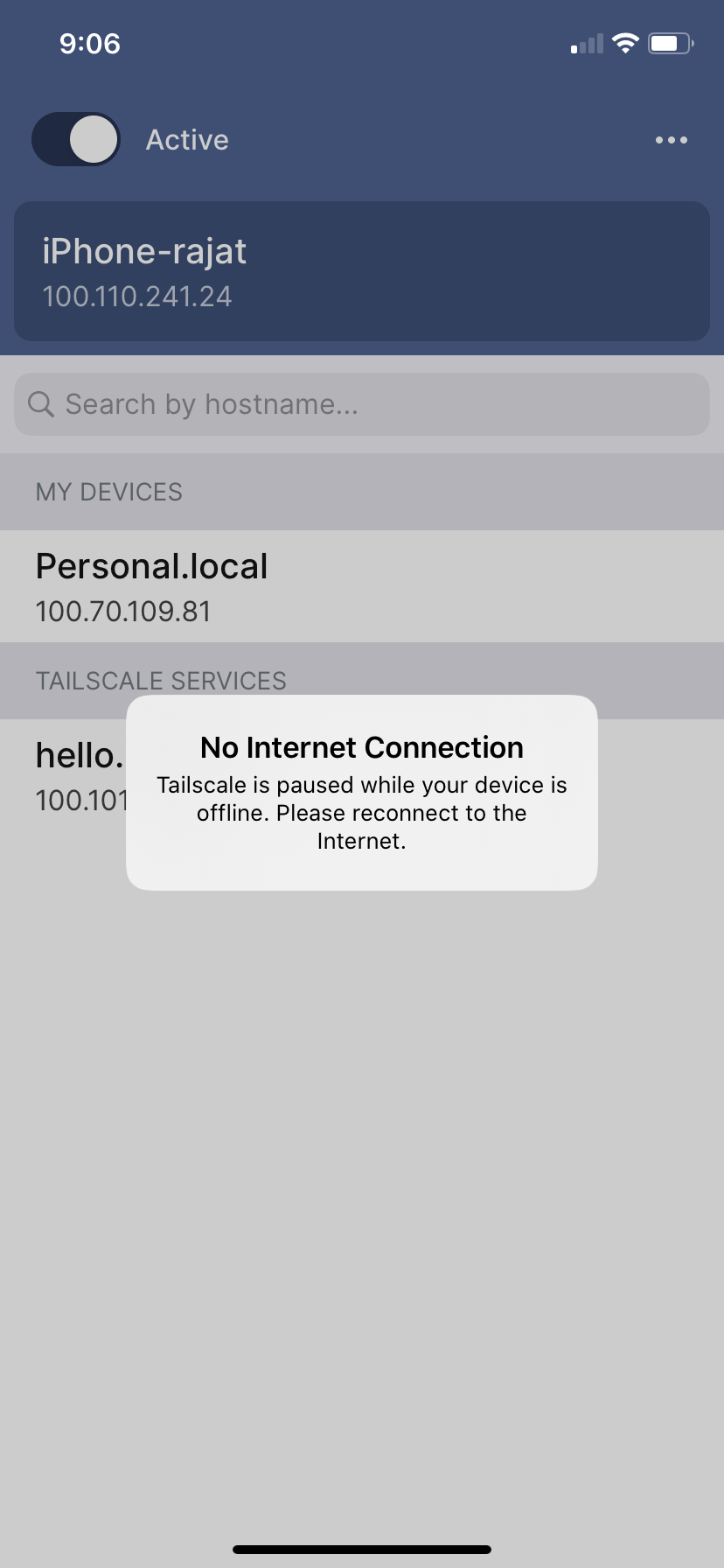
i could see my laptop in the list of devices in the background, but the error popup "no internet connection" remains, and does not allow me to click anywhere in the app.
rajatjindal
on 5 May 2020
nevermind, i restarted my iphone, and it works after that.
thank you
(the setup was simple and amazing, i can already access my webapp running on my laptop on my phone)
rajatjindal
on 5 May 2020
thank you for replying. still ran into same issue again.
i could see my laptop in the list of devices in the background, but the error popup "no internet connection" remains, and does not allow me to click anywhere in the app.
This one is #336
 sa1
on 5 May 2020
sa1
on 5 May 2020
thank you.
just FYI, it started to happen again, and its in that state again.
rajatjindal
on 5 May 2020
Good news. We found the iOS memory leaks. An upcoming build with version >= 100.99.10036 will have the fix.
bradfitz
on 11 Jun 2020
Version 1.2.8
ip: 100.124.81.76
After a while, my connection breaks, and I should open Tailscale again. After that I see as Tailscale initiate new connection and all worked again. Why is that?
Another situation, if I use another VPN-application, and I switch to Tailscale again I see active connection on Tailscale, but connection do not work. If I killed Tailscale and start gain, connection will enabled. Why is that?
 juev
on 13 Jan 2021
juev
on 13 Jan 2021
Related issues
 pirate
·
4Comments
pirate
·
4Comments
 palesz
·
12Comments
palesz
·
12Comments
 kellytrinh
·
8Comments
kellytrinh
·
8Comments
 dg9999cn
·
7Comments
dg9999cn
·
7Comments
 cee-dub
·
6Comments
cee-dub
·
6Comments
Most helpful comment
Good news. We found the iOS memory leaks. An upcoming build with version >= 100.99.10036 will have the fix.