Tabulator: The new headerVissible not working?
Describe the bug
The new headerVissible not working?
Tabulator Info
- 4.4.1
Working Example
<body>
    <div id="accounts">  </div>
    <script>
         function onLoad() {
            var table = new Tabulator("#accounts", {
                headerVisible:true,      //hide column headers
                layout:"fitColumns",      //fit columns to width of table
                responsiveLayout:"hide",  //hide columns that dont fit on the table
                tooltips:true,            //show tool tips on cells
                addRowPos:"top",          //when adding a new row, add it to the top of the table
                resizableRows:true,       //allow row order to be changed
                columns:[
                    {title:"Status", field:"status"},
                    {title:"Account", field:"account"}
                ],
                data:[
                    {id: 1, status: "Status", account: "Account 1"},
                    {id: 2, status: "Status", account: "Account 2"},
                    {id: 3, status: "Status", account: "Account 3"},
                    {id: 4, status: "Status", account: "Account 4"},
                    {id: 5, status: "Status", account: "Account 5"},
                ]
            });
         }
         window.onload = onLoad;
    </script>
</body>
To Reproduce
If you set headerVisible:false, the whole grid disappears, not just the headers.
Expected behavior
Hide the headers, but show the data.
Desktop (please complete the following information):
- OS: Windows 10
- Browser Chrome
- Version 76
 hrstoyanov
All 6 comments
Which style are you using?
 olifolkerd
on 21 Aug 2019
olifolkerd
on 21 Aug 2019
bulma.
hrstoyanov
on 21 Aug 2019
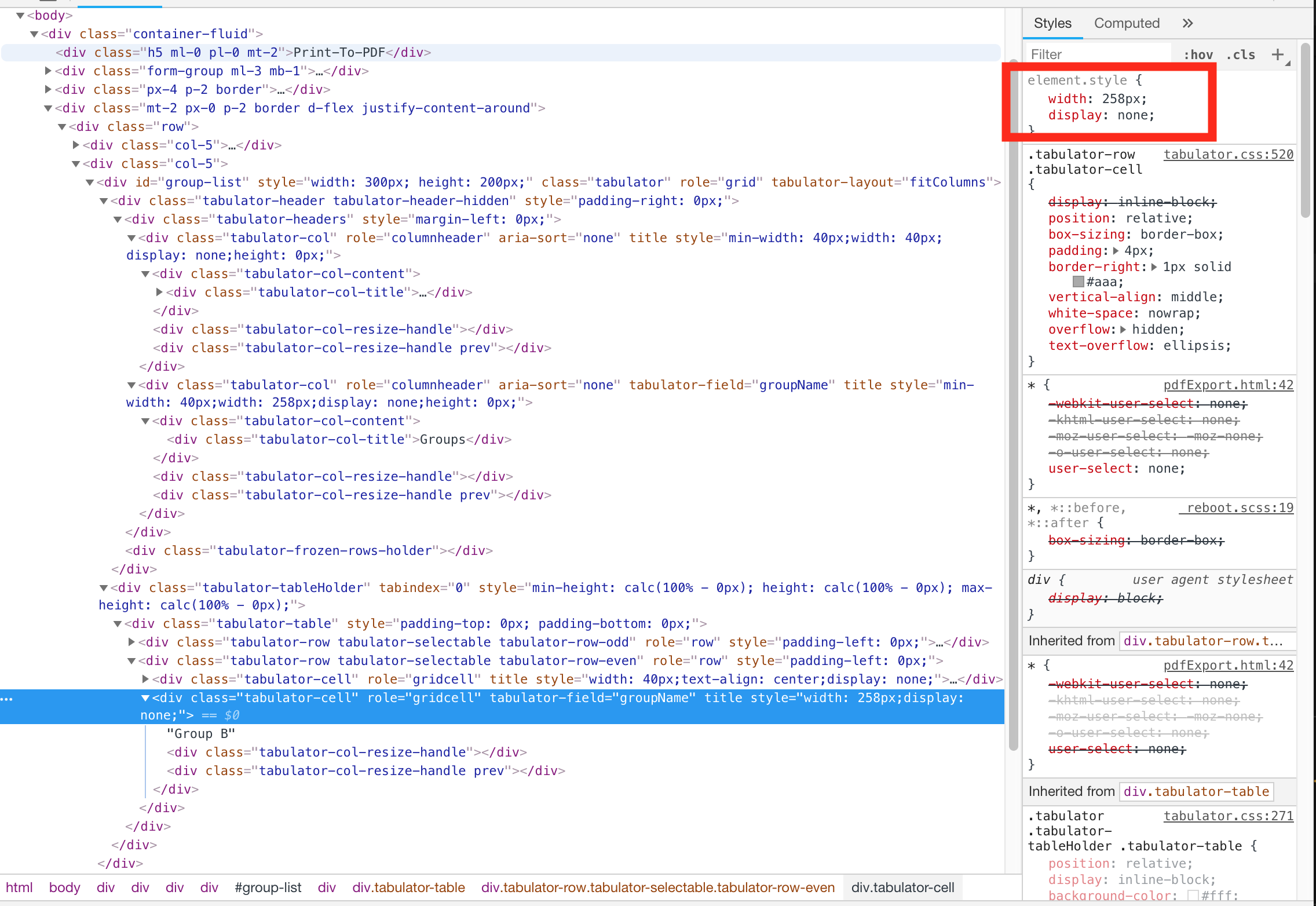
I'm seeing this too : with headerVisible: false, the entire table is not visible
Tabulator v4.4.1
Tried all the themes which are included with Tabulator
groupTable = new Tabulator("#group-list", {
    height: 200,
    virtualDomBuffer: 100,
    headerVisible: false,
    // layout: "fitDataFill",
    layout: "fitColumns",
    selectable: true,
    responsiveLayout: "hide",
    placeholder: "No Groups",
    columns: [
      {
        formatter: "rowSelection",
        titleFormatter: "rowSelection",
        width: 30,
        align: "center", headerSort: false,
        cellClick: function (e, cell) {
          cell.getRow().toggleSelect();
        }
      },
      {
        title: "Groups",
        width: 258,
        field: "groupName",
        variableHeight: false,
        headerSort: false
      }
    ],

    ajaxLoader: false
  });
});
 roypardi
on 8 Sep 2019
roypardi
on 8 Sep 2019
Hey @hrstoyanov
Thanks for the headsup, i will get this fixed for the next release.
Cheers
Oli :)
olifolkerd
on 27 Sep 2019
Hey @hrstoyanov
It was due to an interaction between invisible headers and the responsive collapse system, the missing header element was breaking the calculations and causing all the columns to be hidden
I have pushed a fix to the master branch and will include it in todays patch release.
Cheers
Oli :)
olifolkerd
on 28 Sep 2019
fix confirmed in 4.4.3, thanks!!
hrstoyanov
on 5 Oct 2019
Related issues
olifolkerd
·
23Comments
 daveb49
·
23Comments
olifolkerd
·
23Comments
daveb49
·
23Comments
olifolkerd
·
23Comments
 fingers10
·
41Comments
fingers10
·
41Comments
 zeropage-io
·
24Comments
zeropage-io
·
24Comments