Tabulator: Some rows are not rendered in FF and IE11
Describe the bug
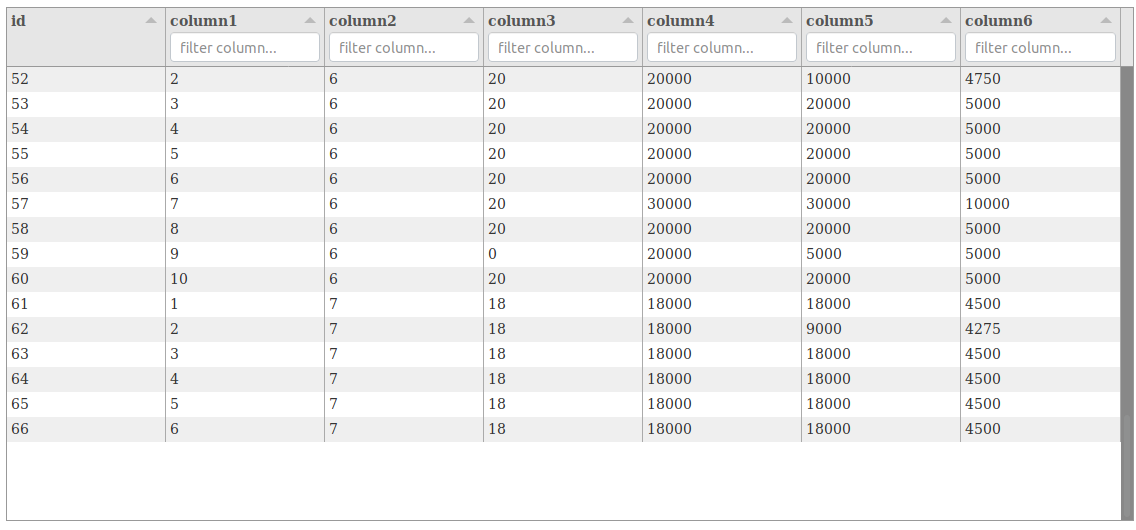
Some rows at the end of the table are not rendered in FF and IE11 instead there is just white space. This seems to depend on the height of the table. If the table has height:205 it works but with height:512 it doesn't. It works just fine with Chromium though.
Tabulator Info
Tabulator 4.1.4
To Reproduce
Steps to reproduce the behavior:
- Go to https://jsfiddle.net/yqrojdt4/6/
- Scroll down the table with either FF or IE
- See an empty space where there should be rows 67-70.
Expected behavior
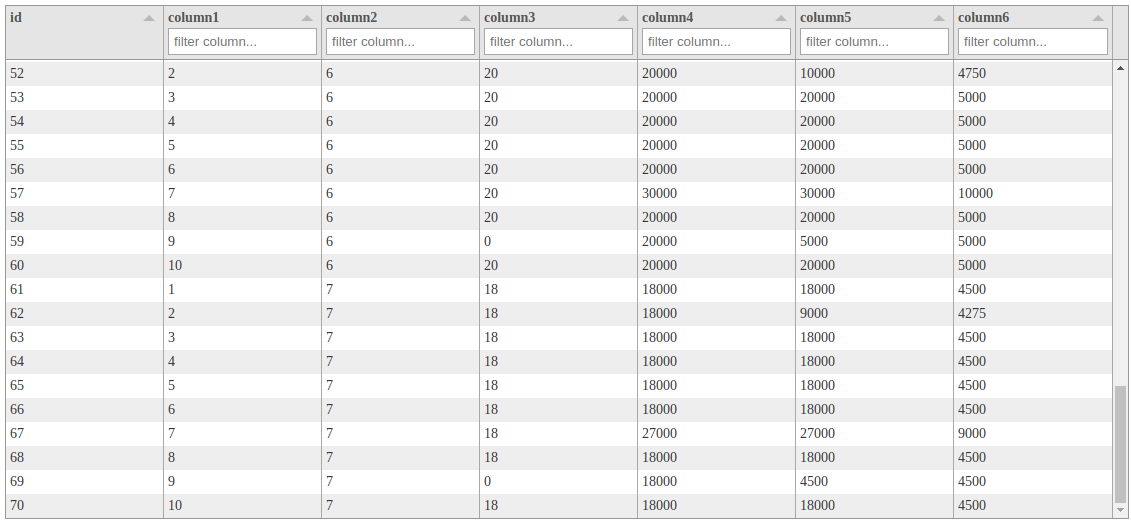
In step 3 I expect to see data rows with id's 67-70.
Screenshots
Here is what the table looks with either IE or FF:
Here is what it should look like:
Desktop (please complete the following information):
Firefox 64 (Ubuntu, Windows 10)
Internet Explorer 11 (Windows 10)
 bedaes
All 2 comments
Hey @bedaes
Thanks for getting in touch, sorry to hear you are having trouble.
Given it works it chrome it is likely that you are either creating your Tabulator or loading data into your Tabulator while the element that holds the table is not visible.
Tabulator needs to know the height and width of the various elements in the table in order for the virtual DOM to correctly calculate the position of everything. As elements in the DOM only gain dimensions when they are made visible so Tabulator cannot process this information when it is hidden.
In Chrome this isn't a problem because tabulator uses the ResizeObserver that lets it know when it becomes visible or resizes, but this is a very new bit of functionality introduced in ES8 and is currently only available in chrome. for other browsers you need to call the redraw function on the table when it is first made visible. this will allow Tabulator to recalculate the positions of the element and fix the issues you are experiencing
table.redraw(true);
This topic has been covered in numerous previous issues and is also covered in the Quick Start Guide the FAQ section and the Layout Documentation if you need any further information.
Cheers
Oli :)
 olifolkerd
on 19 Dec 2018
olifolkerd
on 19 Dec 2018
Hi!
Thanks for your quick answer! I've simply added a table.redraw() as the next statement after var table = new Tabulator(...) and now it works.
I just wanted to point out the that I startet from the example here and it shows the same behaviour if the height is changed. Maybe you could add a hint somewhere in this example so no one stumbles over this issue ever again?
And many thanks for making Tabulator!
bedaes
on 20 Dec 2018
Related issues
 KES777
·
3Comments
KES777
·
3Comments
 mohanen
·
3Comments
mohanen
·
3Comments
 c3pos-brother
·
3Comments
c3pos-brother
·
3Comments
 aballeras01
·
3Comments
aballeras01
·
3Comments
 AndrewHutcheson
·
3Comments
AndrewHutcheson
·
3Comments
Most helpful comment
Hi!
Thanks for your quick answer! I've simply added a
table.redraw()as the next statement aftervar table = new Tabulator(...)and now it works.I just wanted to point out the that I startet from the example here and it shows the same behaviour if the height is changed. Maybe you could add a hint somewhere in this example so no one stumbles over this issue ever again?
And many thanks for making Tabulator!