Sylius: An exception has been thrown during the rendering of a template ("Channel could not be found! Tip: You can use the Web Debug Toolbar to switch between channels in development.").
after my installation I just wrote this problem to me prevents me from working and am really blocking, please help
 cmukanisa
All 19 comments
You have to configure the URL for the default channel in the backend or manually set it in the debug toolbar because the current ChannelResolver could not determine the channel to use.
 mamazu
on 21 Nov 2018
mamazu
on 21 Nov 2018
how can i do that
cmukanisa
on 21 Nov 2018
Go to the admin pannel (usually under /admin) and click on channels and then edit the only channel you have and set the host to localhost or whatever URL you are using.
mamazu
on 21 Nov 2018
they said No route found for "GET /en_US/admin"
cmukanisa
on 21 Nov 2018
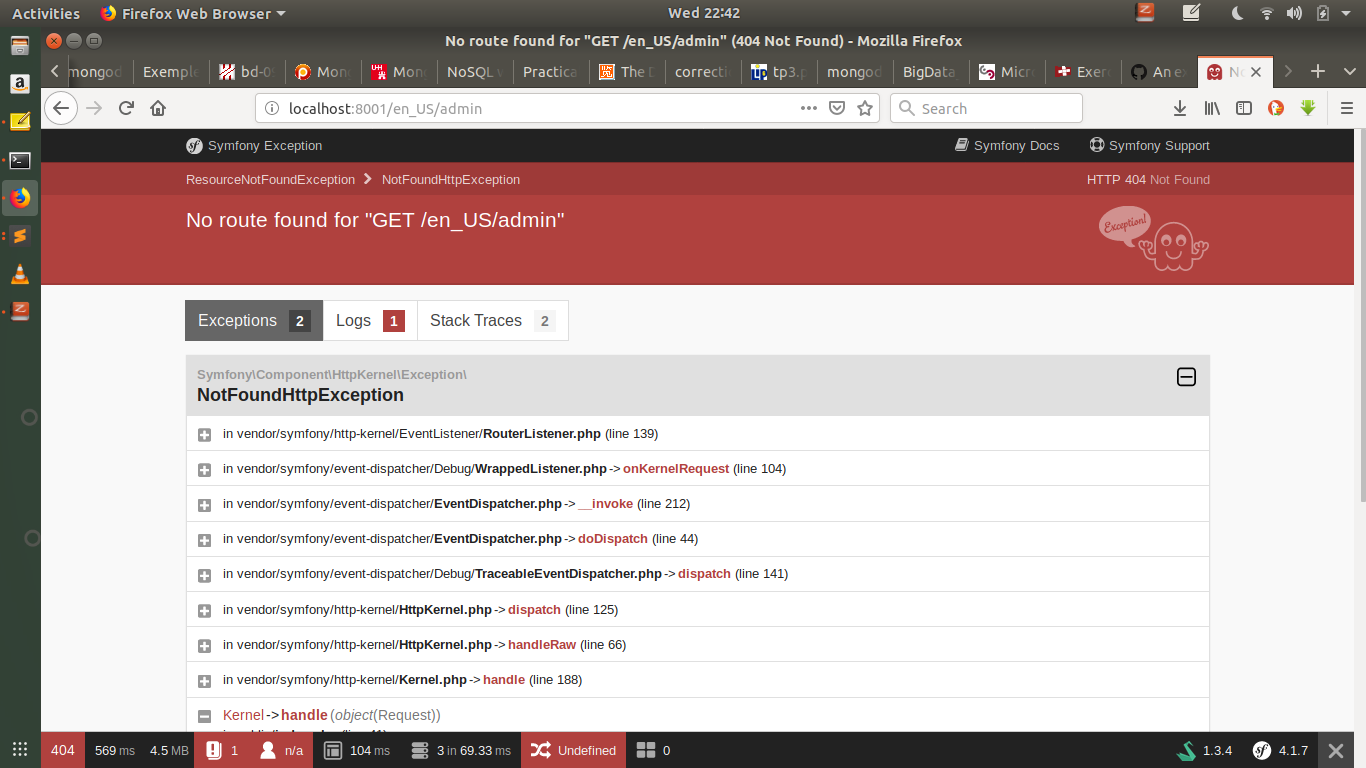
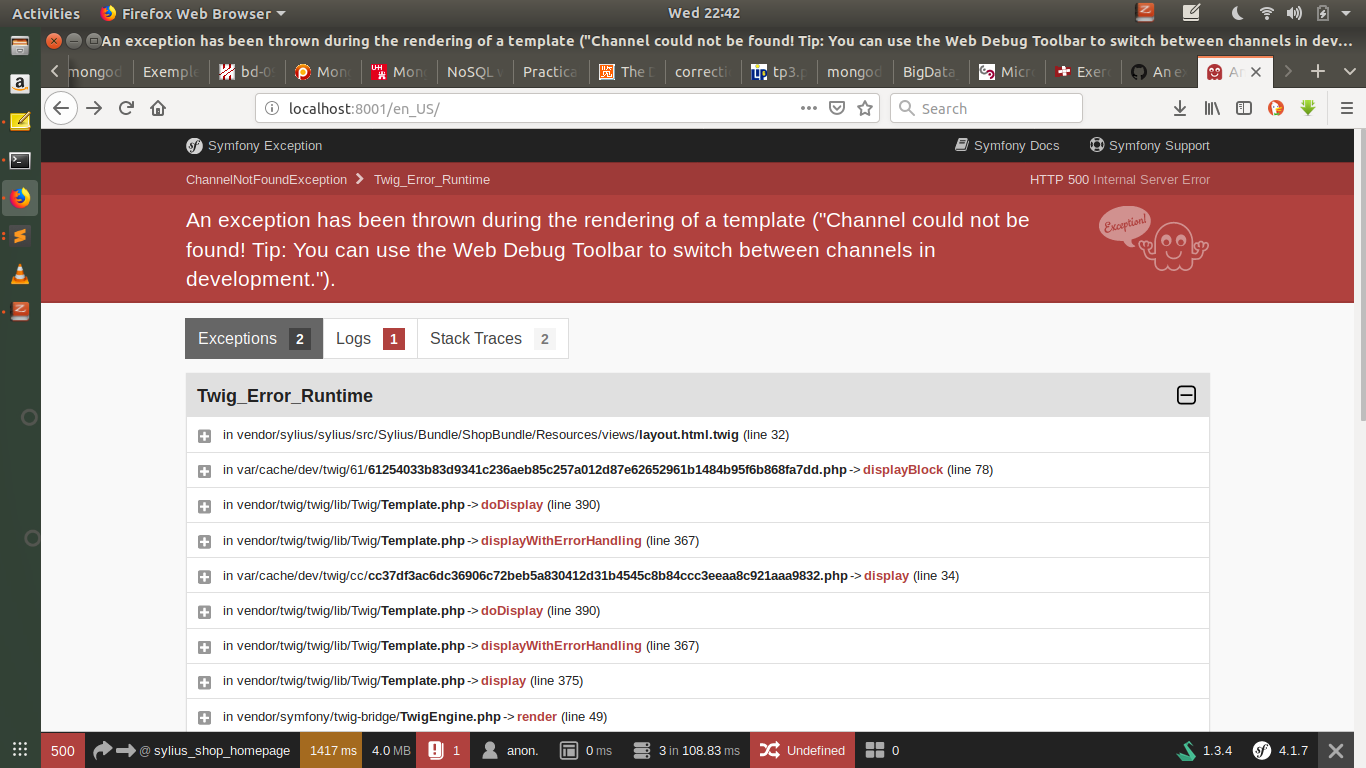
cmukanisa
on 21 Nov 2018
It's just localhost:8081/admin.
mamazu
on 21 Nov 2018
the second pincture present my first time when i was open my server to acced to the url
cmukanisa
on 21 Nov 2018
It's just
localhost:8081/admin.
Yes but no route it's link for this
cmukanisa
on 21 Nov 2018
So this route does not exist?
mamazu
on 21 Nov 2018
Then try to set it manually in the debug toolbar. (The bar at the bottom). There is a red field with two arrows that cross each other and after that it says "Undefined". Hover over it and then a menu will pop up with one other channel. Click on the "change" link next to the name.
mamazu
on 21 Nov 2018
but before that I first have to do the migrations after loading the fixtures but I can not and it cuts on the way saying saying Root image path not resolvable "/var/www/html/tinda/public/media/image"
cmukanisa
on 21 Nov 2018
The usual workflow is migrations first then the data fixtures.
mamazu
on 21 Nov 2018
it's said No migrations to execute.
cmukanisa
on 21 Nov 2018
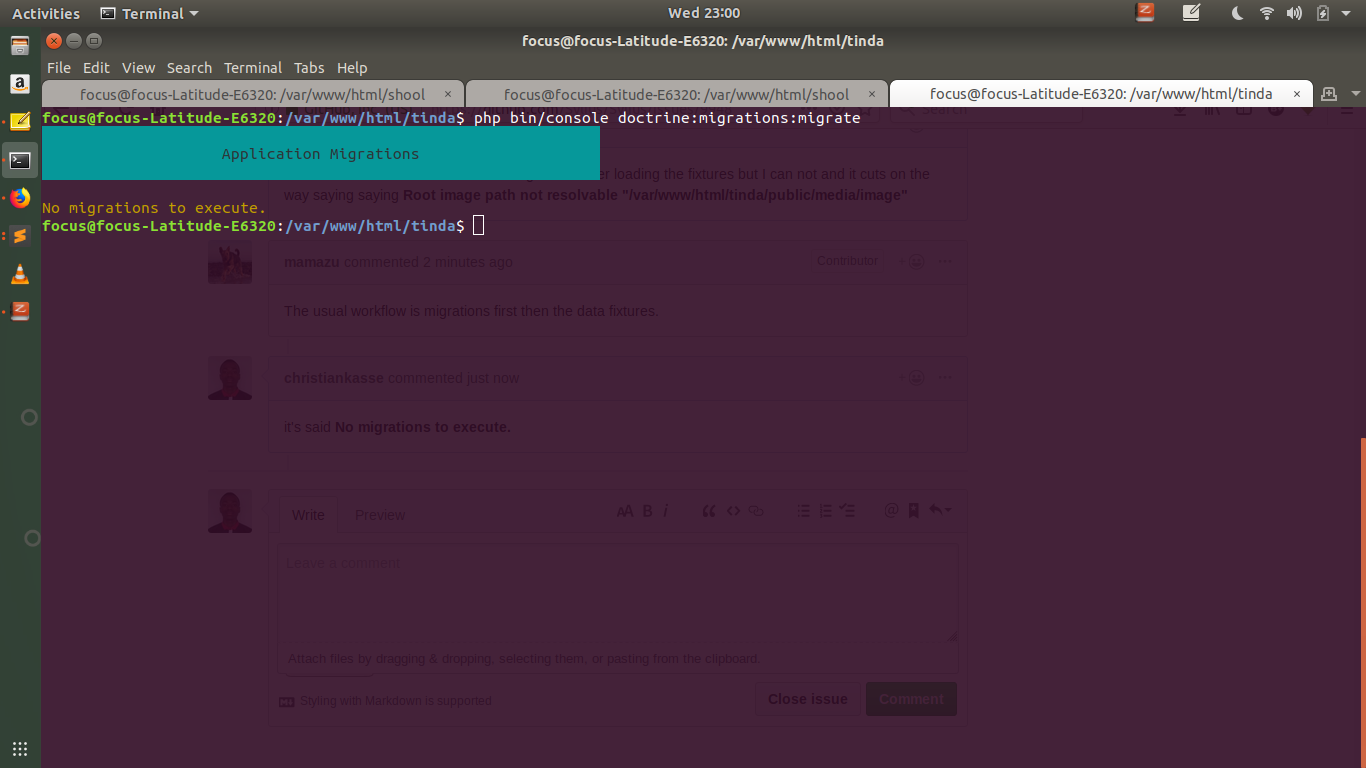
cmukanisa
on 21 Nov 2018
I do not know if you understand me, after I download the project with the explanation of the documentation I'm blocking because even if I just hope to do php bin / console I do not buy all the commands with this error message that is displayed to me; my first project sylius I downloaded it two months ago and it worked well but it has been 3 days that I do absolutely nothing

cmukanisa
on 21 Nov 2018
Try to create the folder and then try again. I am going to bed now, but I'll have a look at it later. Good luck for now.
mamazu
on 21 Nov 2018
thank you I'm still trying
cmukanisa
on 21 Nov 2018
Any luck? Have you tried to create the folder it couldn't resolve?
mamazu
on 22 Nov 2018
Hello @christiankasse !
Sylius issues should be used to report bugs, propose new features, discuss new functionalities. For everything else, please, use our Slack channel or stackoverflow ;)
 CoderMaggie
on 22 Nov 2018
CoderMaggie
on 22 Nov 2018
Related issues
 stefandoorn
·
3Comments
stefandoorn
·
3Comments
 loic425
·
3Comments
loic425
·
3Comments
 reyostallenberg
·
3Comments
reyostallenberg
·
3Comments
 Chrysweel
·
3Comments
Chrysweel
·
3Comments
 javiereguiluz
·
3Comments
javiereguiluz
·
3Comments
Most helpful comment
Hello @christiankasse !
Sylius issues should be used to report bugs, propose new features, discuss new functionalities. For everything else, please, use our Slack channel or stackoverflow ;)