Survey-library: Unable to process binding "template: function (){return { name:'survey-content',afterRender:koEventAfterRender} }"
With the latest version, i got :
Uncaught ReferenceError: Unable to process binding "template: function (){return { name:'survey-content',afterRender:koEventAfterRender} }"
Message: Unable to process binding "if: function (){return koState() =="running" }"
Message: Unable to process binding "template: function (){return { name:'survey-page',data:koCurrentPage,afterRender:koAfterRenderPage} }"
Message: Unable to process binding "text: function (){return koNo() + processedTitle }"
Message: koNo is not defined
    at text (eval at parseBindingsString (knockout-min.js:61), <anonymous>:3:129)
    at update (knockout-min.js:91)
    at function.a.j.q (knockout-min.js:66)
    at l (knockout-min.js:44)
    at Object.a.w.a.j (knockout-min.js:47)
    at knockout-min.js:66
    at Object.o (knockout-min.js:10)
    at g (knockout-min.js:65)
    at h (knockout-min.js:63)
    at k (knockout-min.js:63)
 nelero
All 26 comments
@nelero There is no koNo property in our code since 0.12.9. Can you check your 'survey.ko.min.js' version? The actual version should be 'v0.12.12' in the header inside the file.
 tsv2013
on 5 May 2017
tsv2013
on 5 May 2017
i use the CDN with 0.12.12 in the url, so yes it's the latest version :(
nelero
on 5 May 2017
@nelero Can you share this url?
tsv2013
on 5 May 2017
in private ?
nelero
on 5 May 2017
@nelero If it's not a private url and doesn't contain any private data, as far as I understand it's a link to some public cdn, you can post it here.
tsv2013
on 5 May 2017
@tsv2013 : yes but this is a page which is available only by an email link, so i don't want to display it on a github thread which is public :(
nelero
on 5 May 2017
@nelero you can e-mail to surveyjs.[email protected]
tsv2013
on 5 May 2017
@tsv2013 : Thanks ! email sent
nelero
on 5 May 2017
@nelero I've got it. I've seen the error.
tsv2013
on 5 May 2017
@nelero I've sent you answer via email. Please check it.
tsv2013
on 5 May 2017
@tsv2013 : perfect ! it works !
thanks for your reactivity !
nelero
on 5 May 2017
You are welcome :-)
tsv2013
on 10 May 2017
please share the solution. I'm also getting the same error.
[email protected]
 ussainaugment
on 22 Jan 2018
ussainaugment
on 22 Jan 2018
maybe we need a public example which solves this problem
 dmitrykurmanov
on 25 Jan 2018
dmitrykurmanov
on 25 Jan 2018
@ussainaugment it was a problem with custom knockout templates and our new version of library. We can't share customer's information here.
Do you have any custom templates? If yes it probably need to be updated according to our current version. Or you can create a plunker example illustrating the issue and we will check it.
dmitrykurmanov
on 29 Jan 2018
Hi @dmitrykurmanov / @tsv2013 ,
I am too facing the same issue, while integrating it with ionic.
Could you please help me out as it is acting as a blocker for me.
Please find the below demo repo: https://github.com/alekhraut/ionicDemoSlider.git
-Thanks in Advance.
 alekhraut
on 1 Feb 2018
alekhraut
on 1 Feb 2018
@alekhraut We've checked your code. Issue was not related to the SurveyJS code. You got wrong element for slider. For more details you can check my pull request - https://github.com/alekhraut/ionicDemoSlider/pull/1
tsv2013
on 1 Feb 2018
Thanks @tsv2013 it was much helpful.
alekhraut
on 5 Feb 2018
 I was getting the above error. If am trying to create a custom widget nouislider inside matrix dynamic
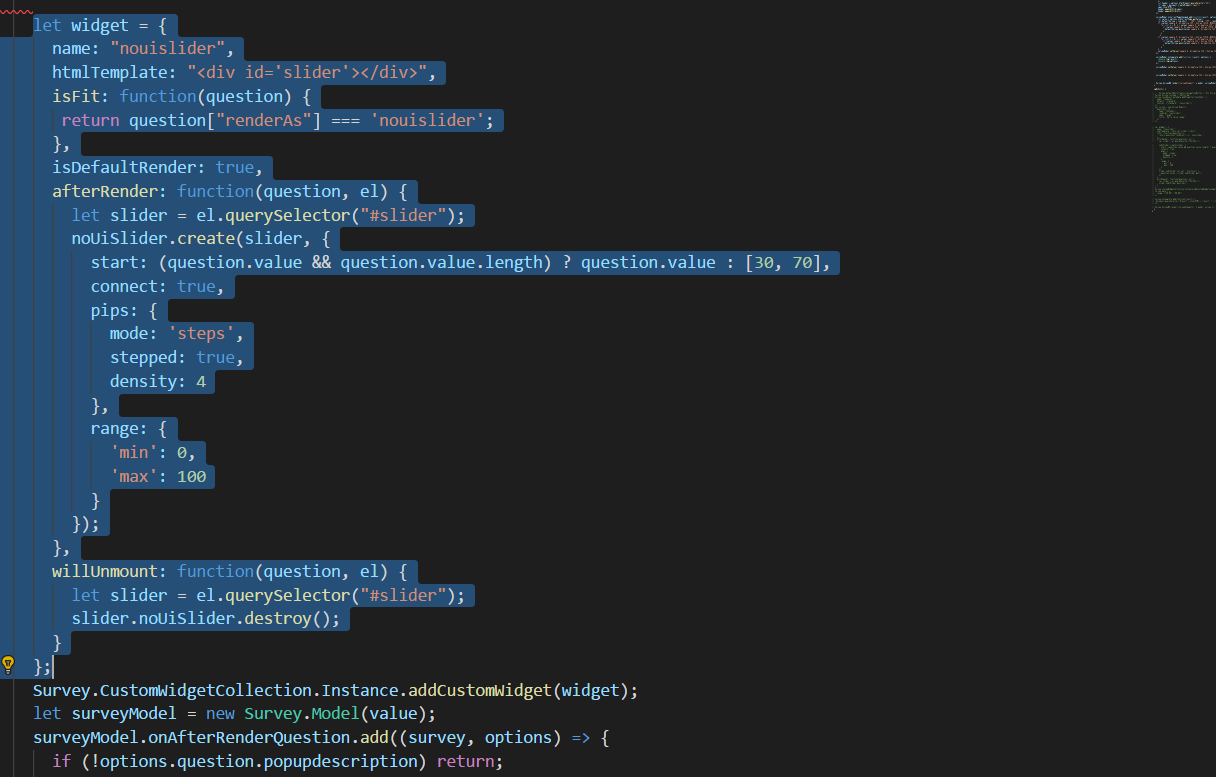 Html templates arent loading properly in custom widgets
 kowthalganesh
on 30 May 2018
kowthalganesh
on 30 May 2018
@kowthalganesh What platform and version do you use?
Thank you,
Andrew
 andrewtelnov
on 31 May 2018
andrewtelnov
on 31 May 2018
Platform: Angular5 (Angular-cli)
Versions:
"types/knockout: "^3.4.55",
"survey-angular": "^1.0.2",
"surveyjs-editor": "^1.0.2",
"surveyjs-widgets": "^1.0.2",
Note: SurveyJs working fine without custom widgets
kowthalganesh
on 31 May 2018
Now. I fixed the issue by making isDefaultRender: false, Before rendering the DOM. Its trying to create the slider.. But NouiSlider handles are going outside of the base surface
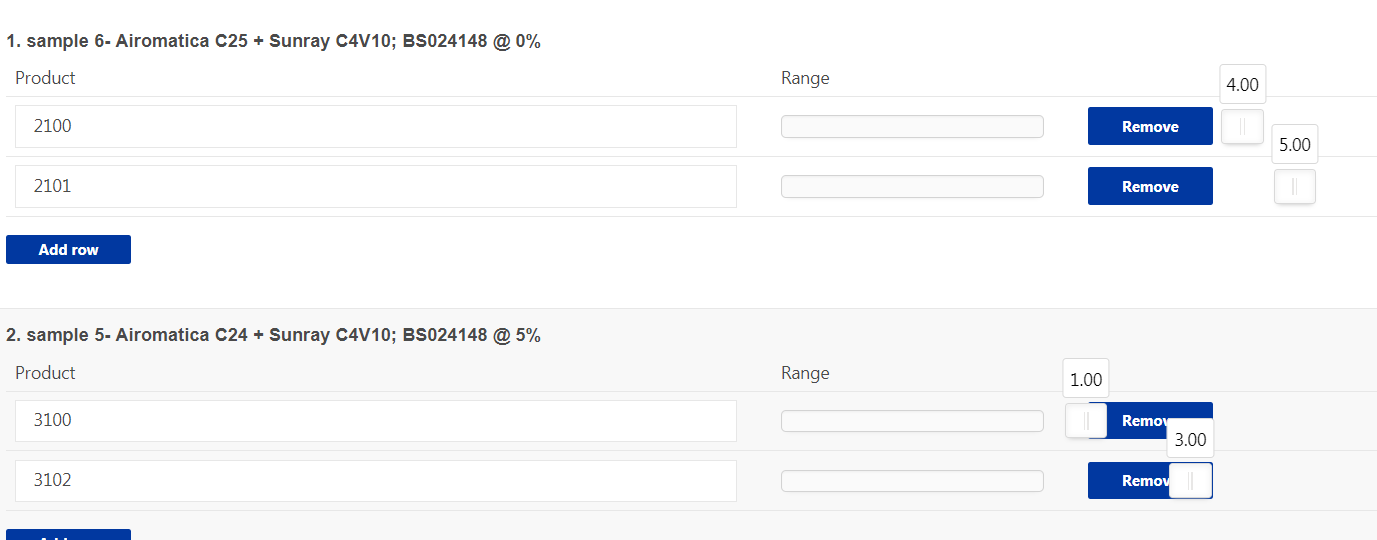
Survey.JsonObject.metaData.addProperty("checkbox", {
      name: "renderAs",
      default: "nouislider",
      choices: ["standard", "nouislider"]
    });
    let widget = {
      name: "nouislider",
      htmlTemplate: "<div id='slider'></div>",
      isFit: function(question) {
       return question["renderAs"] === 'nouislider';
      },
      isDefaultRender: false,
      afterRender: function(question, el) {
        let slider = el.querySelector("#slider");
        noUiSlider.create(slider, {
          start: 0,
          behaviour: 'tap',
          connect: true,
          step: 1,
          range: {
            'min': 0,
            'max': 5
          },
          tooltips: true
        });
        slider.noUiSlider.on('set', function() {
          question.value = slider.noUiSlider.get();
        });
      },
      willUnmount: function(question, el) {
        let slider = el.querySelector("#slider");
        slider.noUiSlider.destroy();
      }
    };
    Survey.CustomWidgetCollection.Instance.addCustomWidget(widget);
    let surveyModel = new Survey.Model(value);
@kowthalganesh Have you seen this repo
It supports our custom widgets.
You will have to include noUIslider only.
Thank you,
Andrew
andrewtelnov
on 31 May 2018
Arh, ok
andrewtelnov
on 31 May 2018
I added custom jquery date question, which works fine in surveyjs package. And I got the date picker too.
Then I installed SurveyJs package in Survey Editor, I dragged the date question and got the date properties on the right side. But when I click on preview, it throws me error. I debugged to see where it does, it throws error at this point SurveyEditor.tsx => onPreview () => this.editor.showTestSurvey();
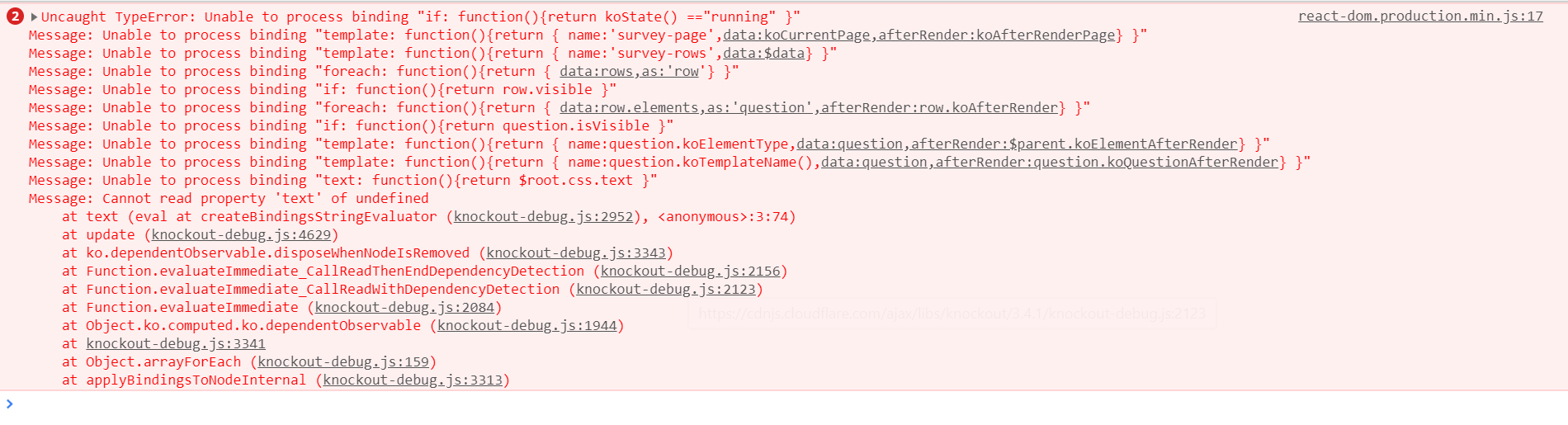
 KhanUzair01
on 4 Jul 2019
KhanUzair01
on 4 Jul 2019
@KhanUzair01 It is very likely, that there is a JavaScript error in your custom widget code. Please debug and fix it.
Thank you,
Andrew
andrewtelnov
on 4 Jul 2019
Related issues
 testweird123
·
4Comments
testweird123
·
4Comments
 halexiev-hedgeserv
·
4Comments
halexiev-hedgeserv
·
4Comments
 faso
·
4Comments
dmitrykurmanov
·
3Comments
faso
·
4Comments
dmitrykurmanov
·
3Comments
 xiuzhen1103
·
4Comments
xiuzhen1103
·
4Comments
Most helpful comment
maybe we need a public example which solves this problem