Super-productivity: Google drive sync error
Hi there,
I am using the final version of Super-productivity. Since last update, an error keeps happening in my app which is a bit annoying.
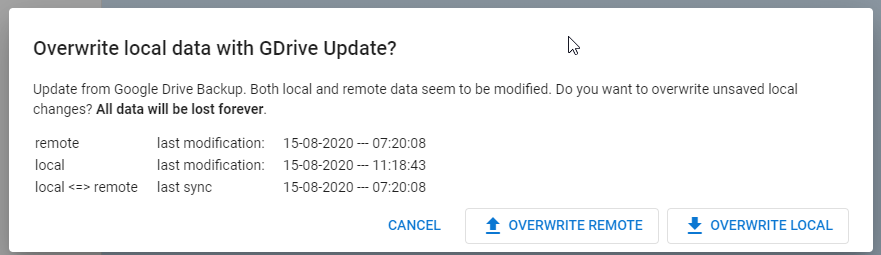
When I press 'Overwrite Remote', the error will be shown again and again until I turn off the Drive sync.
 mbostanara
All 7 comments
Thanks for reporting. Currently I'm a bit busy with other features, but I try to have a look as soon as I can. Meanwhile if
I'd recommend using Dropbox sync instead. And of course: PRs are welcome!
 johannesjo
on 15 Aug 2020
johannesjo
on 15 Aug 2020
What's the version you are using?
johannesjo
on 23 Aug 2020
Version 5.5.7 on Windows
mbostanara
on 24 Aug 2020
I am unable to reproduce the issue. Is there anything interesting in the console (Ctrl+Shift+i)?
Another way to fix this might be to use a new file for syncing.
johannesjo
on 25 Aug 2020
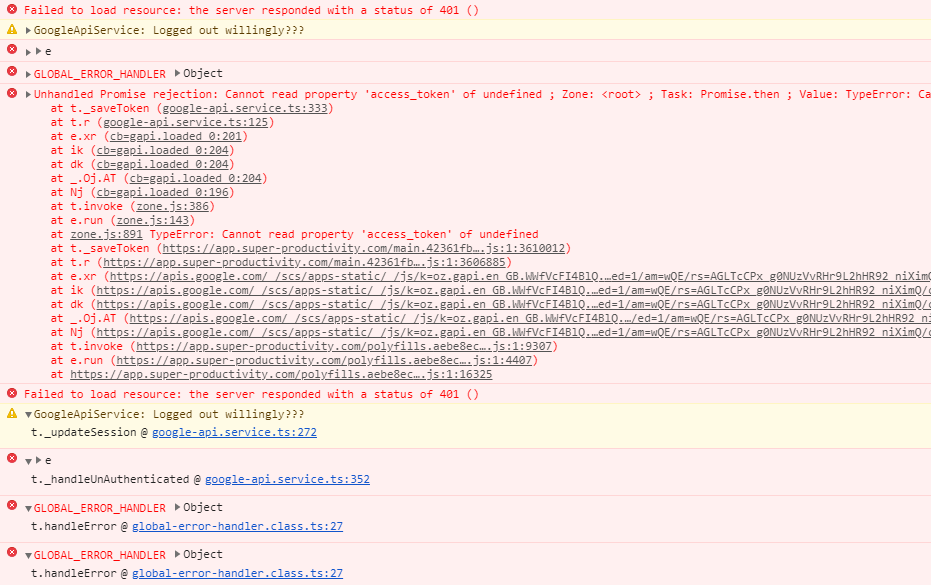
I have problem syncing with Google drive as well. I have this on my Ubuntu and thought I might try to use in in my Windows machine too but it does have a problem.
With Ubuntu, it got stuck to the window where it says logging in to Google while on Windows it keeps saying that: GoogleApi: Failed to authenticate please try logging in again!
Things to note:
With my Google account, I am using a Yubiko key to authenticate so this might be an issue too. I really like this app, I hope it can be fix, I dont want to use Dropbox for now.
 mareekkk
on 26 Aug 2020
mareekkk
on 26 Aug 2020
Thank you, @johannesjo for your reply. Actually, this issue has not happened to me for a while. I turned it off for a couple of days and then turned it on. Then, this issue happened again once and resolved by itself.
So, I am not really sure why this was happening and why it resolved!
mbostanara
on 26 Aug 2020
@mareekkk I created a new issue for your issue: https://github.com/johannesjo/super-productivity/issues/514
@mbostanara, In this case, I would close this issue. Please let me know if the issue occurs again!
johannesjo
on 26 Aug 2020
Related issues
 Kl4tch
·
3Comments
Kl4tch
·
3Comments
 jac1013
·
3Comments
jac1013
·
3Comments
 IT-Tool
·
3Comments
IT-Tool
·
3Comments
 mar-v-in
·
3Comments
mar-v-in
·
3Comments
 wada3n
·
3Comments
wada3n
·
3Comments