Super-productivity: Countdown Timer icon in the app header
Problem Statement
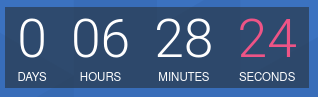
I found countdown timers very useful for me (more useful than just knowing the current time). When you can see how much time is left until the event (possibly a deadline), before the presentation or meeting today.
(just for example)
:grey_question: Possible Solution
I would like to see (on this panel) a live icon with timer (DD:HH:MM) to the closest event today.
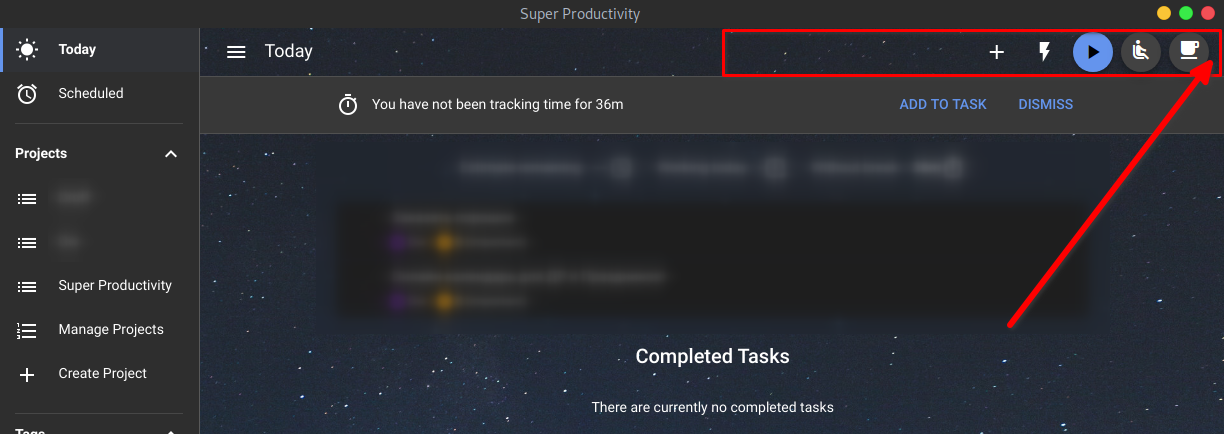
When you click on timer icon, you will see a list of other today timers.
For example you can put the Countdown timer settings in Productivity Helper section
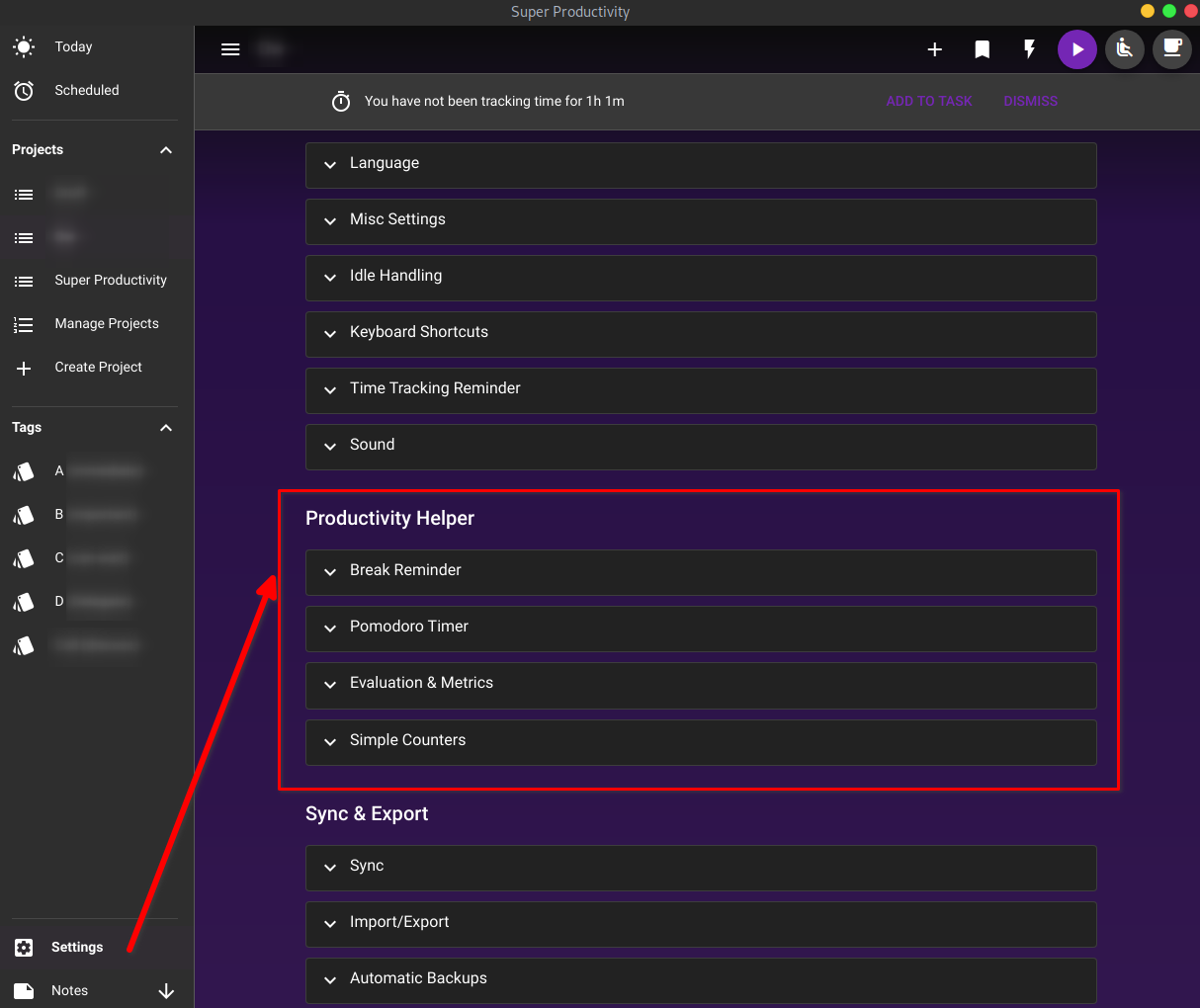
This is enough to configure the timer:
- Timer title
- Start date+time
- End date+time
- Repeat (off/on) - Repetition units (every minute/hour/day/week/month/year).
- Seconds (hide/show)
:heavy_plus_sign: How can this be used?
- To understand how many tasks I can take and make it before the event starts.
- And in the process to know how much time I have left to finish.
- Sometimes it can help to avoid wasting time and focus on the task.
 IT-Tool
All 3 comments
Hey there! Thanks for the suggestion! I can imagine this as an extension of the simple counters. In addition to the already existing types StopWatch and ClickCounter we could add the type Countdown. Should be doable by people new to the project, too, which is always nice :)
 johannesjo
on 23 Nov 2020
johannesjo
on 23 Nov 2020
Hi @johannesjo! This is a great feature. If it's okay, I would like to work on it starting today :)
 alebricio
on 27 Nov 2020
alebricio
on 27 Nov 2020
Hey @alebricio! That's great to hear!! Please let me know if I can help you with that! If needed, I can give you a short introduction on how the hole simple counter feature is currently intended to work.
johannesjo
on 27 Nov 2020
Related issues
 theCalcaholic
·
4Comments
theCalcaholic
·
4Comments
 Mindstormer619
·
4Comments
Mindstormer619
·
4Comments
 DuchGhast
·
4Comments
DuchGhast
·
4Comments
 jac1013
·
3Comments
jac1013
·
3Comments
 sdruskat
·
3Comments
sdruskat
·
3Comments
Most helpful comment
Hi @johannesjo! This is a great feature. If it's okay, I would like to work on it starting today :)