Super-productivity: [Feature Request] GitLab Integration
Lately, GitLab has become more and more relevant as a code hosting platform that has a lot of nice features (some of them aren't available on GitHub). The main selling points _to me_ are unlimited free private repositories and the ability to self-host a free instance of GitLab.
These were the main reasons I changed from GitHub to GitLab for professional work, and because of this I would love to have GitLab integration from super-productivity.
GitLab already has issue time tracking but it's kind of clumsy (https://docs.gitlab.com/ee/workflow/time_tracking.html) - it doesn't track spent time automatically, you have to comment on the issue after completing some chunk of work something like /spend 2h 30m. Having direct integration from super-productivity to GitLab would be a killer feature for me!
There is an API available for leading with issues: https://docs.gitlab.com/ee/api/issues.html
As a bonus, it would be awesome if the integration could be done with both gitlab.com as well as a self-hosted instance.
Thanks!
 tiagogala
All 27 comments
Thanks for the suggestion. I thought about it before, but I'm still unsure what's the best approach to tackle this, as t least from my experience, companies tend to use a separate tool for task management alongside gitlab.
I probably won't go through the trouble integrating gitlab time tracking myself as I'm assuming not many people are using it, but integrating gitlabs issues should be definitely doable.
What I would like personally would be the possibility to connect Pull Requests to any other task, to have feedback on those quickly accessible in one place.
Needless to say an integration would require a lot of effort. That's why I would be glad for any support!
 johannesjo
on 23 Mar 2019
johannesjo
on 23 Mar 2019
I wanted this for a while now. So I will try to implement it as soon as I can at least I will try to make the same functionality currently available for Github. fetching all the issues along with their status, comments, and labels and if you want to make a change you get redirected to the issue's page on the browser.
@tiagogala I don't think that making the application able to set the estimated and the spent time on Gitlab is difficult and I think I can do it too, but there are a lot of scenarios that I can think of that makes me can't imagine how exactly it should be done.
How do you think it should work?
When should the values be submitted to Gitlab?
What if the time estimate was already set on an issue should it be imported and set automatically for the created task?
What if the time estimate was changed by someone through Gitlab when the data of the task gets updated which values should be treated as valid, the new values imported from the update or the values tracked by the application?
If we can agree on a specific behavior for this feature I will add it if I can.
About the integration with a self-hosted instance, I think the API should work for both but from what I understand there is a bug that prevents this from happening now. here is the issue that I found related to this topic Use API endpoint to determine self hosted gitlab URL. and please correct me if I am wrong.
@johannesjo I think the merge requests part is actually a great feature to add. There is an endpoint where I can get the issue's related merge requests and another where I can get the merge requests that would close the issue. So can you please explain more what do you have in mind for this and what should happen?
@johannesjo I will open a PR and keep you updated.
 MostafaAmin07
on 8 Feb 2020
MostafaAmin07
on 8 Feb 2020
@MostafaAmin07 that's wonderful news! Let me know if I can be of any assistance!
About the merge request feature:
I think the most useful aspect would be to have a reliable way of knowing when there were comments made to your own pull request, so you know there is something to work on or to FINALLY move the ticket in your scrum board, which I always forget :).
There might be better ways to do this and I am all ears about suggestions, but my idea was to do it like this:
- GitLab integration needs to be enabled
- One can link any task to a specific MR: Via right click on a task in the context menu under advanced and as its own entry in the
TaskAdditionalInfoComponent. - There are 2 "trigger states". One is when a new comment to the MR is made and the other is when the MR is merged. Both should add a different pink icon to the linked task like we're doing for the "updated" state for issues. AND there should of course be a notification message.
- There also needs to be a reset the icon indicator functionality ("mark the icon as read") for when you made some changes so you can be aware if somebody is checking the MR again.
Another nice "little" feature would be knowing when somebody assigned you as a reviewer, possibly with the option to auto create a new task for yourself.
I'd also like to inform you about my very rough future plans to the standing issue integration. You don't need to worry about it now, but maybe it's good to know in case you'd like to do something conceptually different from the existing issue integrations for Jira and Git. The basic idea is, that rather than saving all the issue data into the store and into it's own database model, it might be better to always request all the issue data from their Apis, but to use service worker caching for all the data including the assets.
I haven't explored this approach in detail and I am not 100% sure it will work like this, but I am hoping to simplify things like this and that I find time to do all these changes during the next week.
johannesjo
on 8 Feb 2020
@MostafaAmin07 I made some good progress with redoing the issue integration. It's not all completely polished yet, but if you're interested you can have a look at it here:
https://github.com/johannesjo/super-productivity/tree/feat/issue-caching
I would be interested to hear your thoughts about it :-)
johannesjo
on 29 Feb 2020
@johannesjo Great, I will take a look at it as soon as I can.
I am sorry for the delay I wanted to finish it way sooner than that but I had a lot going on in the last month.
I am close to finishing the initial functionality of the GitLab integration now. But I am having a small problem with things related to rxjs as I didn't work with it before.
MostafaAmin07
on 29 Feb 2020
@MostafaAmin07 No worries! I intend to finish the adjustments to the issue system before Thursday (fingers crossed). I hope that this will make adding any kind of new issue integration a lot easier.
What kind of rxjs problem you got? Maybe I can help.
johannesjo
on 1 Mar 2020
@MostafaAmin07 fyi the feature is basically done now and merged back into master. All is left are some fixes.
johannesjo
on 4 Mar 2020
@MostafaAmin07 and @johannesjo, great job! Sorry for not answering your questions before.
I've just tested and it seems to be working correctly, congrats!
As for the integration itself, I think it would be awesome if we had the ability to do the following:
- Close / Reopen issues (when marking a task done / undone)
- Time tracking (when a task is closed or when a day is finished, add today's time spent to the issue, return time already spent from gitlab? might get tricky)
- Time estimation (get time estimation from gitlab or set time estimation from super-productivity, update gitlab time estimation when that value is changed inside SP?)
- Comments are harder... it would be cool to see current comments (from gitlab on the window that shows Summary/Status/Description and maybe have a box to add new comments?
- When clicking the notes button on a SP task, have the ability to create a new task in Gitlab (maybe we can use the text under "Notes" to set a description?)
Good job everyone!
tiagogala
on 24 Mar 2020
I will try and add the features you both said in the coming days.
But @tiagogala I don't understand the last 2 points.
For the comments point if I understand you correctly you want the comment on a Gitlab issue to show under the status/description section which it should be doing that already.
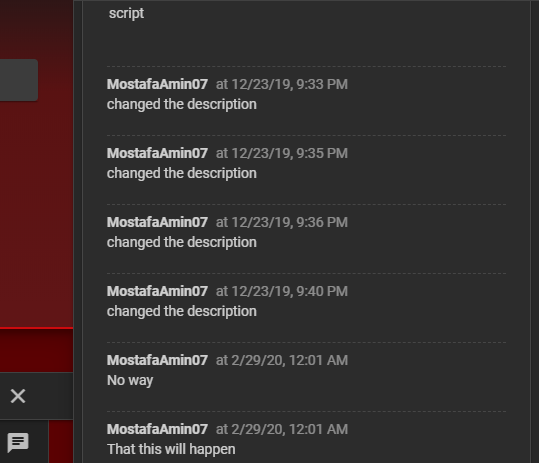
The box to add a new comment is there but you can't add a comment from SP you are redirected to the issue's page to comment.
MostafaAmin07
on 25 Mar 2020
@MostafaAmin07 I'm almost done with the the changes for v5. I hope to merge them back to the master branch tomorrow evening. If you like to start before that, I recommend branching of https://github.com/johannesjo/super-productivity/tree/feat/shared-task-list-via-tags as there are already some changes to the gitlab feature in place.
johannesjo
on 26 Mar 2020
I have a question regarding gitlab integration (and thanks for the awsome work done so far!).
As far as I understand it's only possible to talk to the public gitlab.com server, no provisioning for a locally hosted server, is this correct? Or maybe the configuration setting "username@ProjectName" found in the task settings for Gitlab can include a full URL for my server?
By the way in case you didn't notice this string "username@ProjectName" is shown like "username%2FProjectName" (chars encoding error)
 stefanoco
on 1 Apr 2020
stefanoco
on 1 Apr 2020
Unfortunately self-hosted instances are not supported and that is because there is a problem with the API integration from the Gitlab side.
Also the "username%2FProjectName" is intended that way its what the API endpoint waits.
MostafaAmin07
on 1 Apr 2020
Curious about this, might be I can help? We're using the gitlab API on our self-hosted instance, no problem. Is there any description of the problem?
stefanoco
on 1 Apr 2020
Well, I can't try this myself and that is part of the problem too.
I am just speculating based on the issue that I mentioned above. So if that is not the case I am sorry for the misunderstanding from my side I thought it was an ongoing problem.
I would be grateful if you can give me any hint or link that I can look at to see what I need to do to make it work?
Also if you want to make a PR and add it yourself if you have the time for it that would be amazing?
MostafaAmin07
on 1 Apr 2020
Also if you want to make a PR and add it yourself if you have the time for it that would be amazing?
@stefanoco that would be much appreciated. We're always looking for contributors :)
johannesjo
on 1 Apr 2020
Regarding the "%2f" strings - those are just urlencoded slashes (urlencode("/")). It would probably be better to just run urlencode on the given string, since it might also concern other characters.
Otherwise, great work! I very much appreciate this feature.
 theCalcaholic
on 2 Apr 2020
theCalcaholic
on 2 Apr 2020
Honestly I'm not so proficent in these kind of applications based on Javascript etc. but I'll try! First I need to better understand the intended use case and for this I'm practicing with the Github integration (found a bug perhaps...)
stefanoco
on 3 Apr 2020
@stefanoco let us know if you have any question in particular!
johannesjo
on 3 Apr 2020
Ok so I (slowly) managed to experiment a bit on Github integration. If the same applies to Gilab, based on my understanding the use case is:
- user creates a new project
- user applies the Github/Gitlab integration to the same project (path, API integration code)
- user adds task A to the project on Superproductivity: nothing is exchanged with Github/Gitlab
- user adds issue B to project on Github/Gitlab: a new task B pops up on Superproductivity
- user adds comment to issue B on Github/Gitlab: a new comment pops up for task B on Superproductivity
- user adds comment to task A on Superproductivity: nothing is exchanged with Github/Gitlab
- user adds comment to task B on Superproductivity: the default browser navigates to the Github/Gitlab repository issue edit web page for creating the comment directly there
- user records time to task A, B on Superproductivity: nothing is exchanged with Github/Gitlab
- user declares task A, B finished on Superproductivity: nothing is exchanged with Github/Gitlab
- user declares issue B closed to project on Github/Gitlab: task B is marked as closed in the comments on Superproductivity, but user can still record time
Does everything here make sense for you?
stefanoco
on 6 Apr 2020
- user creates a new project
- user applies the Github/Gitlab integration to the same project (path, API integration code)
- user adds task A to the project on Superproductivity: nothing is exchanged with Github/Gitlab
Is task A linked to a Github/Gitlab issue too?
- user adds issue B to project on Github/Gitlab: a new task B pops up on Superproductivity
- user adds comment to issue B on Github/Gitlab: a new comment pops up for task B on Superproductivity
Issues are polled for any changes and reloaded if there are any.
- user adds comment to task A on Superproductivity: nothing is exchanged with Github/Gitlab
If A is a linked issue than it you might get an update notification if there are changes.
- user adds comment to task B on Superproductivity: the default browser navigates to the Github/Gitlab repository issue edit web page for creating the comment directly there
This I don't understand. Do you mean when clicking on the "Write a comment" Button? That one is just a link actually.
- user records time to task A, B on Superproductivity: nothing is exchanged with Github/Gitlab
Currently time tracking is independent from Github/Gitlab. We can adjust this later for Gitlab if we want to.
- user declares task A, B finished on Superproductivity: nothing is exchanged with Github/Gitlab
Yes (I would like this to be added later as an additional feature).
- user declares issue B closed to project on Github/Gitlab: task B is marked as closed in the comments on Superproductivity, but user can still record time
Yes.
Does everything here make sense for you?
Apart from the questions: Yes! :)
johannesjo
on 6 Apr 2020
I'm answering in separate comments to the questions.
Is task A linked to a Github/Gitlab issue too?
If A is a linked issue than it you might get an update notification if there are changes.
My understanding is that when I'm adding a new task in Superproductivity I don't have a way for linking that task to a Github/Gitlab issue (I mean: starting from Superproductivity), regardless of the fact that the Superproductivity "project" I'm working in is already linked to a "repository". Is this correct? Otherwise, I need to create an issue in the repository first, and this will popup as task.
stefanoco
on 6 Apr 2020
This I don't understand. Do you mean when clicking on the "Write a comment" Button? That one is just a link actually.
Yes
stefanoco
on 6 Apr 2020
Currently time tracking is independent from Github/Gitlab. We can adjust this later for Gitlab if we want to.
As per initial comments on Gitlab integration, I agree that mixing Superproductivity time tracking with Gitlab (mostly unuseful IMO) time tracking is not so important
stefanoco
on 6 Apr 2020
My understanding is that when I'm adding a new task in Superproductivity I don't have a way for linking that task to a Github/Gitlab issue (I mean: starting from Superproductivity), regardless of the fact that the Superproductivity "project" I'm working in is already linked to a "repository". Is this correct? Otherwise, I need to create an issue in the repository first, and this will popup as task.
You're right! What's currently not implemented is a away to create an issue (gitlab/github) from Super Productivity. You can only import them via the add task bar or the automatic backlog import.
johannesjo
on 6 Apr 2020
Ok now I'm (slowly as usual...) switching to understanding the standing problem on Gitlab
stefanoco
on 6 Apr 2020
So I did this after cloning this repo locally (superproductivity=SP here):
- proved that I can build and run
git clone <this>.git
cd <this>
docker build --tag sup:1.0 .
docker run -it -p 8080:80 sup:1.0
firefox localhost:8080
- tested integration with public gitlab.com: works
- issues become tasks in SP
comments to issues are found as notes to tasks in SP
chanced for pointing to a private Gitlab (core edition, 12.9.2) located at git.example.com:
sed -i 's/https:\/\/gitlab.com/http:\/\/git.example.com/g' src/app/features/issue/providers/gitlab/gitlab.const.ts
- re-build and run
docker build --tag sup:1.0 .
docker run -it -p 8080:80 sup:1.0
firefox localhost:8080
Now I can do the same with the private locally hosted Gitlab:
- issues become tasks in SP
- comments to issues are found as notes to tasks in SP
The only problem here is with assets (files, images) uploaded as attachments to comments: while the list of assets is correctly shown in SP (as a note to task) when selecting for download a local URL is derived instead of a URL pointing to the private gitlab.
Is this consistent with your experience?
stefanoco
on 15 Apr 2020
@stefanoco sorry for not replying earlier. Not sure if you're still intersted in working on this. Please let me know if you need any help with that.
I am closing this and would suggest to create new issues for problems with the gitlab integration if needed.
johannesjo
on 10 Jun 2020
Related issues
 sdruskat
·
3Comments
sdruskat
·
3Comments
 mbostanara
·
3Comments
mbostanara
·
3Comments
 NPReport
·
3Comments
NPReport
·
3Comments
 fkohrt
·
3Comments
fkohrt
·
3Comments
 generic-user
·
3Comments
generic-user
·
3Comments
Most helpful comment
I wanted this for a while now. So I will try to implement it as soon as I can at least I will try to make the same functionality currently available for Github. fetching all the issues along with their status, comments, and labels and if you want to make a change you get redirected to the issue's page on the browser.
@tiagogala I don't think that making the application able to set the estimated and the spent time on Gitlab is difficult and I think I can do it too, but there are a lot of scenarios that I can think of that makes me can't imagine how exactly it should be done.
How do you think it should work?
When should the values be submitted to Gitlab?
What if the time estimate was already set on an issue should it be imported and set automatically for the created task?
What if the time estimate was changed by someone through Gitlab when the data of the task gets updated which values should be treated as valid, the new values imported from the update or the values tracked by the application?
If we can agree on a specific behavior for this feature I will add it if I can.
About the integration with a self-hosted instance, I think the API should work for both but from what I understand there is a bug that prevents this from happening now. here is the issue that I found related to this topic Use API endpoint to determine self hosted gitlab URL. and please correct me if I am wrong.
@johannesjo I think the merge requests part is actually a great feature to add. There is an endpoint where I can get the issue's related merge requests and another where I can get the merge requests that would close the issue. So can you please explain more what do you have in mind for this and what should happen?
@johannesjo I will open a PR and keep you updated.