Sumatrapdf: Tab and Menubar (at the same time)
Dear developers
I would like to request a feature that allows for tabs while still displaying the traditional menu bar.
Call me an antiquated, stubborn old person, yet I find it cumbersome to always click on the hamburger (three bars) icon, when I need to access a menu item.
Best regards & thanks for your great product which I appreciate very much on my old computer.
Max
 Gugus99
All 3 comments
We don't have plans to do that.
 kjk
on 7 Jul 2015
kjk
on 7 Jul 2015
+1 for a classic menu bar
 mklhmnn
on 29 Dec 2018
mklhmnn
on 29 Dec 2018
@mklhmnn
There was a version (July 2014) that had both but was dropped
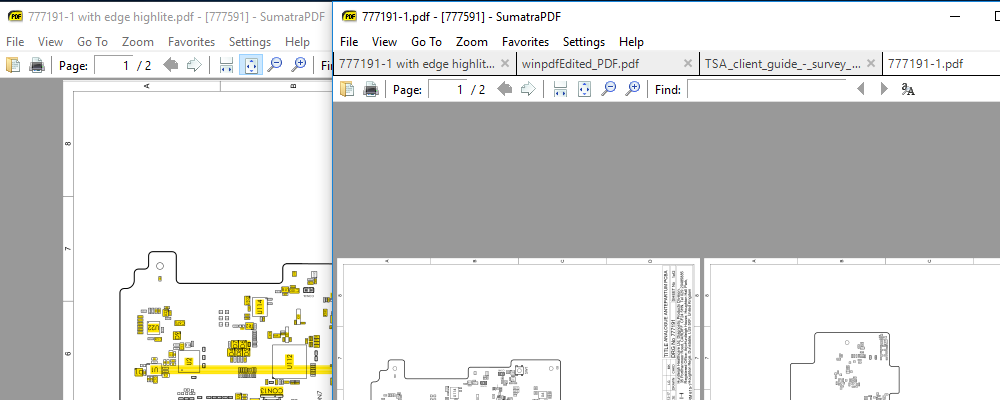
Call it a feature :-) (_do not call it a bug or it will be removed_) but this feature is still possible to achieve even in latest version.
First ensure in advanced options ShowMenubar = true
Then start a session with tabs off [Alt+S+O Alt+T+ space to toggle] see the left hand instance in screen shot. If you have a file open then exit the session. Then when you open a file first time go to settings options and switch tabs on [Alt+S+O Alt+T] then you can have your menu and tabs as per right hand session. Just remember to switch tabs off [Alt+S+O Alt+T + space to toggle] as you close the session so it starts with the menu active next time. Depending on your macro skills the key sequence could be added to a programmable key or shortcut.
 GitHubRulesOK
on 1 Jan 2019
GitHubRulesOK
on 1 Jan 2019
Related issues
 kloked
·
6Comments
kloked
·
6Comments
 banbonic
·
4Comments
banbonic
·
4Comments
 klonuo
·
8Comments
klonuo
·
8Comments
 vvRFvv
·
4Comments
vvRFvv
·
4Comments
 bigretromike
·
8Comments
bigretromike
·
8Comments