Sumatrapdf: Scrollbar disappears in "Fit a Single Page" mode
When I open a document in "Fit Width and.." mode it shows the scrollbar on the right side of the screen.
When changing to "Fit a Single Page" mode, the scroll bar disappears
 StefanMich
All 25 comments
Just to add some perspective, I consider this a great feature of SumatraPDF. When in Fit Page mode, I have no need for a scrollbar and I like that it disappears in SumatraPDF. If the developer(s) want to change this, I propose that it be made configurable so each user can set it the way he/she likes.
 pdgessler
on 13 May 2015
pdgessler
on 13 May 2015
This is how it's supposed to work. In single page mode "Fit page" scales the page exactly to the size of the window. There's no need for scrollbar so to maximize usable screen space, the scrollbar is not shown.
 kjk
on 13 May 2015
kjk
on 13 May 2015
I like to use "Fit a single page" when browsing through a big document and I find the scrollbar very useful in that usecase.
Could it be an option to show the scrollbar?
StefanMich
on 17 May 2015
It seams that those who say that there is no need for a vertical scrollbar in single page mode doesn't really understand what stufkan meant.
Whereas anyone who used some other PDF reader should instantly know.
In single page mode the vertical scroll bars are usefull to scroll / navigate through the entire document (not the actual single page). So...
- The vertical scrollbar provides fast navigation through the entire document. For example scroll to last third of the document.
- The position of the vertical slider shows where the actual page is located in relation to the whole document (near begin, middle or near end).
- The size of the vertical slider shows roughly how much pages the entire document got.
 mireiner
on 24 Aug 2016
mireiner
on 24 Aug 2016
I got here by doing a google search. The vertical scroll bar is essential for pdf documents with 300+ pages. Using these reference pages is no longer possible in "Fir in a single page" without the vertical scroll bar.
 percivalskald
on 17 Apr 2017
percivalskald
on 17 Apr 2017
Fast navigation in big files is difficult without scroll bar or fitting single page to screen. Is there any way to make them work both in the same time?
 Nonumis
on 30 Dec 2017
Nonumis
on 30 Dec 2017
"This is how it's supposed to work. In single page mode "Fit page" scales the page exactly to the size of the window. There's no need for scrollbar so to maximize usable screen space, the scrollbar is not shown."
This is stunningly low-quality reasoning, and makes one wonder whether the person who wrote it does any appreciable amount of reading. The fact that a scrollbar is absolutely necessary if the page doesn't fit the screen doesn't imply that it's not necessary if the page does fit the screen -- the primary use of a scrollbar is to move between pages, not within a page.
" kjk closed this on May 13, 2015"
Not only poor reasoning, but bad behavior.
 jibal
on 10 Jun 2018
jibal
on 10 Jun 2018
Leave the decision to have the scroll bar to the users. The software should be comfortably used by all people. Make it optional. All other pdf readers have that.
 9Skrip
on 5 Nov 2018
9Skrip
on 5 Nov 2018
I too would like an option whereby vertical scrollbars are shown at all times. With and only with that feature would I deem Sumatra the best PDF reader (or at least the best one for Windows). Without such scroll bars, one cannot easily see where one is in a document or even - I think - skip very quickly through the document. Also: adding such an option would not be hard, I imagine; and there is no need even to make it the default if, for some reason, the developer(s) does not wish to.
 LinuxOnTheDesktop
on 24 Apr 2019
LinuxOnTheDesktop
on 24 Apr 2019
I would like the option to hide the scroll bar. When reading a pdf with large margins, I like to zoom in a bit to make better use of my screen space, but then the scroll bars pop up using up a bunch of screen space. Bookmarks and the scroll wheel on my mouse allow reasonable navigation through long documents, so I would rather use my screen space for reading.
Also, when using inverted colors, they are way too bright.
While I am in the minority here, I do agree there should be an option to enable them, but also an option to disable them. And an option to change their color.
 JohnTasto
on 5 Oct 2019
JohnTasto
on 5 Oct 2019
I was also looking for this option today.
The reason some want this is the following: it gives you a visual indicator of how long the document is.
 musm
on 2 Apr 2020
musm
on 2 Apr 2020
@musm
whilst the page indicator (number of pages) may be off in F5 (presentation mode) F12 (Fullscreen mode) OR not visible when toolbar is off
In all those cases you can use i to get a visual indication where you are and how long the document is
 GitHubRulesOK
on 2 Apr 2020
GitHubRulesOK
on 2 Apr 2020
makeitoptional please
9Skrip
on 3 Apr 2020
Did you even try this? View > Show Pages Continuously overrides View >
Single Page.
Frankly what is wanted is crystal clear ... the ability to have a
scrollbar in Single page mode.
On Sun, Apr 5, 2020 at 5:11 PM Peter notifications@github.com wrote:
@musm https://github.com/musm, @9Skrip https://github.com/9Skrip and
everyone else: Even if you have View > Single Page and Zoom > Fit Page
selected, all you need to do is additionally select View > Show Pages
Continuously to see a scrollbar that'll show you where the page fits in
relation to the entire document.Frankly I don't understand what more you guys want?
—
You are receiving this because you commented.
Reply to this email directly, view it on GitHub
https://github.com/sumatrapdfreader/sumatrapdf/issues/191#issuecomment-609508668,
or unsubscribe
https://github.com/notifications/unsubscribe-auth/AAEDT2H74GDE54ANOHVCZD3RLEM4DANCNFSM4BDEPN7Q
.
jibal
on 6 Apr 2020
@jibal you are very welcome to make the necessary changes in your own version, however the ethos of SumatraPDF from day one was unlike MuPDF which has NO scrollbars NOR toolbar at all, just provide the minimum when needed thus maintaining a maximised canvas
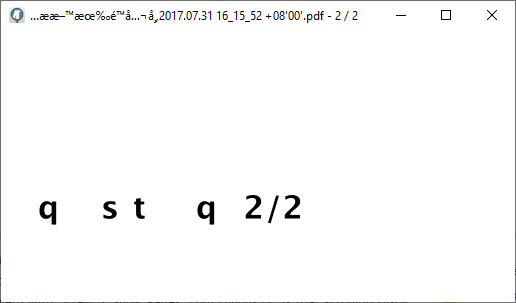
here is what it would look like when on page 2 of 2 no scrollbars are needed ?
GitHubRulesOK
on 6 Apr 2020
@jibal you are very welcome to make the necessary changes in your own version, however the ethos of SumatraPDF from day one was unlike MuPDF which has NO scrollbars NOR toolbar at all, just provide the minimum when needed thus maintaining a maximised canvas
This is nonresponsive and irrelevant. Obviously the "ethos" here is to not make this change, but that has no bearing on the validity of the request.
jibal
on 6 Apr 2020
So you want the scrollbar to show up with
View > Single PageandZoom > Fit Pageselected, but it should only jump between entire pages (i.e. _not display partial pages_) when scrolling?
That's the original request, as you would understand if you read through the thread. What I want isn't relevant, as I rarely use your program and I'm going to unsubscribe from this thread.
If your sole problem with View > Show Pages Continuously is that scrolling displays partial pages, honestly I don't see what the big deal is.
Single page and continuous pages are very different modes, both in presentation and in how scrolling and paging work. It's weird that you don't grasp that.
Over and out.
jibal
on 6 Apr 2020
What's actually weird is how awfully invested you are in pushing for a feature in a program you rarely use, and that too one the dev rejected half a decade ago. 🙄
What's weird is how dim you are. I'm not the one who keeps opening this closed item up. I'm not invested or pushing anything, I simply responded to the email I got from this ridiculous page containing your idiotic "Frankly" comment because I hadn't unsubscribed from it. Now I have and I'm about to close the tab so I will never have to hear from you again.
jibal
on 6 Apr 2020
So you received a mail re. my comment, but none when the issue was resurrected by musm 3 days ago, nor when 2 more responded before me? Lol, right... And BTW, nobody compelled you to respond to the mail with your verbal diarrhoea here, did they? Now do you need special step-by-step instructions on where the Unsubscribe button is, or are we gonna have to keep enduring your moronic blathering despite your supposed "Over and out"?
 SumatraPeter
on 6 Apr 2020
SumatraPeter
on 6 Apr 2020
I keep being bothered by this. Let me state the reason others want this:
- Quick indicator of location of the current page with respect to the full document
- Quick way to browse rapidly throughout a section of the PDF
- Quick way to jump to other sections through the PDF
I find the resistance to implement such basic feature really odd from my perspective. Clearly a plethora of users are seeking such a feature.
- Optional feature to show this seems highly sensible given demand.
musm
on 30 May 2020
Thank you, musm.
To help address the misunderstanding: Pulling the Scroll Bar current location indicator in single page view should facilitate going through the entire document and jumping to any desired page with one mouse click and movement (or gesture on a touchscreen device) while maintaining the advantages of single page (or facing) view. Scrolling _within one page_ is not what is requested here.
See attachment for an example how nicely this can work elsewhere. I would love to see something similar in SumatraPDF.

 JulesGreg
on 15 Jun 2020
JulesGreg
on 15 Jun 2020
@JulesGreg
This "issue" was about using screen space to show a scrollbar when a single page from a continuous stream is requested. At that point the scrollbar is not needed and can very easily be toggled back on by clicking the 2way icon (no need for a hidden setting) Acrobat does not allow to toggle sidebar it just eats screen space.
You are showing another heavy weight products "Single Page" mode that is simply not available in light-weight SumatraPDF
If the large well paid team of developers at Adobe were to remove that feature in their reader then it would be much lighter-weight would it not?
With SumatraPDF you get 100's of extra bonus features such as no need to pay to Convert, combine, and send for Adobe's low $9.99 monthly fee.
GitHubRulesOK
on 16 Jun 2020
I was looking for this feature, but an acceptable alternative is to just hit 'c' on keyboard to bring back the scroll bar, scroll to where you want, then hit 'c' again to put it back into single page (or book) mode. A permanent "smart" scroll bar that can distinguish between scroll within page or scroll within document depending on the view would be nice, tho. Thanks.
 cstrife1
on 8 Sep 2020
cstrife1
on 8 Sep 2020
More evidence that users actually want this
musm
on 8 Sep 2020
I want it too
 fraengers
on 6 Nov 2020
fraengers
on 6 Nov 2020
Related issues
 msnbcorp
·
19Comments
msnbcorp
·
19Comments
 pnsantos
·
28Comments
pnsantos
·
28Comments
 akontsevich
·
15Comments
kjk
·
25Comments
akontsevich
·
15Comments
kjk
·
25Comments
 nbrummerstedt
·
15Comments
nbrummerstedt
·
15Comments
Most helpful comment
It seams that those who say that there is no need for a vertical scrollbar in single page mode doesn't really understand what stufkan meant.
Whereas anyone who used some other PDF reader should instantly know.
In single page mode the vertical scroll bars are usefull to scroll / navigate through the entire document (not the actual single page). So...