Suitecrm: Arrow characters position on the buttons not positioned properly
Hi,
I noticed that we have styling issues in our copy of the SuiteCRM.

The arrows on the navigation buttons are not properly aligned. It looks like it is because of the "vertical-align" option for the ".suitepicon" class ":before" in the style.css file is set to "top".
When I change that in my browser developer tools to "middle", it seemed to fix the issue.

Hope this helps.
Thank you.
Kind Regards,
Maciek
 mandryszczak-dc
All 8 comments
You can drag-and-drop the image into this github text box: _"Attach files by dragging and dropping, selecting, or pasting them."_
 chris001
on 22 Apr 2020
chris001
on 22 Apr 2020
Thank you, Chris. I updated my post.
mandryszczak-dc
on 22 Apr 2020
A good place to dig for these CSS styles, is in the SuiteP theme "template" files (.tpl) which are Smarty templates... Also, in the relevant .scss files which is a new improved CSS...
chris001
on 23 Apr 2020
@mandryszczak-dc I don't see this on the live demo.
demo.suiteondemand.com (user: will, pass: will)
Are you using any custom CSS? If you use other sub-themes, does the same thing happen?
 pgorod
on 23 Apr 2020
pgorod
on 23 Apr 2020
Hi Guys,
We have a standard setup with no custom CSS files.
Also, I noticed that the hight for the "disabled" button is shorter.
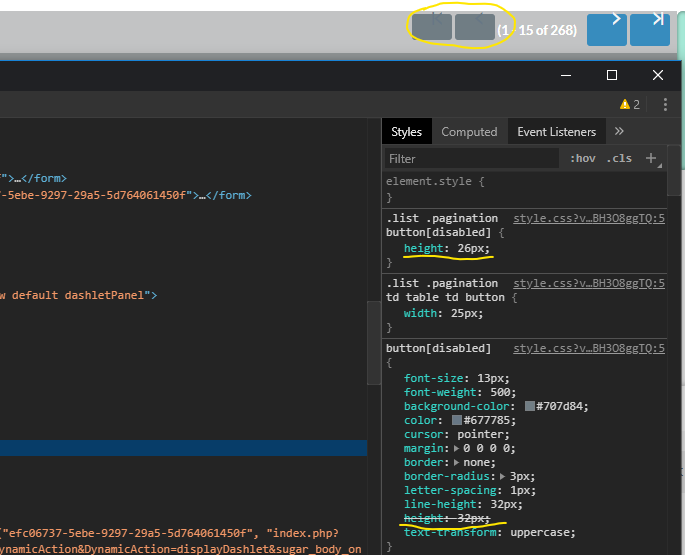
@pgorod, hmm... that demo page is different from what we can see on our copy and when I looked into the master branch I can see that the style.css has the same settings as we have:
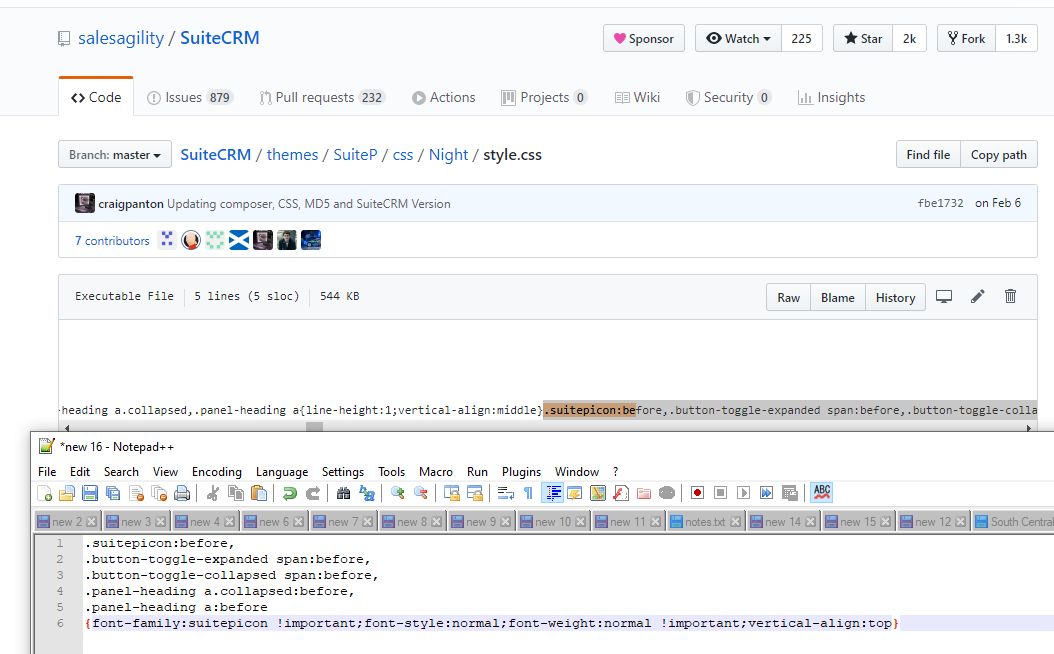
You can see that the vertical-align is set to "top".
(sorry that I'm showing that in Notepadd++ but I could not catch everything in one line)
Regards,
Maciek
mandryszczak-dc
on 23 Apr 2020
Hi @mandryszczak-dc,
We haven't been able to replicate this issue in the most recent versions of SuiteCRM such as 7.10.x or 7.11.x. If you believe this to be an issue still, please leave a comment explaining further steps to reproduce otherwise this issue will be closed.
Thanks :+1:
 Mac-Rae
on 25 May 2020
Mac-Rae
on 25 May 2020
I am seeing the same problems in the AOR_Reports module, the above mentioned css fix does correct it.
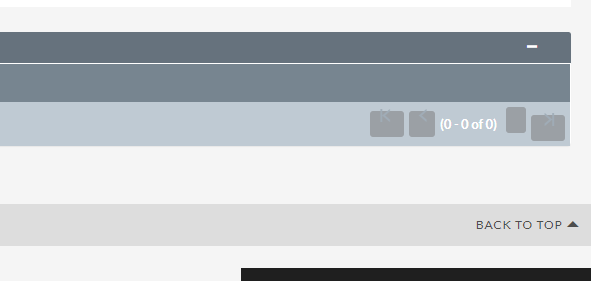
 tsmgeek
on 10 Jun 2020
tsmgeek
on 10 Jun 2020
this should be fixed in the latest release 7.11.14/7.10.26
 mattlorimer
on 10 Jun 2020
mattlorimer
on 10 Jun 2020
Related issues
 dawansv
·
3Comments
dawansv
·
3Comments
 jellydonuts
·
3Comments
jellydonuts
·
3Comments
 tech-ch1
·
3Comments
tech-ch1
·
3Comments
 sasha2002
·
3Comments
sasha2002
·
3Comments
 likhobory
·
3Comments
likhobory
·
3Comments