Suitecrm: When editing an existing user you must always reenter (twice) the password
SuiteCRM version 7.11.2
Issue
When you edit any field of a User you are obliged to re-enter the password (twice) or else the modifications will not be saved.
Expected Behavior
The modifications to the User should be saved without having to re-enter the password.
The existing password should be modified only in case a new password is entered otherwise if the password field is empty the User should be saved preverving the existing password
Actual Behavior
When you edit any field of a User you are obliged to re-enter the password (twice) or else the modifications will not be saved.
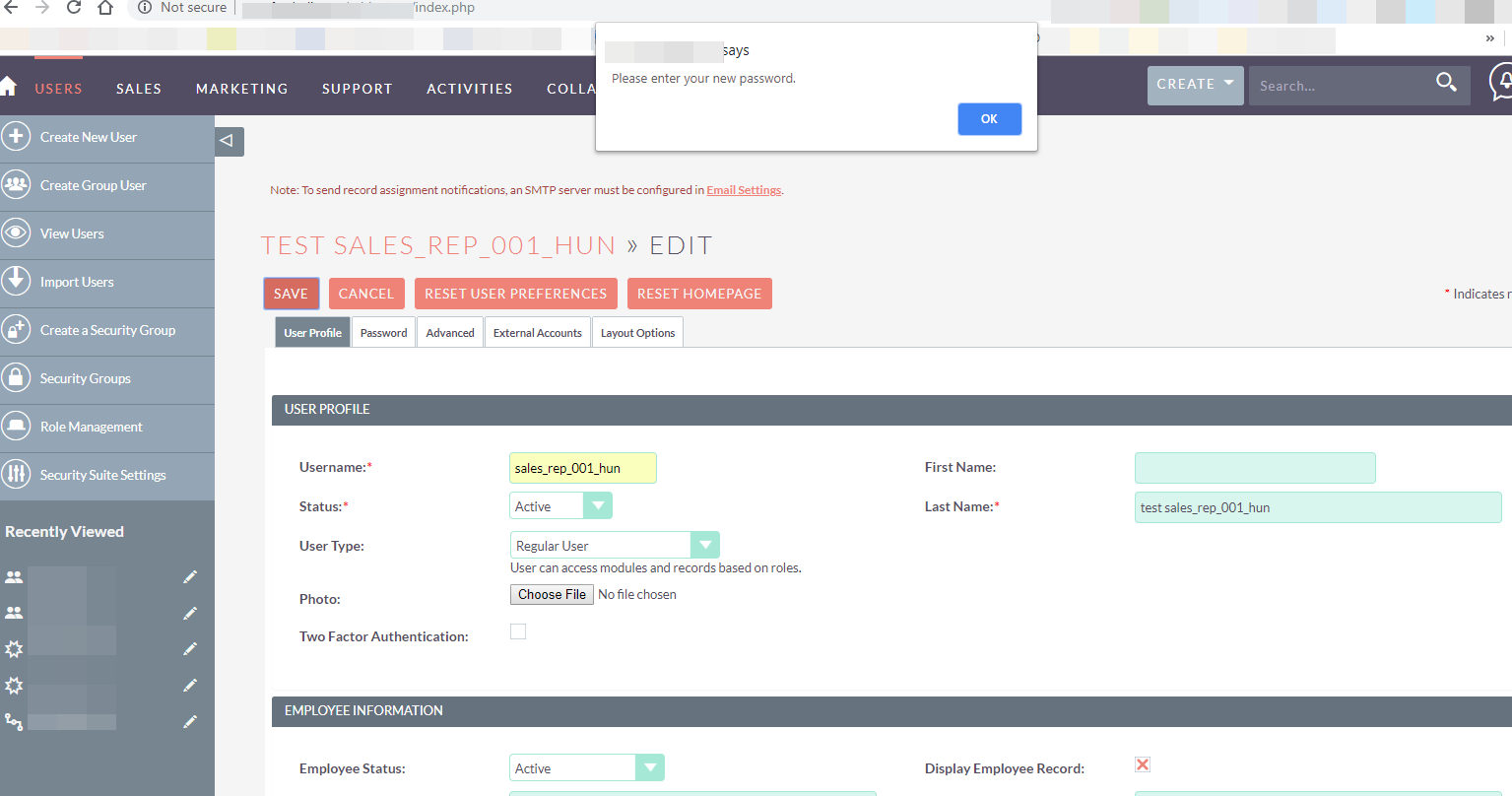
When you click on Save a pop-up appears warning "Please enter your new password."
Possible Fix
Steps to Reproduce
- Admin -> Users
- Edit any of the Users
- Modify one field (not the password)
- Click on Save
Result: the User is not saved until you go to the password tab and re-enter the password in both password fields (new and re-enter password)
Context
Medium priority. However it is very annoying, specially for new adopters of SuiteCRM and for Administrators (who may not know all Users's passwords!
Your Environment
- SuiteCRM Version used: 7.11.2
- Browser name and version (e.g. Chrome Version 51.0.2704.63 (64-bit)): Chrome, latest version
- Environment name and version (e.g. MySQL, PHP 7): MySQL, PHP 7.1
- Operating System and version (e.g Ubuntu 16.04): Linux CentOS
 amariussi
All 10 comments
Hi @amariussi I've tested this functionality within a fresh 7.11.2 install and I'm not experiencing the issue where the password entry is required on every save of the user. I can make modifications to the users' settings/fields without being prompted to re-enter the password. Is the password field on your CRM set to required or not? I assume this is an upgrade and not a fresh 7.11.2 install?
 willrennie
on 1 Mar 2019
willrennie
on 1 Mar 2019
Hi @willrennie I will test it again more thoroughly. For the time being I tried first on an upgrade from 7.11.0 and then on a fresh install of 7.11.2
Please allow me a few days and I will come back with more info.
amariussi
on 2 Mar 2019
I tested it again on the same fresh install.
Each time the Admin user tries to modify some variable of any existing user I get a pop-up prompting for a new password (see image):
"Is the password field on your CRM set to required or not?"
I am not sure I understand this question. I can't find any place where to set the password as a required field.
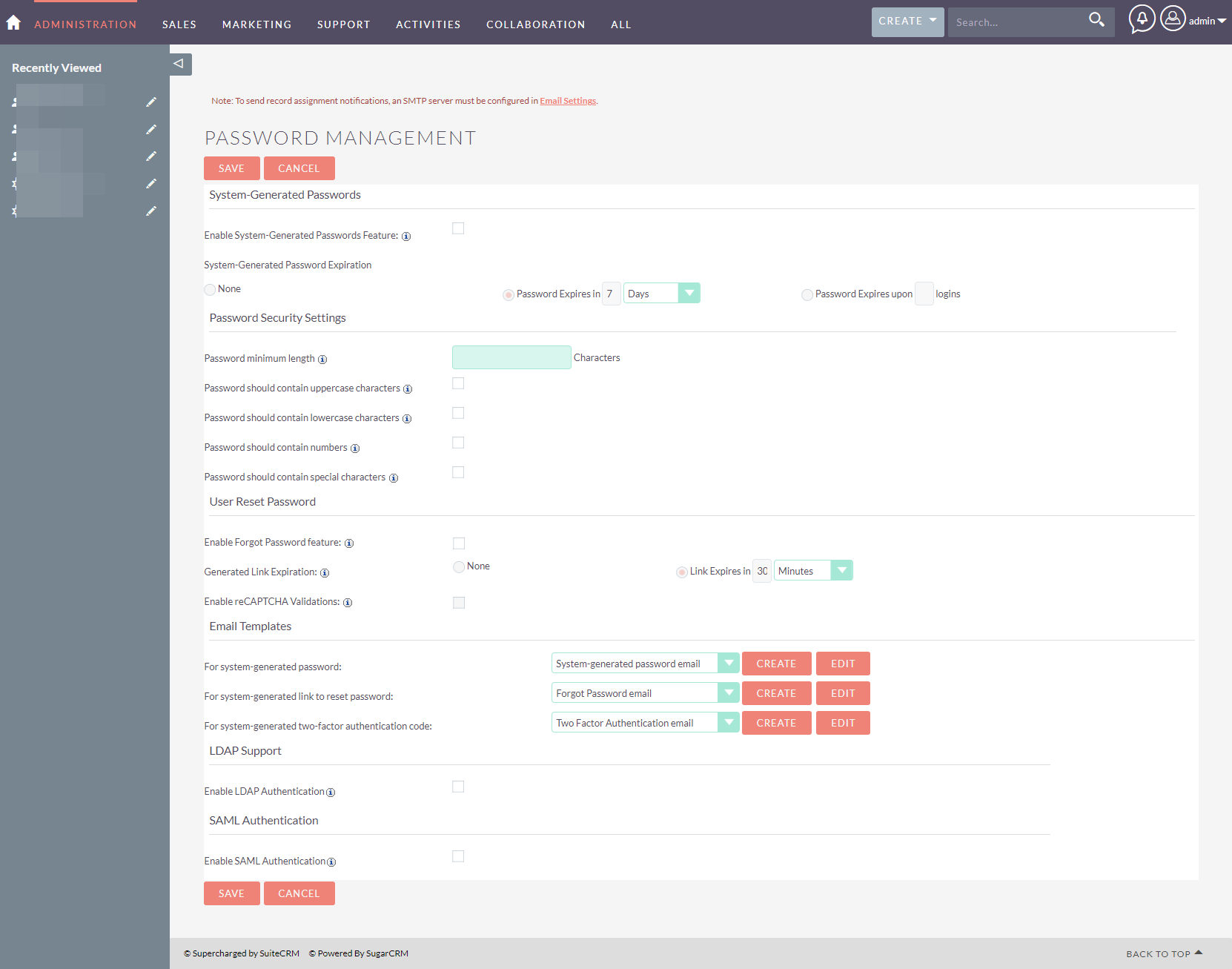
Here is a screenshot of the password management form:
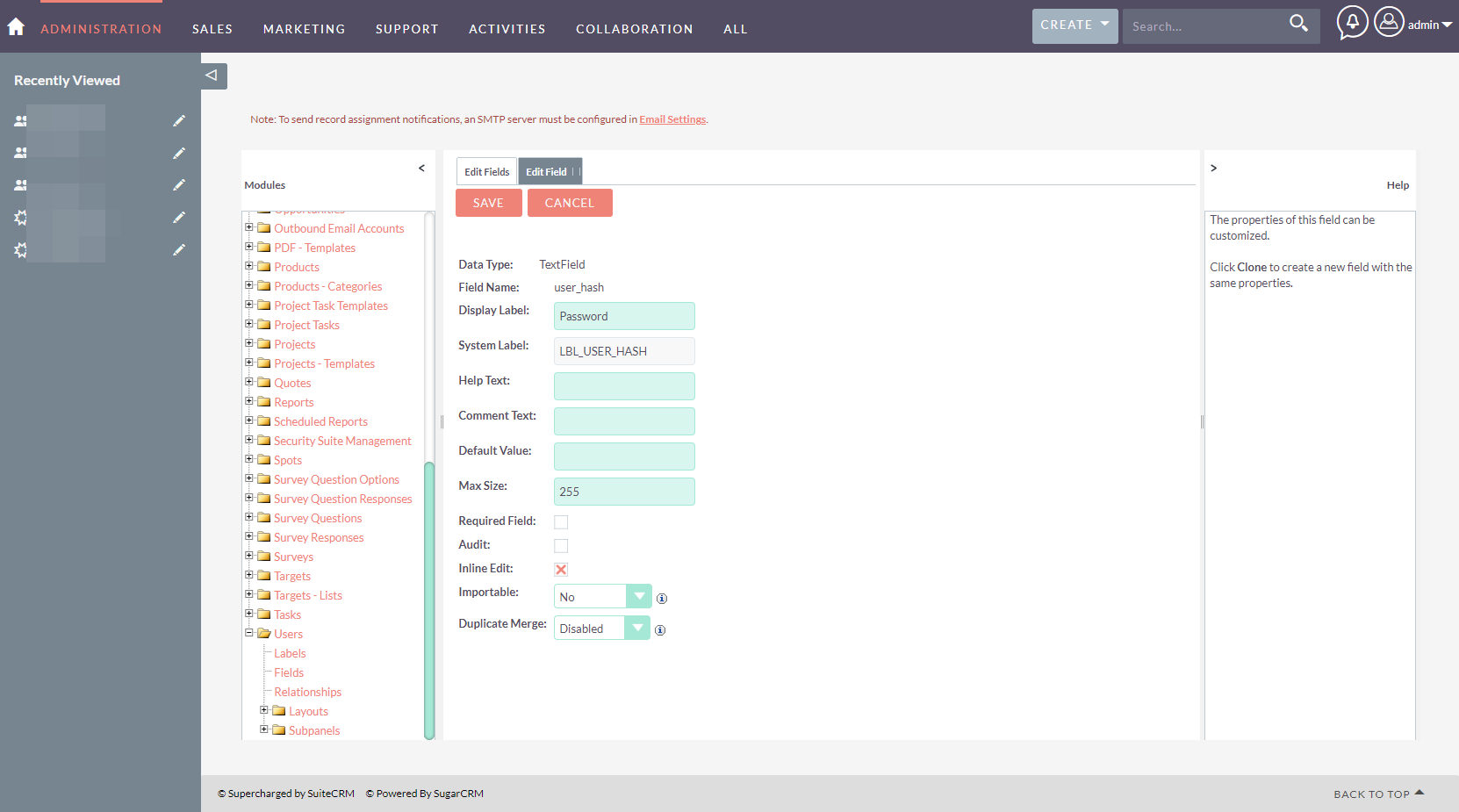
Maybe you are referring to the password field definition in Studio. Here is a screenshot of the password field in Studio and you can see that it is not a required field:
I will try to install another test instance on another machine and will report back.
amariussi
on 2 Mar 2019
Confirmed in a fresh install of 7.11.1 and now upgraded to 7.11.2. When editing the user profile, the password is always assumed to have been changed in the edit - even when the password tab has not been displayed.
 nelem
on 3 Mar 2019
nelem
on 3 Mar 2019
Can confirm the behaviour on 7.11.2
When I change a setting in my profile, I have to go to Password tab and re-enter my password and then again to confirm.
 apexred
on 6 Mar 2019
apexred
on 6 Mar 2019
Yep, I can confirm this bug also exists in 7.9.17. (I'm not sure if it existed in 7.9.4, the previous version we were on). It'd be great to have a fix for this, it's a problem for some of our users (you're not able to edit your own user account because of it).

 connorshea
on 2 Apr 2019
connorshea
on 2 Apr 2019
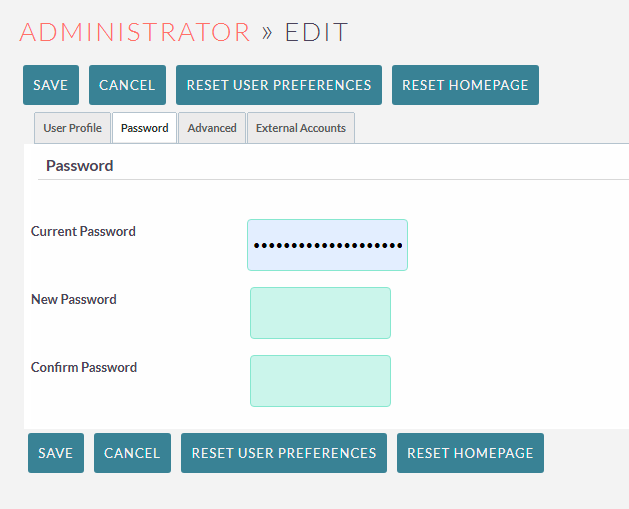
@willrennie one important detail for reproducing this bug: You need to have your browser (Chrome-specific issue, maybe?) store your user password, otherwise it won't happen. It will then autofill the "Current Password" field without the user knowing, which is what causes this issue.
connorshea
on 2 Apr 2019
Aha, if I delete the password, after modifying my profile, it saves without the password prompt.... I was today year's old when I learned this trick!
apexred
on 2 Apr 2019
This file seems relevant: https://github.com/salesagility/SuiteCRM/blob/27e4e186b645b59dba48b72d0cb78ae045f8f375/jssource/src_files/modules/Users/PasswordRequirementBox.js
This bit in particular is important:
Which causes the set_password function to trigger if the value is set to true:
I guess we need to not set the value for password_change to true when the tab hasn't been / isn't currently displayed.
connorshea
on 2 Apr 2019
The change that fixed this for us was changing this line in PasswordRequirementBox.js:
- if ((new_pwd != "" || confirm_pwd.value != "" || (document.getElementById('page') && document.getElementById('page').value == "Change"))) {
+ if ((new_pwd != "" || confirm_pwd.value != "" || (document.getElementById('page') && document.getElementById('page').value == "Change")) && old_pwd != "") {
Note you have to "Repair Compressed JS" in the Admin panel to get the change to propagate.
connorshea
on 10 Apr 2019
Related issues
 likhobory
·
3Comments
likhobory
·
3Comments
 Mausino
·
3Comments
likhobory
·
3Comments
Mausino
·
3Comments
likhobory
·
3Comments
 criterion9
·
3Comments
criterion9
·
3Comments
 dawansv
·
3Comments
dawansv
·
3Comments
Most helpful comment
@willrennie one important detail for reproducing this bug: You need to have your browser (Chrome-specific issue, maybe?) store your user password, otherwise it won't happen. It will then autofill the "Current Password" field without the user knowing, which is what causes this issue.