Suitecrm: 7.10 Beta2 repeatedly asks for expired password replacement
Issue
When I log in, after my password is accepted, I always get this screen:

Note that this is not my log in screen, I'm past that at this point. It's inside the CRM, I have the menus, but I'm asked to replace my expired password.
It doesn't matter if I use the same password or a new one, and it doesn't matter if's a simple or complex password.
After putting in the new password, I can use the CRM correctly. When I need to log in again, though, I am always taken to that same screen.
There should be some message - either accept the old password for good, or tell me why not and force me to provide a valid one.
Steps to Reproduce
- Log in to the CRM.
- I am unsure as to what exact circumstances cause the message to be shown to me... I am not told the reason for expiry... and it's expired even if it's a new password just recently created.
Your Environment
- SuiteCRM Version used: 7.10-beta2, upgraded from previous versions, not freshly installed. I had this behaviour already in Beta1
- Browser name and version: Firefox 56
- Environment name and version: MySQL 5.7, PHP 7.0
- Operating System and version (e.g Ubuntu 16.04):
 pgorod
All 12 comments
I believe this is related to the default password expiration set in the config. We'll need to change the default to something reasonable but you can change it manually as a temporary workaround.
 Dillon-Brown
on 8 Dec 2017
Dillon-Brown
on 8 Dec 2017
Yes.. this is part of issue which i reported, @pgorod please look on #4552 if it solves your issue ticket
 Mausino
on 11 Dec 2017
Mausino
on 11 Dec 2017
This is not solved in Beta3. And it happens to all users I tried, not just one. Probably the same issue as #4722.
pgorod
on 19 Dec 2017
This is a test system that I've been successively upgrading. I don't remember exactly where I started, maybe 7.8.something, but it's been getting every small upgrade since.
In this case, I believe the issue was introduced upgrading from 7.9.x to 7.10 Beta1.
I believe 7.9 was at version 7.9.7 when the Beta1 came out?...
pgorod
on 19 Dec 2017
There is a work around.
- Go to Admin
- Go to Password management
- change the expires
- click save
This should get rid of the issue in the mean time.
 daniel-samson
on 19 Dec 2017
daniel-samson
on 19 Dec 2017
The Password Management screen only has and expiry setting under the "Enable System-Generated Passwords Feature". There is not a work around to stop this from happening if you don't use that.
 liquidocelot
on 20 Dec 2017
liquidocelot
on 20 Dec 2017
@liquidocelot make sure you're on 7.10 Beta if you're following this issue here.
If you have a similar problem on 7.9.x or 7.8.x then follow #4722
pgorod
on 20 Dec 2017
I'm on Version 7.10 beta-2
liquidocelot
on 20 Dec 2017
Try Beta3, I think there's a difference on the Settings screen so you can use the workaround like I did.
But what really intrigues me is why this is happening to us, it doesn't seem to happen to everybody...
pgorod
on 20 Dec 2017
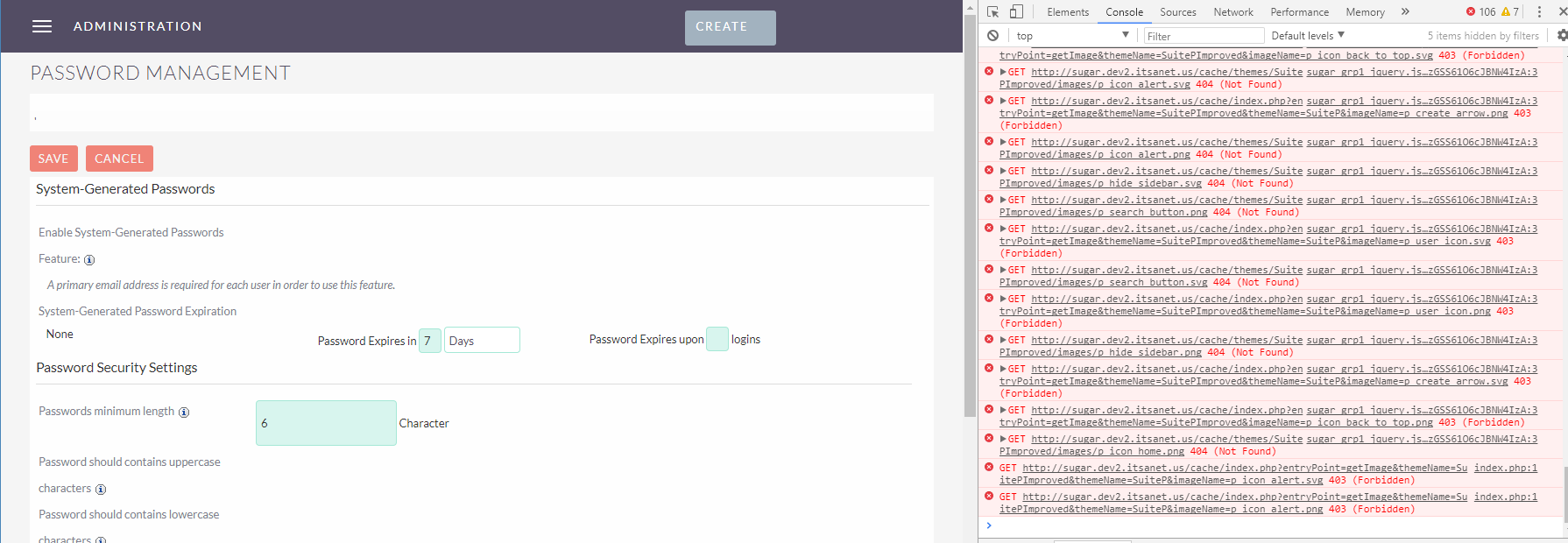
Haha, just upgraded to beta 3 and it still doesn't have the setting. And now the whole thing is missing the majority of images and checkboxes.
liquidocelot
on 20 Dec 2017
You can try a Quick Repair and Rebuild, or deleting cache/themes. If the problem persists, or if it is appearing elsewhere in your system, I would say you have Linux permissions problems.
pgorod
on 20 Dec 2017
Just as an update, it seems this is in fact related to #4722 and the solution is to completely remove the SuitePImproved package from Module Loader.
pgorod
on 22 Dec 2017
Related issues
Mausino
·
3Comments
pgorod
·
3Comments
 likhobory
·
3Comments
pgorod
·
3Comments
likhobory
·
3Comments
pgorod
·
3Comments
 tech-ch1
·
3Comments
tech-ch1
·
3Comments
Most helpful comment
There is a work around.
This should get rid of the issue in the mean time.