Subtitleedit: scene change detection problem?
Hello.
I'm not sure but I think SE have problems with proper recognition of scene changes.
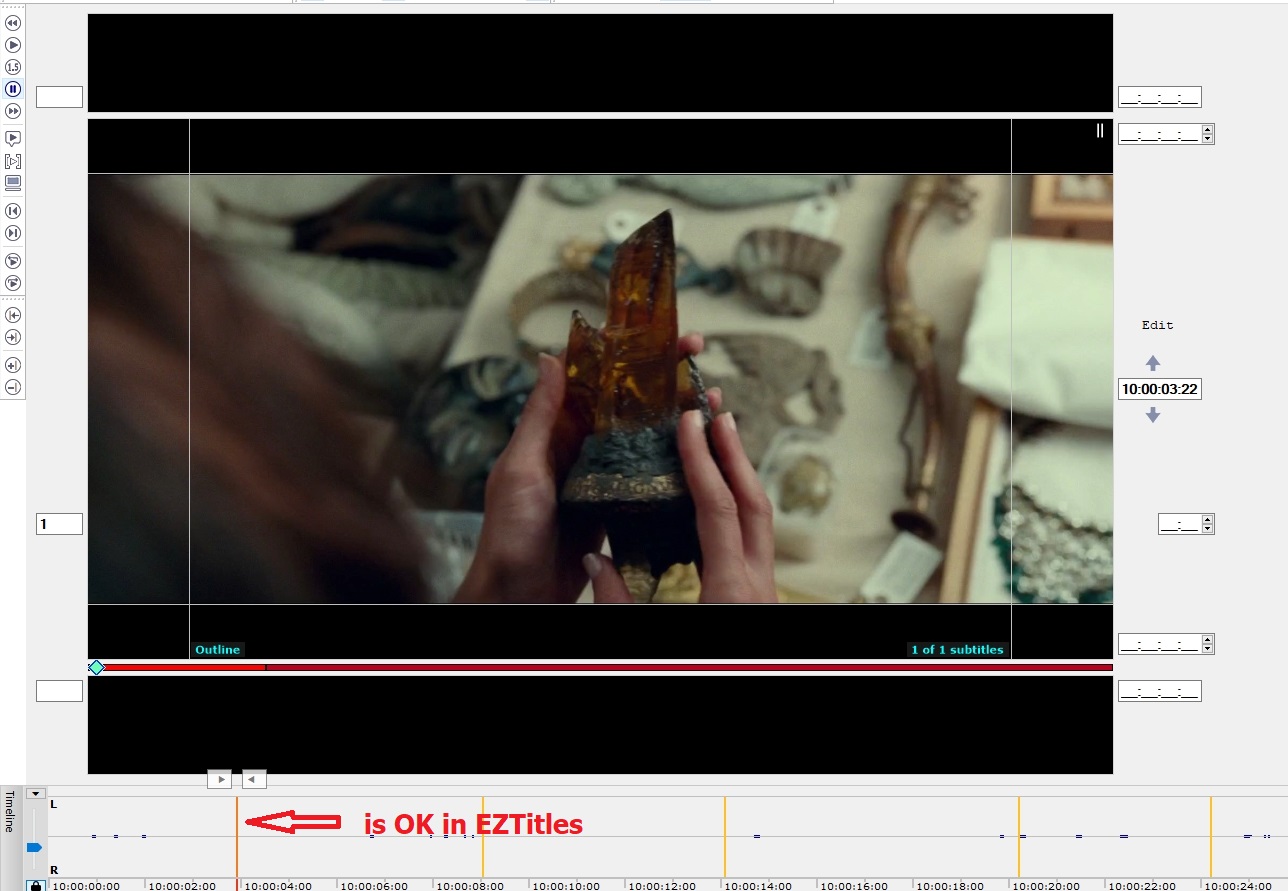
I always use EZTitles to generate scene changes because I think it is most accurate.
Scene change should be the first frame of a new shot, right?
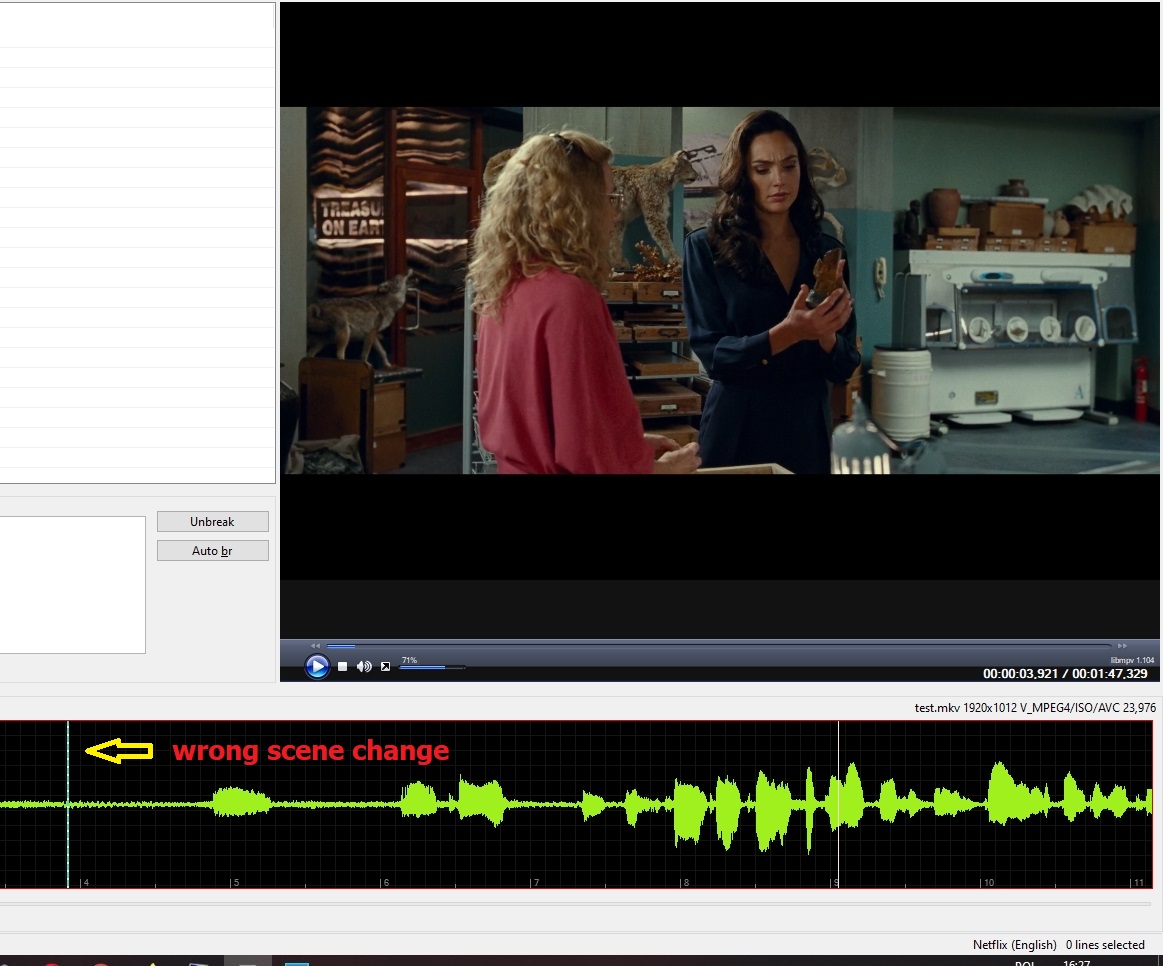
But SE shows scene change as the last frame of the shot so it's always one frame behind.
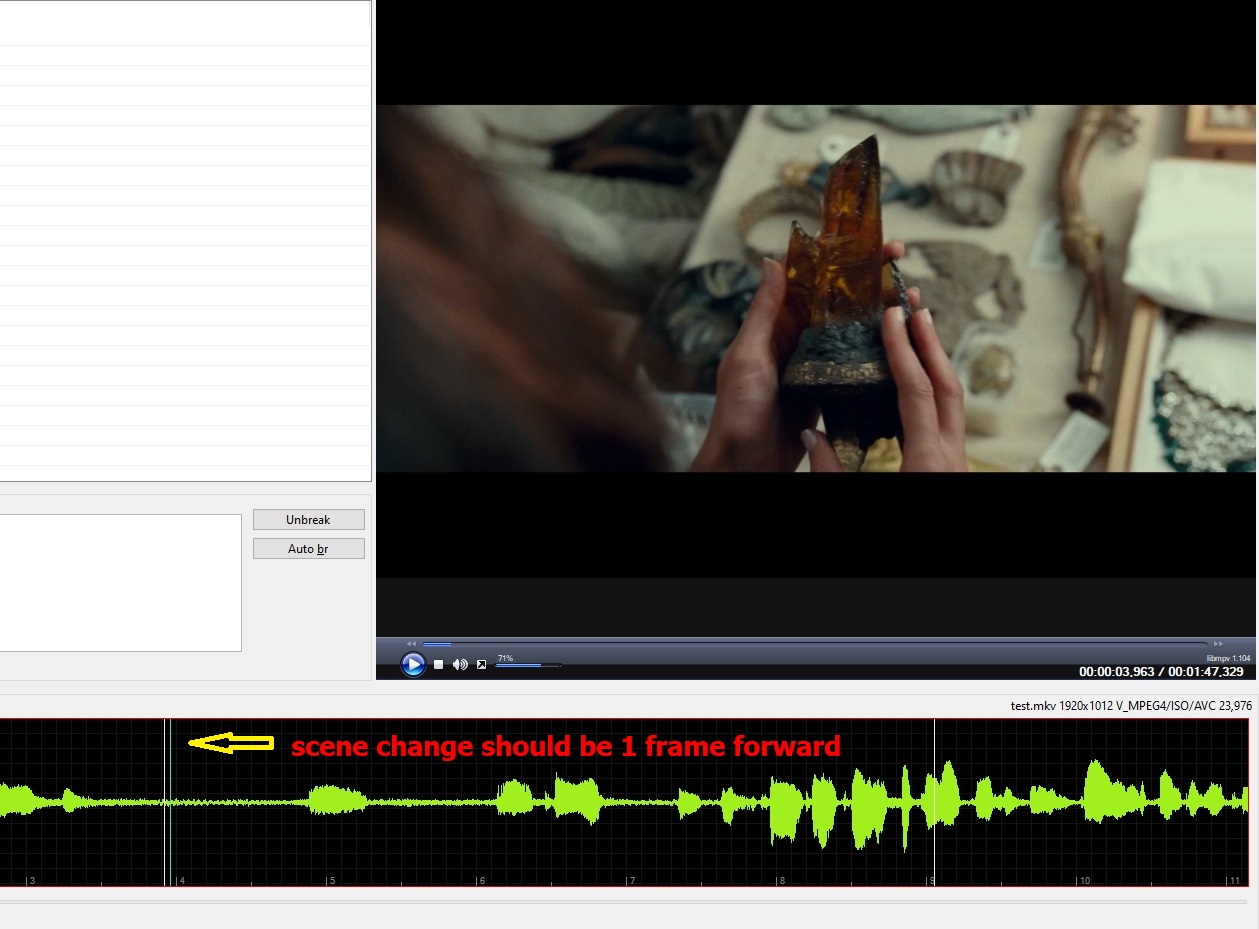
In other words, all scene changes sholud be moved forward by 1 frame.
I also tried generating SC in FFmpeg and it's the same.
Now it is like this:
Scene change should be here:
EZTitles recognizes sc properly.
It looks like it's SE issue.
@OmrSi
@niksedk
 m0ck69
All 15 comments
It happens with some videos for some reason, but not in others.
In my case, generating scene changes from SE using FFmpeg for some videos works fine, but importing them from EZtitles shows them one frame behind for some reason.
Up until now, I thought it might be a problem with the video itself...
 OmrSi
on 5 Jan 2021
OmrSi
on 5 Jan 2021
Can't anything be done about it?
Maybe it's the matter of codec/resolution/extension?
EZTitles doesn't have problems with it whatsoever as shown in the last picture.
In my case, both importing sc and generating them from SE using FFmpeg result in one frame delay ;(
m0ck69
on 5 Jan 2021
Can you attach the test file so I can do some tests?
OmrSi
on 5 Jan 2021
Here you go:
https://1fichier.com/?91p1dyk1vcab9lnlknr6
m0ck69
on 5 Jan 2021
Hmm, the file you attached works perfectly fine with changes generated from SE and EZtitles:
test-shotchanges.zip
OmrSi
on 5 Jan 2021
Not here. Still 1 frame behind.
I imported your scenes.
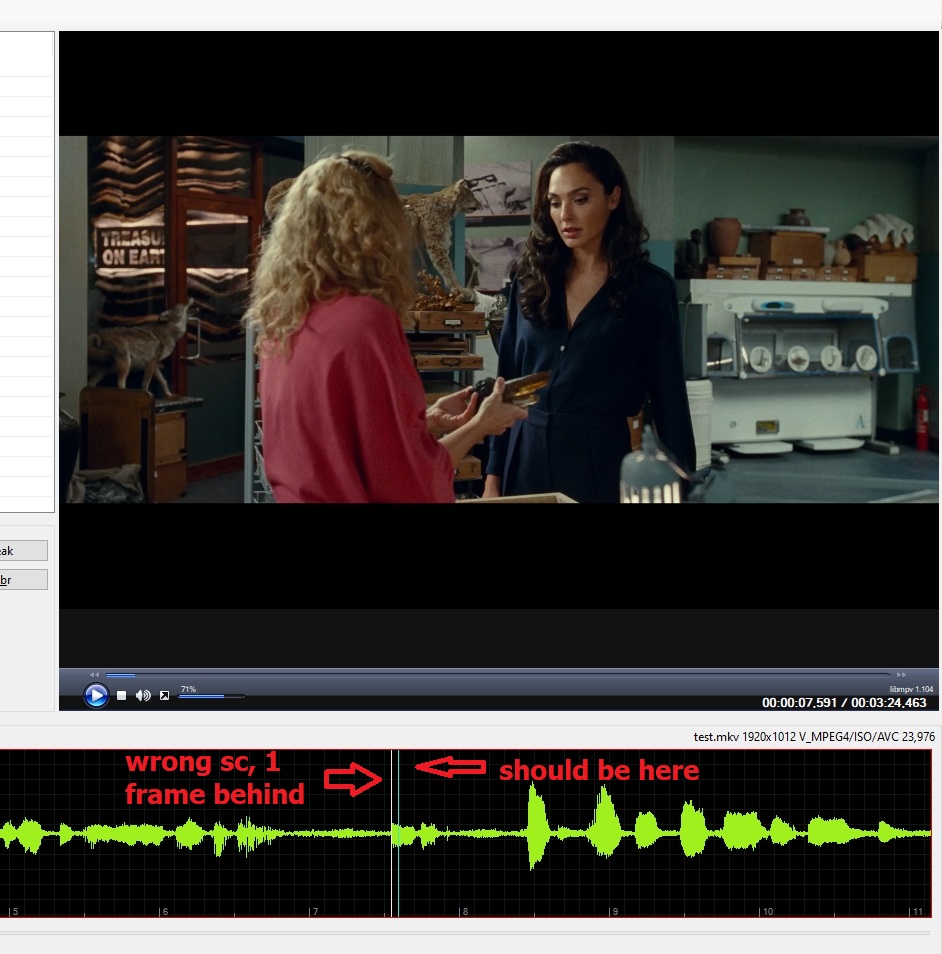
Maybe I have old version of mpv or ffmpeg?
I never update those?
m0ck69
on 5 Jan 2021
@OmrSi
After the update, this sample seems to be working fine, but the whole movie is still 1 frame behind.
I am so confused. Can you check the whole movie, please?
https://1fichier.com/?on1ymngb3ysfpnhjqv6r
If it's OK for you, then the problem is definitely on my side.
m0ck69
on 5 Jan 2021
Sadly, my internet speed is real bad. I need about 7 hours to download the file.
Can you test PSA's version of the movie? I already have it downloaded.
OmrSi
on 5 Jan 2021
Which version exactly? PSA has 3 versions on their site.
In the meantime I tried 720p version and scene change work fine. Apparently, 1080p causes problems. Maybe resolution or the size is the issue. It's hard to tell.
m0ck69
on 5 Jan 2021
Great, I have the 1080p version, I'll test and get back to you.
OmrSi
on 5 Jan 2021
It's working well with PSA's 1080p version here.
OmrSi
on 5 Jan 2021
I have done some tests. I have tested 4 different versions of the same movie: different resolutions, sizes, codec etc.
I've been checking only .xml scene changes generated in EZTitles.
Here are the conclusions:
movie no 1: 720p (x264), 4.4 GB - everything is OK
movie no 2: 1080p (x265), 2,12 GB - everything is OK
movie no 3: 1080p (x264), 5.88 GB - 1 frame behind
movie no 4: 1080p (x264), 11 GB - everything is OK
So what's the difference between movies 3 and 4?
Movie no 3 has chapters and cover jpg photo muxed in. I thought that those are causing 1 frame delay.
But I muxed them out for testing and it didn't help. There is still 1 frame delay in movie 3 no matter what I do.
Honestly, I don't know anymore.
Here is media info raport from movie no 4 which works fine:
Wonder.Woman.1984.2020.1080p.AMZN.WEB-DL.DDP5.1.H.264-NTG.mkv.txt
Here is media info raport from movie no 3 which doesn't work:
Wonder Woman 1984.2020.1080p.WEB-DL.H264.DD5.1-EVO.mkv.txt
It just bugs me. What does this stupid movie no 3 have that causes 1 frame delay?
There is no problem with other versions so there must be something inside this movie that causes this delay issue.
m0ck69
on 6 Jan 2021
I guess that's why some people say EVO is bad? xD
It's really strange.
OmrSi
on 6 Jan 2021
I guess so. Anyway, thx for trying to solve this. I guess this will remain a mistery... ;-P
m0ck69
on 7 Jan 2021
Well, until I find a file that has this issue with a smaller size. xD
OmrSi
on 8 Jan 2021
Related issues
 taxen
·
6Comments
taxen
·
6Comments
 rgfx
·
5Comments
rgfx
·
5Comments
 LeonCheung
·
5Comments
OmrSi
·
6Comments
LeonCheung
·
5Comments
OmrSi
·
6Comments
 frozenspider
·
5Comments
frozenspider
·
5Comments